MeshStudio: 3D Model Generator
Al Image to 3D Model Maker
Designed for iPhone, iPad, Mac
Free · In-app purchases
- Age rating4+
- CategoryGraphics & Design
- DeveloperONNEX YAZILIM ANONIM SIRKETI
- LanguagesEnglish+ 16 more
- Size39.8 MB
Links to the official App Store page
Download.org hosts no file of MeshStudio: 3D Model Generator. The button opens its official App Store page, published by ONNEX YAZILIM ANONIM SIRKETI. Listing last checked on Nov 15, 2026.
Screenshots
About
Turn an idea into a 3D model with MeshStudio.
Describe what you want to create or start with a reference image. MeshStudio uses AI to build a 3D model that you can preview, inspect and export right from your iPhone or iPad.
FROM WORDS TO 3D
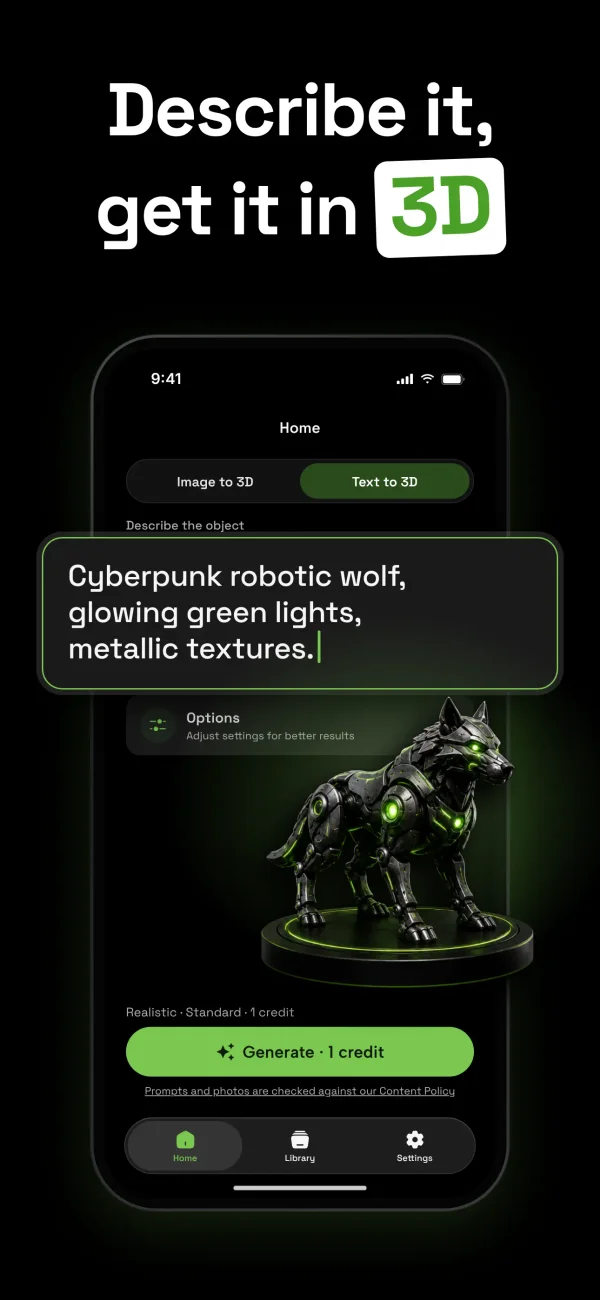
Write a simple description of your idea. It could be a game prop, a product concept, a decorative object or something entirely new. Add the details that matter to you, note anything you want to avoid, choose a visual style and let MeshStudio create a 3D interpretation of your prompt.
FROM IMAGE TO 3D
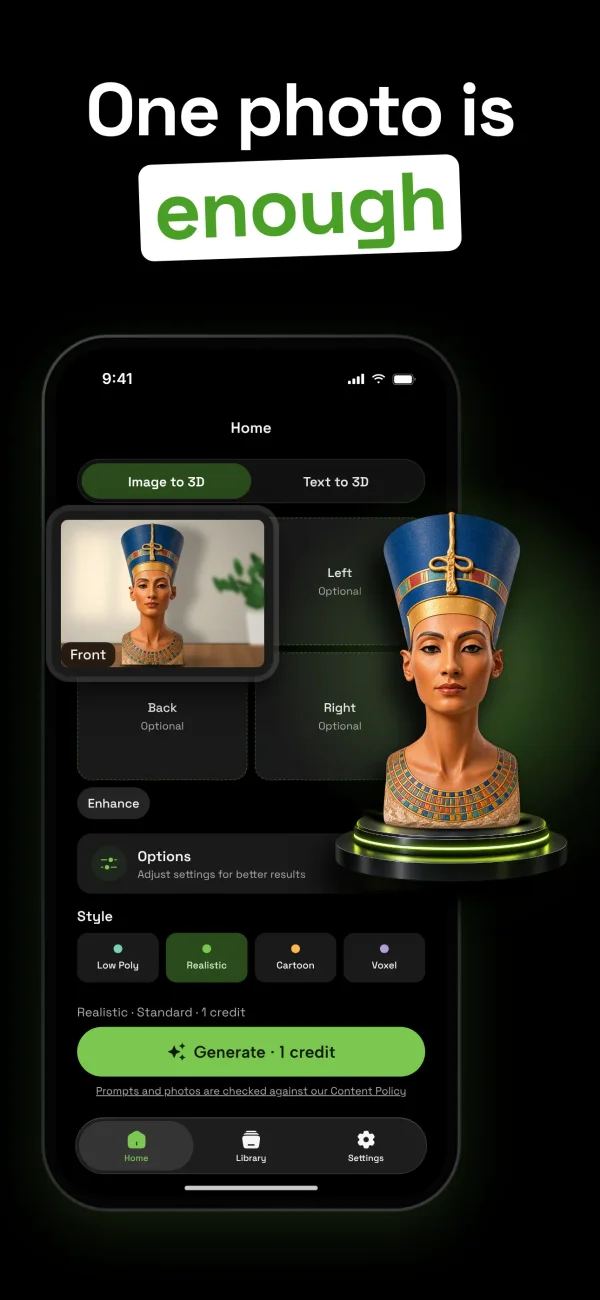
Already have a visual reference? Upload a photo, drawing or concept image and use it as the starting point for a 3D model. One front photo is enough, and you can add left, back and right views for more detail. Clear images with a well-defined subject generally produce the most useful results.
CHOOSE YOUR STYLE
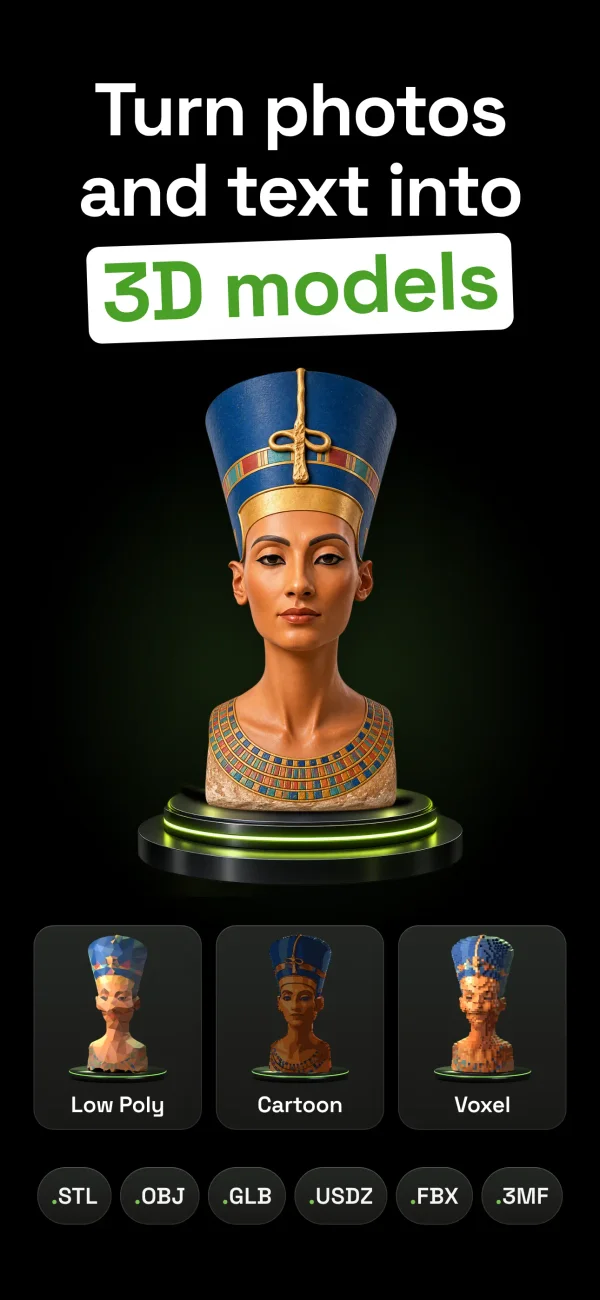
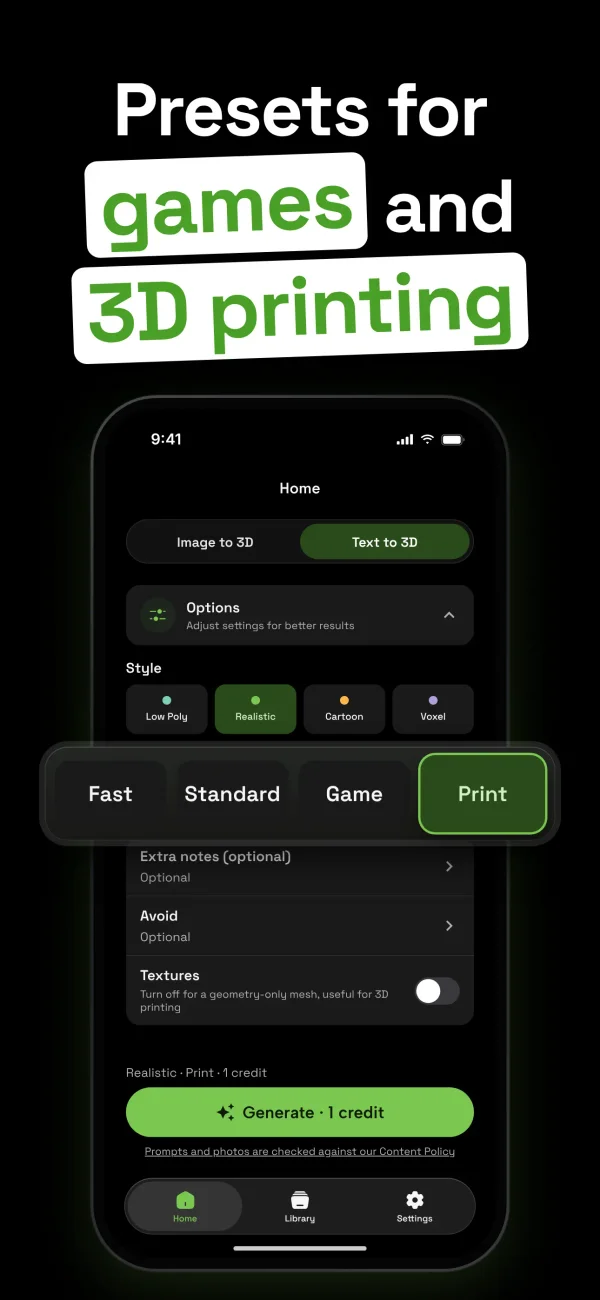
Give each creation its own character. Explore realistic, cartoon, low-poly and voxel styles to find the look that fits your idea.
PRESETS FOR GAMES AND 3D PRINTING
Pick Fast, Standard, Game or Print. Turn textures off to get a clean, geometry-only mesh for 3D printing.
EXPORT IN 6 FORMATS
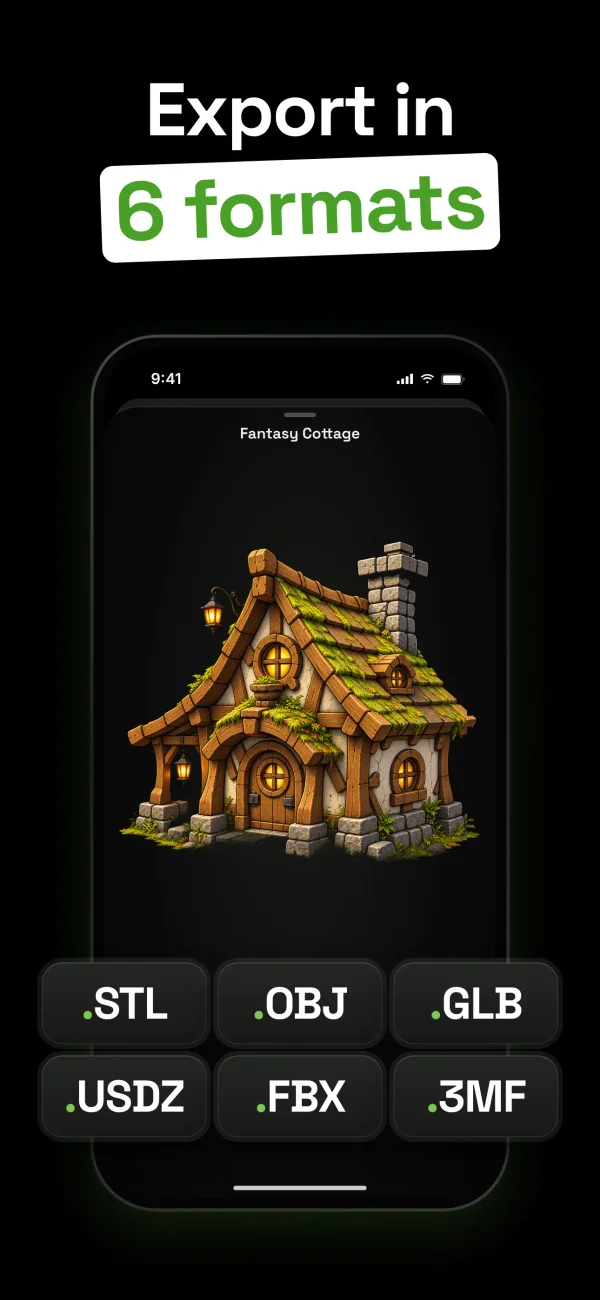
Export your models as STL, OBJ, GLB, USDZ, FBX or 3MF. Sharing a GLB is free. Exporting to any other format uses 1 credit per format the first time, and exporting that format again is free. STL and 3MF files do not include textures.
PREVIEW YOUR CREATIONS
Rotate and examine generated models in an interactive 3D viewer and save snapshots to Photos. Your creations are kept together in your personal library, so you can return to them whenever inspiration strikes.
CREDITS AND MESHSTUDIO PRO
Creating a model uses 1 credit. Get credits the way that suits you:
• Credit packs: one-time purchases. Pack credits never expire.
• MeshStudio Pro: an optional subscription that refills your credits. Weekly gives 5 credits every week, Monthly 20 credits every month, and Yearly 12 credits every month, billed once a year.
Plan credits are used before pack credits and expire at the end of each period.
MADE FOR EXPLORING IDEAS
MeshStudio is useful for:
• Early product concepts
• Game and animation assets
• Characters and decorative objects
• 3D printing projects and figurines
• Creative experiments and 3D design inspiration
• Visualizing ideas before detailed modeling
No traditional 3D modeling experience is required. Start with an idea, refine your description and explore how different prompts and reference images change the result.
Please note:
• Sign in with Apple or Google is required. Your models and credits are stored in your account.
• AI-generated results may vary depending on the prompt, reference image and selected style.
• An internet connection is required to generate models, and a model usually takes a few minutes.
• New accounts may receive free welcome credits.
• MeshStudio Pro is an auto-renewable subscription. Payment is charged to your Apple Account at confirmation of purchase. It renews automatically for the same period and price unless canceled at least 24 hours before the end of the current period. You can manage or cancel it in your App Store account settings.
• Prompts and photos are checked against our AI Content Policy before generation. You can report any model from the Library or the viewer.
• Only upload images that you own or have permission to use.
Your next 3D idea can begin with a sentence or a single image. Create it with MeshStudio.
Privacy Policy:
https://holy-tarantula-15f.notion.site/Privacy-Policy-MeshStudio-b31930240b84451a97329bb05efae0f9
Terms of Use:
https://holy-tarantula-15f.notion.site/Terms-of-Service-MeshStudio-a1e7d409ee284dd0a46fc8b81d4404b6
AI Content Policy:
https://mesgen-53954.web.app/content-policy
What’s new
Version 1.0.6 · Nov 14, 2026
• MeshStudio Pro: an optional weekly, monthly or yearly plan that refills your credits. Credit packs are still here, and their credits never expire.
• Report a model from the Library or the viewer if something looks wrong.
• Fixes and improvements.
App privacy
What ONNEX YAZILIM ANONIM SIRKETI declares on the App Store about how this app handles data.
-
Data linked to you
May be collected and linked to your identity.
- Purchases
- Contact info
- User content
- Identifiers
- Usage data
- Diagnostics
Privacy practices may vary, for example with the features you use or your age.
Information
- Seller
- ONNEX YAZILIM ANONIM SIRKETI
- Category
- Graphics & Design
- Version
- 1.0.6
- Updated
- Nov 14, 2026
- Released
- Sep 19, 2026
- Size
- 39.8 MB
- Requires
- iOS 17.0 or later
- Age rating
- 4+
- Price
- Free
- In-app purchases
- Yes
- Languages
- English, Arabic, Dutch, French, German, Hindi, Indonesian, Italian, Japanese, Korean, Polish, Portuguese + 5 more
- Copyright
- © ONNEX
You might also like
-
 AI 3D Model Generator :Senso3DPhoto Modeling, CAD, Animation
-
 Meshora 3D : AI Model MakerText & photo to 3D mesh
-
 AI 3d model: 3D ModelingAI 3d model
-
 AI 3D Printables : 3D Print3D Modelling & STL Printing
-
 Local 3D - Image to 3D ModelImage to 3D Model Maker
-
 AI 3D Model Generator・GoMeshImage & Text to 3D Model Maker
-
 3D Modeling AI: Text To 3DCreate 3D Models with AI
-
 Model3D: AI 3D Model MakerPrints, game assets, figurines
-
 GLB: 3D Model GeneratorText & Image to 3D Assets