Message Board TV
Split-Flap & Chalkboard Signs
Designed for iPhone, iPad, Mac
Free · In-app purchases
- Age rating4+
- CategoryBusiness
- DeveloperStitious LLC
- LanguagesEnglish
- Size4.8 MB
Links to the official App Store page
Download.org hosts no file of Message Board TV. The button opens its official App Store page, published by Stitious LLC. Listing last checked on Nov 12, 2026.
Screenshots





About
Turn Apple TV into a customizable split-flap or chalkboard message board for your lobby, store, office, cafe, or event.
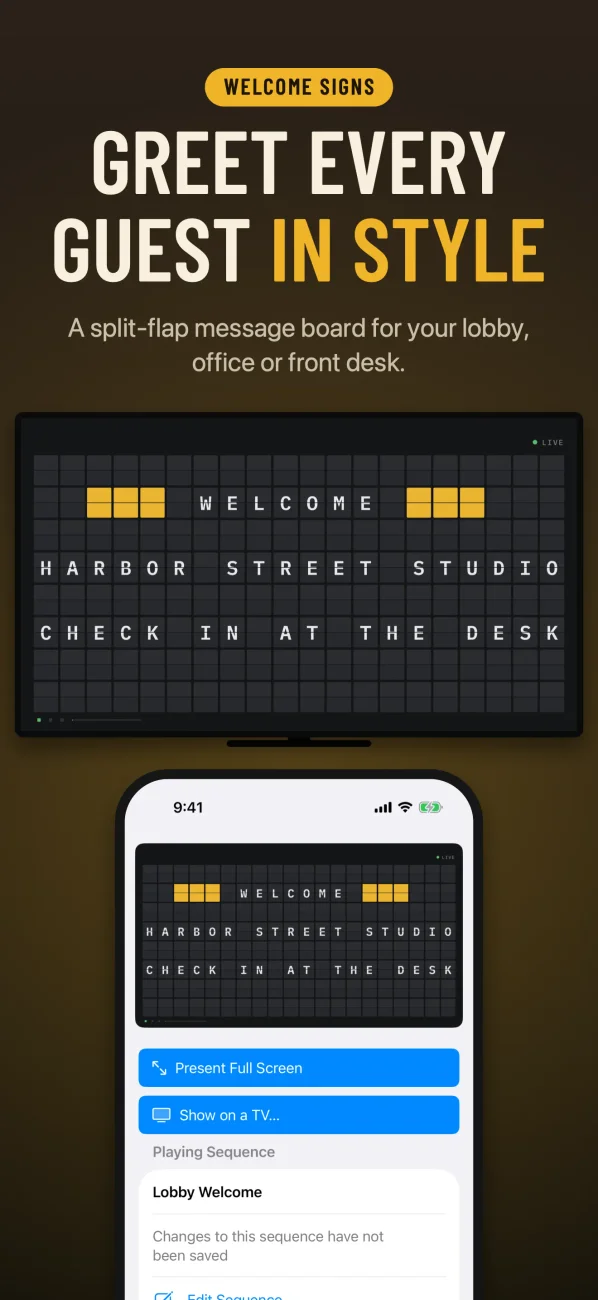
Message Board TV gives an ordinary screen the movement and character of a mechanical departure board, or of a chalkboard lettered by hand. Type a message and watch it flip into place, flap by flap, or write itself out in chalk, stroke by stroke. Line up several messages and they rotate on their own, all day.
MADE FOR REAL SIGNS
• Welcome guests in a lobby or at a front desk
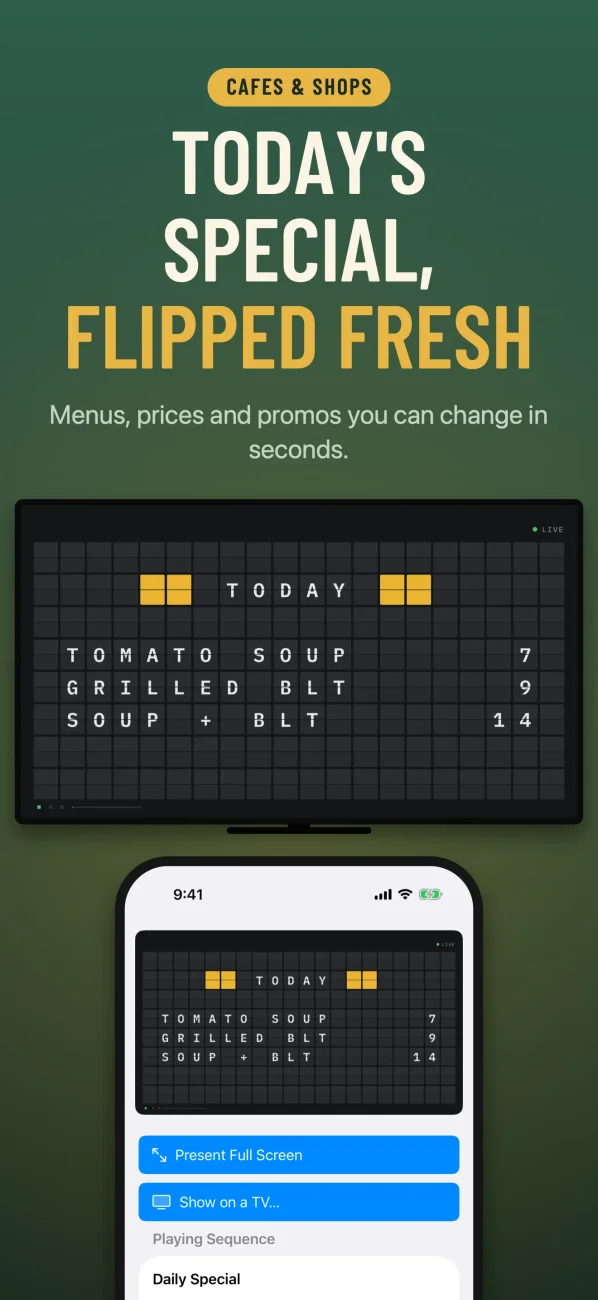
• Post today's special, a short menu, or your opening hours
• Loop announcements and schedules in an office
• Greet people at a wedding, conference, or pop-up
EIGHT BOARD STYLES
Split-flap:
• Terminal: black flaps and warm type, like an airport board
• Platform: cream enamel flaps on railway green
• Graphite: a clean, matte status board
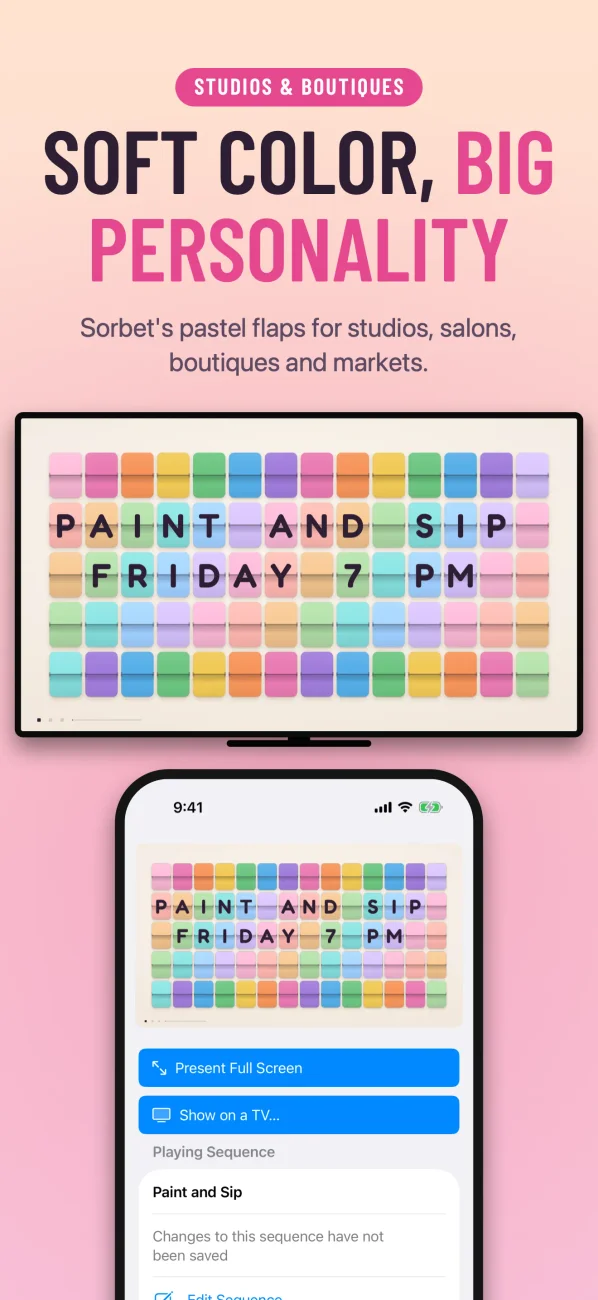
• Sorbet: pastel flaps with chunky rounded type
Each split-flap style has its own flap sound, and color tiles to draw the eye.
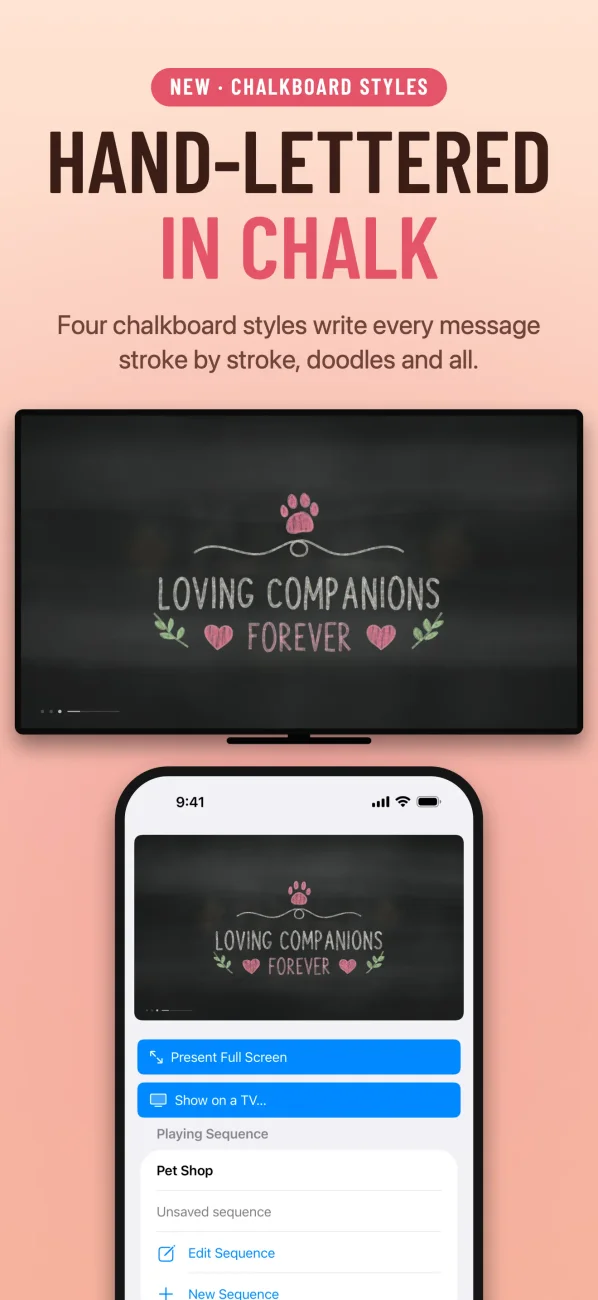
Chalkboard (new):
• Slate Script: elegant script on black slate
• Schoolhouse: the classic green board in a wood frame
• Taproom: bold capitals for bars and happy hours
• Sidewalk: a hand-lettered shop sign, doodles and all
Each message is written out in chalk, held, then wiped away by an eraser. Emoji such as a coffee cup, croissant, heart or paw print are drawn as chalk doodles. Dress up any line with sprigs, sparkles, stars, an underline or a circle, and change its size, color and lettering. Menu rows line up with dotted leaders, ready for today's specials.
EASY TO SET UP
• Runs on Apple TV, Mac, iPhone, and iPad
• Put the board on a TV from your iPhone or iPad with AirPlay
• Edit on the device in your hand and see the board change as you type
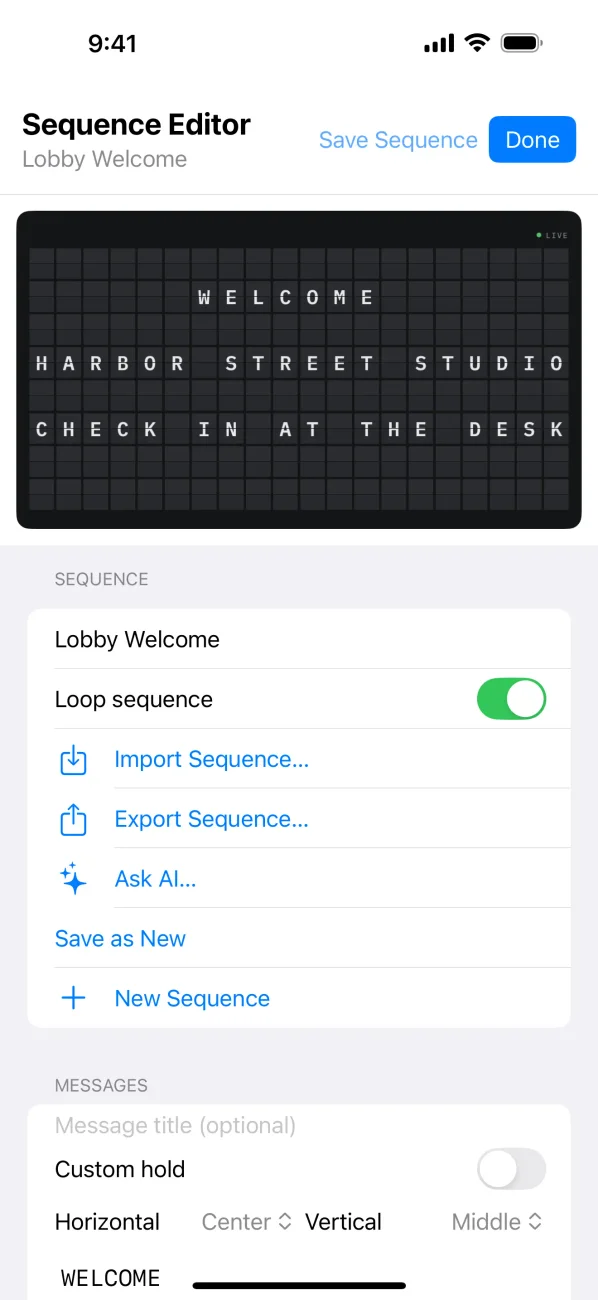
• Save sequences of messages and switch between them
• Choose how the flaps move between messages and how long each one stays
FREE TO TRY
The free version plays the sample messages in every board style. Writing your own messages takes Home or Business, and each plan starts with a one-week free trial for new subscribers.
HOME
• Write your own messages, looping, with no Message Board TV page
• Every board style, split-flap and chalkboard
• 3 saved sequences
BUSINESS
• Everything in Home
• Unlimited saved sequences
• Import and export sequences on iPhone, iPad, and Mac
• Ask AI (iPhone, iPad, and Mac): prepares a prompt you can copy into the assistant of your choice, then paste the result back as a new sequence
• Your own background and flap colors, and flaps that fill the screen
SUBSCRIPTIONS
• Home: $2.99 a month or $19.99 a year
• Business: $7.99 a month or $59.99 a year
Each plan starts with a one-week free trial for new subscribers. Prices are in US dollars and may vary by country or region. One subscription covers Apple TV, Mac, iPhone, and iPad.
Payment is charged to your Apple Account at confirmation of purchase, or at the end of the free trial. Subscriptions renew automatically unless cancelled at least 24 hours before the end of the current period. Your account is charged for renewal within 24 hours before the end of the current period. You can manage or cancel your subscription in your Apple Account settings.
Terms of Use: https://www.apple.com/legal/internet-services/itunes/dev/stdeula/
Privacy Policy: https://stitious.ai/message-board-tv/privacy/
What’s new
Version 1.1 · Nov 7, 2026
Chalkboard is here.
• Four new chalkboard styles: Slate Script, Schoolhouse, Taproom and Sidewalk. Each message is written out in chalk, stroke by stroke, held, and wiped clean by an eraser.
• Type a message and it is lettered for you, with emoji drawn as chalk doodles, ~ for a flourish and LABEL|VALUE for menu rows with dotted leaders. Change any line's size, color or lettering, and add sprigs, sparkles, stars, an underline or a circle.
• Every chalk style comes with its own sample sign, including a new pet shop board.
• A Board Style row puts all eight styles one tap away, and left or right on the Siri Remote steps through them.
• The free version plays the samples in every style and shows every Home and Business feature with a lock, so you can see what each plan adds. Writing your own messages now takes a plan, with a one-week free trial.
App privacy
What Stitious LLC declares on the App Store about how this app handles data.
-
Data not collected
The developer does not collect any data from this app.
Privacy practices may vary, for example with the features you use or your age.
Information
- Seller
- Stitious LLC
- Category
- Business
- Version
- 1.1
- Updated
- Nov 7, 2026
- Released
- Oct 14, 2026
- Size
- 4.8 MB
- Requires
- iOS 17.0 or later
- Age rating
- 4+
- Price
- Free
- In-app purchases
- Yes
- Languages
- English
- Copyright
- © 2026 Stitious LLC
You might also like
-
 Innkeeper: Guest ExperiencesFive-Star Guest Experiences
-
 Booka IsraelBusiness
-
 WriteTex - Math OCR & LaTeXHandwriting to Markdown/LaTex
-
 Split-Flap TVReimagining the Display Board
-
 MathNotes: AI Notes for STEMMath Solver & Homework Help
-
 GovWare 2026Business
-
 Pixie Nail SpaBusiness
-
 Prime Timer: Just One ButtonSimple. Fluid. Elegant.
-
 AltIndex: AI Portfolio TrackerInvest with AI & Alt Data
-
 Sibos AppOfficial Sibos application