- Age rating4+
- CategoryGraphics & Design
- DeveloperHaide Lan
- LanguagesEnglish+ 3 more
- Size2.3 MB
Links to the official App Store page
Download.org hosts no file of Mesura. The button opens its official App Store page, published by Haide Lan. Listing last checked on Nov 11, 2026.
Screenshots


About
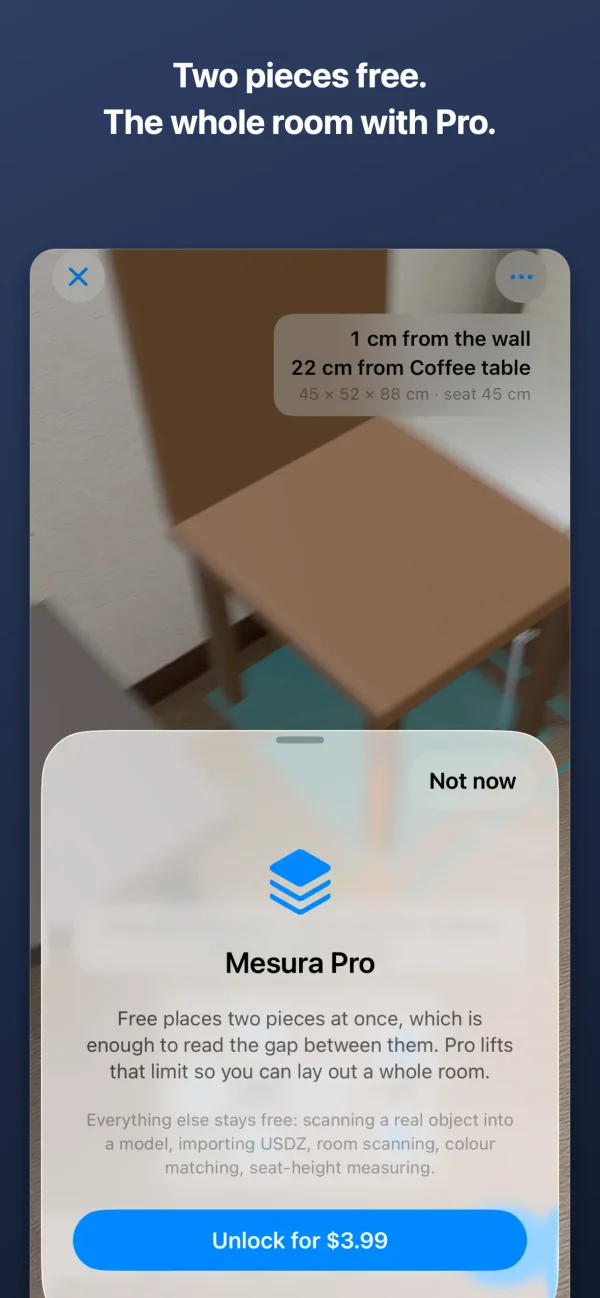
Mesura puts furniture in your room at its real size, so you can decide before you buy.
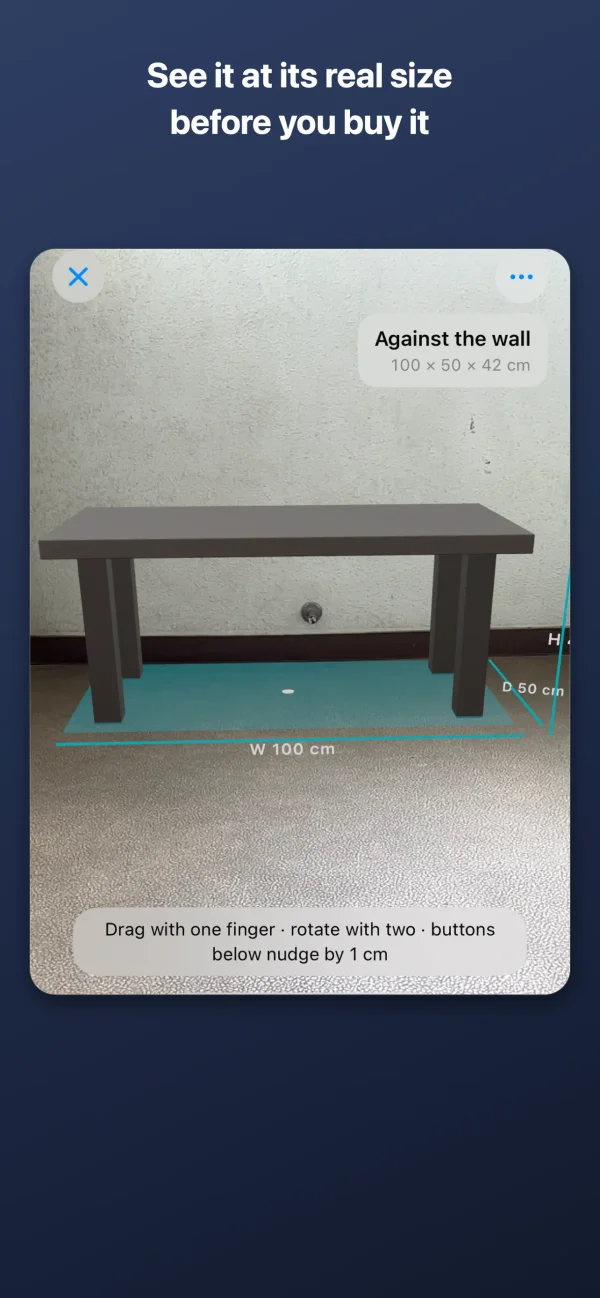
Measure a piece in the shop, save the numbers, and place it on your own floor at home. Mesura then tells you the things a tape measure cannot:
• How far it stands from the wall
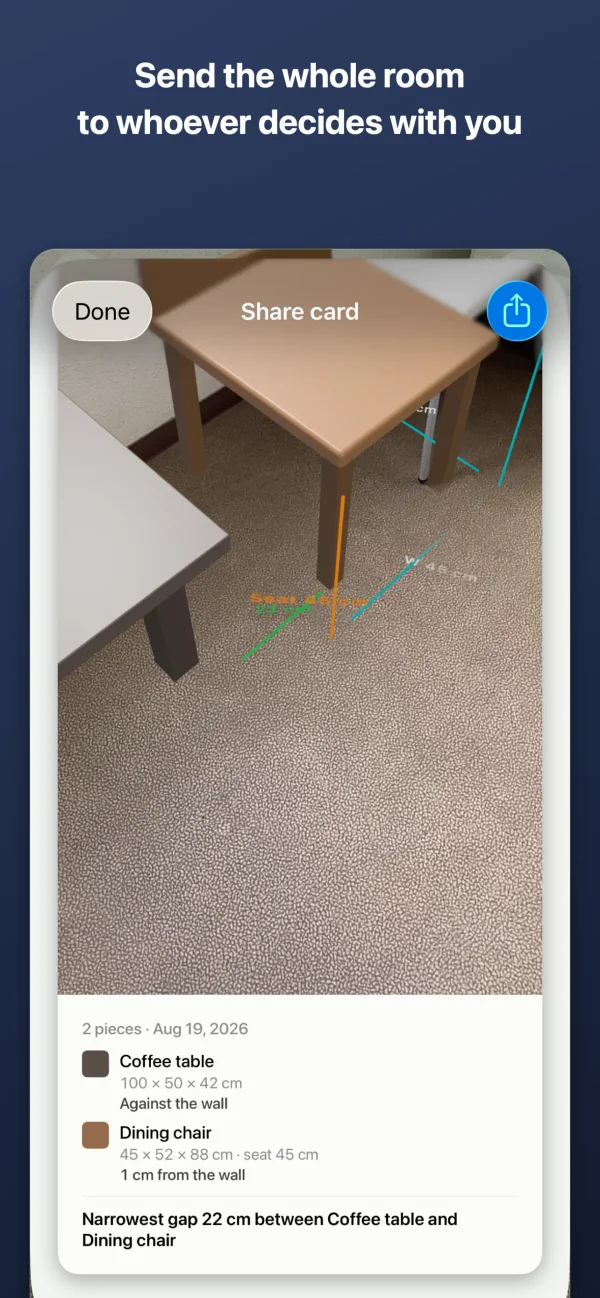
• The width of the walkway left between two pieces — measured edge to edge, not corner to corner
• How high a pendant lamp hangs above a table
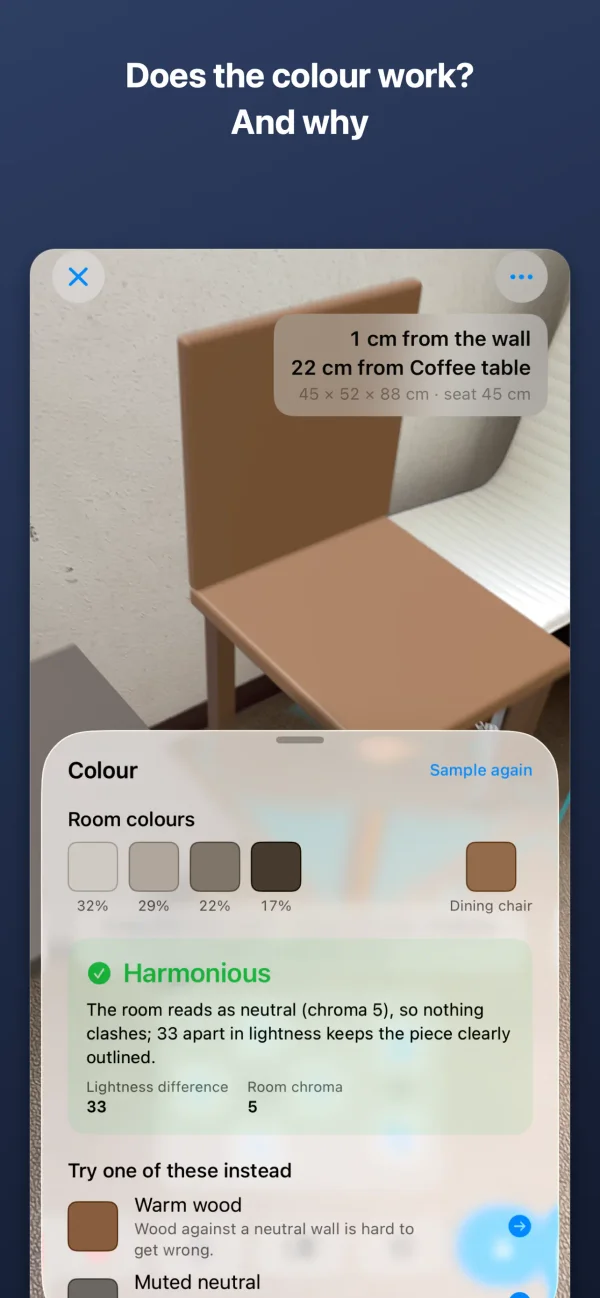
• Whether its color works with your wall, and why
Every number is a decision, not decoration. When a gap gets tight, Mesura says so; when two colours sit in a relationship that works, it tells you which one and by how much.
WHAT YOU CAN DO
• Save the pieces you measured — 30 ready-made shapes, or your own dimensions
• Place them on the floor at true size and walk around them
• Snap a piece flat against a wall, or nudge it a centimetre at a time
• Put small things on shelves and tabletops, real or virtual, with clearance readings
• Measure a room with a scan, or a chair's seat height with the camera
• Import a USDZ model, or scan a real piece into one
• Save an arrangement and bring it back later
• Share a card with the photo and every measurement on it
FREE AND PRO
Everything is free, including scanning, importing, colour advice and the share card. The free tier places two pieces in the room at once — enough to see the gap between them, which is the point. Mesura Pro is a one-time purchase that lifts that limit and lets you save and restore arrangements. No subscription, no ads, no tracking, no account.
WHAT NEEDS A LiDAR SENSOR
On iPhone Pro models, Mesura finds walls and ceilings by itself, measures rooms by scanning, and can turn a real piece of furniture into a model. On other iPhones everything still works, but walls and ceilings are set by hand: you tap the floor twice along a wall, or type the ceiling height. The numbers are just as exact — what you type is what it uses.
Metric and imperial. English, Japanese, Simplified and Traditional Chinese.
What’s new
Version 1.1 · Sep 17, 2026
You can now compare two pieces in the same spot. Select a piece you have placed, open the ⋯ panel and pick "Compare with another piece" — Mesura swaps it and shows you what actually changed: how far it sits from the wall, the narrowest gap left to walk through, the floor it takes, and how its colour reads against your room.
The swap keeps the contact, not the origin. A sofa that was against the wall stays against the wall, so the new numbers are real ones you can act on.
The comparison is not saved — swap back to the other piece to see it the other way round. Anything sitting on the piece is taken down first, and Mesura asks before it does that.
App privacy
What Haide Lan declares on the App Store about how this app handles data.
-
Data not collected
The developer does not collect any data from this app.
Privacy practices may vary, for example with the features you use or your age.
Information
- Seller
- Haide Lan
- Category
- Graphics & Design
- Version
- 1.1
- Updated
- Sep 17, 2026
- Released
- Sep 1, 2026
- Size
- 2.3 MB
- Requires
- iOS 18.0 or later
- Age rating
- 4+
- In-app purchases
- Yes
- Languages
- English, Japanese, Simplified Chinese, Traditional Chinese
- Copyright
- © 2026, Haide Lan
You might also like
-
 Placely: AI Home Planner 3DInterior Design & Floor Plan
-
 Plop it - Room DesignVisualize Furniture in Room
-
 Crayon Maestrodraw,paint,create art,sketches
-
 Color Identifier. CameraDetector, Scanner, Finder
-
 Loopy Live WallpaperAnimate images into live art
-
 AI Art Generator - Art StudioCreate pro Artwork with AI
-
 Island Pet & Island WallpapersCustom Notch & Cute Pet Widget
-
 AR Drawing: Easy Sketch & DrawTrace & Draw picture on paper
-
 AI Home Design - Homely AISmart Home & Interior Ideas
-
 Ideogram AI - Image GeneratorAI Design Tool for Creators