Mesure & Plan: Floor Plans
LiDAR room scanner, 3D & PDF
Designed for iPhone, iPad
Free · In-app purchases
- Age rating4+
- CategoryProductivity
- Developerfrederic magusto
- LanguagesEnglish+ 6 more
- Size10.4 MB
Links to the official App Store page
Download.org hosts no file of Mesure & Plan: Floor Plans. The button opens its official App Store page, published by frederic magusto. Listing last checked on Nov 15, 2026.
Screenshots
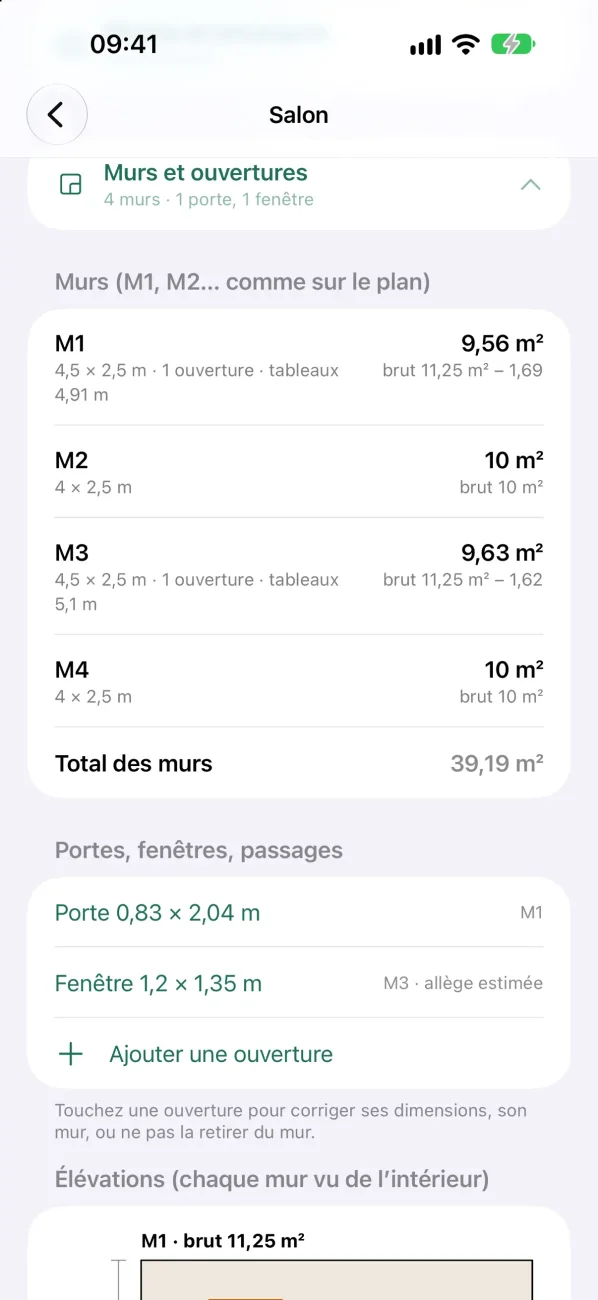
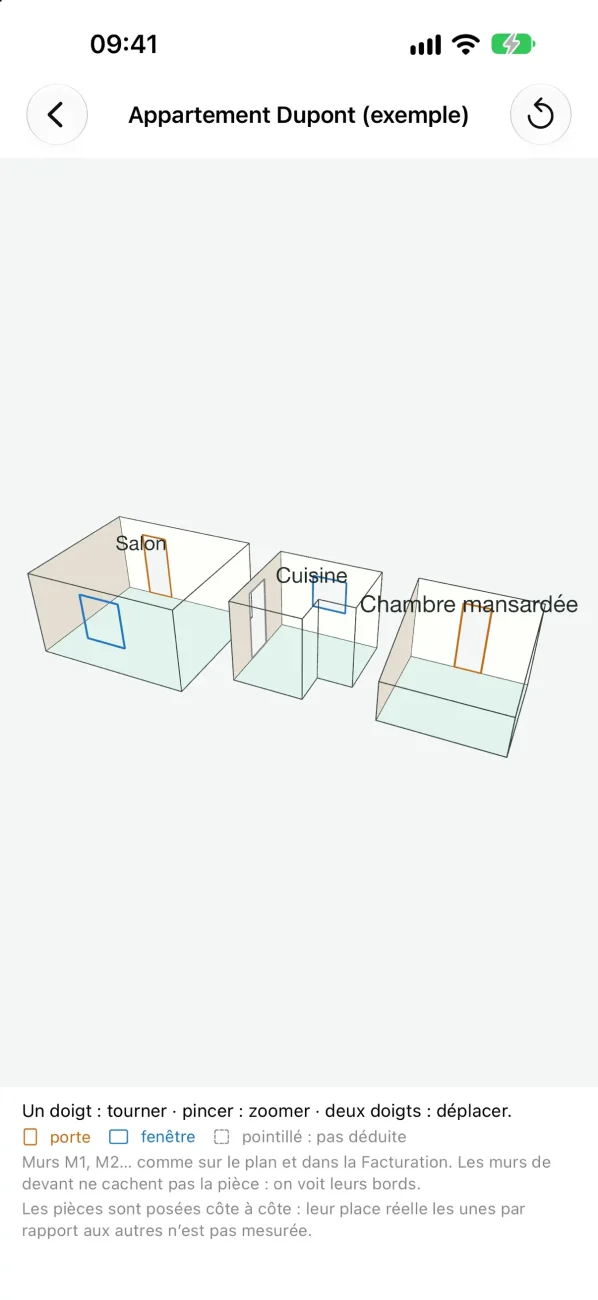
About
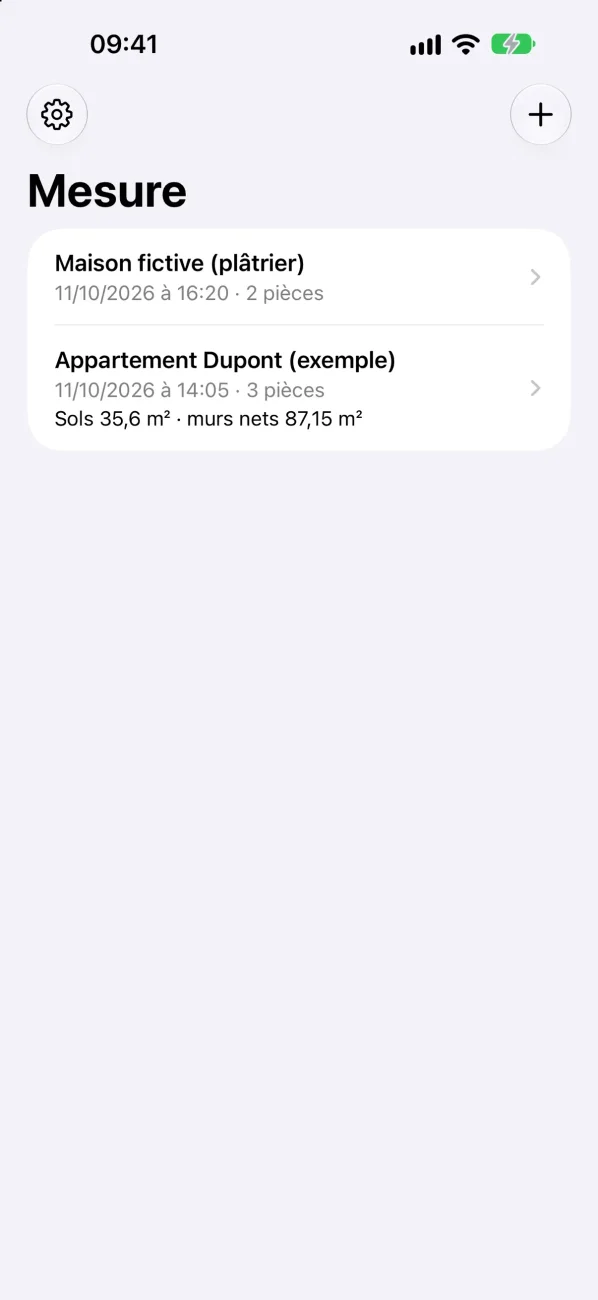
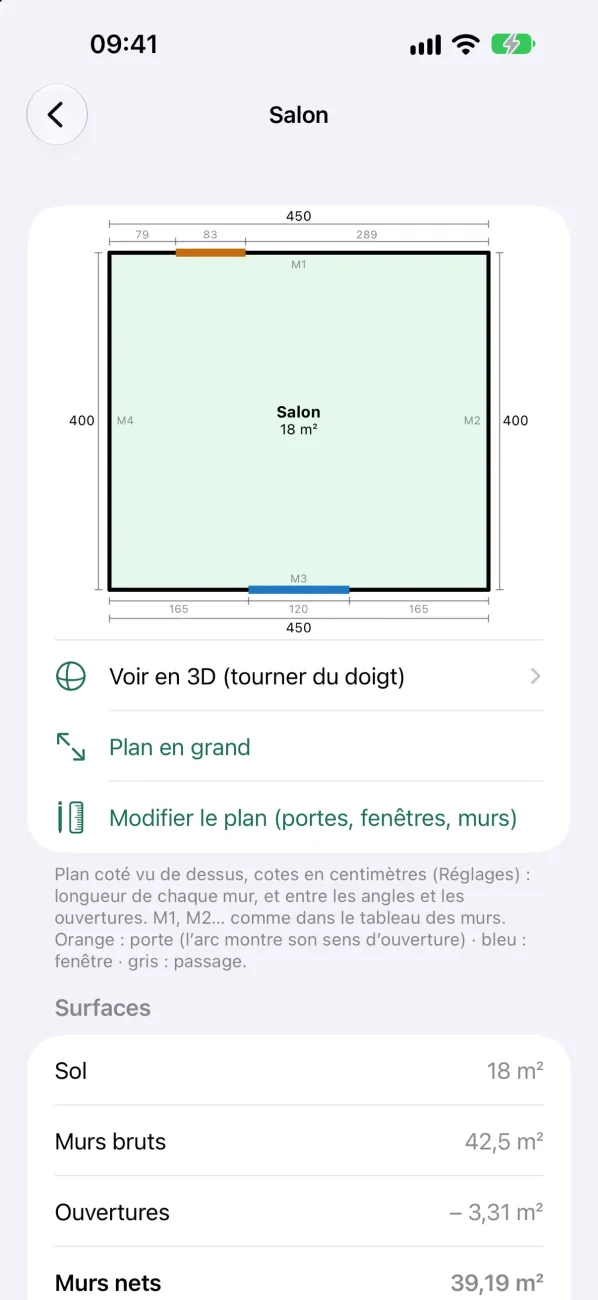
Measure your home by walking through it. With an iPhone or iPad Pro, walk around each room: the app draws the dimensioned floor plan, calculates the areas of the walls (without doors and windows), floors and ceilings, and puts the rooms together into a plan of the whole home.
• Dimensioned plan of each room and of the home, floor by floor
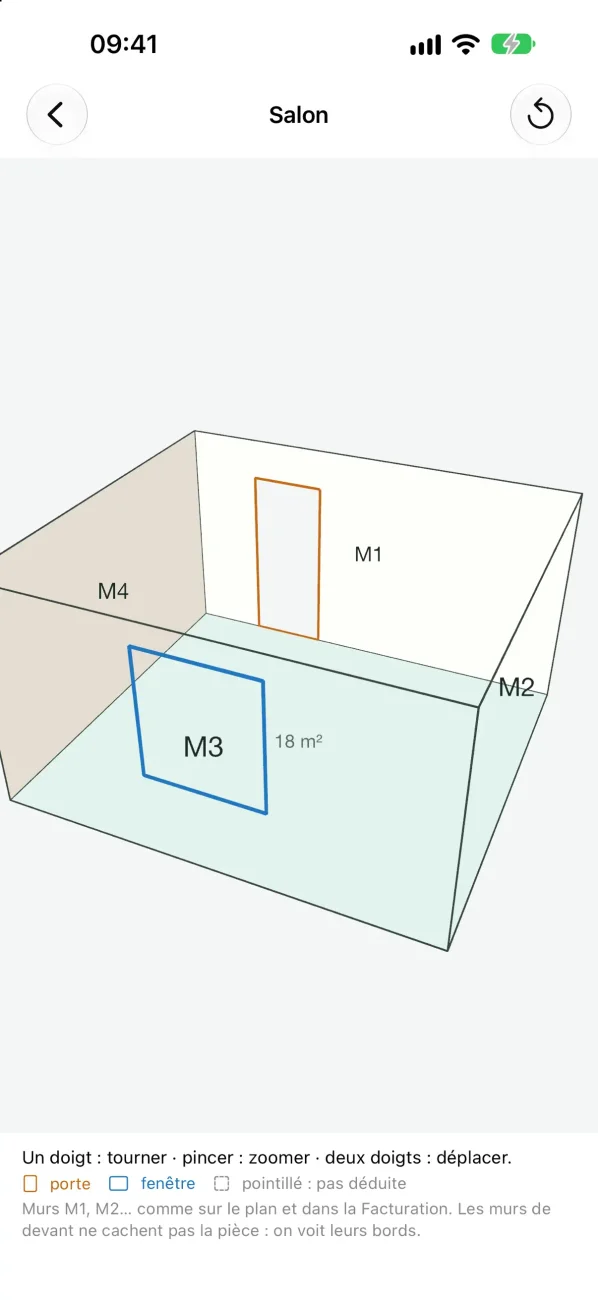
• 3D view you can turn with your finger
• Photos and notes placed on the plan, annotations with your finger or Apple Pencil
• Point-to-point measurements, sloped ceiling heights, living area
• PDF to share by email or Messages
• Free tools: quick measurements and a spirit level
Without LiDAR, the room is measured corner by corner with the camera.
Your first plan is free. After that, each plan is unlocked individually (one-time purchase): dimensions and areas, PDF without watermark, plans for the plasterer. Without a purchase, you can still scan and see the plan and the 3D view. Mesure Pro (subscription): all your new plans complete, without limit.
All measurements are metric (m, cm, m²).
Your plans stay on your iPhone: they only leave it when you share or send them.
Dimensions come from the iPhone's scanner: double-check with a tape measure those that matter for a price or a contract.
Terms of Use (Apple standard licence agreement): https://www.apple.com/legal/internet-services/itunes/dev/stdeula/
Privacy policy: https://gestion.loyermalin.fr/confidentialite#mesure
What’s new
Version 5.0.0 · Nov 9, 2026
Mesure & Plan 5.0: a new generation
• Photo + finger measuring: photograph a spot to check, then measure by touching 2 points (LiDAR depth). Measurements are named, saved with the survey, and included when you share or send.
• New blue interface, light and dark: property list with search and Draft / Done filters, bottom bar Surveys, Photos, Tools, Settings.
• A single Settings page; linking other apps is optional: Mesure & Plan works great on its own.
• Your surveys are better protected: automatic safety copy inside the app.
• New icon.
App privacy
What frederic magusto declares on the App Store about how this app handles data.
-
Data linked to you
May be collected and linked to your identity.
- User content
- Surroundings
Privacy practices may vary, for example with the features you use or your age.
Information
- Seller
- frederic magusto
- Category
- Productivity
- Version
- 5.0.0
- Updated
- Nov 9, 2026
- Released
- Oct 29, 2026
- Size
- 10.4 MB
- Requires
- iOS 17.0 or later
- Age rating
- 4+
- Price
- Free
- In-app purchases
- Yes
- Languages
- English, French, German, Italian, Polish, Portuguese, Spanish
- Copyright
- © 2026 Frédéric Magusto
You might also like
-
 Syndy - Gestion de CopropriétéProductivity
-
 Jot - AI quick notes-takingFast Dictation & AI Recorder
-
 MTplans LiDAR Plan Point CloudSizes, layers, PDF, E57, pro
-
 VoiceWork: AI Note TakerTranscribe Notes & Meetings
-
 Quillo: Voice to TasksVoice Notes to Tasks & Events
-
 Afterthought: Voice NotesTasks, reminders & meetings
-
 PlanShot: LiDAR Floor PlansScan rooms, measure & export
-
 Scannr: Floor Plan & 3D ScanLiDAR Room Scanner & Measure
-
 ValideoProductivity
-
 WhisperAct: Voice Task PlannerAI Notes, Reminders, Calendar