
Metric
Tempo, delay & frequency tools
Designed for iPhone, iPad, Mac
Free · In-app purchases
- Age rating4+
- CategoryMusic
- DeveloperGITC
- LanguagesEnglish+ 20 more
- Size12.9 MB
Links to the official App Store page
Download.org hosts no file of Metric. The button opens its official App Store page, published by GITC. Listing last checked on Nov 18, 2026.
Screenshots




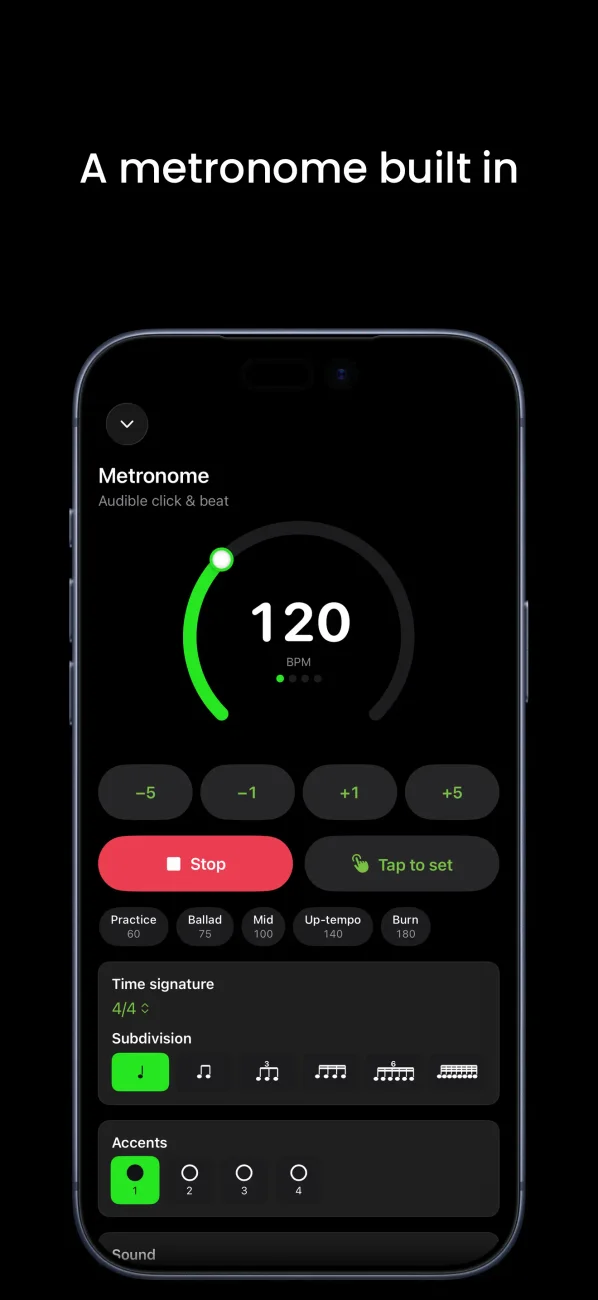

About
Metric is a timing and frequency toolkit for iPhone and iPad with a built-in metronome. It converts tempo to delay times, LFO rates and transposition, and looks up note frequencies and FM ratios. It also works with Siri, Shortcuts, widgets and a Live Activity.
METRONOME
A precise metronome with a large tempo dial, tap-to-set tempo, adjustable time signatures and subdivisions, and a clear visual beat indicator. Background-safe timing keeps the click steady even with the screen locked.
TAP TEMPO
Tap anywhere on the large touch target to measure tempo. See instant BPM from your last tap and a rolling average over up to eight taps. Send either reading straight into the BPM Converter, Transpose, or LFO Rate tools with a single tap. Your tempo flows across every tool automatically.
BPM → ms / Hz CONVERTER
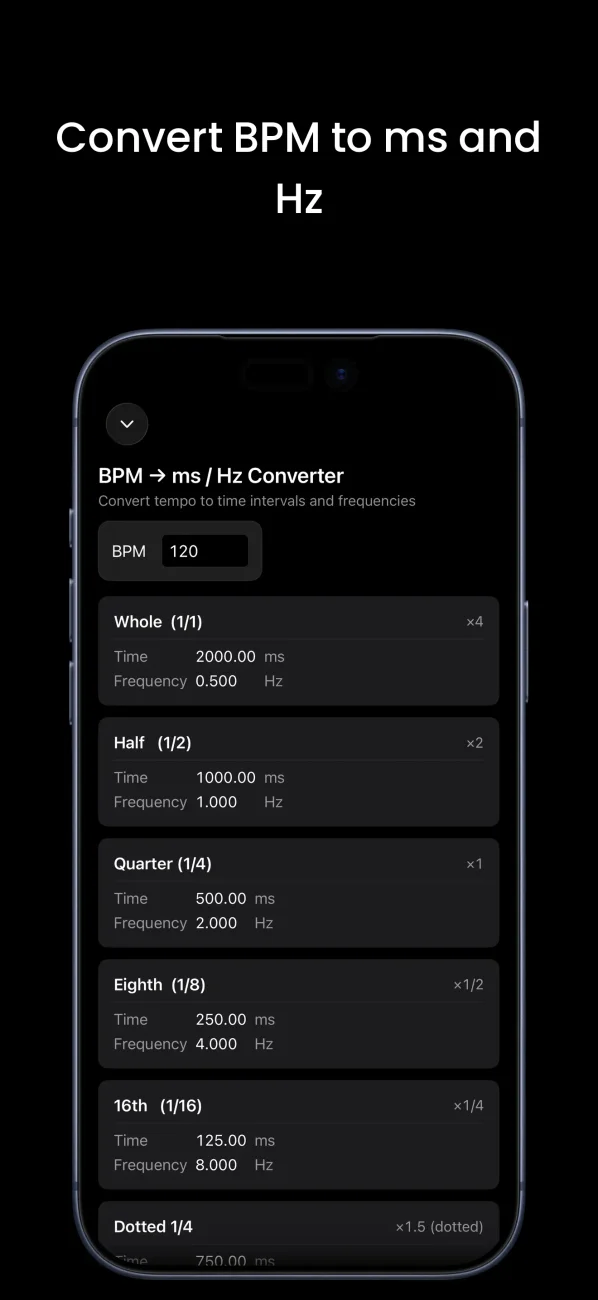
Enter a tempo and read straight, dotted, and triplet values for whole, half, quarter, eighth, and sixteenth notes. Every row shows milliseconds and frequency in Hz, so you can dial in delay, reverb pre-delay, or sidechain timing without reaching for a calculator.
TRANSPOSE & SPEED
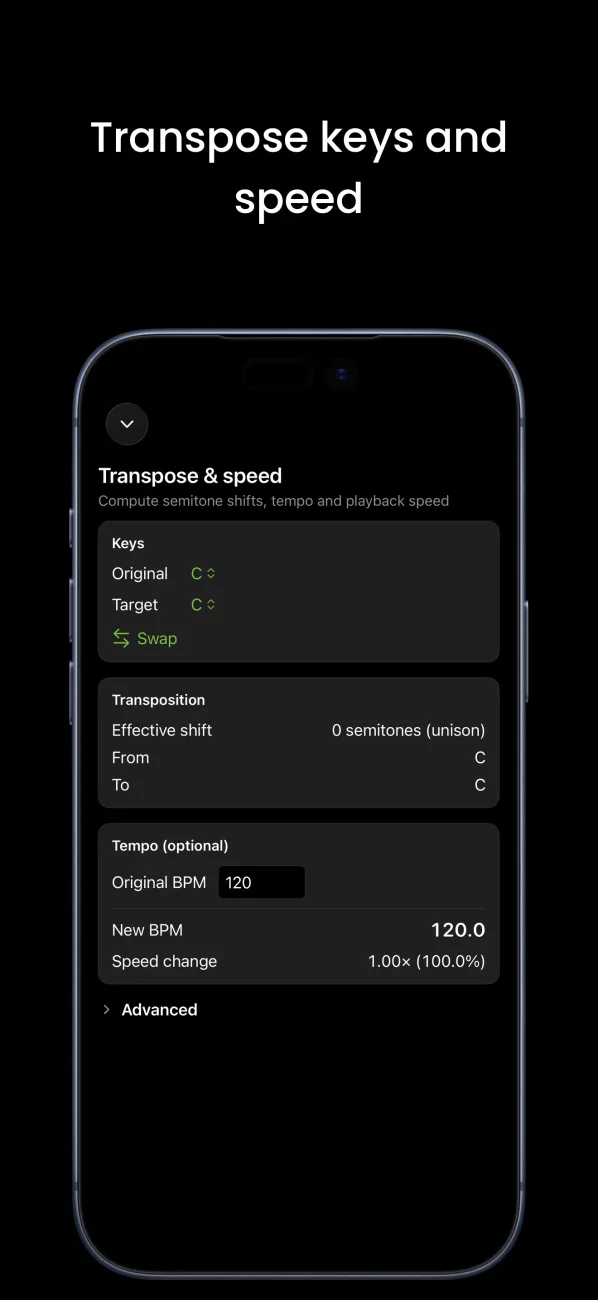
Pick an original key and a target key to see the semitone shift, interval name, and exact DAW transpose value. Add an original BPM and Metric computes the new tempo and playback speed ratio. Fine-tune with a cents slider (±100) and a speed slider spanning two full octaves (±24 semitones).
NOTE FREQUENCY TABLE
Browse all 108 chromatic notes from C0 to B8. Each note shows its MIDI number, frequency in Hz, period in milliseconds, and sample counts at 44.1, 48 and 96 kHz. Middle C is flagged for quick reference. All values are based on A4 = 440 Hz.
FM CALCULATOR
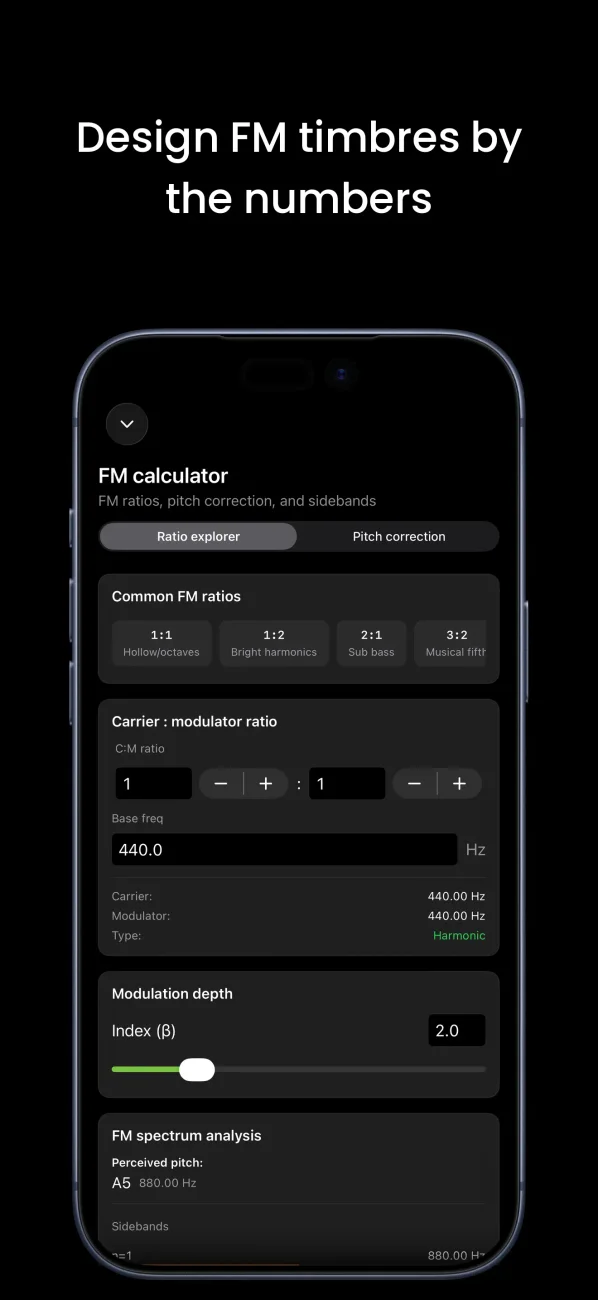
Two modes in one tool. Ratio Explorer lets you set carrier and modulator ratios with a base frequency and choose from ten FM presets, from hollow octaves (1:1) to inharmonic bells (1:π). Pitch Correction mode works in reverse: pick a target note and get the exact carrier and modulator frequencies. Both modes show a sideband table with up to ten partials, their frequencies, nearest notes, and colour-coded amplitudes driven by a modulation index slider.
LFO RATE CALCULATOR
Convert any BPM into LFO rates across 17 musical divisions, from four bars down to 1/32 triplets. Each row displays Hz, period in milliseconds, and samples per cycle at 44.1, 48 and 96 kHz. Reverse lookup lets you enter any Hz value and find the closest matching musical division, with the error clearly shown.
HARMONIC SERIES EXPLORER
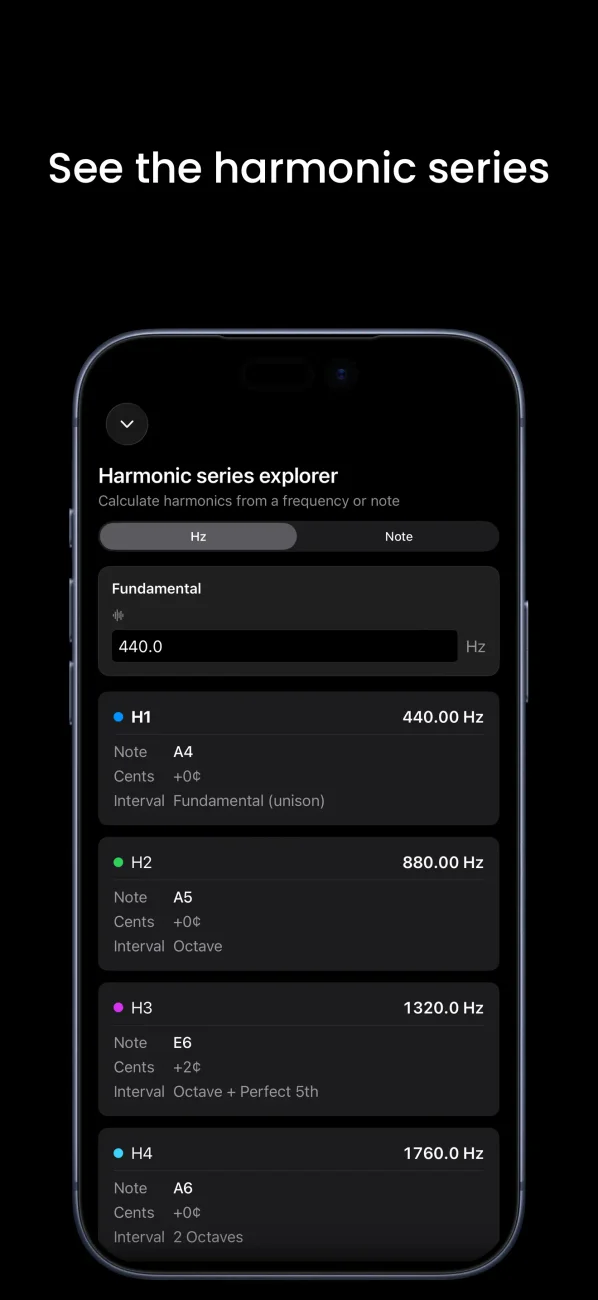
Start from a frequency or pick any note and see the first 32 harmonics listed with frequency, nearest note name, cents deviation, and interval label. Low-order harmonics are colour-coded for easy identification. Deviations greater than 30 cents are highlighted so inharmonic content stands out.
SIRI, SHORTCUTS & WIDGETS
Ask Siri to start or stop the metronome, set a BPM, tap a tempo, convert BPM to milliseconds, find a note frequency, or transpose a tempo. Every tool is a Shortcuts action too, and the BPM widget keeps your tempo on the Home and Lock Screen.
TOOLS THAT TALK TO EACH OTHER
Tap a tempo once and it appears everywhere: BPM Converter, Transpose, and LFO Rate all share the same live BPM. Note Frequency, FM Calculator, and Harmonics all use the same A4 = 440 Hz reference, so their numbers always agree.
DESIGNED FOR PRODUCERS
• Dark-mode aware interface
• Adaptive layouts for iPhone and iPad
• Three common sample rates: 44.1, 48 and 96 kHz
ACCESSIBILITY
Works with VoiceOver and Voice Control, follows your text size up to the largest accessibility sizes, and respects Reduce Motion.
Free for 7 days. After the trial, full access is a one-time purchase, with no subscription.
What’s new
Version 1.3.2 · Nov 17, 2026
- Choose how many taps the Averaged BPM and the metronome tap button use: last 4, last 8 or all taps
- The Instant BPM reading no longer changes when you select the averaged card or change the tempo elsewhere
- Now available in Italian, Norwegian, Swedish, Danish, Finnish, Greek, Hindi, Arabic, Indonesian, Bengali and Punjabi
- Corrected music terms in the existing translations, so scales, modes, keys and chords use the standard names
- Fixed labels that showed the wrong text in several languages
App privacy
What GITC declares on the App Store about how this app handles data.
-
Data not collected
The developer does not collect any data from this app.
Privacy practices may vary, for example with the features you use or your age.
Information
- Seller
- Greenwood IT Consultancy Limited
- Category
- Music
- Version
- 1.3.2
- Updated
- Nov 17, 2026
- Released
- Mar 24, 2026
- Size
- 12.9 MB
- Requires
- iOS 17.6 or later
- Age rating
- 4+
- Price
- Free
- In-app purchases
- Yes
- Languages
- English, Arabic, Bengali, Danish, Finnish, French, German, Greek, Hindi, Indonesian, Italian, Japanese + 9 more
- Copyright
- © 2026 Greenwood IT Consultancy Ltd
You might also like
-
 Tremolo – BPM CalculatorDelay Time & Tempo Converter
-
 Pure Tuner – TemperamentsHistorical tuning, just, Scala
-
 QuickTrack - AI Music StudioAI Music Studio
-
 WobulatorStereo Modulator AudioUnit
-
 BPM Tapper: Tap TempoTap tempo, find the beat
-
 MeloDrawDraw a new melody or beat
-
 TachyoThoughtfully Crafted Metronome
-
 Capo Key TransposerChord Finder & Music Theory
-
 Tonality VisualizerSee tonality in real time
-
 Reverb Room RT60 CalculatorSound Decay for Studio & Stage