
- Age rating4+
- CategoryTravel
- DeveloperMetropolitan Council
- LanguagesEnglish
- Size38.4 MB
Links to the official App Store page
Download.org hosts no file of Metro Transit. The button opens its official App Store page, published by Metropolitan Council. Listing last checked on Nov 24, 2026.
Screenshots

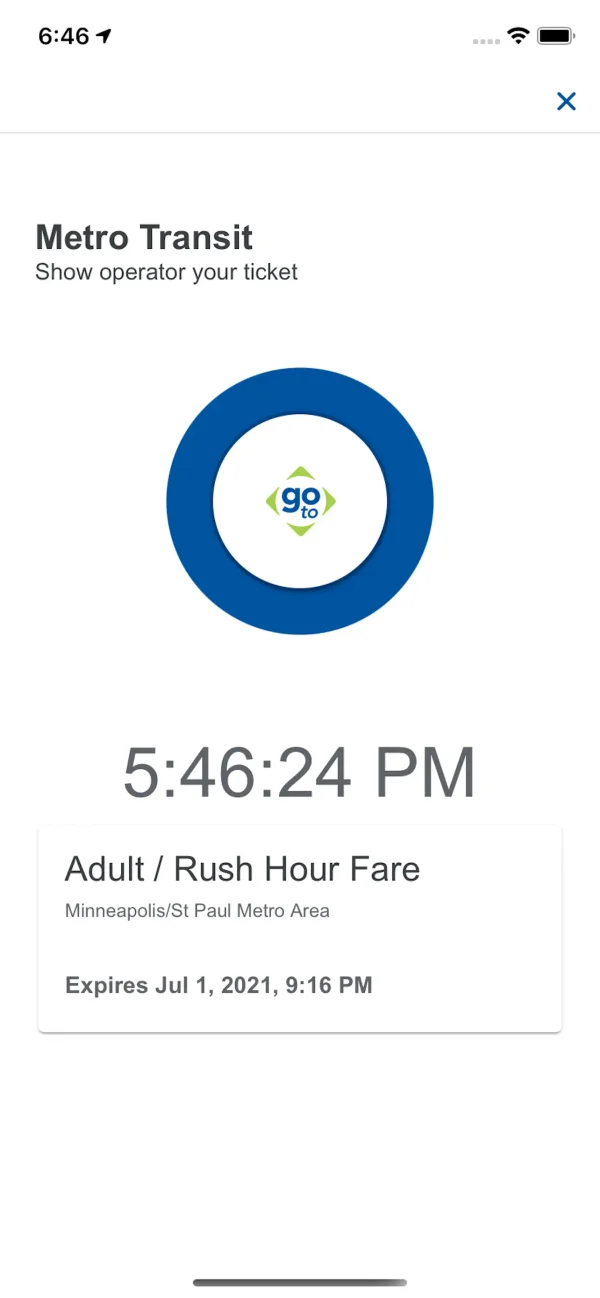

About
Make transit trips in the Minneapolis/St. Paul metro area as mobile as you are with the official Metro Transit app. Now you can plan your trip, see departure information for buses and trains, and buy transit tickets all on the go! Just download the free app, create an account with your method of payment, and get moving.
The Metro Transit app is a tool to make riding the bus, METRO system and Northstar in the Twin Cities a little bit easier. After you’ve identified your desired trip and transit departure time, you can buy and use Metro Transit mobile tickets right from your smartphone – it’s like having a ticket machine right in your pocket!
KEY FEATURES:
Find the right bus, light rail, or train for you through the Trip Planner.
See the next available bus, light rail, or train for your desired trip with NexTrip.
Pay a single fare or multiple fares for a group of riders, and store multiple tickets on your phone for future use.
Simply create an account and enter your credit/debit card information in our secure system.
If you’re looking to pay with cash, you can use a pre-paid debit card or pre-paid gift card.
HOW IT WORKS:
1. SELECT RIDER TYPE: Adult, Senior/Youth/Medicare, Mobility, Family
2. SELECT SERVICE: Local Bus/METRO, Express Bus, or Northstar
3. SELECT: Station for Northstar or time-based fare for Bus/METRO
4. CHECKOUT: Pay with Visa, MasterCard, American Express, Discover, pre-paid debit or gift card, or Apple Pay
COMMON QUESTIONS:
Do I need to be connected?
An internet connection is required create an account, sign-in and purchase and activate tickets.
What if my battery dies?
Just like with paper tickets, you're responsible for making sure you have a valid fare at all times, so be sure to plan ahead!
IMPORTANT REMINDERS:
• Activate your ticket when you see your bus or train approaching. Your ticket must be activated before boarding a vehicle.
• Watch your battery level... Just like with paper tickets, you're responsible for making sure you have a valid fare at all times.
What’s new
Version 4.12.1 · Nov 14, 2026
Our previous release, 4.12.0, contained a critical error that blocked operations for users. We regret this error. We ask impacted users to immediately upgrade to this version of the app.
App privacy
What Metropolitan Council declares on the App Store about how this app handles data.
-
Data linked to you
May be collected and linked to your identity.
- Purchases
- Financial info
- Location
- Contact info
- User content
- Identifiers
- Usage data
- Diagnostics
Privacy practices may vary, for example with the features you use or your age.
Information
- Seller
- Metropolitan Council
- Category
- Travel
- Version
- 4.12.1
- Updated
- Nov 14, 2026
- Released
- Nov 3, 2016
- Size
- 38.4 MB
- Requires
- iOS 15.0 or later
- Age rating
- 4+
- Price
- Free
- Languages
- English
- Copyright
- © Metropolitan Council
You might also like
-
 MPLS ParkingMobile Parking in Minneapolis
-
 RideMVTA: Transit AppTravel
-
 Park DuluthPark. Pay. Be on your way. ®
-
 Minnesota 511Travel
-
 Transit GO TicketTravel
-
 Token TransitPublic Transit Passes
-
 RTD MyRideScan and ride. Welcome aboard!
-
 VentraTravel
-
 iParkit Garage ParkingParking App for Downtown
-
 RideMETROPublic transit in Houston, TX