Metronoamee
An app to shape your groove!
Designed for iPhone, iPad, Mac
In-app purchases
- Age rating4+
- CategoryMusic
- DeveloperYasuyuki Hamada
- LanguagesJapanese+ 1 more
- Size15.2 MB
Links to the official App Store page
Download.org hosts no file of Metronoamee. The button opens its official App Store page, published by Yasuyuki Hamada. Listing last checked on Nov 12, 2026.
Screenshots


About
Better rhythm starts with a tap.
Start with 15 seconds of simple rhythm training.
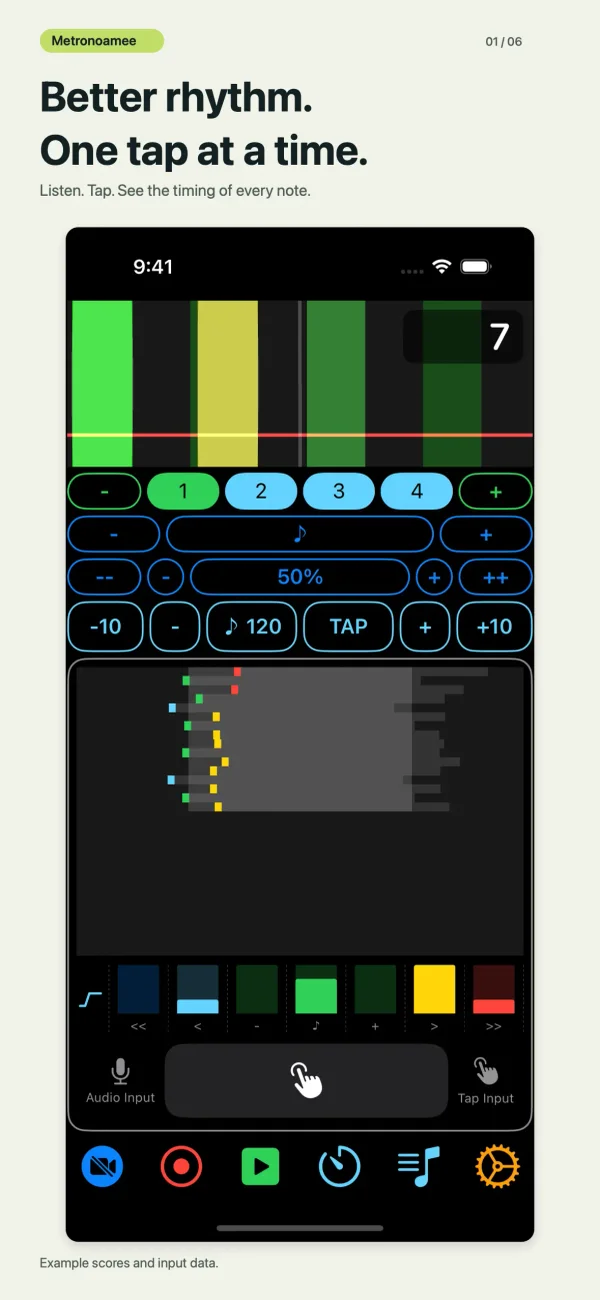
Tap with the metronome, see your timing, and try again. Metronoamee makes practice easy to fit into your day, with no instrument needed. You can also connect an instrument through a compatible audio interface or capture your playing with a microphone. Tap on iPhone or iPad; click the pad on Mac.
SEE YOUR TIMING, NOTE BY NOTE
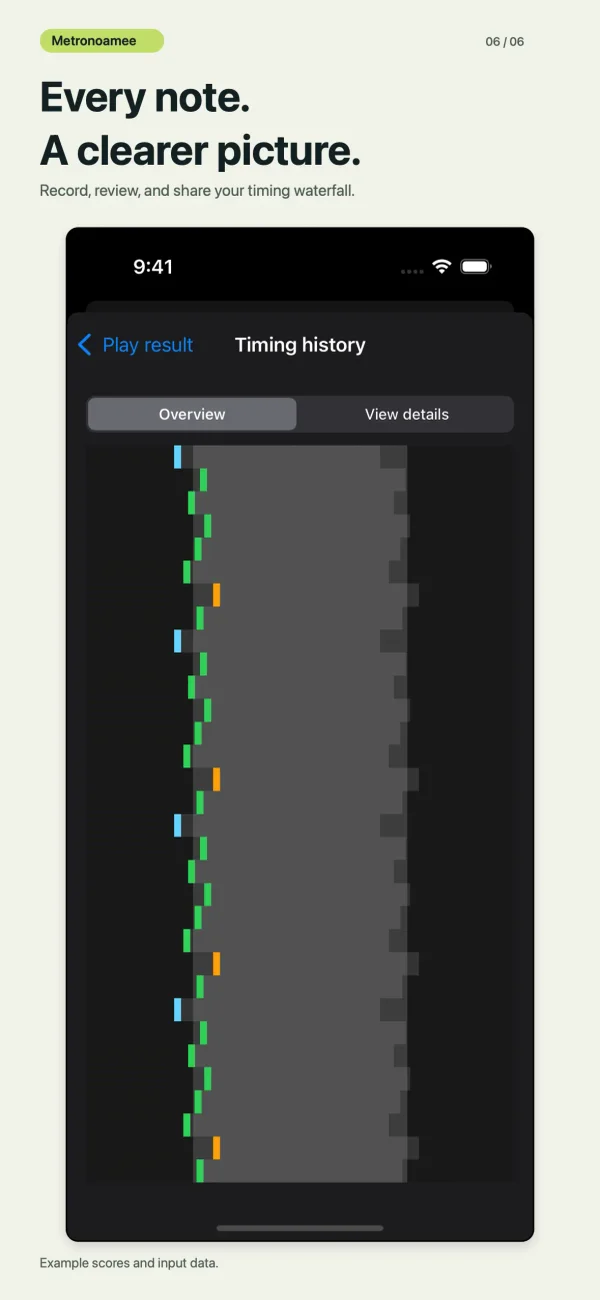
Follow the timeline and histograms to see early and late input. The waterfall adds each note from top to bottom, showing target durations and your actual input. Review scores and grades after play.
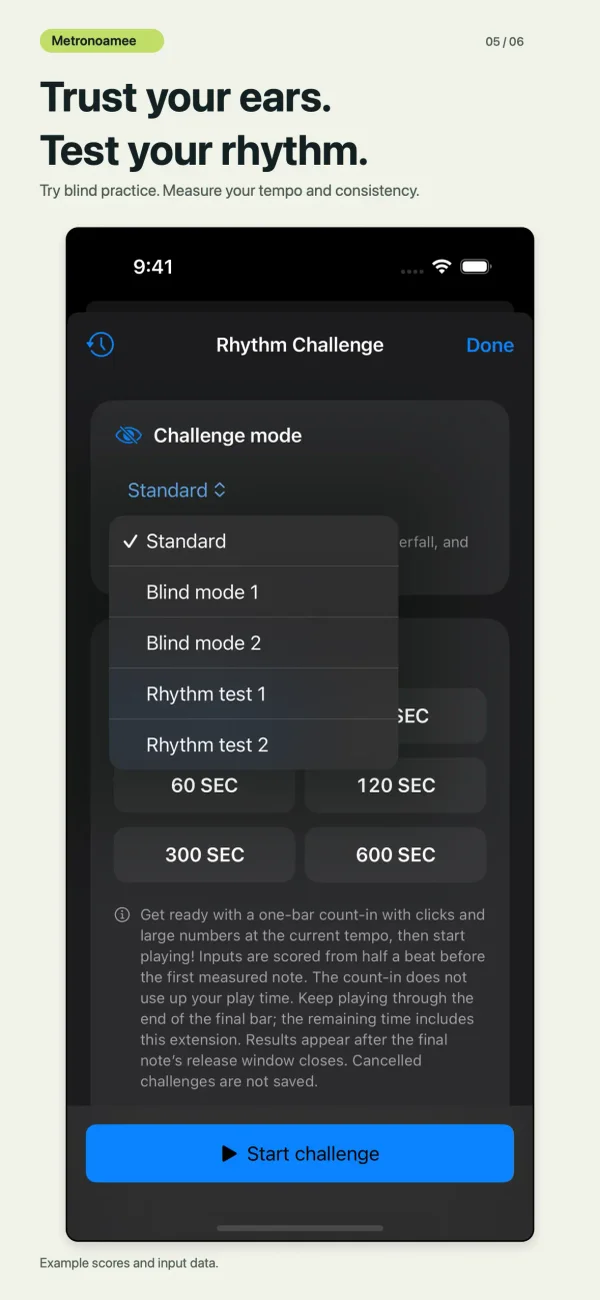
FIVE WAYS TO TAKE A RHYTHM CHALLENGE
Choose 15, 30, 60, 120, 300, or 600 seconds. Play time starts at 15 seconds, and your chosen time and mode are remembered.
- Standard: practice with clicks and all timing displays.
- Blind mode 1: hide the timeline while keeping the waterfall and histograms.
- Blind mode 2: hide all three displays and follow the clicks.
- Rhythm test 1: remember the count-in tempo, then maintain it without clicks.
- Rhythm test 2: follow a numeric countdown, then measure your own tempo without metronome clicks.
Standard and blind modes begin with a one-bar count-in and continue through the end of the bar that reaches your chosen duration. Results show a score out of 100, a grade, histograms, and missed inputs. Choose Try again for another run.
Rhythm tests run for exactly the selected seconds, treating each onset as one beat to measure average BPM and interval variation. Timing displays and remaining seconds stay hidden during play. Afterwards, review a waterfall recalculated at your measured average BPM. These tests have no score out of 100. Tap sound follows its separate volume setting.
RECORD NORMAL PLAY, TOO
The green play button starts with a count-in. Change tempo or rhythm during play, then stop to review everything in one record.
LOOK BACK AND SHARE
Filter normal-play and challenge history by play type, challenge mode, time, input, and period. Score trends show the latest 30 matching scored runs. Share results, including the waterfall, or trend charts as images with a #metronoamee caption.
PRACTICE WHEN TO LET GO
A tone sounds while you hold the pad and stops when you release it. Enable release scoring for separate press and release scores in normal play and standard/blind challenges. Release scoring is off by default. Set tap volume from 0 to 100; 0 is silent.
BRING YOUR INSTRUMENT, TOO
Switch to Audio Input to see your playing's waveform and timing through a microphone or compatible audio interface. Watch your technique with the camera preview, or save a screen recording to your photo library. Automatic latency compensation, a separate tap timing adjustment, direct delay entry, and saved output preferences help you adjust your setup.
START FOR FREE
Free use includes up to 30 seconds of normal play per run and only 15-second challenges in all five modes. Free history lasts only for the current app session and is cleared when the app closes.
A one-time in-app purchase unlocks unrestricted normal play, 30-, 60-, 120-, 300-, and 600-second challenges, and history saved on this device between launches. History does not sync between devices. Previous purchases can be restored.
What’s new
Version 2.1.1 · Oct 13, 2026
Version 2.1.0 makes your timing easier to see and brings results and history to normal play.
SEPARATE TAP TIMING ADJUSTMENT
Adjust press and release timing while keeping automatic audio latency compensation enabled. A first-play guide lets you measure your adjustment or choose Later. You can also enter a nonnegative value directly. Applied tap adjustments appear in results, history, and sharing; they do not affect Audio Input or rhythm tests.
BLIND PRACTICE AND RHYTHM TESTS
Blind modes 1 and 2 hide timing displays so you can follow the clicks. Rhythm tests 1 and 2 measure average BPM and variation without clicks during play; test 1 has an audible count-in and test 2 has no count-in clicks. Tap sound follows its separate volume setting. A waterfall recalculated at your average BPM is available after play, in history and shared images. Play time now defaults to 15 seconds.
NOTE-BY-NOTE TIMING
The new waterfall shows target durations, your actual input, and attack/release timing from top to bottom. Normal play starts at the same row height as a 15-second challenge. Each time the display fills, row height shrinks to two-thirds so the view keeps the entire run.
COUNT-IN AND RESULTS FOR NORMAL PLAY
Start with a one-bar count-in, then stop to review scores, histograms, and the waterfall. Change tempo or rhythm during play and keep everything in one record.
SAVE AND SHARE YOUR WATERFALL
Normal play and Rhythm Challenge results now include a saved waterfall. Review the whole run or inspect individual notes from history. Shared result images also include the waterfall.
CLEARER PLAY SCREEN
Subtle histogram backgrounds show the available range, with icons distinguishing attack and release. Remaining or elapsed seconds appear at the top right of the timeline, keeping the layout stable when play starts. Landscape iPad and camera layouts have also been refined.
A COMPLETE FINAL NOTE
Challenges preserve the final note's duration and release evaluation window before showing results.
UPDATED FREE LIMITS
Free normal play is now limited to 30 seconds per run. Only 15-second challenges are free in all five modes; challenges of 30 seconds or longer require the all-features unlock.
Free history is cleared when the app closes. Saving history between launches requires the existing one-time all-features purchase. Previous purchasers do not need to buy again.
SCREEN ROTATION
To avoid timing drift after rotation, rotating the screen cancels normal play and Rhythm Challenge without saving an unfinished result. Choose your orientation, then start again.
App privacy
What Yasuyuki Hamada declares on the App Store about how this app handles data.
-
Data not collected
The developer does not collect any data from this app.
Privacy practices may vary, for example with the features you use or your age.
Information
- Seller
- Yasuyuki Hamada
- Category
- Music
- Version
- 2.1.1
- Updated
- Oct 13, 2026
- Released
- Dec 9, 2024
- Size
- 15.2 MB
- Requires
- iOS 17.0 or later
- Age rating
- 4+
- In-app purchases
- Yes
- Languages
- Japanese, English
- Copyright
- © 2024-2026 Yasuyuki Hamada
You might also like
-
 超簡単コード譜ビューア LiteMusic
-
 Guitar, Bass Fretboard TrainerNotes & Chords on Fretboard
-
 BeTap-Instant Rhythm MasteryFun and Easy Rhythm Training
-
 BPMTap - Rhythm TestHow Good Is Your Rhythm?
-
 YOKA INSTRUMENTSMusic
-
 Beat MeisterRe-sequence beats, keep tempo
-
 Music Pitch & Speed ChangerTranspose, slow down & loop
-
 SongNote: Lyrics & ChordsWorld's Simplest Song Notebook
-
 Gliss: Ribbon SynthGlide, press, and sing
-
 Metronome - Tempo, BPM CounterPrecise tempo, smart beats