
metronome for practice
Metronome, tuner & practice
Designed for iPhone, iPad, Mac
Free · In-app purchases
- Age rating4+
- CategoryMusic
- DeveloperPedro Ferreira
- LanguagesEnglish+ 7 more
- Size2.8 MB
Links to the official App Store page
Download.org hosts no file of metronome for practice. The button opens its official App Store page, published by Pedro Ferreira. Listing last checked on Nov 25, 2026.
Screenshots

About
Practice and improve your performance with a metronome and tuner on iPhone, iPad, and Mac, plus a haptic metronome for Apple Watch.
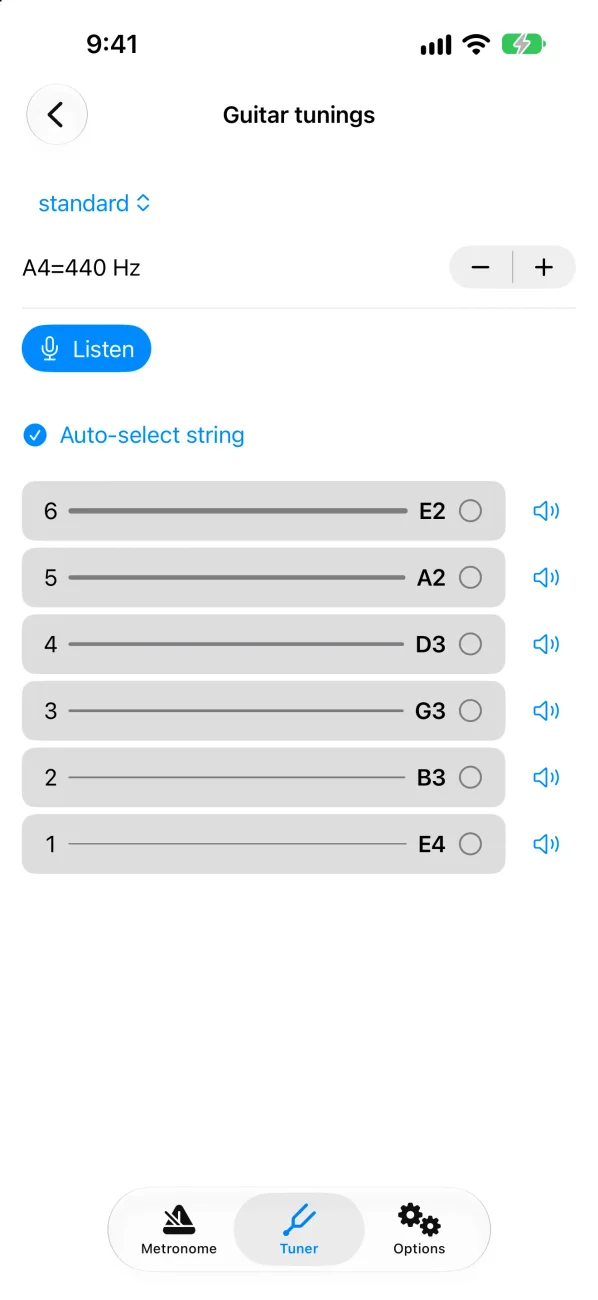
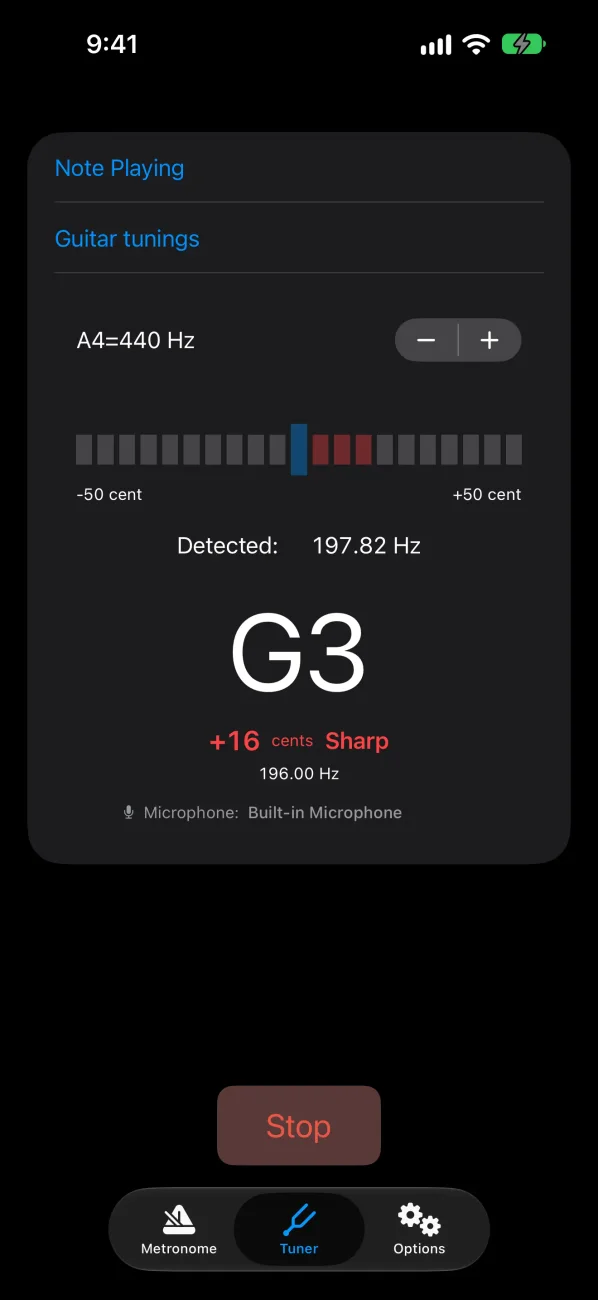
Pluck a string and the guided tuner shows its note, how far it is from the target in cents, and which way to tune. Select a string to hold its target or tap its speaker to hear the reference pitch. To practise keeping time, alternate bars of clicks with silent bars. You can hide the visual beat during silence and save the cycle in a preset. Both features are free on iPhone, iPad, and Mac.
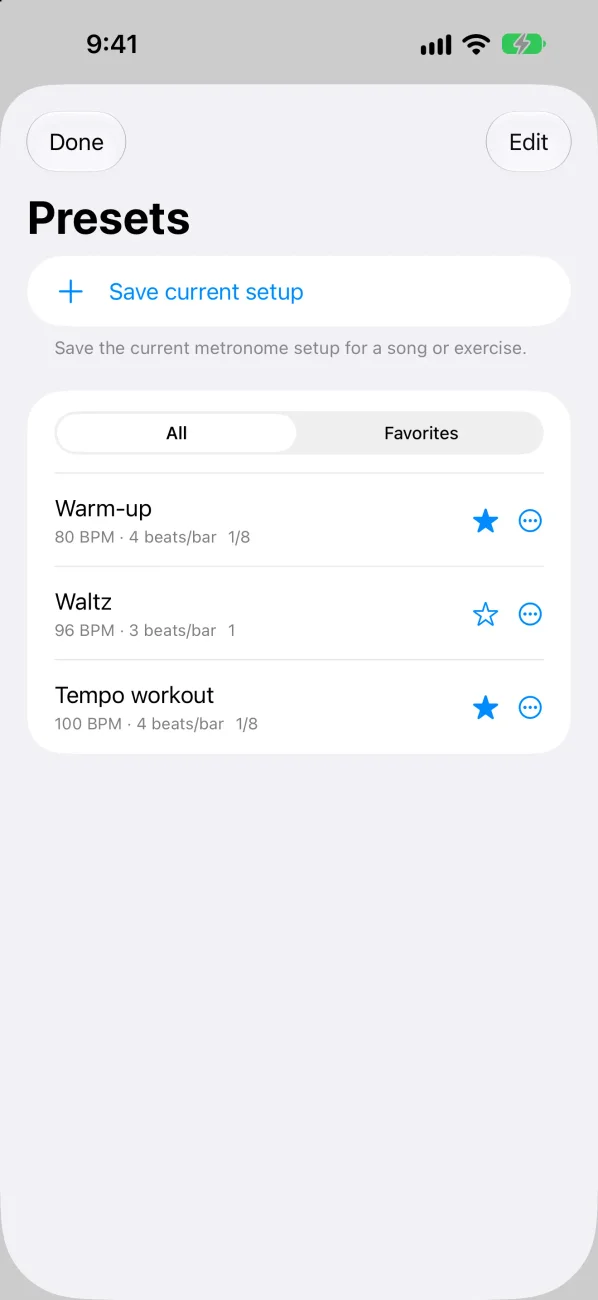
Save named metronome presets on iPhone, iPad, and Mac, mark your favorites, and return to a complete practice setup in a tap. Presets remember tempo, beats per bar, rhythm, click sound, volume, count-in, and tempo-trainer settings. An optional one- or two-bar count-in gives you time to get ready before practice begins.
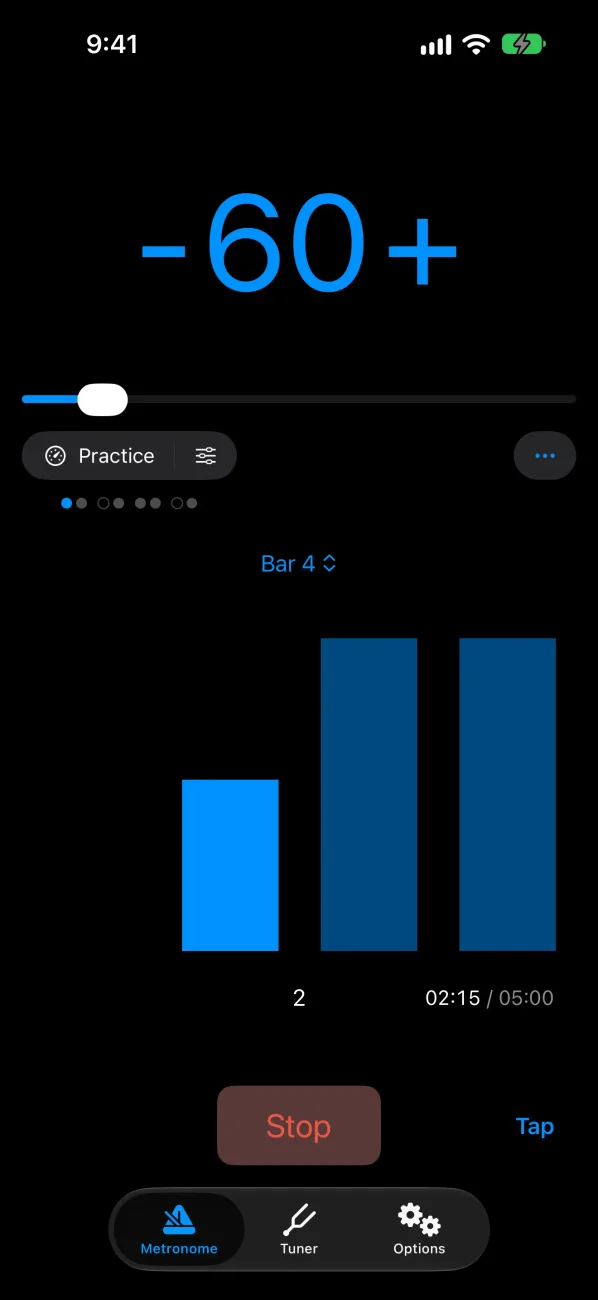
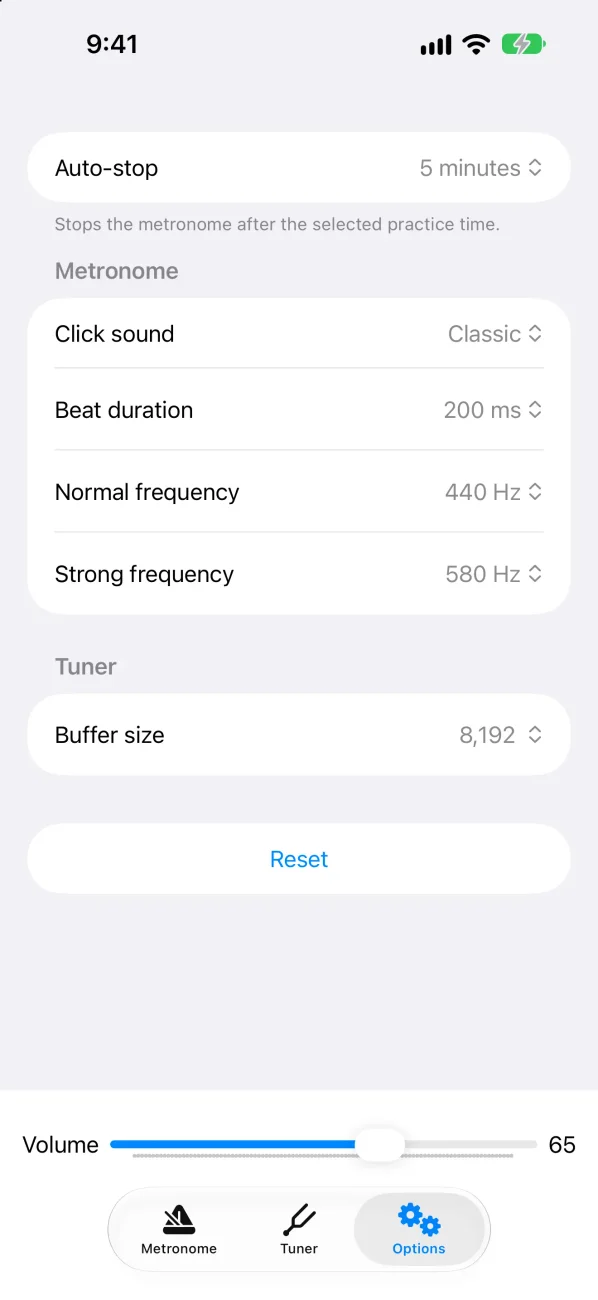
Set an optional auto-stop for 5, 10, or 15 minutes on every platform. On iPhone, iPad, and Mac, see the target beside elapsed practice time while playing. On Apple Watch, check the time remaining in Settings. Presets, count-in, and auto-stop are included without a subscription.
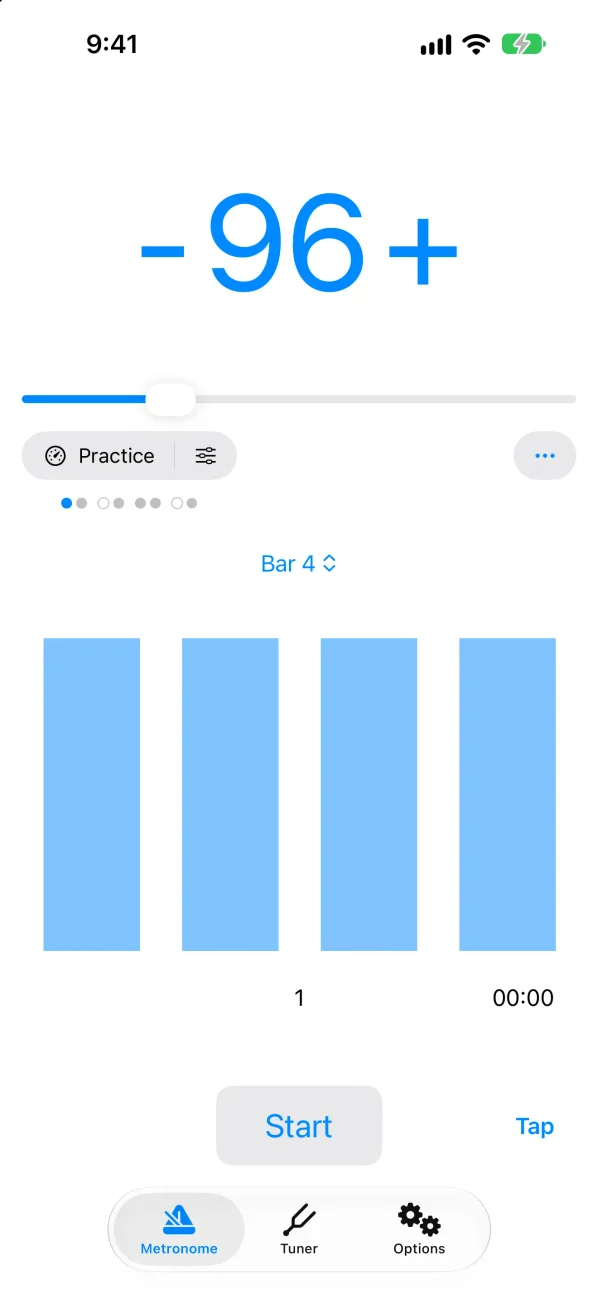
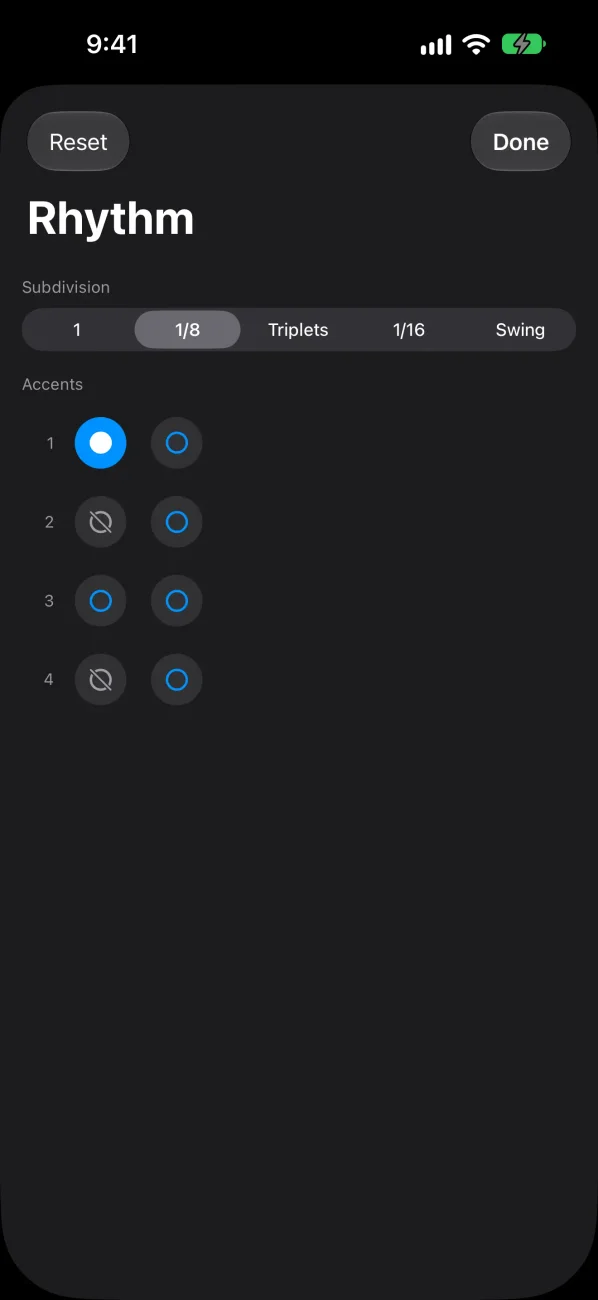
On iPhone, iPad, and Mac, set the BPM, beats per bar, rhythm subdivision, and beat accents. Choose between classic, woodblock, clave, rimshot, and digital click sounds. Sound and tuner options apply and save immediately, and Reset restores their defaults.
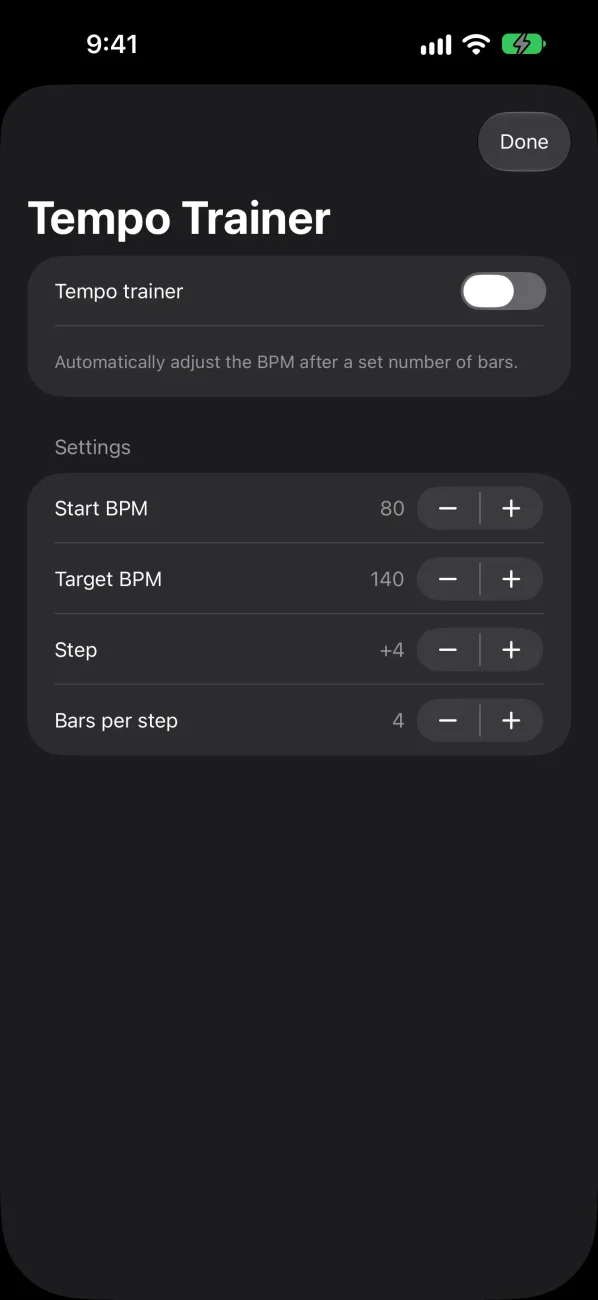
Use the microphone tuner with an adjustable A4 reference, play reference notes, and explore common guitar tunings. A yearly subscription unlocks Pro tap tempo and a tempo trainer with automatic BPM steps after a configurable number of bars.
The included Apple Watch app runs independently of your iPhone and is free to use without a subscription. It offers haptic beats, Digital Crown tempo control from 30–300 BPM, tap tempo, 1–12 beats per bar, and separately configurable regular and first-beat haptic patterns. Wrist-down playback can continue while the Watch app remains open, for sessions of up to one hour. The tuner, click sounds, and tempo trainer are available in the iPhone, iPad, and Mac app.
Terms of Use: https://www.apple.com/legal/internet-services/itunes/dev/stdeula/
What’s new
Version 1.9.0 · Nov 24, 2026
- Tune your guitar one string at a time. Follow the pitch reading in cents or play a reference note for the selected string.
- Practise with 1–32 audible bars followed by 1–32 silent bars. Hide the visual beat during silence to test your timing.
- If changing audio devices interrupts practice, you can retry on the new device. The tuner now clears its reading when a note fades away.
App privacy
What Pedro Ferreira declares on the App Store about how this app handles data.
-
Data not collected
The developer does not collect any data from this app.
Privacy practices may vary, for example with the features you use or your age.
Information
- Seller
- Pedro Ferreira
- Category
- Music
- Version
- 1.9.0
- Updated
- Nov 24, 2026
- Released
- May 13, 2024
- Size
- 2.8 MB
- Requires
- iOS 17.0 or later
- Age rating
- 4+
- Price
- Free
- In-app purchases
- Yes
- Languages
- English, Arabic, French, German, Italian, Portuguese, Simplified Chinese, Spanish
- Copyright
- © Pedro Ferreira 2026
You might also like
-
 metroknowmMusic
-
 ScaleSpinSpin the wheel to choose scale
-
 AppStash: MetronomeA simple intuitive metronome
-
 Riffo: Guitar Scales & SolosFretboard, pentatonic & riffs
-
 Stay Synced | MetronomeFor Percussionists
-
 Metronome by GrooveWiseDrum machine & practice tools
-
 Fretboard Master -Learn ScalesGuitar Scales Intervals&Chords
-
 Music Metronome & TunerMusic
-
 Guitar GenieLearn and Master The Guitarra
-
 ptunePolyphonic Guitar Tuner