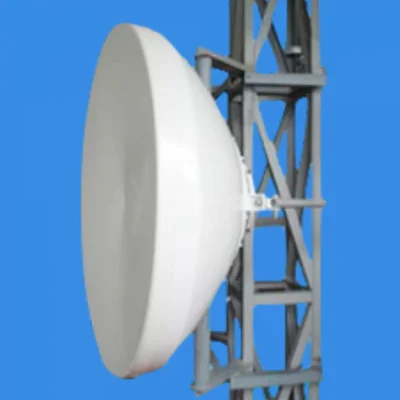
Microwave Link Calculator
LOS-FresnelZone-Link Budget
Designed for iPhone, iPad
Free · In-app purchases
- Age rating4+
- CategoryUtilities
- DeveloperTien Hoang
- LanguagesEnglish+ 12 more
- Size16.5 MB
Links to the official App Store page
Download.org hosts no file of Microwave Link Calculator. The button opens its official App Store page, published by Tien Hoang. Listing last checked on Nov 12, 2026.
Screenshots
About
Microwave Link Calculator: plan point-to-point microwave links in minutes
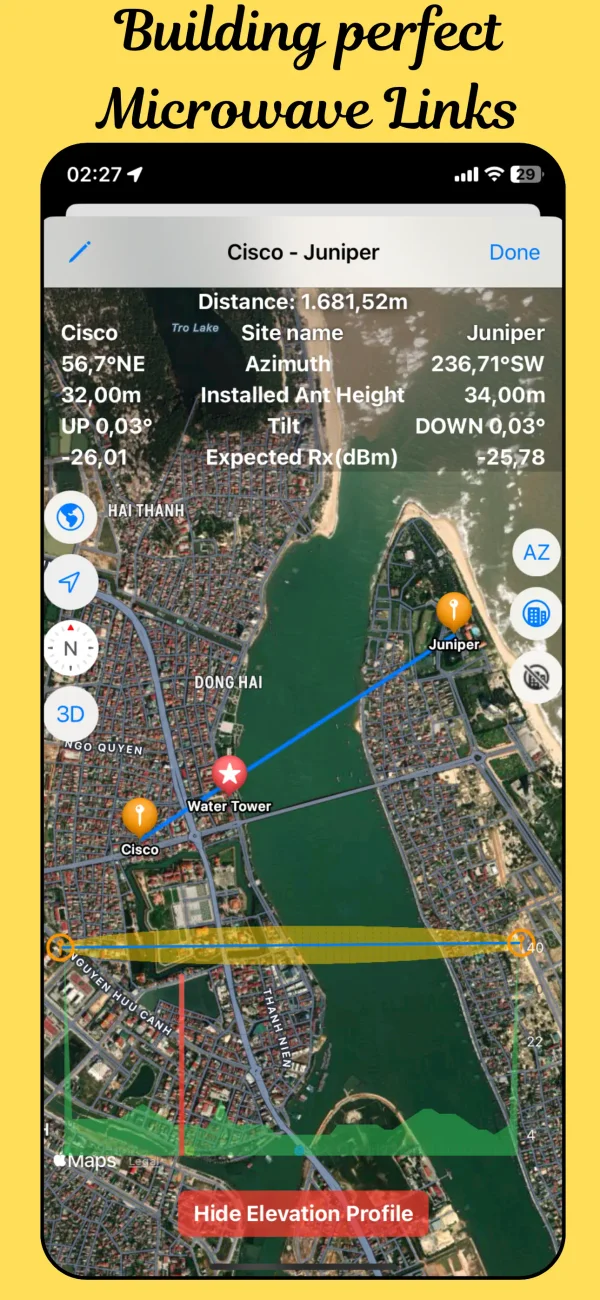
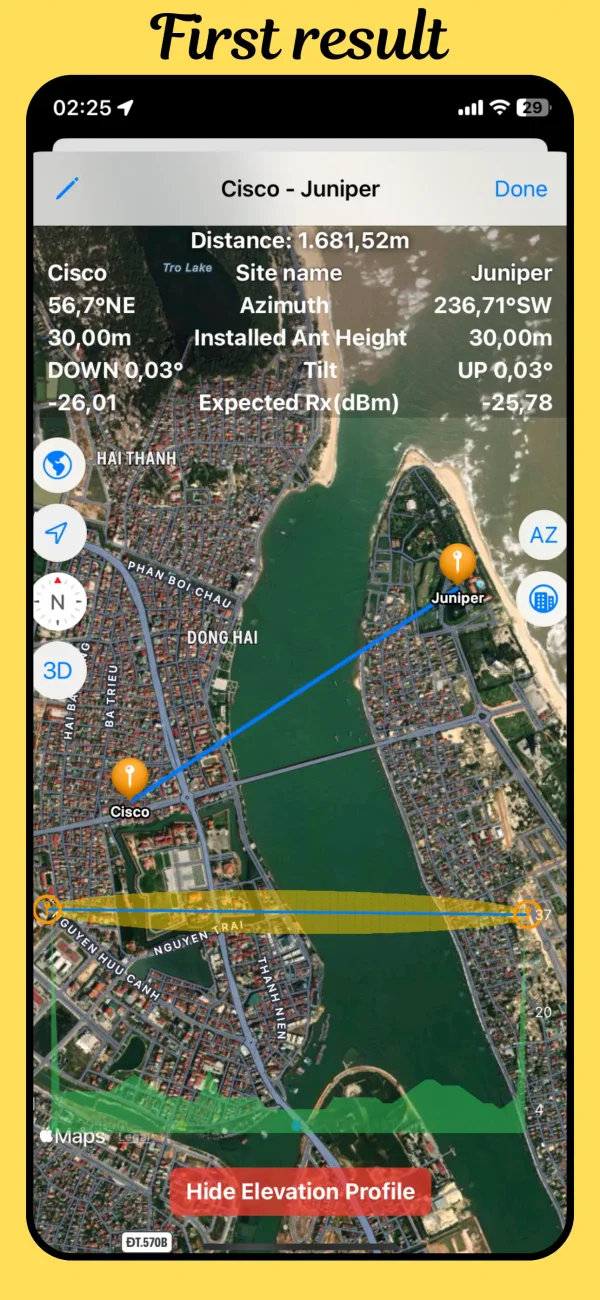
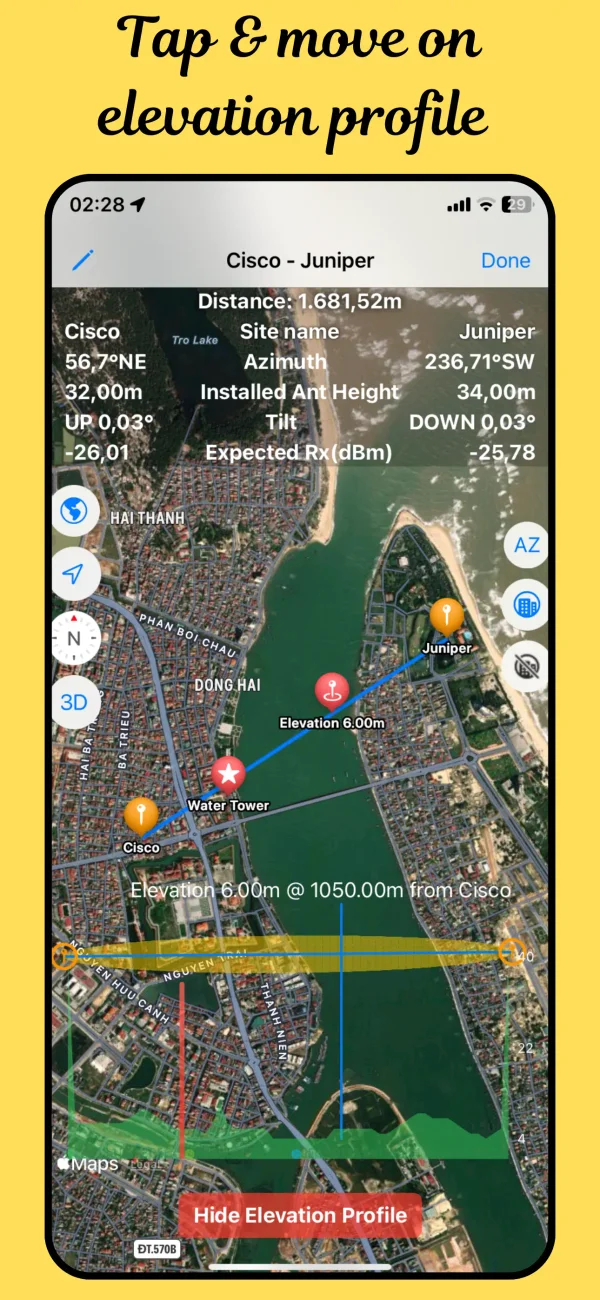
Built for telecom and transmission engineers, Microwave Link Calculator turns two site coordinates into everything you need on the tower: distance, azimuth, tilt, Fresnel zone, terrain profile and expected receive level. It works with links from any vendor, such as NEC Pasolink, SIAE, Ceragon, Ericsson MINI-LINK and Huawei.
NEW IN THIS UPDATE
• Site library: import your sites from a CSV or text file, paste a list, or add them one by one.
• GPS autofill: start typing a site name in a link and pick it from the suggestions. Its coordinates are filled in for you, and you can still edit them.
• Map crosshair: move the map under the crosshair and tap to place a site exactly where you want it.
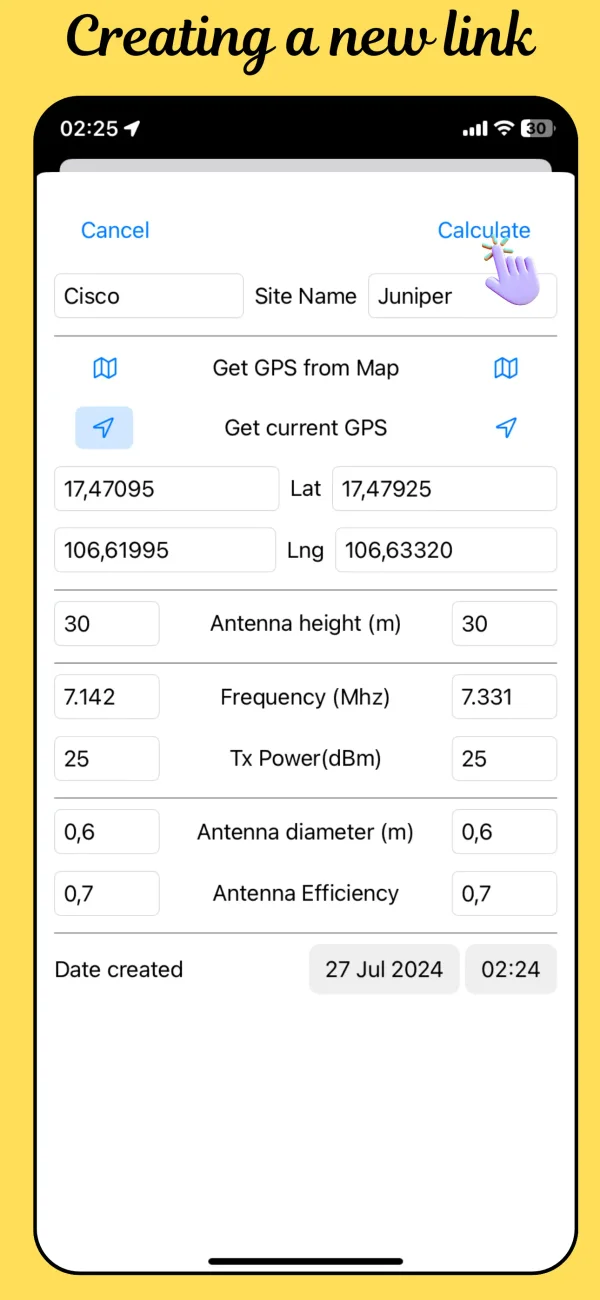
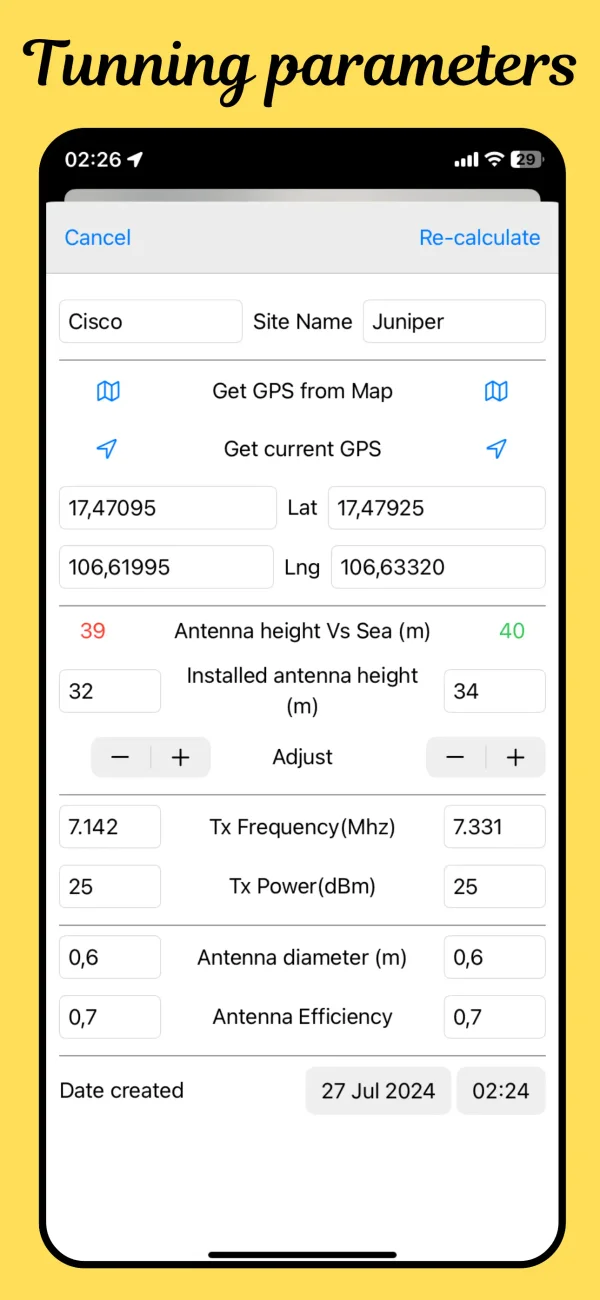
• Redesigned link form: Site A and Site B side by side, one "Set" button per site (pick on map, current GPS or paste coordinates), and quick + / − buttons for antenna height and Tx power.
• Smart checks: warnings when antenna efficiency is outside 0.5–0.8 or both sites have the same name.
• Elevation profiles for links of any length, including links over 100 km.
• Available in 13 languages.
LINK CALCULATIONS
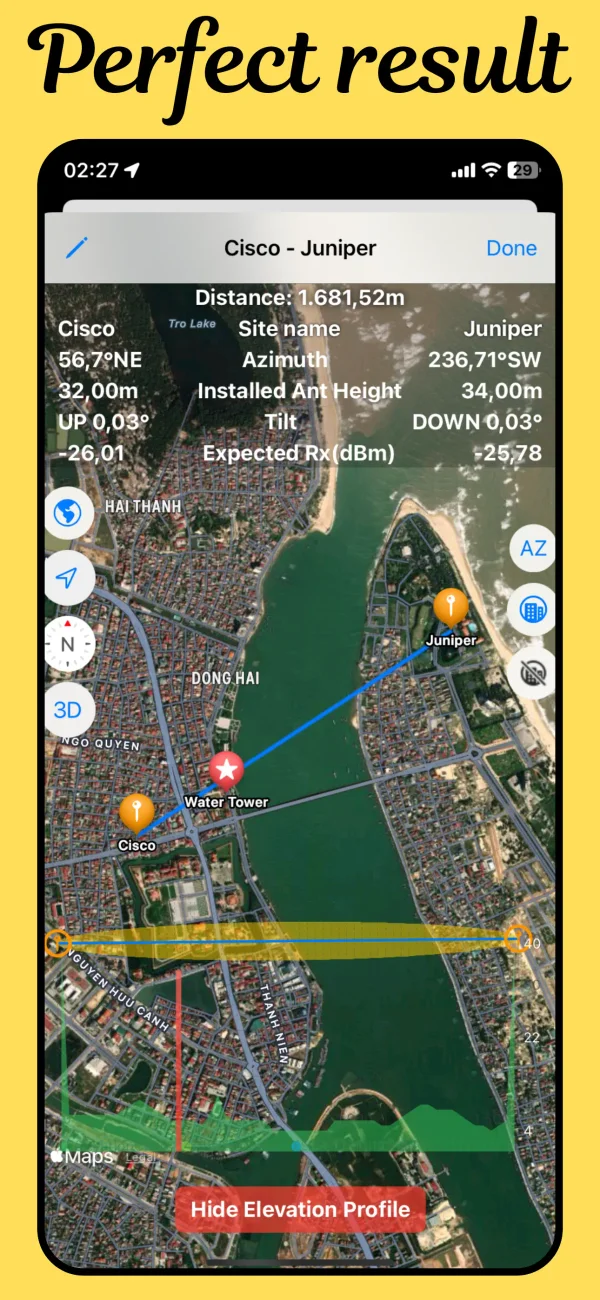
• Distance, azimuth and tilt (up/down) between the two sites.
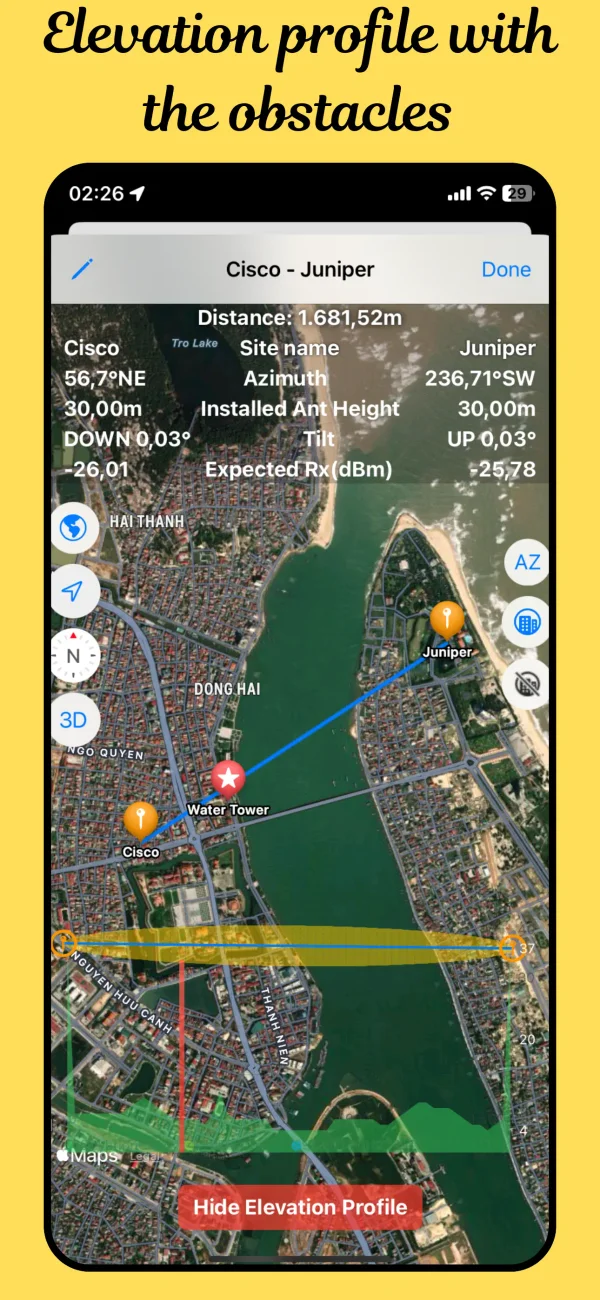
• Fresnel zone and terrain elevation along the whole path.
• Antenna gain and expected received power in free-space conditions, based on frequency, Tx power, antenna diameter and efficiency.
• Antenna height above sea level for each site.
• Metric or imperial units (m / ft, and m / ft / in for antenna diameter).
MAP AND FIELD TOOLS
• See your link on Apple Maps with standard, satellite or satellite-with-roads styles, and line it up with nearby landmarks.
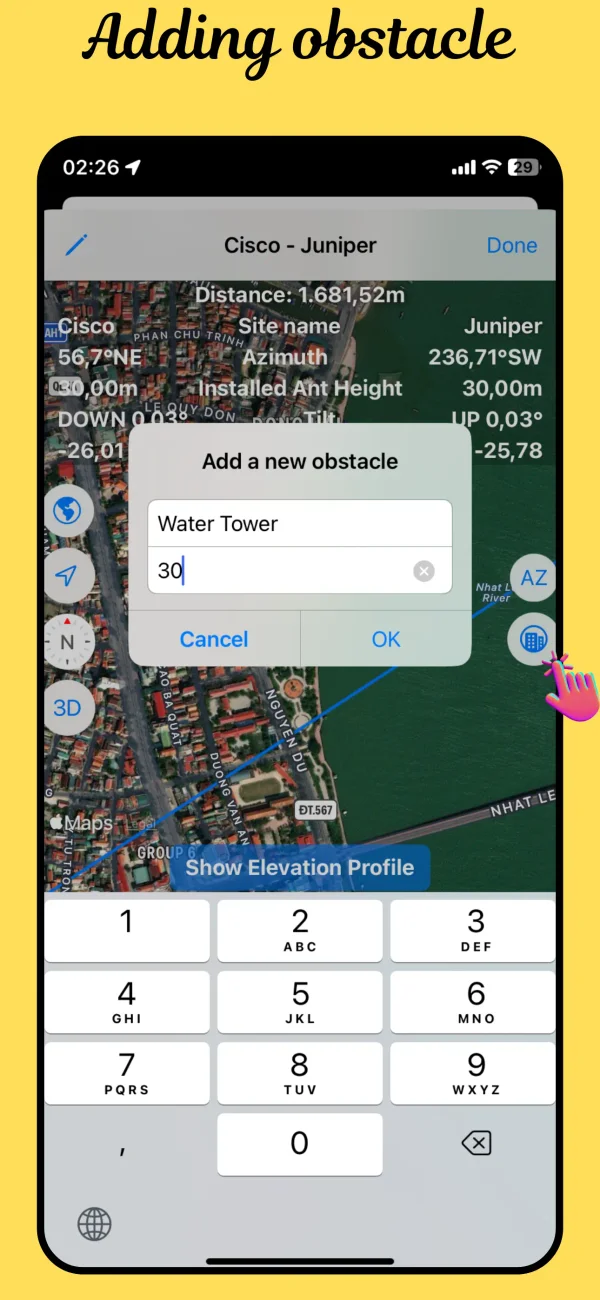
• Add obstacles such as new buildings or trees and see them on the elevation profile.
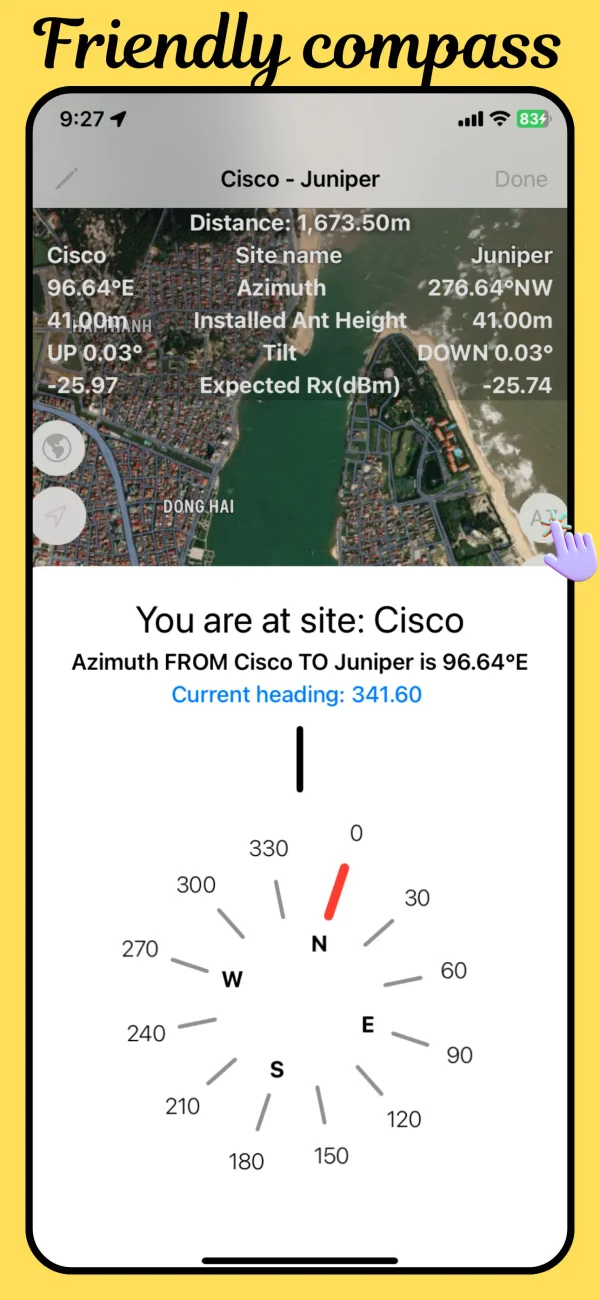
• Built-in compass with haptic feedback for precise azimuth alignment when you're on site.
• Pick a site by tapping the map, using the crosshair, or searching for a place.
YOUR DATA, EVERYWHERE
Links and saved sites are stored on your device and synced through iCloud, so they're ready on all your iPhones and iPads.
Some features, such as the elevation profile, obstacles and the compass, require a Pro subscription.
Learn more: https://hmtienptithcm.wixsite.com/microwavelinkcalcula/about-4
Subscription Details:
Unlock all features with auto-renewable subscriptions:
• Choose from 1 month ($4.99), 3 month ($12.99) and 12 month ($45.99) durations
• Your subscription will be charged to your iTunes account at confirmation of purchase and will automatically renew (at the duration selected) unless auto-renew is turned off at least 24 hours before the end of the current period.
• Current subscription may not be cancelled during the active subscription period; however, you can manage your subscription and/or turn off auto-renewal by visiting your iTunes Account Settings after purchase.
Your Privacy Matters:
• View our Privacy Policy: https://hmtienptithcm.wixsite.com/microwavelinkcalcula/policy
• And Terms of Use:https://www.apple.com/legal/internet-services/itunes/dev/stdeula/
Download the Microwave Link Calculator now and elevate your telecommunications projects with precision and efficiency!
What’s new
Version 2.4.0 · Oct 11, 2026
What’s New
Plan links faster, place sites more precisely
Your site library, now built in
Import all your sites at once from a CSV or text file, paste a list, or add them one by one. Then just start typing a site name in a link: the app suggests matching sites and fills in the GPS for you. You can still adjust the coordinates by hand, on the map, or from your current location.
Pinpoint sites on the map
A new crosshair sits in the centre of the map. Move the map under it and tap to place a site exactly where you want it, down to the rooftop, without your finger getting in the way.
A cleaner, faster link form
• Site A and Site B side by side, with each label in the middle, so you can compare the two ends at a glance
• One “Set” button per site: pick on the map, use current GPS, or paste coordinates
• Quick + / − buttons for antenna height and Tx power
• Clear warnings for antenna efficiency outside 0.5–0.8, and for two sites with the same name
More reliable
• Fixed a crash when elevation data couldn’t be loaded
• Elevation profiles now load for links of any length, including links over 100 km
• Smoother map performance
Thanks for using Microwave Link Calculator! If this update saves you time in the field, a quick review helps us a lot.
App privacy
What Tien Hoang declares on the App Store about how this app handles data.
-
Data not collected
The developer does not collect any data from this app.
Privacy practices may vary, for example with the features you use or your age.
Information
- Seller
- Tien Hoang
- Category
- Utilities
- Version
- 2.4.0
- Updated
- Oct 11, 2026
- Released
- May 28, 2024
- Size
- 16.5 MB
- Requires
- iOS 17.0 or later
- Age rating
- 4+
- Price
- Free
- In-app purchases
- Yes
- Languages
- English, French, German, Hindi, Hungarian, Indonesian, Japanese, Korean, Portuguese, Russian, Simplified Chinese, Spanish + 1 more
- Copyright
- © 2026 Bom Apps. All rights reserved.
You might also like
-
 RF Fresnel CalculatorRLOS Path profile analysis
-
 CTSL Cell Tower SiteID LocatorTower Site Locator Tool
-
 Microwave Leak DetectorInspector Nation
-
 3Z RF VisionRemotely Control RF Vision
-
 Watts Up?Utilities
-
 RF ToolsUtilities
-
 Antenna PointerUtilities
-
 Ham Radio ToolboxTools for ham radio operators
-
 Cell Towers: 5G Antenna MapSignal, coverage & speed test
-
 MikroTik Back To HomeMikroTik VPN