- Age rating4+
- CategoryHealth & Fitness
- DeveloperOXiGENATOR LLC
- LanguagesEnglish+ 11 more
- Size46.8 MB
Links to the official App Store page
Download.org hosts no file of MiCycle Pro. The button opens its official App Store page, published by OXiGENATOR LLC. Listing last checked on Nov 25, 2026.
Screenshots


About
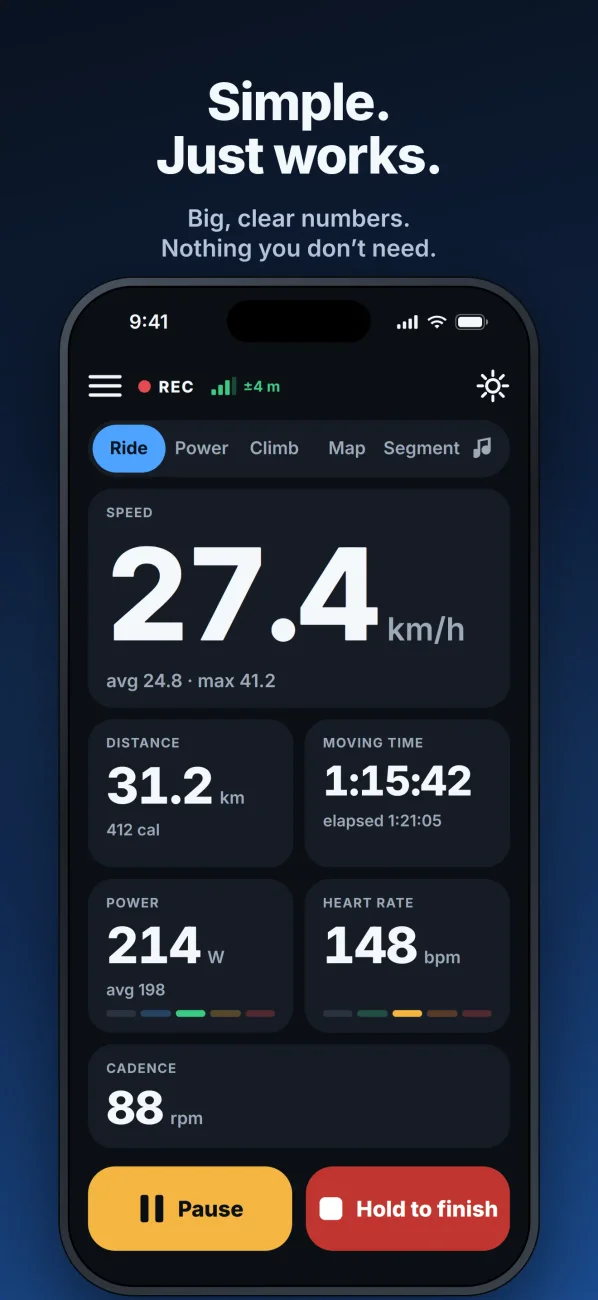
MiCycle Pro is a cycling tracker that is simple and just works.
No cluttered dashboards. No maze of pages and menus. Open it, tap Start, ride. You get the essentials, big and clear enough to read at a glance on the handlebars, and nothing in your way. Outdoors with GPS, or indoors on a trainer.
THE RIDE SCREEN
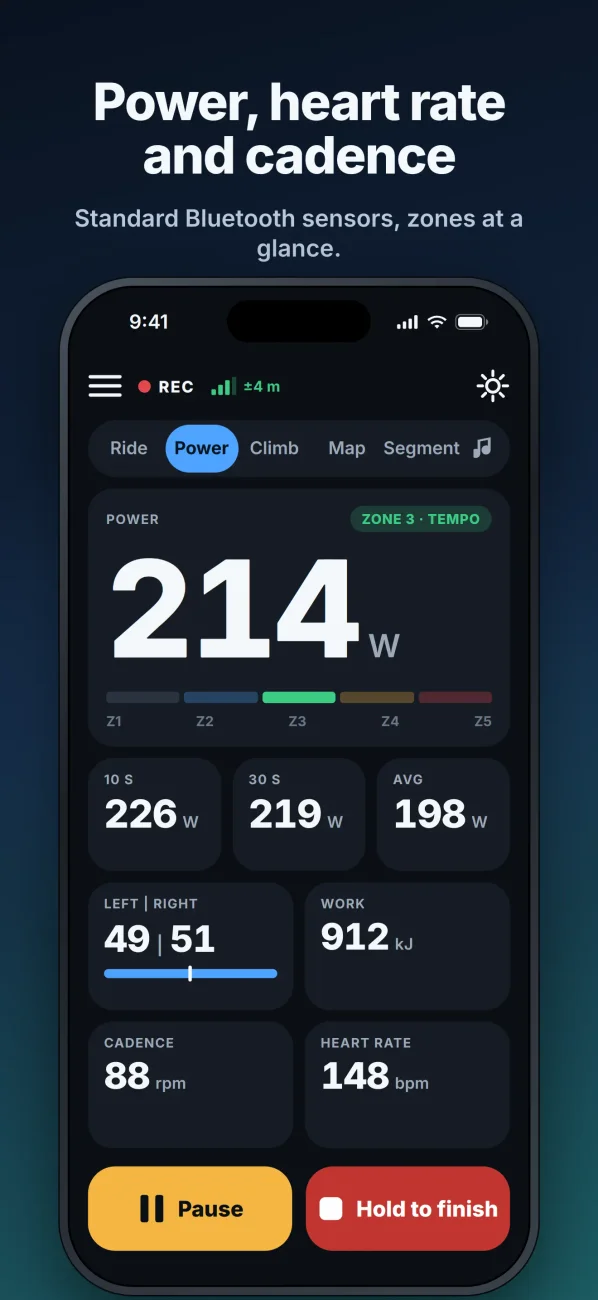
• Speed (current, average moving, maximum), power (current, average, maximum), distance, time (total, moving, paused), grade, cadence and heart rate, with heart rate zones shown by color
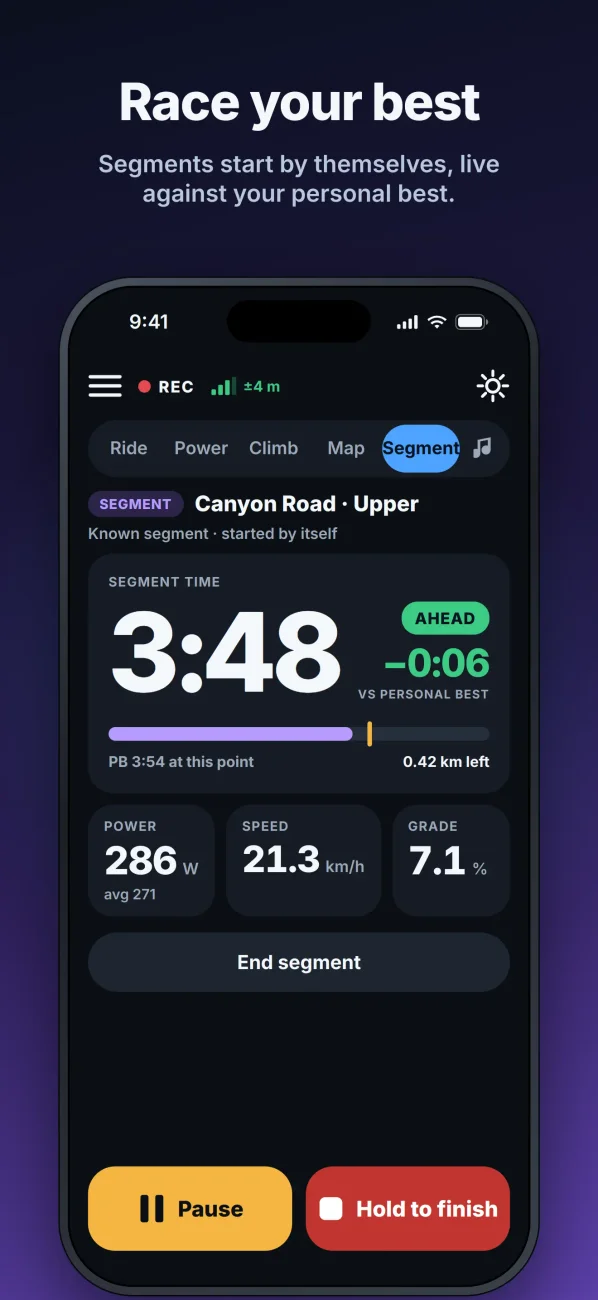
• Swipe or tap between Ride, Power, Climb and Map. A Segment page appears by itself when you reach a segment
• Hold-to-finish button, so a bump never ends your ride by accident
• Dark, light or automatic look, plus a High visibility mode for bright sunlight
• Dim the screen to save battery without switching it off
• Works in portrait and landscape, whichever way your phone is mounted
IN YOUR POCKET
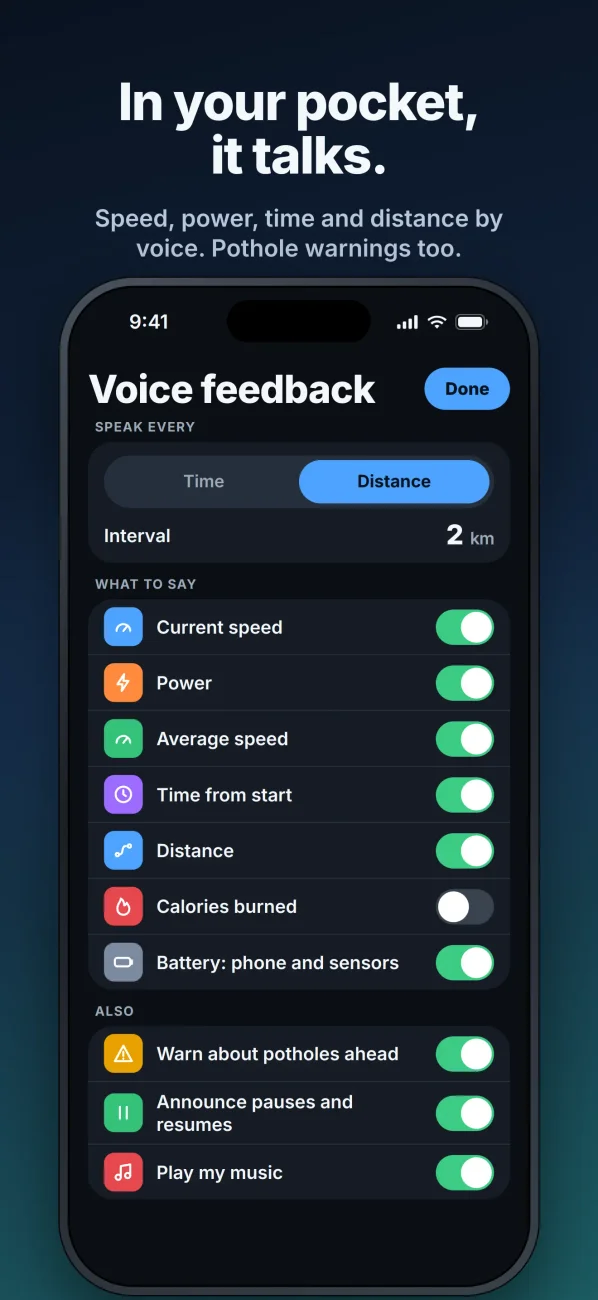
Put the phone away and MiCycle talks to you. You choose what it says (current speed and power, average speed, time since start, distance, calories, battery levels of the phone and sensors) and how often, by time or by distance. It also warns you about known potholes, announces pauses and resumes, and plays your music.
YOUR SENSORS
• iPhone GPS/GLONASS for location, speed and elevation
• Power meters: standard Bluetooth, or ANT+ through a Bluetooth bridge. A compensation setting covers single-sided crank and pedal meters
• Speed and cadence sensors: Bluetooth, or ANT+ through a bridge. A speed sensor, when present, replaces GPS for speed and distance
• Bluetooth heart rate sensors
• Trainer mode for indoor rides (speed sensor required)
CLIMBS, ROUTES AND SEGMENTS
• Follow a route you rode before, or one you imported
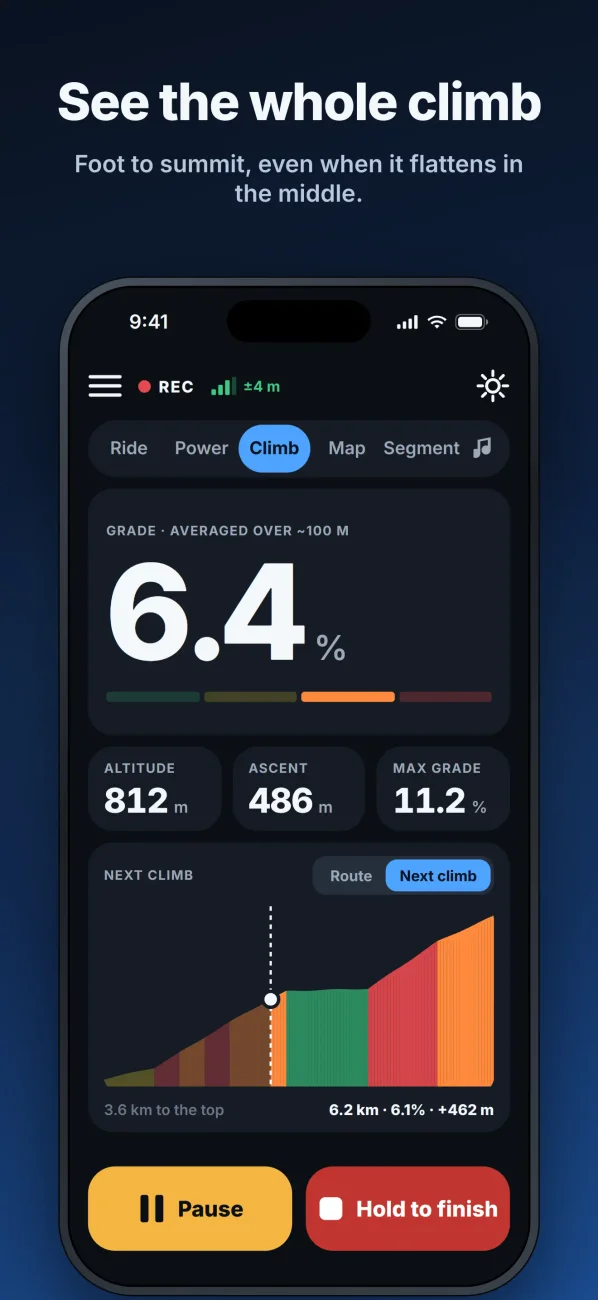
• The Climb page shows grade, altitude, ascent and the elevation profile of your route. Show the whole route, or only the next climb, from its foot to the summit, even when it has a flat stretch in the middle
• Segments start by themselves and compare you live with your personal best, with an elevation profile that looks ahead
• Offline maps for places with no signal or expensive roaming
AUTOMATIC AND CONVENIENT
• Auto-pause when you stop, so your averages stay correct
• Pothole recording, with an automatic warning when you ride near one
• Several bicycles, each with its own parameters and sensors
• Bike log for chain and tire changes, accidents and more, with date and odometer
• Backup and restore with iCloud
• Apple Health: reads your age and weight, writes workouts, cycling and calories
LOOK BACK AND ANALYZE
• Your whole history, with a map thumbnail for every ride, month totals and filters by route
• Bar chart of all your rides: distance, average speed and power
• Interactive ride chart: slide along the ride to see speed, grade, distance, time, power, cadence and heart rate at that point, with kilometer or mile averages and a map that follows your finger
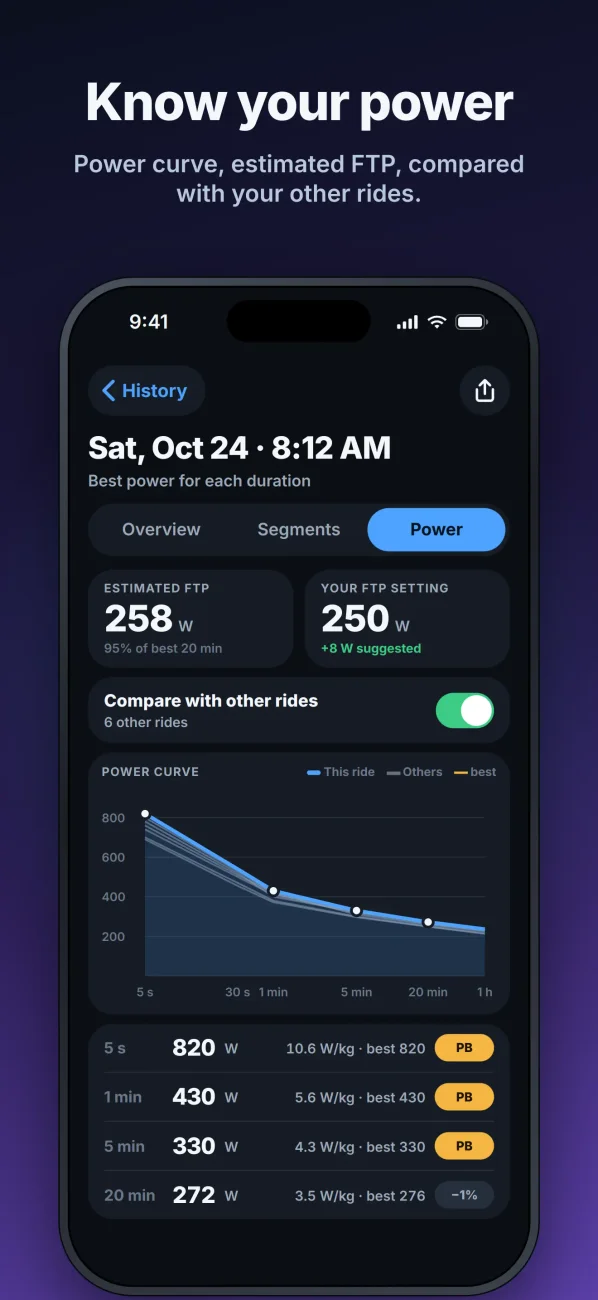
• Power curve with an estimated FTP, compared with your other rides
• History and recorded potholes on a map
• Animated 3D-map video of your ride, with metrics
SHARE AND EXPORT
• Automatic upload to Strava, or manual export to any other service as TCX or GPX
• Send the route map and ride details by email or iMessage; ride data is included with email
• Save a ride path as a route and export it as GPX; import GPX routes, for example from an email attachment
• Post your start and finish on Twitter and Facebook
APPLE WATCH
• Start, pause, resume and finish your ride from your wrist
• See time, distance, speed, heart rate, grade and an elevation chart; a Power page shows power, average power and cadence
• Watch face complication
BATTERY
MiCycle uses location only while a ride is running, and at a sensible pace (about every 5 m / 15 ft). Even so, continued use of GPS in the background can dramatically decrease battery life. Details: http://oxigenator.com/products/micycle/
MiCycle Pro includes every optional feature, in its most advanced form, and shows no ads.
What’s new
Version 5.1.1 · Nov 23, 2026
• Ride History map, redesigned. Rides now appear as colored paths instead of pins. Tap a path or swipe the cards at the bottom to see date, distance, time, speed, climb, bike and route, then open the ride. Color paths by age, bike or speed, filter by period or bike, and the map remembers where you left it.
• Routes map as paths. All your routes are drawn on one map, newest to oldest, with a card for each. There's a new "Recently created" sort, and routes and segments now show when they were created.
• One ride chart. The two-stage chart is now a single chart you can zoom to fit or magnify. Slide to move it, long-press to place the marker, and the value for each series you hide disappears too.
• Climbs become segments. After a ride, MiCycle offers to save detected climbs as segments. You can also export climbs from Ride Details or find known segments in an old ride, and each one gets its own ride record.
• Open TCX files. Import TCX files from Garmin, Wahoo, Strava and others as a ride or a route, the same way as GPX.
• More bike parts. Track chain lube, chain wax, front and rear tires, inner tubes, tire sealant, cables and bar tape.
• Streaks in weeks or days. A new setting in Settings switches your Statistics streak between weeks (the default) and days.
• Smaller fixes: assigning a bike now updates Ride Details immediately, and badge text looks better.
App privacy
What OXiGENATOR LLC declares on the App Store about how this app handles data.
-
Data not linked to you
May be collected but is not linked to your identity.
- Identifiers
- Diagnostics
Privacy practices may vary, for example with the features you use or your age.
Information
- Seller
- OXiGENATOR LLC
- Category
- Health & Fitness
- Version
- 5.1.1
- Updated
- Nov 23, 2026
- Released
- Jun 22, 2015
- Size
- 46.8 MB
- Requires
- iOS 15.6 or later
- Age rating
- 4+
- Price
- $48.99
- Languages
- English, Catalan, French, German, Italian, Japanese, Korean, Portuguese, Russian, Simplified Chinese, Spanish, Traditional Chinese
- Copyright
- © 2015, 2026 OXiGENATOR LLC
You might also like
-
 WarmUp – Workout AI CompanionGrow with your AI companion
-
 iTardoc - Tarif TARDOCMedical
-
 Pedal – Ride into the future.Your Cycling Companion
-
 Run+Intelligent Workout Coach
-
 生理管理&経血量記録アプリ|Oh My FlowHealth & Fitness
-
 Fitstatics - Fitness MonitorWorkout-Analysis on your Watch
-
 IM Inspiration: Training PlansIMI: Run,Bike,Swim,Triathlon
-
 Simple ZonesHeart Rate Training Simplified
-
 BreakAway: Indoor TrainingIndoor Cycling Training
-
 Stretch Mode: StretchingFlexibility, Stretch, Pliates