MIDI Opener
Precise MIDI Control
Designed for iPhone, iPad
Free · In-app purchases
- Age rating4+
- CategoryUtilities
- DeveloperMartianRover
- LanguagesEnglish+ 13 more
- Size334.0 MB
Links to the official App Store page
Download.org hosts no file of MIDI Opener. The button opens its official App Store page, published by MartianRover. Listing last checked on Nov 18, 2026.
Screenshots


About
MIDI Opener – Play, Practice & Export MIDI Files
Open any MIDI file and take full control of your music.
MIDI Opener is a fast, precise MIDI player built for musicians who want to practice smarter, isolate parts, customize arrangements, route playback to external gear, export their changes, and deeply explore songs without the complexity of a DAW.
WHY MIDI OPENER
• Instantly open and play standard MIDI files (.mid, .midi)
• Ultra-responsive playback with zero clutter
• Built for practice, learning, live performance, and musical exploration
• Completely ad-free
POWERFUL PLAYBACK CONTROL
• Change tempo in real time (slow down or speed up)
• Transpose key instantly to match your instrument
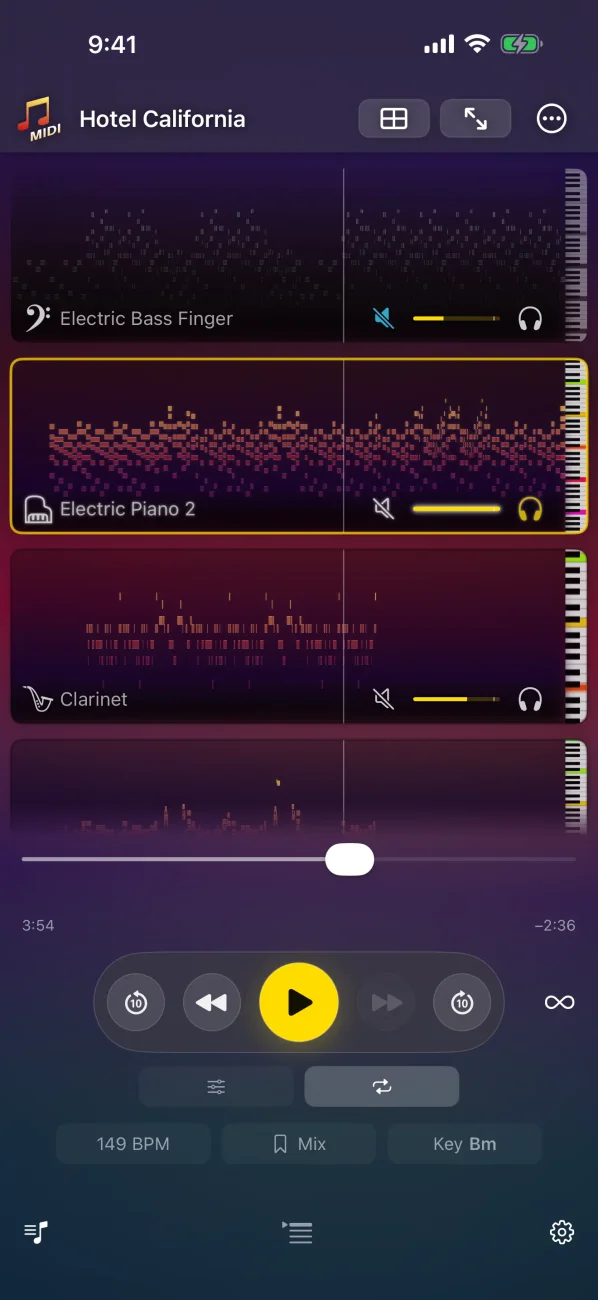
• Mute, solo, and adjust volume for each track
• Swap instruments using all 128 General MIDI sounds
• Import custom SoundFont (.sf2) and DLS soundbanks
• Apply reverb, delay, distortion, and EQ effects
EXPORT YOUR CHANGES
• Export audio as MP3, M4A, or WAV
• Export modified MIDI files with your changes
• Save customized practice mixes and arrangements
• Perfect for backing tracks, sharing, and rehearsal prep
PRACTICE WITH PRECISION
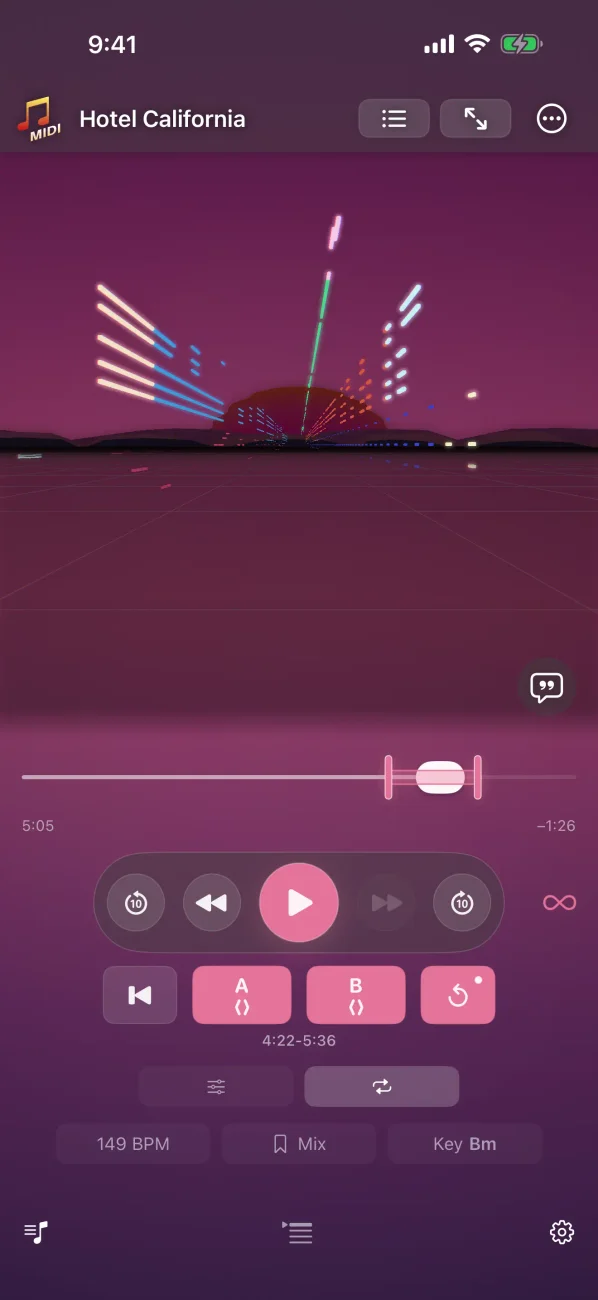
• Loop any section with A–B looping
• Isolate difficult passages and repeat them
• Break down complex songs into manageable parts
• Save and instantly restore full practice setups with Snapshots
Perfect for pianists, guitarists, producers, singers, music directors, and students.
MIDI OUT & EXTERNAL DEVICES
• Send MIDI playback to external keyboards, synths, drum machines, and sound modules
• Connect over USB, Bluetooth, or Wi-Fi
• Compatible with Logic Pro, Ableton Live, GarageBand, and CoreMIDI apps
• Use premium external instrument sounds and studio hardware
SING AND PRACTICE
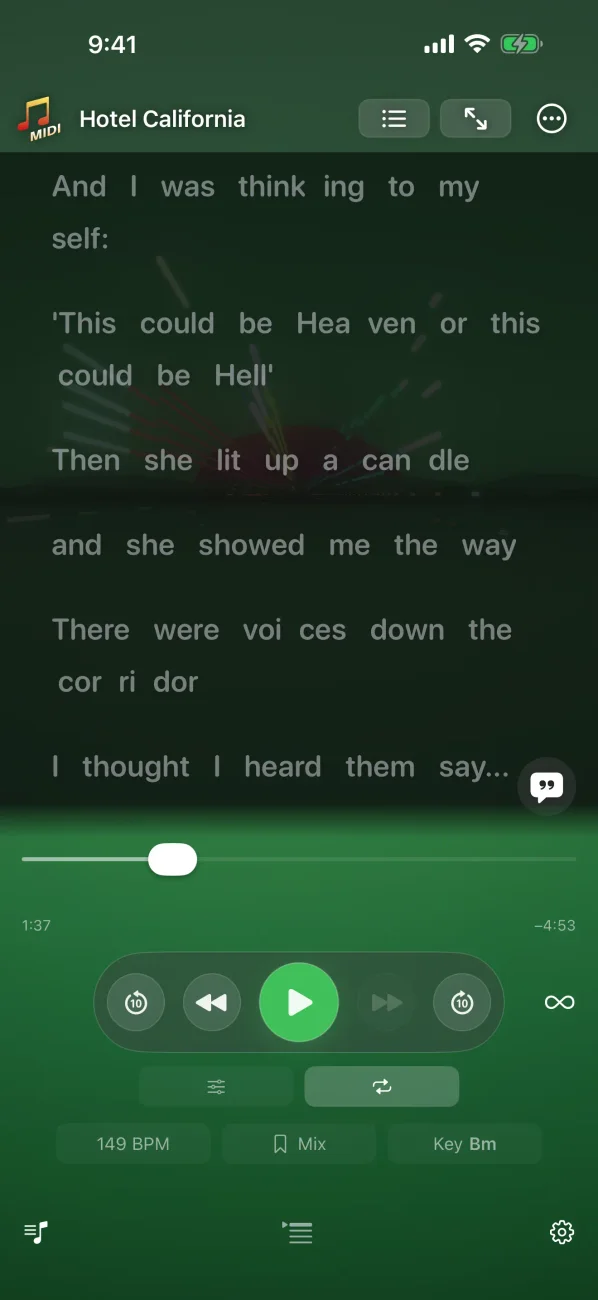
• View embedded lyrics when available
• Real-time word highlighting synced to playback
• Great for karaoke and vocal practice
SEE YOUR MUSIC
• Clean, readable note timeline
• Beautiful full screen Focus Mode with ambient visuals, auto hiding controls, and optional synchronized lyrics
• Track based visual layout
• Retro 3D visualizer
• Multiple visual themes
ORGANIZE YOUR MIDI LIBRARY
• Import from Files, AirDrop, Mail, and other apps
• Create playlists
• Queue songs for continuous playback
UPGRADE OPTIONS
Free — The Player & Customizer
Open and play MIDI files with powerful built-in customization tools. Includes instrument swapping with all 128 General MIDI sounds, custom SoundFont and DLS support, synchronized lyrics, audio effects, song section looping, visual themes, saved mixes with Snapshots, playlists, queue support, and a complete MIDI song library experience—all in a fast, focused, ad-free player.
Practice Pack — The Musician’s Upgrade
Unlock advanced practice and arrangement tools including real-time tempo control, key transposition, per-track mute, solo, and volume controls, plus MP3 audio and MIDI export for creating custom practice mixes, backing tracks, and arrangements.
MIDI Out — The Producer’s Upgrade
Route MIDI playback to external keyboards, synths, drum machines, DAWs, and professional music hardware over USB, Bluetooth, or Wi-Fi using CoreMIDI.
All Access — Everything, Once
Get the complete MIDI Opener experience with every upgrade included, plus discounted upgrade pricing if you already own another product.
FAST. FOCUSED. NO DISTRACTIONS.
Made for musicians who want control—not complexity.
What’s new
Version 5.7 · Oct 22, 2026
Version 5.7: Upgrade fixes and more accurate mixing
This update fixes upgrades that weren't recognized on your other devices and makes track volume more precise.
* Fixed: Practice Pack, MIDI Out, and All Access upgrades bought on another device weren't recognized. They now unlock automatically on devices running iOS 18 or later.
* Track volume now uses a single, consistent mapping. Mixes saved before this update may sound slightly different when restored; re-adjust any track volumes if needed.
* Snapshots now restore every track's instrument and volume
* Exported MIDI and audio files now match the volume you hear in the app
* The instrument reset button stays available while a track uses a different instrument
* Any added soundfont file may now be downloaded
Version 5.6: Stability and refinement
This version fixes a library crash for some users, and improves song loading when linked files need to be downloaded from the cloud. It's also easier to know about reset mute/solo on all tracks at once.
Version 5.5: Focus mode, song-specific effects, better lyrics support
Focus on the music, customize your sound, and make every song your own.
* New Focus Mode for a beautiful, distraction free playback experience
* Song specific effects let each song remember its own reverb, chorus, EQ, and other effect settings
* Songs with lyrics have a visible icon in the media library
* Media library opens partially and dismisses after song selection for better flow
Version 5.4: Fixes
* Some files showed all tracks combined into a single percussion track
Version 5.3.2: Fixes
* Purchased product issues
* Better loop controls
Version 5.3.1: Fixes
* Playback sync
Version 5.3: MIDI Out
MIDI Opener now lets you route playback to external MIDI hardware, synths, DAWs, and music apps. This release also simplifies upgrades with a new product structure built around Practice Pack, MIDI Out, and All Access.
* NEW: MIDI Out — send MIDI playback to external keyboards, synths, sound modules, DAWs, and CoreMIDI apps
* USB, Bluetooth & Wi-Fi MIDI support — connect to compatible external devices and software
* New upgrade structure — streamlined offerings with Practice Pack, MIDI Out, and All Access
* Smarter upgrade paths — discounted All Access upgrades for existing owners
* Improved purchase flow, entitlement handling, and upgrade experience
* Fixed: First note was sometimes silent
* Fixed: Missing language translations
Version 5.2: Bug fixes and performance enhancements
* Songs instantly repeat in single repeat mode
* Playhead scrubbing improvement
* Fixed startup crash on older iOS versions
Version 5.1: Export audio or MIDI files
* Save exactly what you hear as an MP3, M4A or WAV file.
* Export your changes as a new MIDI file.
* Improved UI for smaller screens.
Version 5.0: Powerful new controls, smarter practice tools, and a faster, more responsive experience:
* Per-track volume control for precise mixing
* Create and loop custom sections with ease
* Media library with playlists and song queue
* Save and instantly restore full mix states with Snapshots
* Multiple visual themes for clear, customizable note views
* Improved playback performance and responsiveness
App privacy
What MartianRover declares on the App Store about how this app handles data.
-
Data not linked to you
May be collected but is not linked to your identity.
- Usage data
- Diagnostics
Privacy practices may vary, for example with the features you use or your age.
Information
- Seller
- MartianRover, LLC
- Category
- Utilities
- Version
- 5.7
- Updated
- Oct 22, 2026
- Released
- Sep 18, 2015
- Size
- 334.0 MB
- Requires
- iOS 17.6 or later
- Age rating
- 4+
- Price
- Free
- In-app purchases
- Yes
- Languages
- English, Danish, Dutch, Finnish, French, German, Italian, Japanese, Korean, Portuguese, Russian, Simplified Chinese + 2 more
- Copyright
- © 2026 MartianRover, LLC
You might also like
-
 Morningstar MIDI EditorUtilities
-
 WIDI AppUtilities
-
 ToneScribe Pro: Audio to MIDIVoice & Instrument Converter
-
 Midi SuiteUtilities
-
 Unmix AI Speech Vocal RemoverRemove voice from any yt song
-
 Disklavier Controller - USUtilities
-
 iDOS 3Play Classic DOS Games
-
 SignalScope XSpectrum Analyzer, RTA & FFT
-
 SincoOTAUtilities
-
 WAV Converter, WAV to MP3Convert WAV files