MIDI-Probe: Monitor & Test
Sniff, send & debug your gear
Designed for iPhone, iPad
Free · In-app purchases
- Age rating4+
- CategoryMusic
- DeveloperMichael Hitz
- LanguagesEnglish+ 1 more
- Size8.9 MB
Links to the official App Store page
Download.org hosts no file of MIDI-Probe: Monitor & Test. The button opens its official App Store page, published by Michael Hitz. Listing last checked on Nov 24, 2026.
Screenshots



About
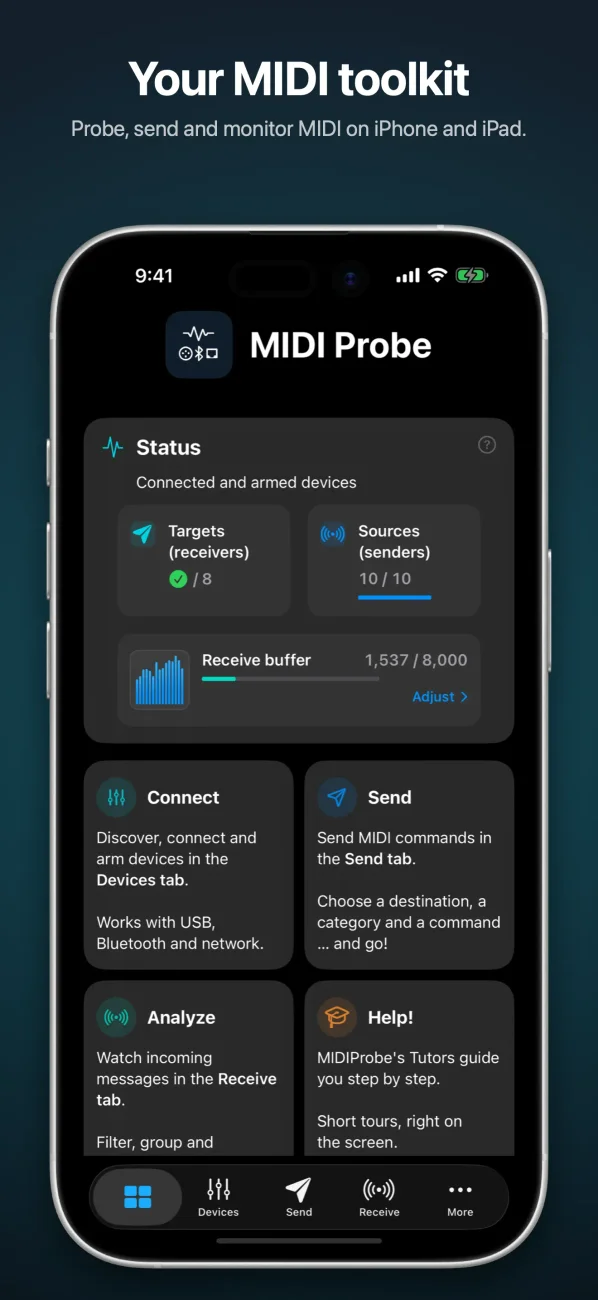
MIDIProbe is a pocket MIDI utility for iPhone and iPad that helps you discover, test, and troubleshoot MIDI devices (e.g., controllers, synths, mixers). Send the exact MIDI commands you need, watch every incoming message live, and see at a glance which of several devices sent what, and when.
• Discover USB, Bluetooth, and RTP network MIDI devices. Pick sources and destinations right on the Send and Receive screens.
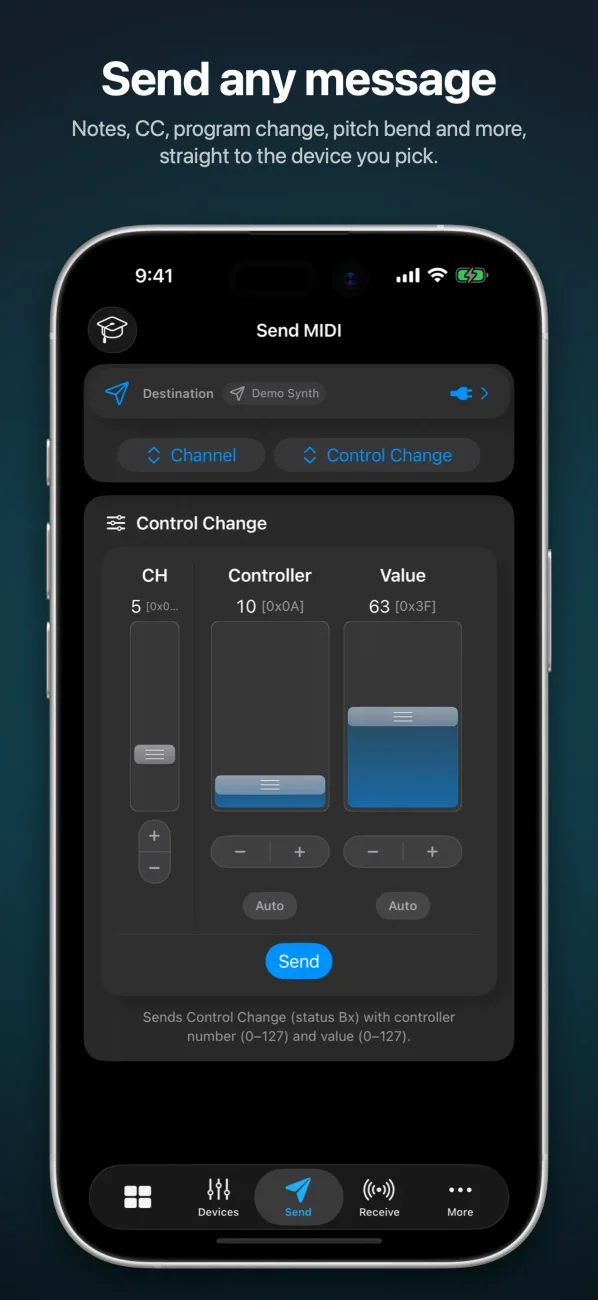
• Send MIDI fast with interactive cards:
– Notes, Control Change (CC), Program Change, Aftertouch, Pitch Bend
– System Common (Song Position Pointer, Song Select, Tune Request)
– Real-Time (Start/Stop/Continue, Clock, Active Sensing, Reset)
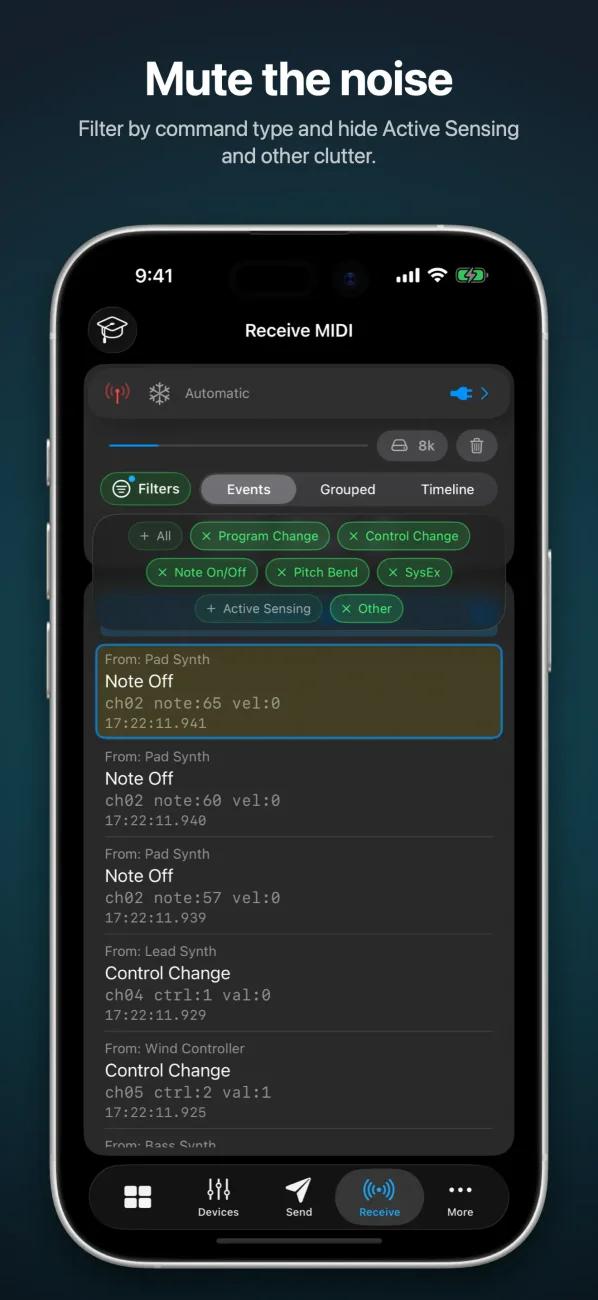
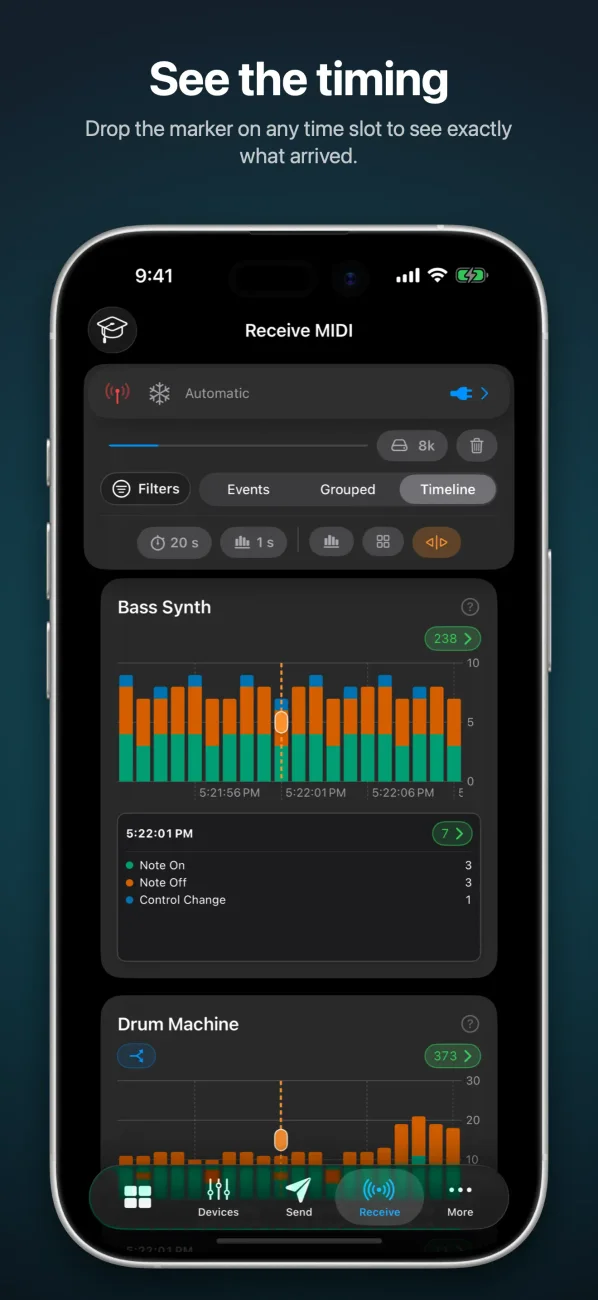
• Monitor incoming MIDI three ways: a live, timestamped log; a grouped view by device, event type, or channel; and a timeline of each device's activity over time. Drag the time marker to see exactly what every device sent at that moment.
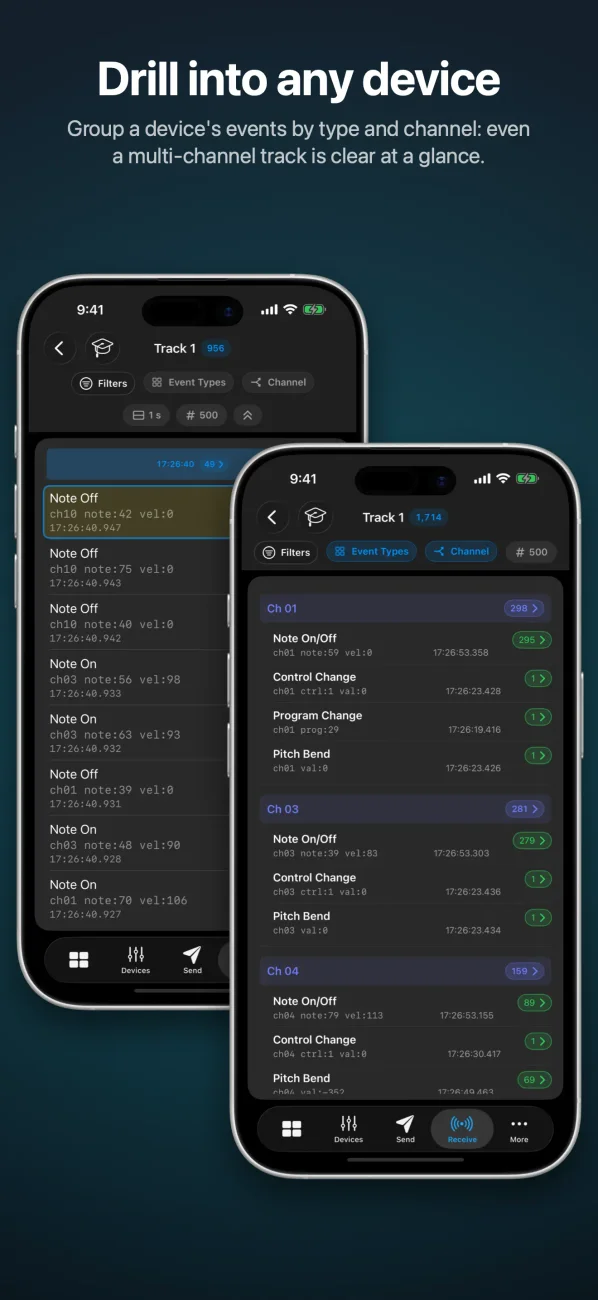
• Every device, group, and channel has its own detail page where you can inspect the messages that arrived there. Filters apply in every view, Mute pauses recording, and Freeze holds the display while new messages are still stored.
• Stays smooth under heavy traffic, even with several devices sending clock and dense controller data at once.
• No hardware at hand? Demo mode simulates devices, from a few controllers to a full orchestra or a song, so you can explore every screen right away.
• Help needed? The app has an extensive help system: guided tours walk you through the main screens step by step, and "?" buttons on the most important cards explain them right where you use them.
Typical use cases:
• Reverse-engineer mixer control: Find out which channel/CC/value combinations mute channels on your X32, then check that your floorboard sends exactly those messages before you go live.
• Map a foot controller to a multi-FX unit: Identify the Program Changes or CCs that switch the presets and settings you need, and confirm your mapping.
• Untangle a multi-device rig: Stray notes or a second clock somewhere? The timeline shows who sent what and when, side by side.
• Check keyboard channel routing: See which channel your keyboard really sends on, and whether splits/layers hit the channels your synth expects.
• Validate DAW controller templates: See which notes/CCs each pad, knob, and fader sends, catch duplicate CC numbers, and confirm bank switching.
• Troubleshoot "why doesn't it respond?": If your synth doesn't react, check whether anything is sent at all, on which channel, and as which message type.
• Verify pitch bend and high-resolution CCs: Check pitch bend ranges and whether 14-bit (MSB/LSB) pairs arrive correctly.
• Test your own hardware/software: Use MIDIProbe as a "known good" sender/receiver for controller firmware or MIDI apps.
If you're into this kind of thing, MIDIProbe is for you.
What’s new
Version 2.0 · Nov 22, 2026
WHAT'S NEW IN 2.0
Most of the effort in this release went into analysing multiple devices that send in parallel. But we made lots of small improvements for regular traffic and analysis too!
RECEIVING REDESIGNED
Three ways now to view incoming MIDI:
– Raw: a live list of events, with optional time-slot separators. Useful for analysing a few devices or lower traffic.
– Improved Grouped view: see activity by device, event type and now also by channel, and drill down into what one device did.
– Brand-new Timeline / Charts view*: activity over time for each device. See who sent what and when, and relate the devices' messages to each other. A movable time marker picks a time slot and shows its events: tap the chart to place it, drag its handle to move it and see what each device sent in that time slot. Split by Channel gives each MIDI channel of a device a card of its own.
• Brand-new detail pages for events, groups and channels. Filter and group the detail data on the fly, by event type or by channel.
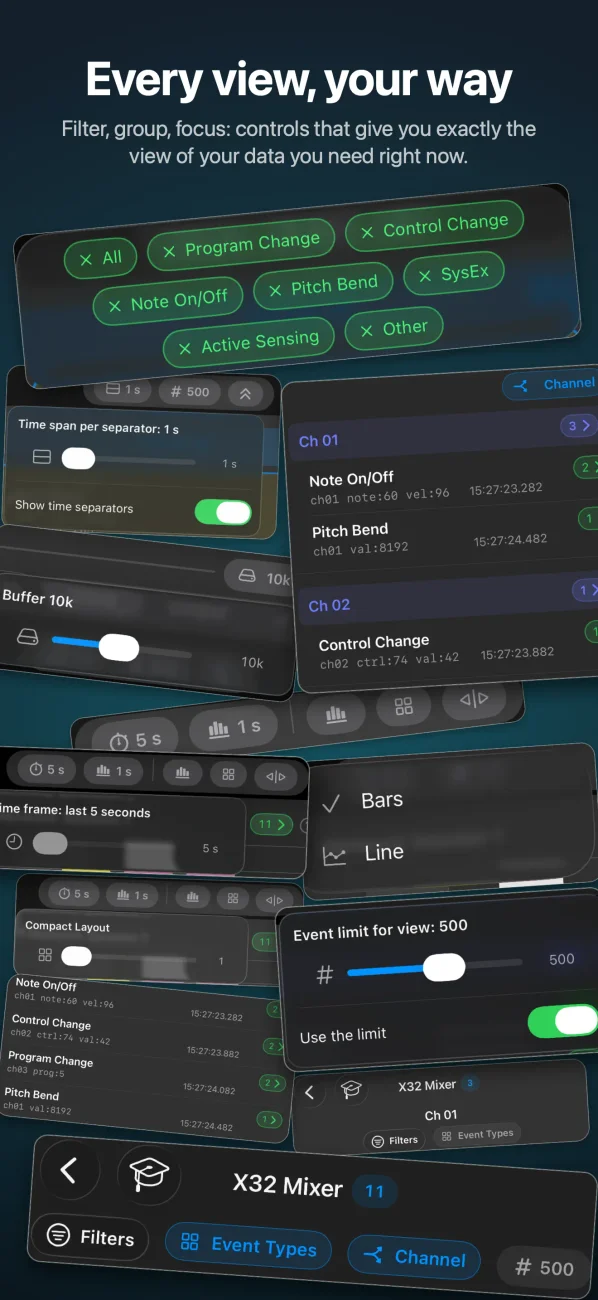
• Filters are set in one place and apply in every view. You can also edit them from the detail pages.
• Mute and Freeze at the top work in every view: Mute pauses recording, Freeze holds the display still while new messages are still stored.
MUCH FASTER
• Much smoother with heavy MIDI traffic. The event lists are much faster, and scrolling stays as smooth as possible while events arrive.
• The app automatically optimizes values for live views and tells you when it lowers one to keep things responsive.
GUIDED TOURS AND IN-PLACE HELP
• Step-by-step tours for the Dashboard, Send, Receive, and the Grouped, Timeline and Detail views.
• "?" help buttons on the most important cards explain them right where you use them.
DEMO MODE: TRY MIDIPROBE WITHOUT HARDWARE
• Simulated MIDI devices send what real instruments and controllers send, so you can explore every screen before connecting anything.
• Scenarios and load: choose a scenario, from a few controllers to a full orchestra or a song, and how much the devices send.
• Start it from the Dashboard or under More → Demo Mode. Your own devices and their selection stay as they are, and the next launch is always on your real devices.
OTHER CHANGES
• New: support for iPhone Duo and Mac (Designed for iPad). Layouts adapt to the window size.
• More tab: now home to Settings, Demo Mode and About.
• Remembers your setup: the Receive view, the Timeline layout and the open grouped cards stay as you left them.
• Pick devices right where you use them: choose sources and destinations directly on the Send and Receive screens. You no longer have to go to Devices first. On Receive, Automatic shows messages from every device, regardless of the selection.
• Dashboard: a new status view with a live activity chart and buffer controls built in.
• Adjustable buffer size in Settings and on the Dashboard, with a higher default.
FIXES
• Fixed a crash on the Bluetooth MIDI pairing screen on iOS 27.
* Part of the Analyzer Pro package. It will become an in-app purchase later: download now and you get it free — forever!
App privacy
What Michael Hitz declares on the App Store about how this app handles data.
-
Data not collected
The developer does not collect any data from this app.
Privacy practices may vary, for example with the features you use or your age.
Information
- Seller
- Michael Hitz
- Category
- Music
- Version
- 2.0
- Updated
- Nov 22, 2026
- Released
- Dec 31, 2025
- Size
- 8.9 MB
- Requires
- iOS 18.6 or later
- Age rating
- 4+
- Price
- Free
- In-app purchases
- Yes
- Languages
- English, German
- Copyright
- © 2026 Michael Hitz
You might also like
-
 Ensemble JammerMultiplayer music jam
-
 midigardenTouch instrument for Pure Data
-
 3D SynthMusic
-
 MIDI Controller/Oscilloscope16ch sequencer + 8ch scope
-
 Scale Navigator DashboardExplore Musical Harmony
-
 Music Gear NotesRecall gear settings easily
-
 YOKA INSTRUMENTSMusic
-
 TinyToneSimple Synth
-
 Callback FreeverbStandalone and AUv3
-
 TailsyncTempo-synced reverb calculator