
Mileage Log: Auto Tracker
Business trips, jobs & fuel
Designed for iPhone, iPad
In-app purchases
- Age rating4+
- CategoryBusiness
- DeveloperRail-Com Systems s.r.o.
- LanguagesEnglish+ 9 more
- Size9.8 MB
Links to the official App Store page
Download.org hosts no file of Mileage Log: Auto Tracker. The button opens its official App Store page, published by Rail-Com Systems s.r.o. Listing last checked on Nov 18, 2026.
Screenshots
About
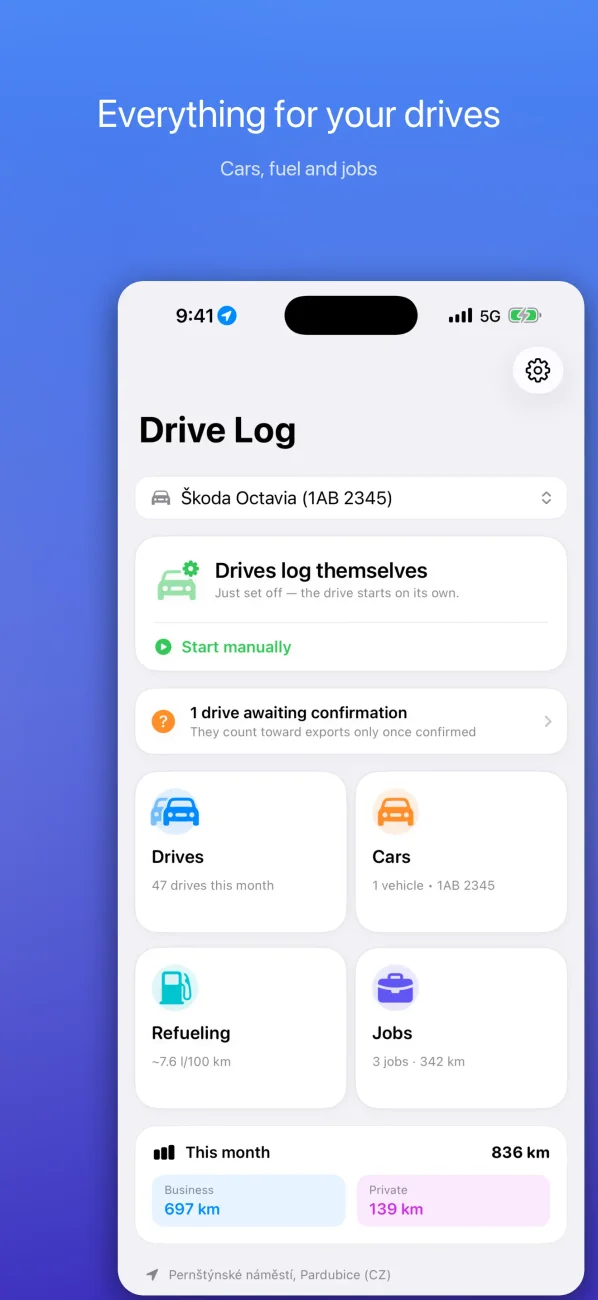
A mileage log that knows which job you were on.
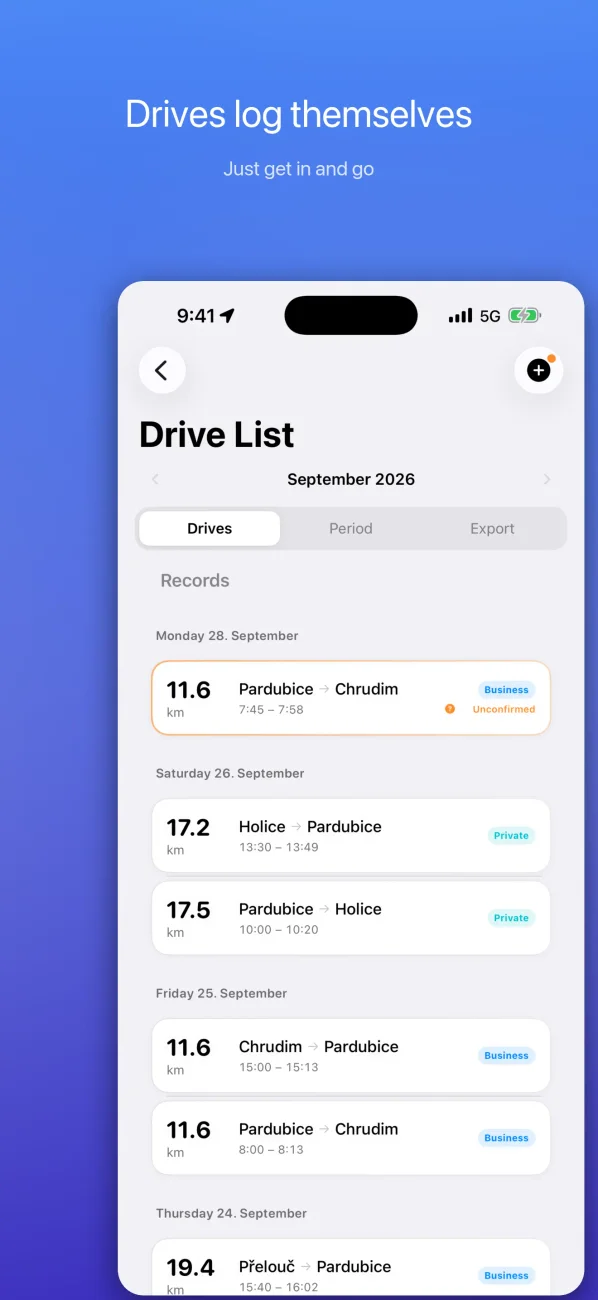
The app notices you've set off, records the drive on its own and offers it to a job. At the end of the month you have a document for your accountant — and a picture of what each job cost you in travel.
JOBS
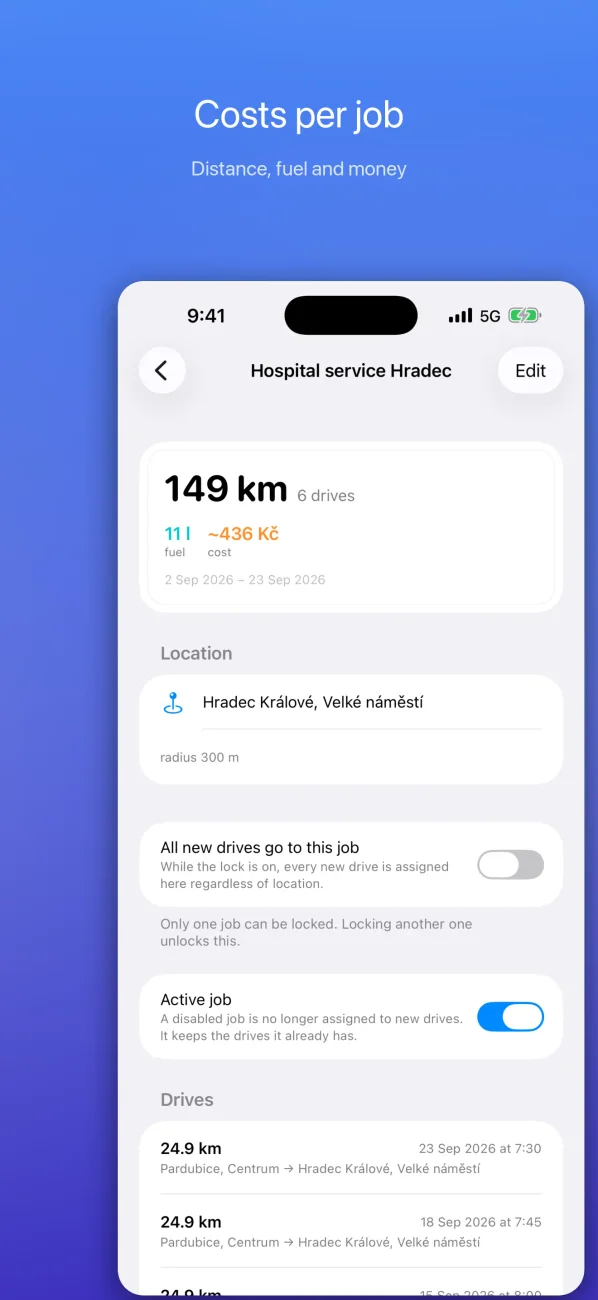
Name the places you drive to for work. When a drive ends at a job — or sets off from one — the app offers it to that job. The trip home or back to the office stays with the job it belongs to.
For every job you see the distance driven, an estimate of fuel used and what it cost, and above all the list of drives that number came from. Nothing has to be taken on trust.
Working on one site all week? Lock that job and every new drive goes there until you turn the lock off.
AUTOMATIC RECORDING
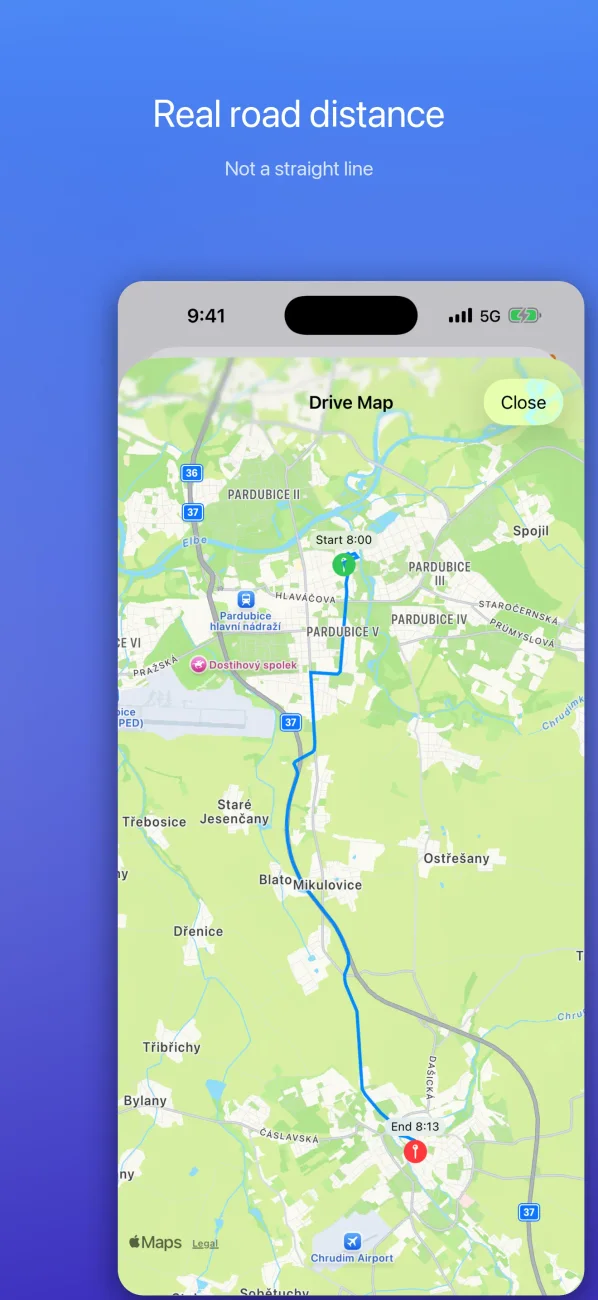
A drive starts by itself when you pull away, or when CarPlay or the car's Bluetooth connects. It records the route, the time, the start and end address and the distance along the road.
If detection starts late and a gap appears between drives, one tap links the start to the previous drive's end. Distance and time are recalculated along the real route.
CONFIRM, DON'T RETYPE
Every automatically recorded drive waits for your confirmation — it counts towards exports once you approve it. The suggested job is shown right there and you can change it. Nothing disappears and nothing is written behind your back.
BUSINESS AND PRIVATE
One tap sets the purpose of each drive. A vehicle remembers what is usual for it. The period overview shows the business-to-private split in percentages.
SEVERAL CARS
Manage any number of vehicles. A car is recognised by its own CarPlay or Bluetooth unit, so drives end up where they belong.
PDF AND CSV EXPORT
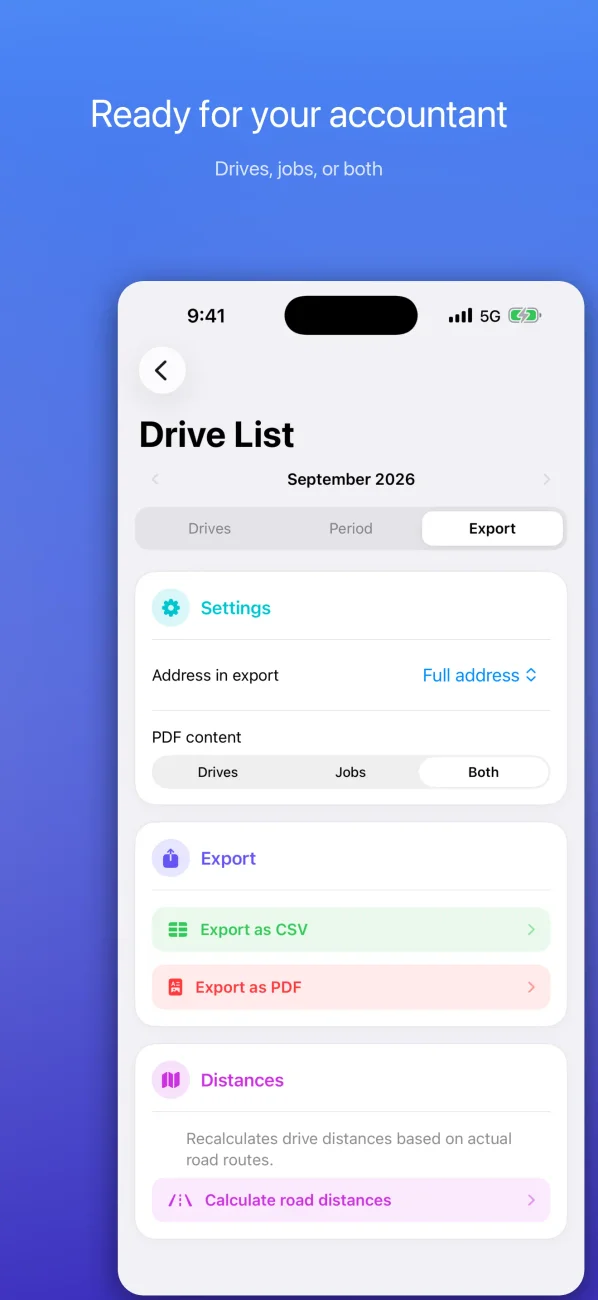
A mileage log in the shape an accountant knows: date, route, purpose, odometer, distance and a column for notes. You choose whether to export drives, a job summary, or both.
Before exporting, the app compares the drives against the odometer and warns you when the numbers don't add up — before you send the document.
FUEL RECEIPTS AND ODOMETER
Just snap the fuel receipt: litres, price, date, station and receipt number are filled in, and the location is taken from the drive you refuelled on. EV charging receipts in kWh work too. Snap the odometer as well — your drives are aligned to the real reading. Photos are stored only in your own iCloud.
CARPLAY AND LOCK SCREEN
The car's display shows that a drive is running and lets you end it or switch the purpose. A widget and Live Activity show the running drive and the day's total without opening the app.
PRIVACY AND ICLOUD
We run no server and cannot see your data. No ads, no analytics.
Drives are stored on your phone and in your own iCloud, and survive a lost device or a reinstall. The iPhone records; on an iPad or a Mac with Apple silicon you review and export them on the big screen.
Addresses and route lengths are worked out by Apple Maps — coordinates reach it exactly as they would during ordinary navigation. We pass them to no one else.
—
The free version tracks one vehicle. Drives older than 7 days are never deleted — a subscription unlocks the full history, several vehicles and exports without a watermark.
PLEASE NOTE
Drives are recorded automatically and the data may be inaccurate or incomplete. Always review and verify it before using it for third-party purposes — responsibility for its accuracy rests with the user of the app. The app provides no tax or legal advice and does not guarantee that the logbook will be accepted in a tax audit or in an inspection of labour-law and occupational-safety compliance. Distance is calculated from location and map data, not from the vehicle's odometer, so it may differ from the odometer reading — it can be corrected in the app.
Terms of Use (EULA): https://www.apple.com/legal/internet-services/itunes/dev/stdeula/
License and Terms of Sale: https://automileagelog.app/en/terms
Privacy Policy: https://automileagelog.app/data-privacy
What’s new
Version 1.0.2 · Nov 11, 2026
• A follow-on drive now starts where the previous one ended — no more linking small gaps by hand.
• More reliable matching to the right car when CarPlay doesn't connect straight away.
• Better receipt reading: price, litres and date, even on hard-to-read receipts.
• Mileage Log on Macs with Apple silicon: review, edit and export the drives from your iPhone.
• Improved layout on iPad.
App privacy
What Rail-Com Systems s.r.o. declares on the App Store about how this app handles data.
-
Data not collected
The developer does not collect any data from this app.
Privacy practices may vary, for example with the features you use or your age.
Information
- Seller
- Rail-Com Systems s.r.o.
- Category
- Business
- Version
- 1.0.2
- Updated
- Nov 11, 2026
- Released
- Oct 3, 2026
- Size
- 9.8 MB
- Requires
- iOS 18.0 or later
- Age rating
- 4+
- In-app purchases
- Yes
- Languages
- English, Czech, French, German, Hungarian, Polish, Russian, Slovak, Spanish, Ukrainian
- Copyright
- © 2026 Rail-Com Systems s. r. o.
You might also like
-
 Carster: kniha jízdFinance
-
 GuidERAERA Heat Pump Service Tools
-
 Millio mileage trackerPrivacy first mileage tracker
-
 Mileage Tracker by DriveHubHMRC Logbook That Flags Gaps
-
 Mileage Log Book for BusinessOdometer trip diary and claims
-
 OdpisTo – Kniha jázdBusiness
-
 Kniha jízdBusiness
-
 DropLane: Mileage Tracker LogAuto Business Mileage Logbook
-
 modec connectProductivity
-
 Mileage Tracker by DriversLogAuto Miles Log & Tax Deduction