
MileCheck
Highway Mile Markers & Alerts
Designed for iPhone, iPad, iPod touch
Free · In-app purchases
- Age rating4+
- CategoryNavigation
- DeveloperMileCheck LLC
- LanguagesEnglish
- Size107.5 MB
Links to the official App Store page
Download.org hosts no file of MileCheck. The button opens its official App Store page, published by MileCheck LLC. Listing last checked on Nov 24, 2026.
Screenshots
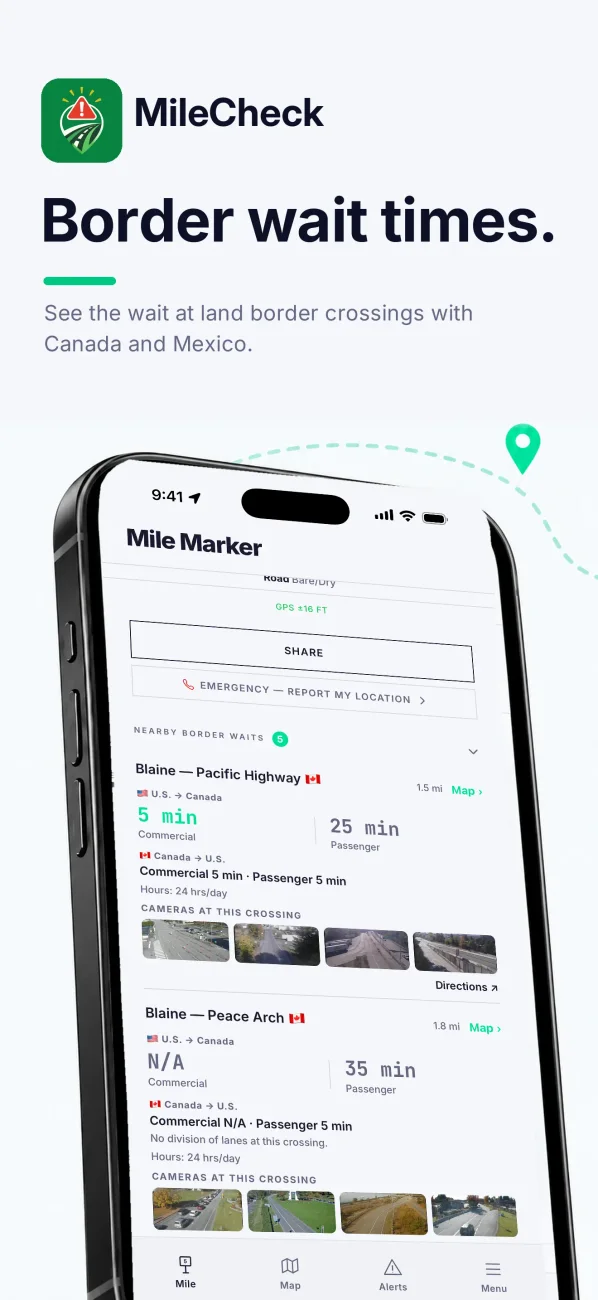
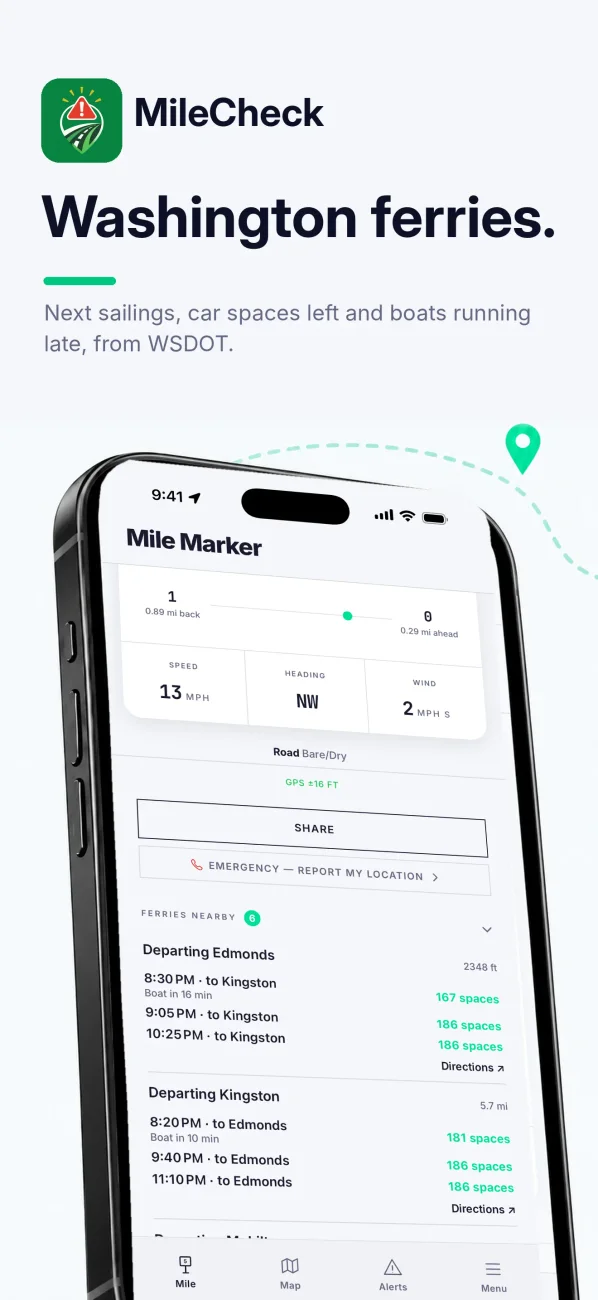
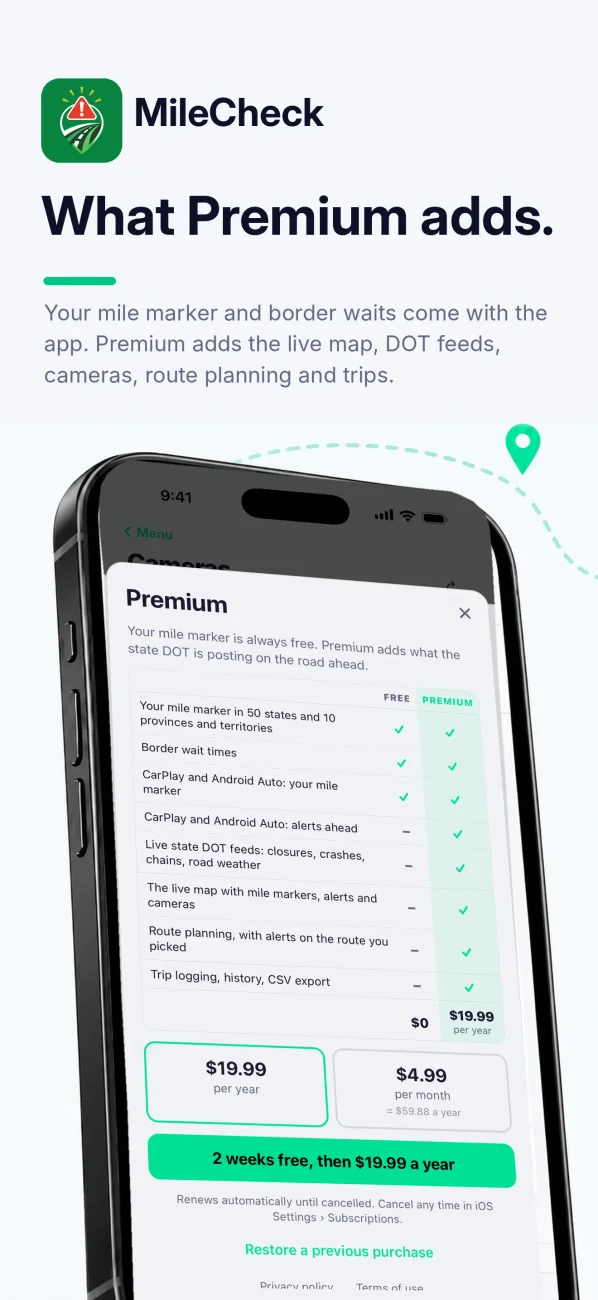
About
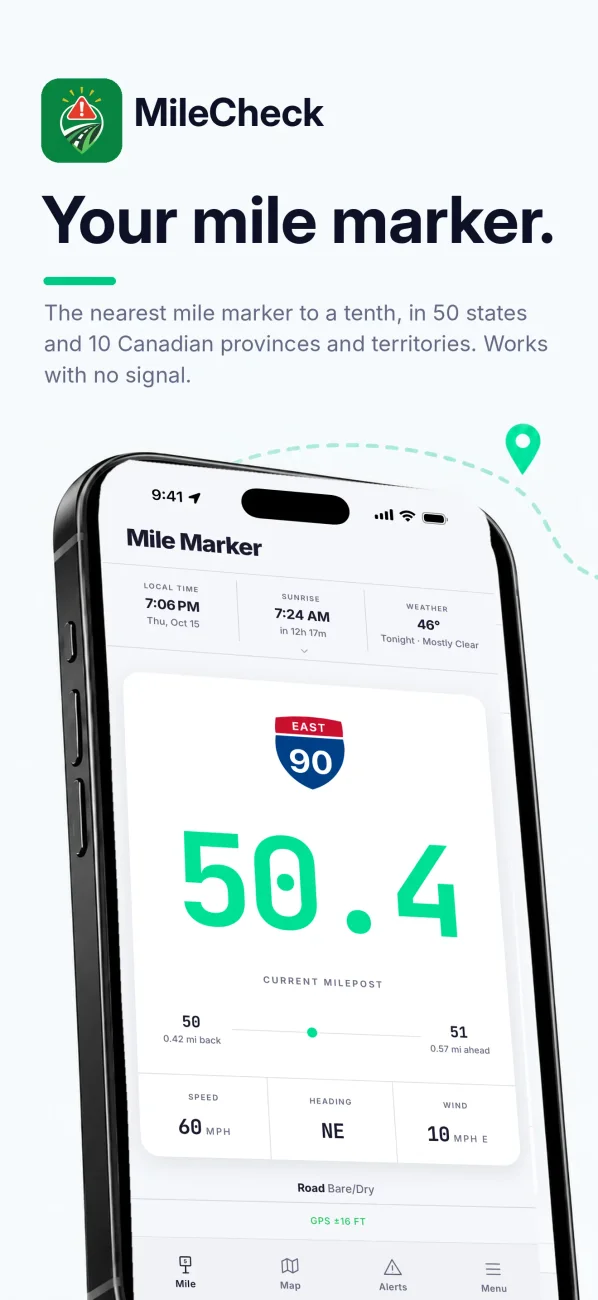
Know exactly where you are on the highway. MileCheck shows your nearest mile marker in real time, so you can tell roadside assistance or emergency services precisely where you are, check the road before a trip, or simply know your spot on the road.
WHAT YOU GET
• Nearest mile marker, live to one decimal — works offline in all 50 states
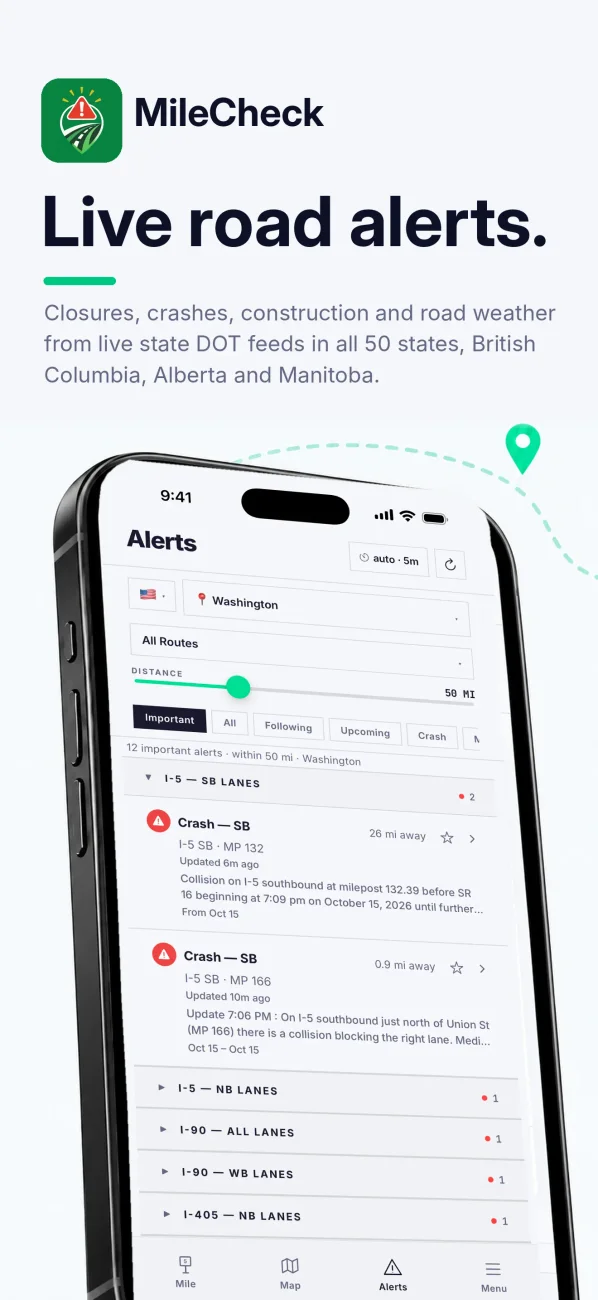
• Live DOT road alerts — closures, crashes, construction, and conditions — in all 50 states + British Columbia
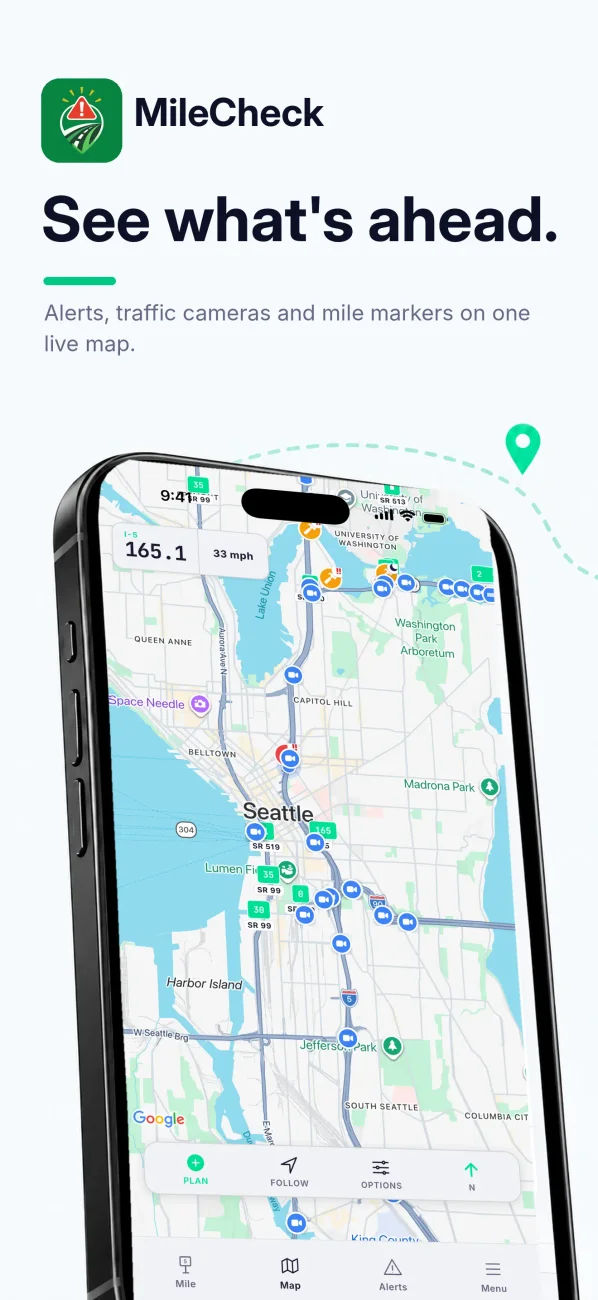
• Traffic cameras in 27 states — see the road before you drive it
• CarPlay — your nearest mile marker on the car screen
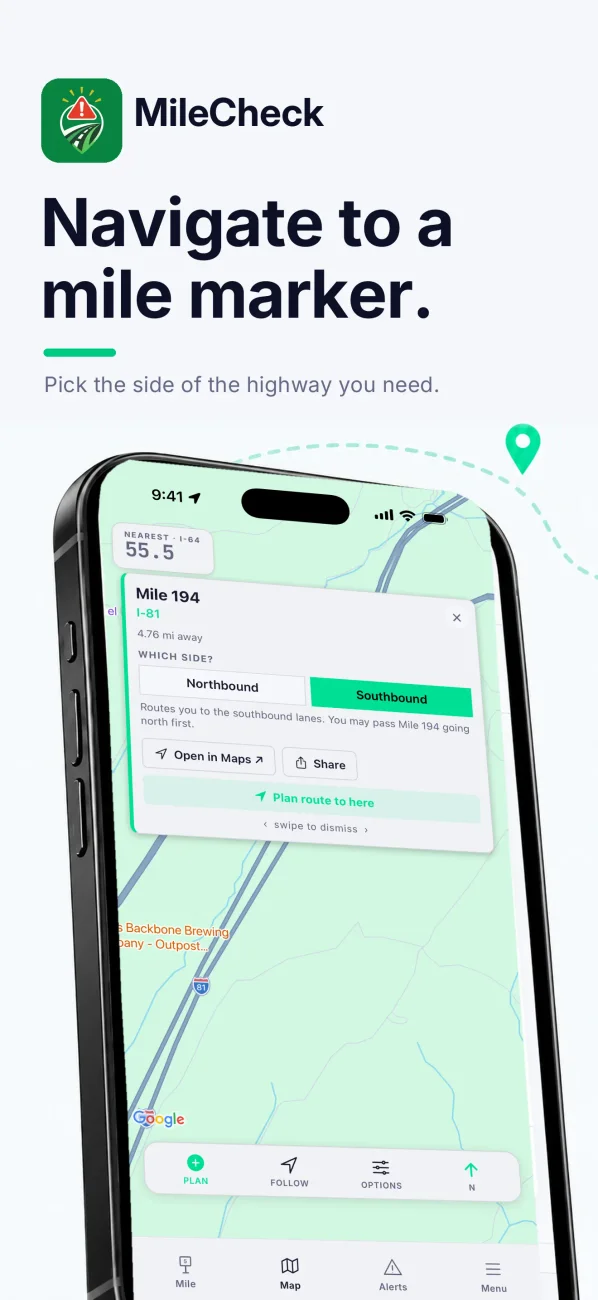
• Premium route planning — check closures and alerts along your route before you leave
• Interactive map with alerts, road conditions, wildfires, drawbridges, and border crossings
• Speed, heading, weather, and daylight at a glance
• One-tap emergency location card for copying or sharing where you are
• Optional manual trip logging and sharing
MileCheck is built for truckers, road crews, EMTs, road trippers, commuters, and anyone who drives the highways.
MileCheck includes a free Map with highway mile markers, DOT alert locations and 3 traffic camera views per day. Tap an alert to see its type, road and mile marker. Premium adds full alert details, the Alerts tab, unlimited cameras, trip logs and route planning. Premium costs $19.99/year or $4.99/month, with a 2-week free trial for new subscribers. Bundled mile markers work offline.
Terms of Use: https://www.apple.com/legal/internet-services/itunes/dev/stdeula/
Privacy Policy: https://milecheck.github.io/milecheck-privacy/
What’s new
Version 1.10.53 · Nov 23, 2026
MileCheck 1.10.53 brings a lot of changes.
• The Map is now free. See mile markers and DOT alert locations. Tap an alert for its type, road and milepost. Full details require Premium.
• View 3 traffic cameras free each day.
• New Cameras tab with search, cameras ahead in your direction of travel, mountain passes, steep grades and starred cameras.
• See live snowplow locations in about a dozen states, with last reported times.
• Alerts are grouped by type, with alerts ahead on your road first and a distance slider.
• Report my location shows your road, direction, mile marker and coordinates to read to 911.
• See the next exit number and street.
• Plan multi-stop routes with road alerts, cameras, elevation and traffic. Open directions in your preferred maps app.
• Recently cleared incidents stay visible for 3 hours. More hazard types are included.
• Landscape support for phones and tablets.
• Faster Map loading.
Bundled mile markers still work offline.
App privacy
What MileCheck LLC declares on the App Store about how this app handles data.
-
Data not linked to you
May be collected but is not linked to your identity.
- Location
- Identifiers
Privacy practices may vary, for example with the features you use or your age.
Information
- Seller
- MileCheck LLC
- Category
- Navigation
- Version
- 1.10.53
- Updated
- Nov 23, 2026
- Released
- Mar 5, 2026
- Size
- 107.5 MB
- Requires
- iOS 15.1 or later
- Age rating
- 4+
- Price
- Free
- In-app purchases
- Yes
- Languages
- English
- Copyright
- © 2026 MileCheck LLC
You might also like
-
 Mile-1Find Your Milepost
-
 PatrolNav GPSGPS for law enforcement
-
 ODOT Location FinderNavigation
-
 US Travelerroad conditions for 50 states
-
 USA Traffic CamerasMap, Routes & Road Cameras
-
 OCTANE FuelFuel Discounts & AI Assist
-
 California 511 Road ConditionsCaltrans & CHP 511 Information
-
 Washington Road ConditionsWSDOT 511 WA Road Conditions
-
 Nevada 511 Road ConditionsNV 511 NDOT Road Conditions
-
 Where Am I - Find My AddressInstant Location Information