
Miles Flow: Pose Guide Camera
Stop guessing. Start posing.
Designed for iPhone
Free · In-app purchases
- Age rating4+
- CategoryPhoto & Video
- DeveloperMiles Studios London
- Size516.0 MB
Links to the official App Store page
Download.org hosts no file of Miles Flow: Pose Guide Camera. The button opens its official App Store page, published by Miles Studios London. Listing last checked on Nov 25, 2026.
Screenshots
About
Know what to do with your hands, where to look, and how to stand before the shutter. Miles Flow is the pose-guide camera from Miles Studios London, built for anyone who wants to feel more natural in photos.
FIND YOUR ANGLE
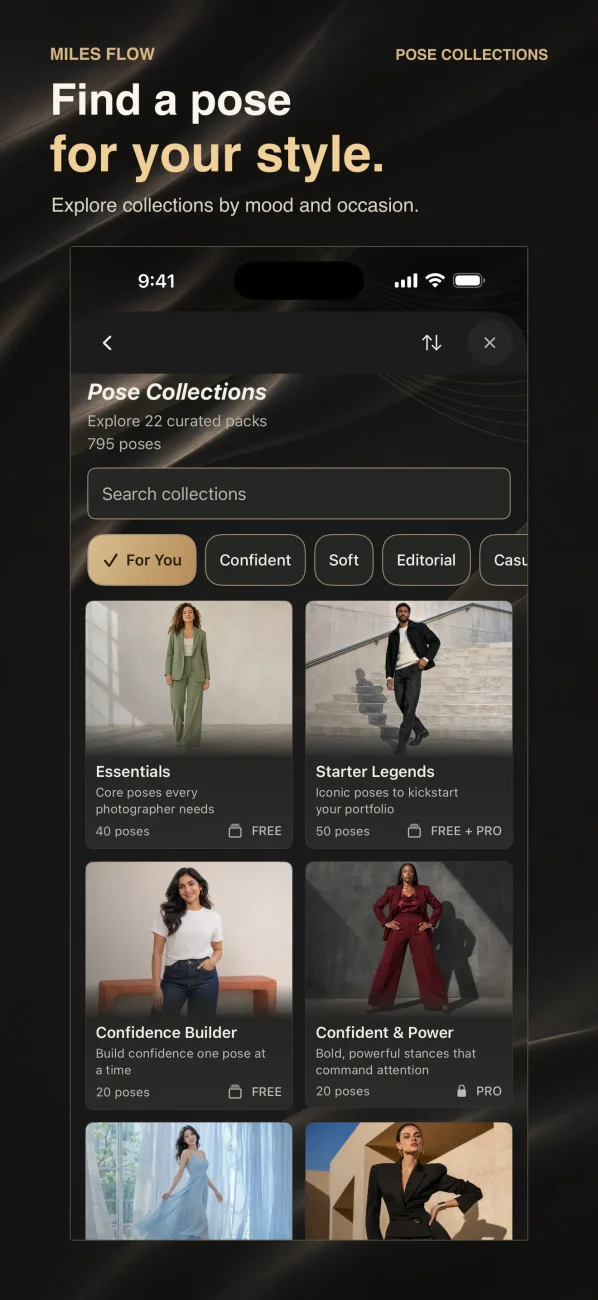
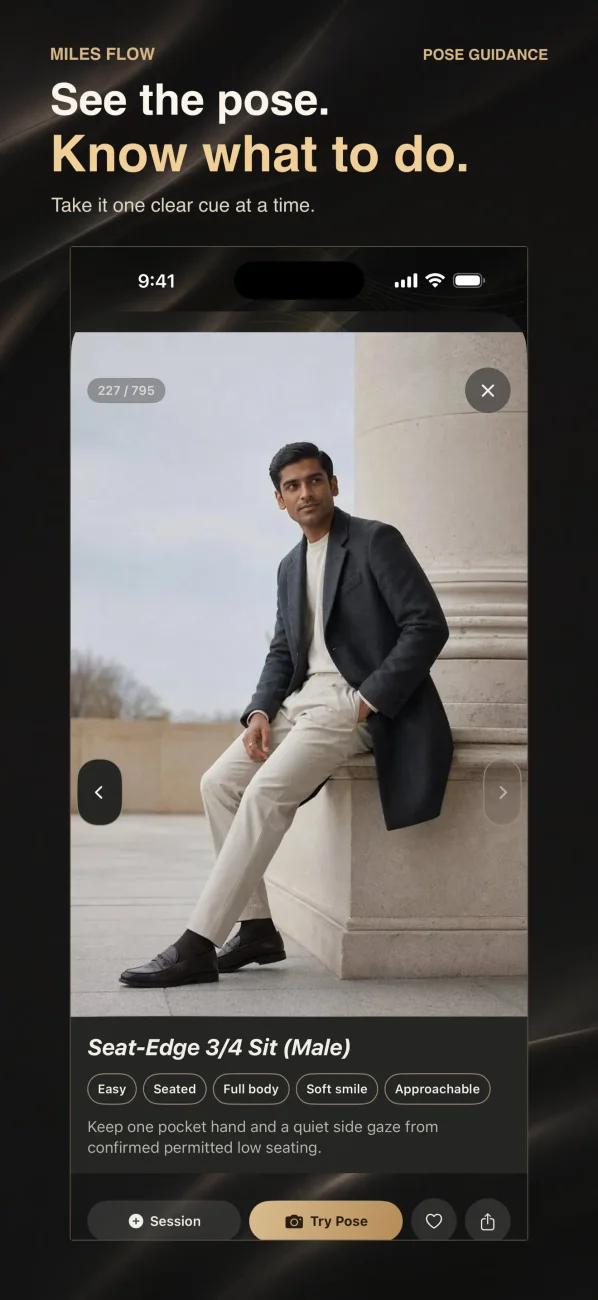
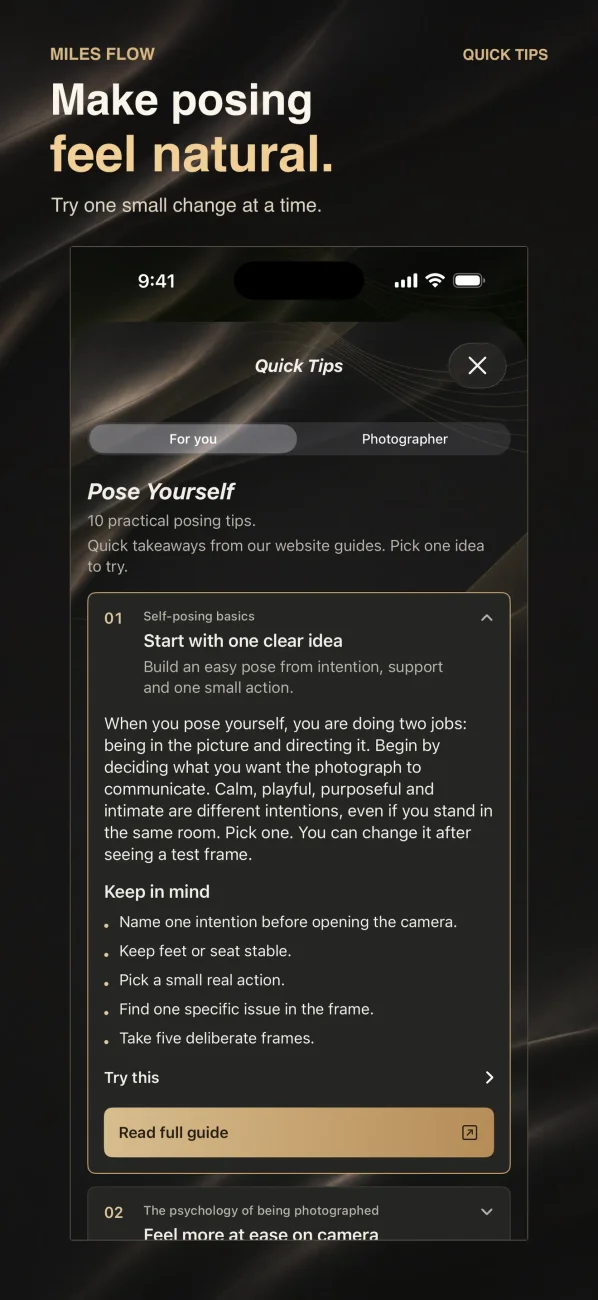
Explore pose collections for portraits, couples, travel, fashion and everyday photos. Find a look you like, then open the pose for step-by-step cues. Not sure where to start? Try a starter pose or put one Quick Tip into practice.
SEE THE POSE AS YOU SHOOT
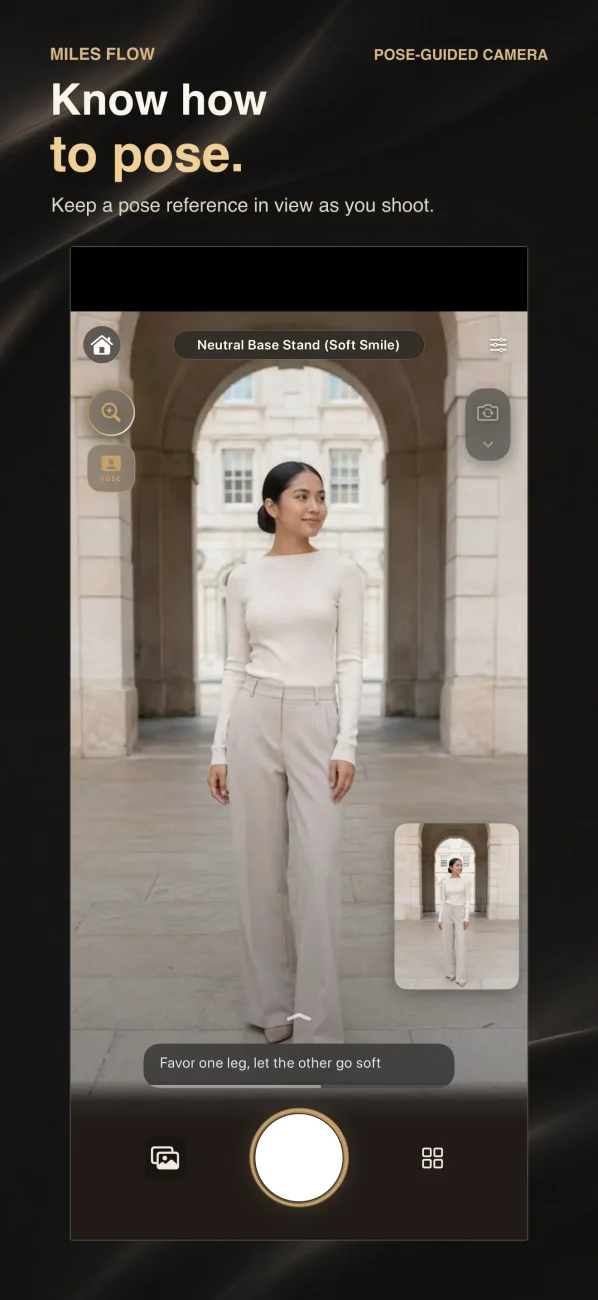
Keep a reference in the corner of the camera, or use the Subject Only outline to line up the pose. Adjust its placement, size, opacity and mirroring. Miles Flow remembers your setup on this device, so it is ready the next time you open the camera.
MAKE A FLOW SET
Save poses in the order you want to shoot them, then work through them one at a time. Share eligible pose sets by code on Pro, or import and preview a shared set for free.
NEW: PHOTOGRAPHER MODE
Plan a portrait, couple shoot or wedding in a separate workspace. Put together a shot list and moodboard, then open On Set to swipe through references and check off shots. Switch back to Casual mode when you want the pose-guided camera. Photographer mode is a reference workspace, not a second camera.
START FREE. GO FURTHER WITH PRO.
Start with free poses, the pose-guided camera, starter practice and a limited number of saved Flow Sets. Miles Flow Pro unlocks the full pose library, more room for Flow Sets, code creation for eligible pose sets, and the on-device Scene Analyzer for pose suggestions based on your surroundings.
Monthly and annual Pro subscriptions are available. Prices, eligible offers and renewal terms appear before purchase. Subscriptions renew automatically unless cancelled. Manage or cancel your subscription in your Apple Account settings.
Terms of Use: https://milesflow.app/terms.html
Privacy Policy: https://milesflow.app/privacy.html
What’s new
Version 2.0 · Nov 24, 2026
Miles Flow 2.0 takes you from the first pose to the last shot.
- Meet Photographer mode. Build a shot list and moodboard, then swipe through references and check off shots in On Set. Find it under Mode in Settings.
- Find your next pose faster with redesigned Pose Collections, refreshed covers and clearer step-by-step pose details.
- Get comfortable in front of the camera with a new starter pose preview, Quick Tips and Posing Practice.
- Stay in the moment while you shoot. We refined capture, saving and the return from Gallery to Camera. Subject Only now remembers your overlay position, size, opacity and mirroring.
- Make Miles Flow yours with refreshed navigation and Graphite Silk, Espresso Silk and Beige themes.
App privacy
What Miles Studios London declares on the App Store about how this app handles data.
-
Data linked to you
May be collected and linked to your identity.
- Purchases
- Contact info
- Identifiers
- Usage data
- Diagnostics
Privacy practices may vary, for example with the features you use or your age.
Information
- Seller
- Miles Studios London
- Category
- Photo & Video
- Version
- 2.0
- Updated
- Nov 24, 2026
- Released
- May 4, 2026
- Size
- 516.0 MB
- Requires
- iOS 17.6 or later
- Age rating
- 4+
- Price
- Free
- In-app purchases
- Yes
- Copyright
- © 2026 Miles Studios
You might also like
-
 Posed: AI Pose CoachLook Great in every shot
-
 PoseSnap: AI Pose CameraPhoto Posing Guide & Coach
-
 SnapPose: AI Photo Pose IdeasSelfie, Shoot & Portrait Guide
-
 PoseCam - Pose Guide Camera AIPose Ideas for Perfect Photos
-
 PosePal: AI Photo Pose GuidePosing coach & camera overlay
-
 Pose Genius AI Pose CameraAI Photo Coach and Pose Ideas
-
 Superpose: AI Pose CameraPosing Coach & Photo Tips
-
 Photogenik: Pose & Photo CoachBetter selfies, angles, ideas
-
 Empose: Aesthetic PosesYour Style. Your Best Angle.