
- Age rating4+
- CategoryProductivity
- DeveloperDaniele Meli
- LanguagesEnglish+ 10 more
- Size98.1 MB
Links to the official App Store page
Download.org hosts no file of MilliDraw - Measure & Draw. The button opens its official App Store page, published by Daniele Meli. Listing last checked on Nov 26, 2026.
Screenshots


About
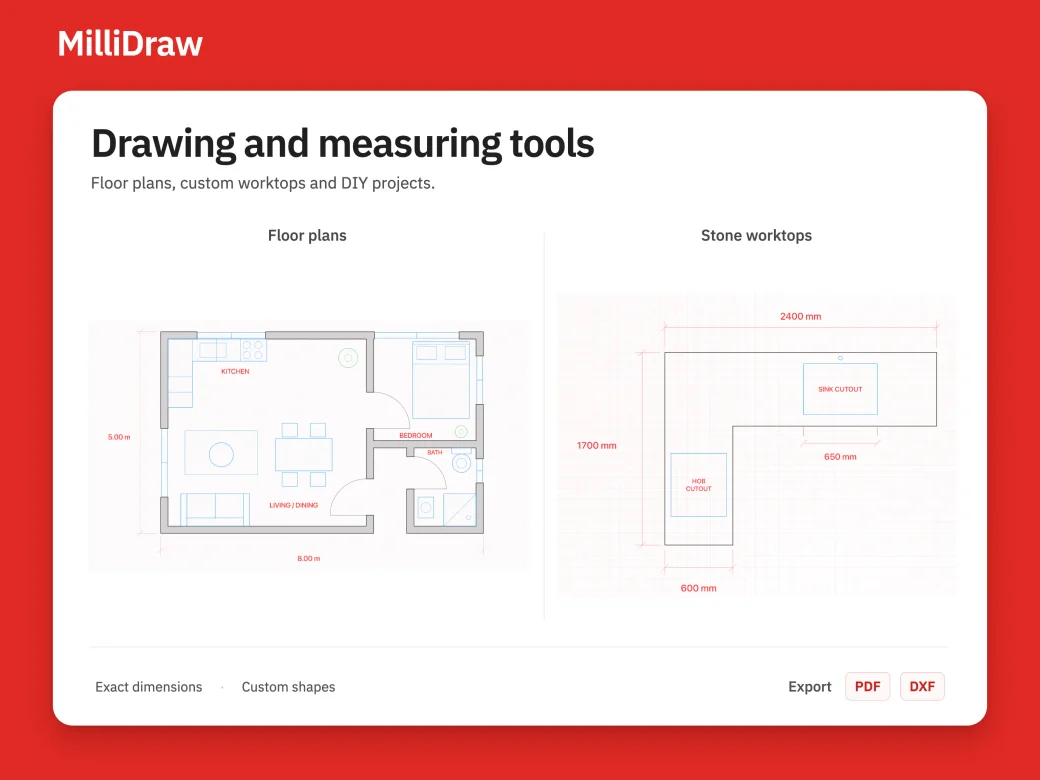
Draw floor plans, custom stone worktops, furniture parts and DIY projects from your own measurements. MilliDraw brings scaled 2D drawing, exact dimension entry, room surveys and PDF/DXF export together on iPad.
DRAW FROM YOUR OWN MEASUREMENTS
• Work in millimeters, centimeters, decimeters, meters, inches or feet.
• Draw lines, circles, arcs and custom outlines.
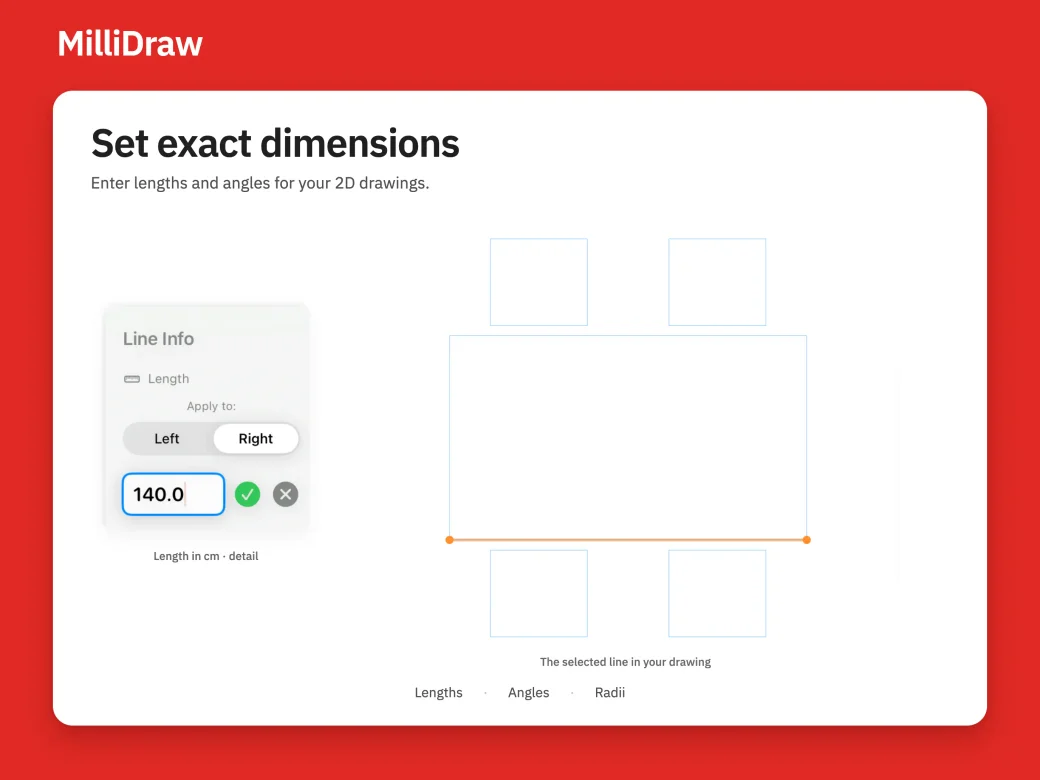
• Enter lengths, angles, radii and exact X/Y movements.
• Add dimensions, freehand notes and movable text.
• Use line colors, weights, fills and hatching.
• Import or scan a reference, calibrate one known distance and draw over it.
Apple Pencil is recommended for precise technical drawing. Optional finger drawing includes Select and Move for editing.
CHANGE YOUR DRAWING WITHOUT STARTING OVER
Keep related lines together as a group. Move, rotate, flip or duplicate parts of your drawing, refine geometry with snapping and Trim, and recover edits with Undo/Redo. Hold a second finger while rotating for 45-degree steps.
EXPORT AND KEEP WORKING
Share a PDF with dimensions and annotations, or export geometry as DXF for CAD applications. Reopen drawing data saved inside a MilliDraw PDF to continue editing later.
SURVEY A ROOM AND OPEN ITS FLOOR PLAN
Capture a room with an iPad Pro equipped with LiDAR. See the room model take shape during capture, with surface marks that stay anchored as you move. Save the survey and reopen it after you leave the site.
Explore the solid 3D room model or switch to measurement lines. Tap an edge to inspect its estimated length. Open the survey's floor plan as a separate editable 2D drawing, then add your own dimensions, geometry and notes.
Scan dimensions are estimates. Surface marks indicate captured depth, not verified accuracy or complete coverage. Check important fabrication measurements with a tape or laser.
PHOTO VIEW — BETA
Start a photographic 3D reference on your iPad from photos saved with a survey. Look around the room to revisit visual details. Quality depends on the scene and capture; incomplete areas and artifacts can occur. Photo View is a visual reference. Measurements come from the separate room model.
GET HELP FROM AN AI ASSISTANT
Connect a compatible AI assistant to create or edit measured drawings, add notes or inspect saved surveys. Approve each connection on your iPad and disconnect or revoke it whenever you want.
Online AI access requires internet, MilliDraw open and a compatible client. Commands and results pass through the MilliDraw service and may be sent to the AI provider by that client.
DRAW AND EDIT OFFLINE
Core drawing and editing work offline, without signing in or subscribing. New room capture requires iPad Pro with LiDAR. Other supported iPads can use the drawing tools and compatible saved or imported content.
What’s new
Version 5.2.1 · Nov 25, 2026
• Measure and name closed areas, including those formed by crossing lines or arcs. Measure the overlap between two circles or the area enclosed by a trimmed arc and an intact circle. The total counts overlapping space once. Areas use the squared drawing unit.
• Export a PDF with area labels, a total, line dimensions and annotations.
• Select a line or group with your finger, then drag from its dashed frame or move handle with Apple Pencil. Start outside the frame to keep drawing.
• Enter an exact side length for a preset square or triangle, or set a circle's radius or diameter as soon as you draw it.
App privacy
What Daniele Meli declares on the App Store about how this app handles data.
-
Data not linked to you
May be collected but is not linked to your identity.
- Identifiers
- Usage data
Privacy practices may vary, for example with the features you use or your age.
Information
- Seller
- Daniele Meli
- Category
- Productivity
- Version
- 5.2.1
- Updated
- Nov 25, 2026
- Released
- Jan 28, 2026
- Size
- 98.1 MB
- Requires
- iOS 26.0 or later
- Age rating
- 4+
- Price
- $2.99
- Languages
- English, Danish, Dutch, French, German, Italian, Norwegian Bokmål, Portuguese, Spanish, Swedish, Turkish
- Copyright
- © 2026 Daniele Meli
You might also like
-
 PipingDataLa tuyauterie industrielle
-
 On-Call Duty ProOn-Call Duty & Shift Swaps
-
 PQ CAD ViewerDWG Viewer & Measurement
-
 DFORMAEngineering Career Network
-
 StuffKitOrganize & track your stuff
-
 HVAC Pipe Sizer - LiquidPipe size calcs for liquids
-
 2D Cut – Cutting OptimizerPanel & sheet cut list planner
-
 Sagt: Transcribe Audio to TextPrivate offline speech to text
-
 Outline -Draw lines & notesMeasure, Note, Layout & Sketch
-
 Cali - Your new calendarA new calendar, made for you.