
Mindchat: Notes & To-Do List
Chat notes to self & reminders
Designed for iPhone, iPad
Free · In-app purchases
- Age rating4+
- CategoryProductivity
- DeveloperJunhyeok Heo
- LanguagesEnglish+ 14 more
- Size113.3 MB
Links to the official App Store page
Download.org hosts no file of Mindchat: Notes & To-Do List. The button opens its official App Store page, published by Junhyeok Heo. Listing last checked on Nov 23, 2026.
Screenshots

About
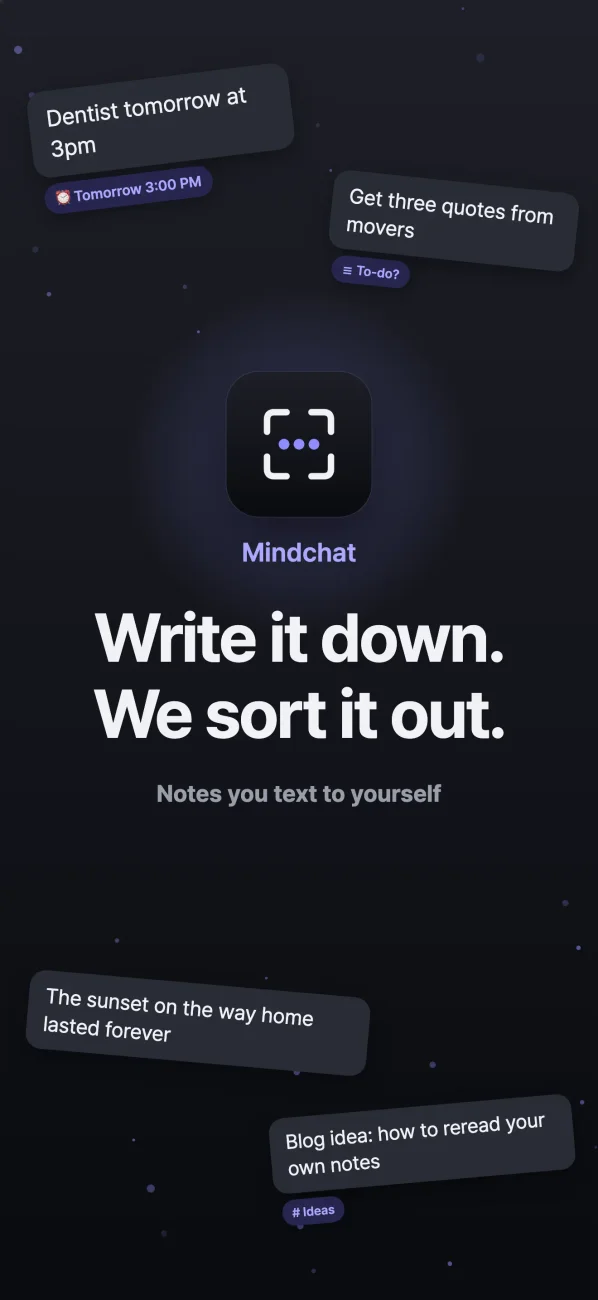
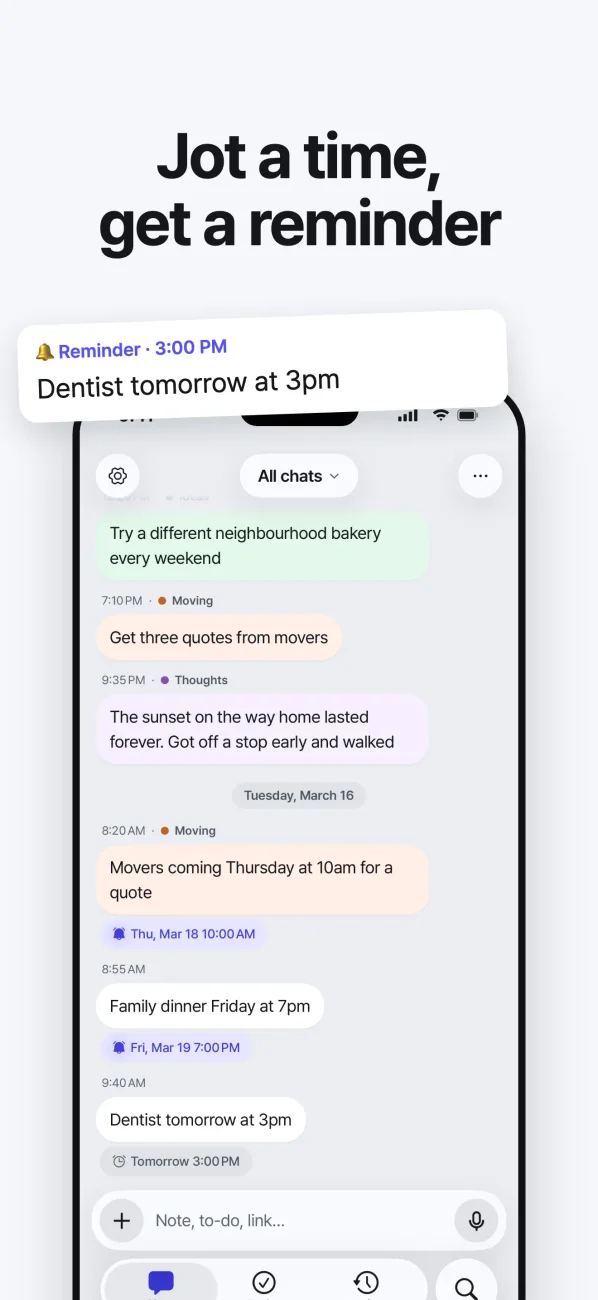
Write "dentist tomorrow at 3pm" and Mindchat spots the date and time and offers a reminder. One tap and it's set.
Mindchat is a notes app that works like texting yourself: drop in to-dos, plans, ideas and journal lines, and get them back as reminders and daily review when it matters.
No sign-in to start. No ads.
■ Write a time, get a reminder
- Type the way you talk, like "dinner Friday at 7" or "call mom next Monday", and a reminder chip appears under your note.
- Tap the chip to schedule the reminder notification. Change the time, or get the alert 5 minutes to 1 hour early, right from the chip.
- No time in the note? Mindchat suggests an approximate one, like ~9:00 AM.
- See upcoming reminders at a glance on the home screen widget.
- Date detection and auto-organize run on your device. You always confirm.
■ A to-do list that checks off with a tap
- Notes that look like tasks get a "To-do?" chip. No separate to-do list or checklist to set up.
- Tap a note to mark it done. Prefer touch and hold? Switch it in Settings.
- To-dos get their own To-dos tab: cards grouped by the day you wrote them, with any left past their day marked Overdue.
- Tags are added quietly, too. Tap one to see every note with it.
■ Shared chats with family and friends
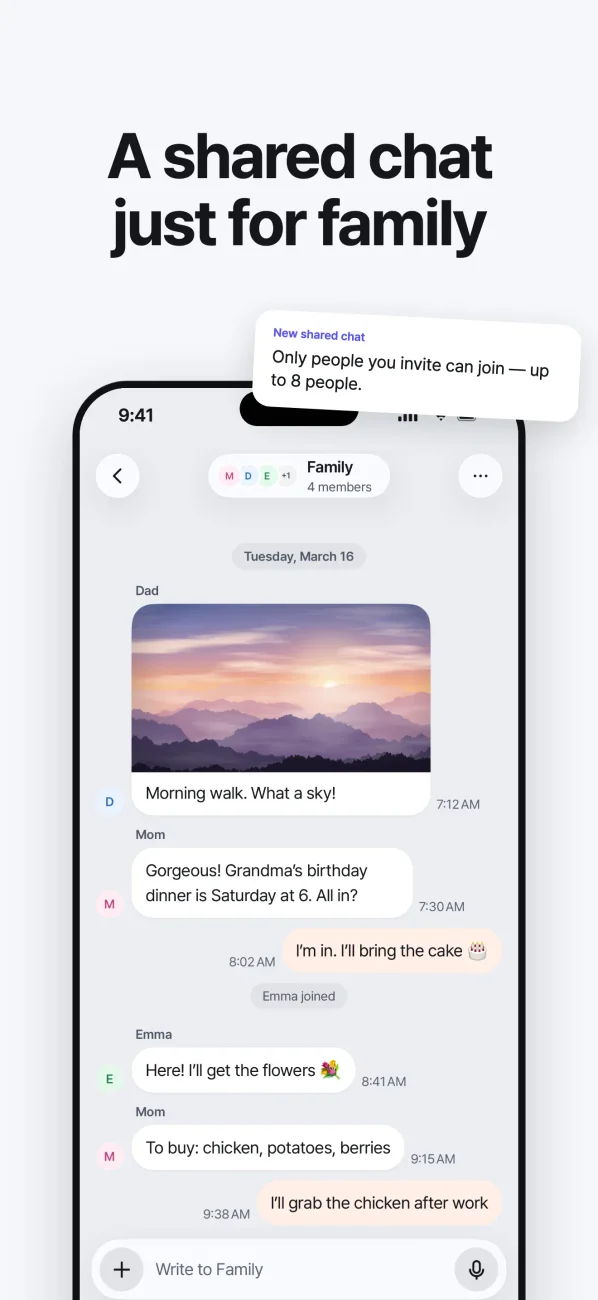
- Write shopping lists and trip plans together in one chat. Send text and photos, and get notified of new messages.
- Only people you invite can join (up to 8), with an invite code or QR. Report and block are built in.
■ Quick notes, like a chat
- Start writing as soon as you open the app. No sign-in, no folders.
- Send text, photos and links like messages. Links show a title and image preview.
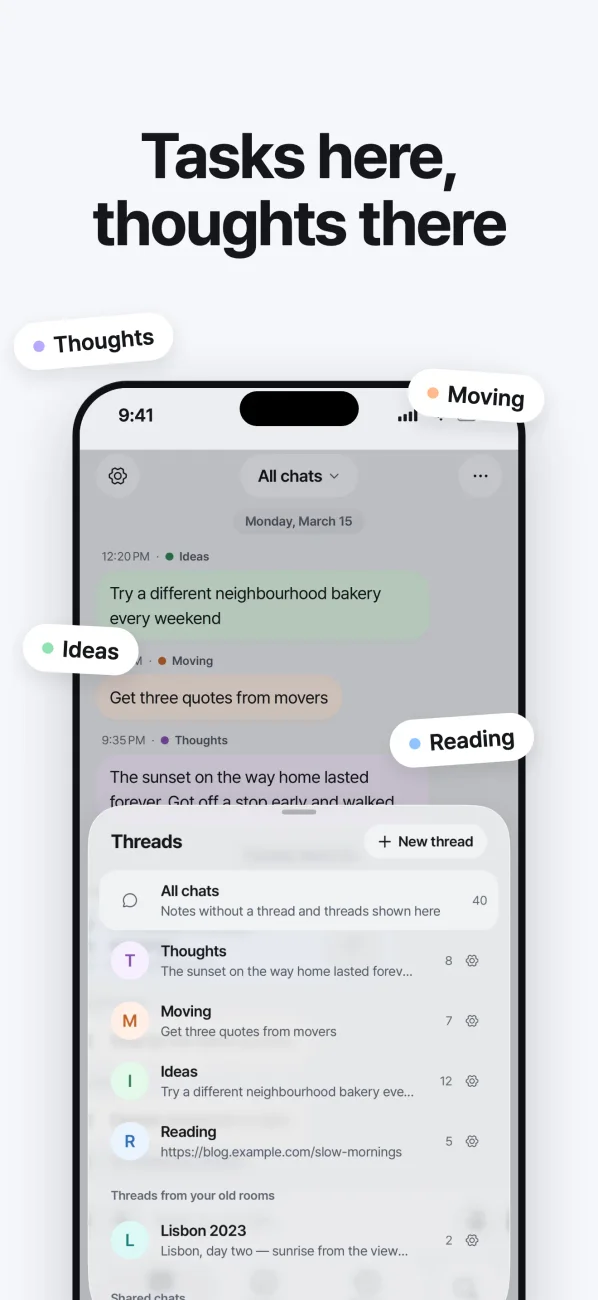
- Split notes into threads by topic, and see everything together in All chats.
- Capture from the home screen widget or the share menu of other apps.
■ Find notes from years ago
- Full-text search, narrowed by thread, date range or tag.
- Smart views for to-dos, links and photos.
■ Forgotten notes come back
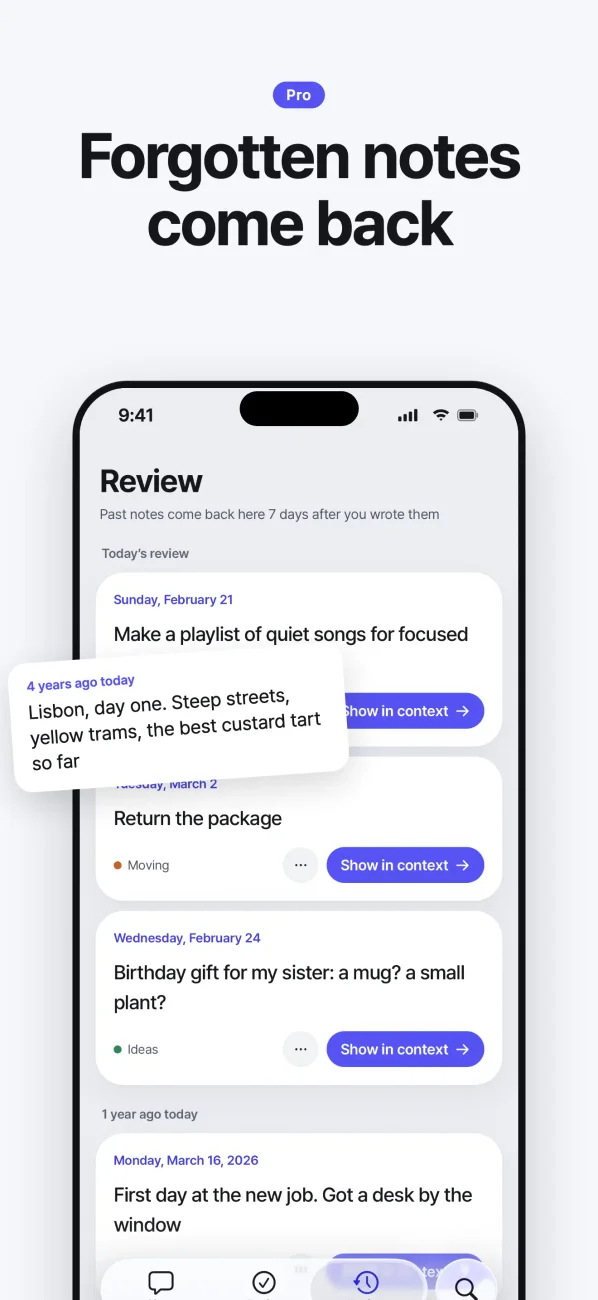
- Daily review brings back three notes that are more than a week old. Pick the time of your review reminder.
- Leave notes, dates, names and words you'd rather not see out of review.
■ Your notes are yours: lock and backup
- Notes are saved on this device first. Connect an account for free backup and sync, and pick up on your other devices.
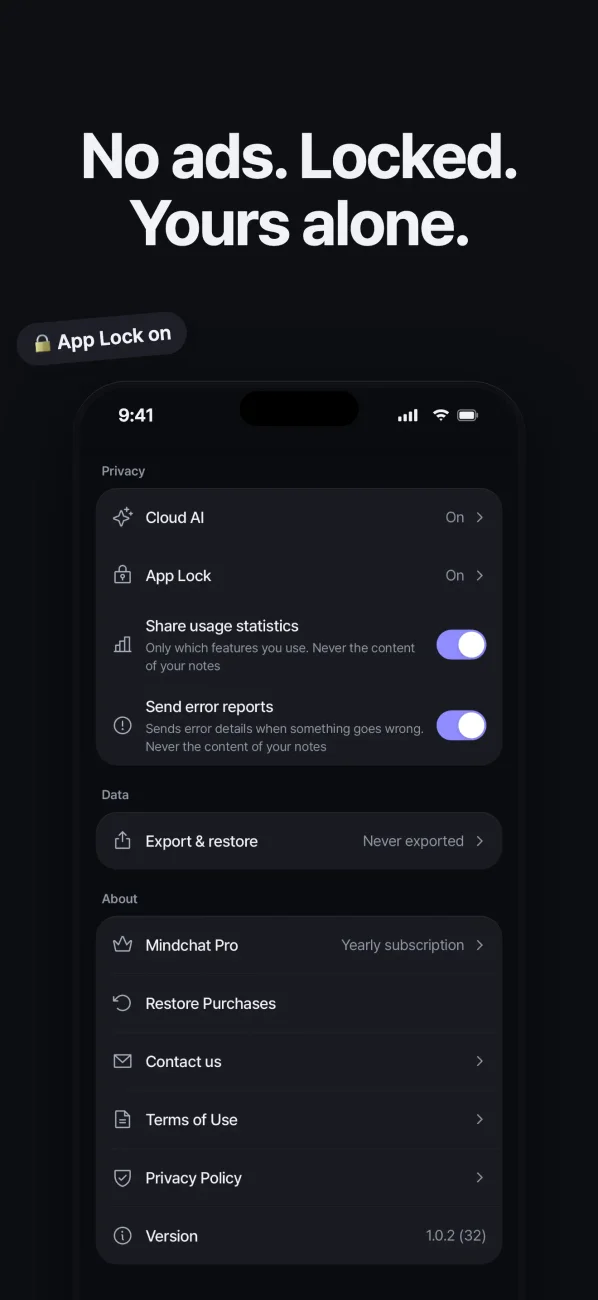
- Turn on App Lock (a PIN, with face or fingerprint unlock) to hide note text in widgets and notifications too.
- Export to Markdown and JSON, and restore from an export.
- No ads. Usage stats and error reports never include the content of your notes, and you can turn them off.
■ Mindchat Pro
Everything you write stays free. Pro adds deeper ways to look back:
- Deep review: from all your notes, by thread or tag
- On this day: notes you wrote on this date in past years
- Repeating reminders: every day, week or month at the same time
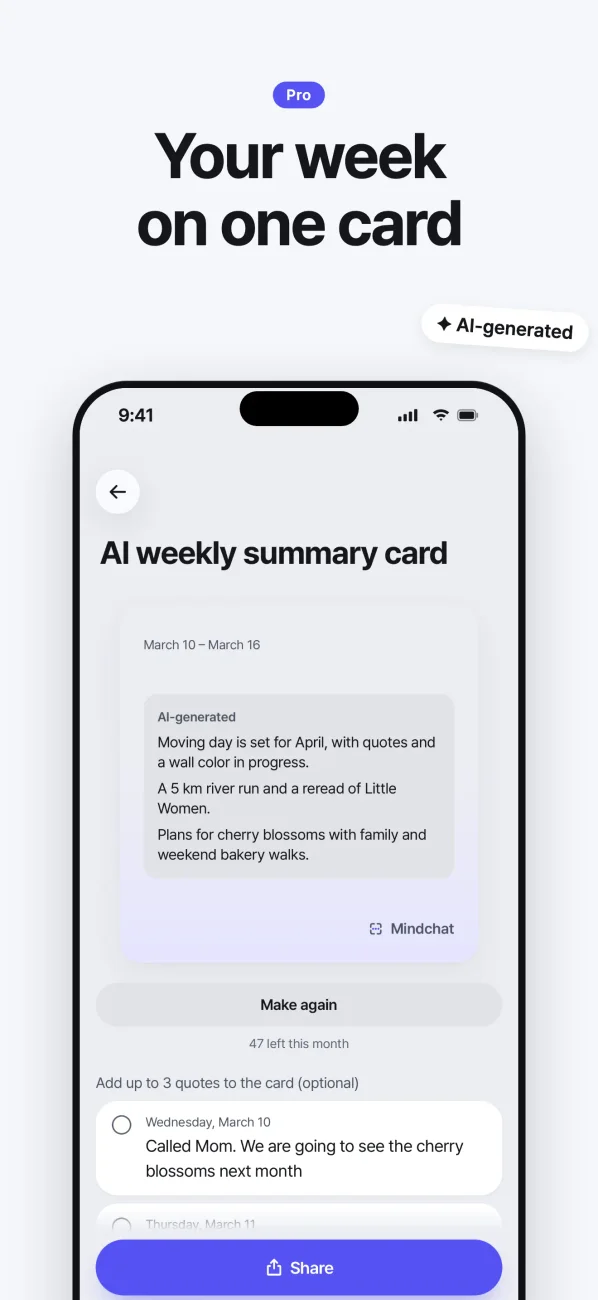
- AI weekly summary card: clearly labeled "AI-generated"
- Monthly & year-end cards: a month or a year on one card
- Themes & app icons
■ Used the previous Mindchat?
Sign in with the same account and your old rooms, notes and photos come over as threads.
■ Subscriptions
Mindchat Pro is an auto-renewing monthly or annual subscription. Payment is charged to your store account when you confirm the purchase, and the subscription renews automatically unless cancelled at least 24 hours before the end of the current period. You can manage or cancel it in your store account settings.
Terms of Use (EULA): https://www.apple.com/legal/internet-services/itunes/dev/stdeula/
Terms of Service: https://mindchat.website/en/terms
Privacy Policy: https://mindchat.website/en/privacy
Contact: huurray@gmail.com
What’s new
Version 1.0.3 · Nov 20, 2026
What’s new in 1.0.3
- New To-dos widget: see what’s left on your Home Screen and tap the circle to check it off.
- Refreshed widgets, plus Write by voice, Take a photo, and New to-do buttons.
- With App Lock on, the app switcher shows a dark cover, and reminders that go off while you’re in the app show the note text. They stay hidden elsewhere.
- Other improvements and bug fixes.
From the old Mindchat? Your notes come over on first launch.
App privacy
What Junhyeok Heo declares on the App Store about how this app handles data.
-
Data linked to you
May be collected and linked to your identity.
- Purchases
- Contact info
- User content
- Identifiers
-
Data not linked to you
May be collected but is not linked to your identity.
- Location
- Usage data
- Diagnostics
Privacy practices may vary, for example with the features you use or your age.
Information
- Seller
- Junhyeok Heo
- Category
- Productivity
- Version
- 1.0.3
- Updated
- Nov 20, 2026
- Released
- Nov 8, 2020
- Size
- 113.3 MB
- Requires
- iOS 16.4 or later
- Age rating
- 4+
- Price
- Free
- In-app purchases
- Yes
- Languages
- English, Arabic, French, German, Hindi, Indonesian, Italian, Japanese, Korean, Portuguese, Russian, Simplified Chinese + 3 more
- Copyright
- © 2026 Huurray
You might also like
-
 Mind Reader+ | RPS vs AIRock Paper Scissors Mind Game
-
 Tetatet: Private SessionsOn-device session transcripts
-
 Remind Me...Create a reminder with one tap
-
 Rise+: ADHD Planner & TasksVoice, Calendar & Reminders
-
 Nowio: Daily Notes JournalDiary, tasks & day planner
-
 Pastor: Private Offline VaultPasswords, PINs & secure notes
-
 TimeSpanCalchours/days and date calculator
-
 Secret Contacts: Locked BookEncrypted phone list, Face ID
-
 YachtSnags: Marine InspectionsVessel snag list & punch lists
-
 Labeled: Daily To-Do ListSimple Color-Coded Checklist