
MindDraft: AI Task Assistant
Smart TODOs & Subscriptions
Designed for iPhone, iPad
In-app purchases
- Age rating4+
- CategoryProductivity
- DeveloperPawan Kumar
- Size45.7 MB
Links to the official App Store page
Download.org hosts no file of MindDraft: AI Task Assistant. The button opens its official App Store page, published by Pawan Kumar. Listing last checked on Nov 12, 2026.
Screenshots

About
AI-powered task management with subscription and expense tracking.
ABOUT MINDDRAFT
MindDraft helps you capture tasks naturally using AI, while also giving you visibility into your subscriptions and expenses — all in one place.
Designed for people who want clarity across daily tasks and recurring financial commitments.
AI TASK CAPTURE
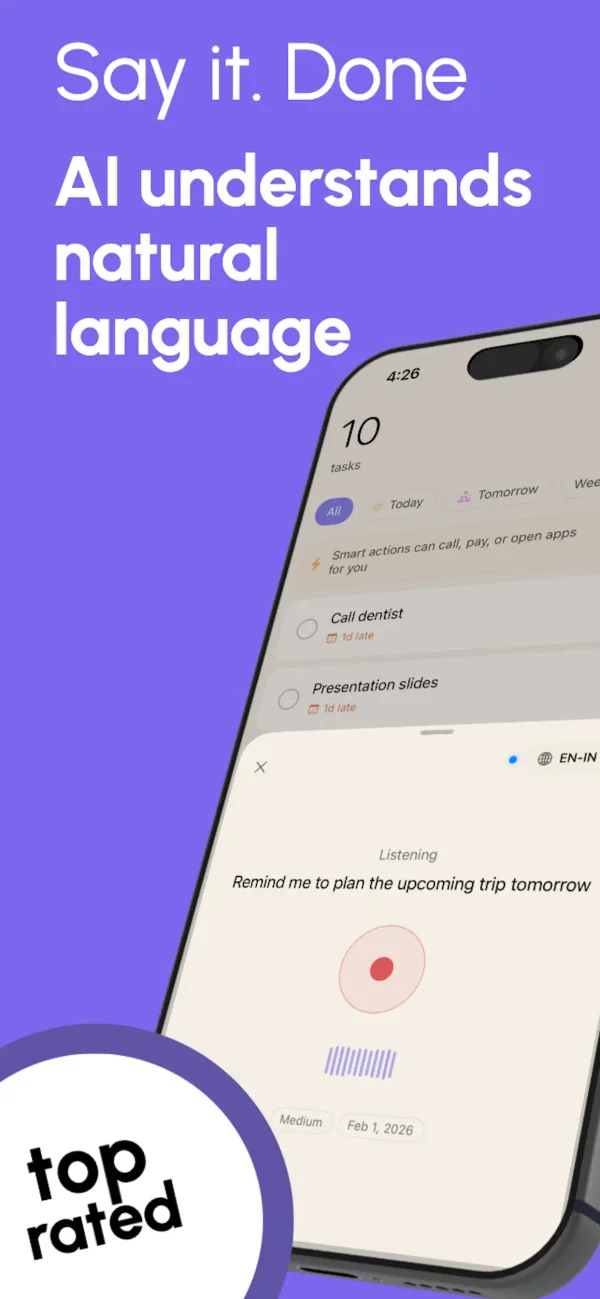
Create tasks using natural language — by typing or speaking.
Examples:
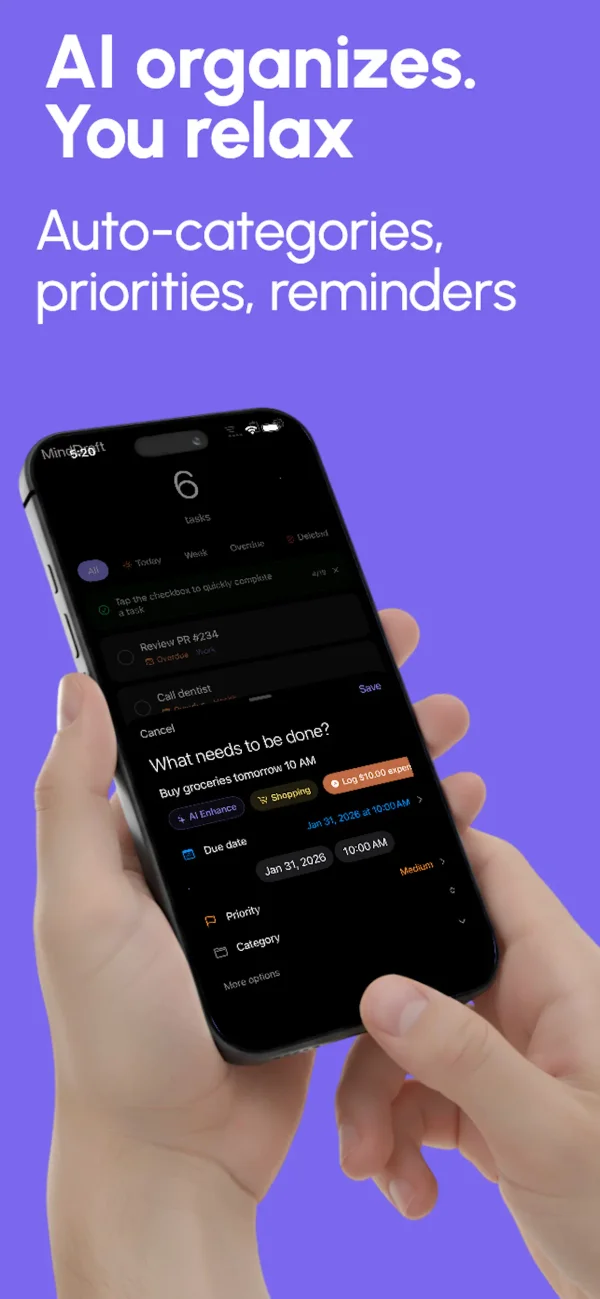
• “Call dentist tomorrow at 3 PM” → Task with date, time, and reminder
• “Pay rent on the 1st every month” → Recurring task
• “Netflix $15.99 monthly” → Subscription entry created
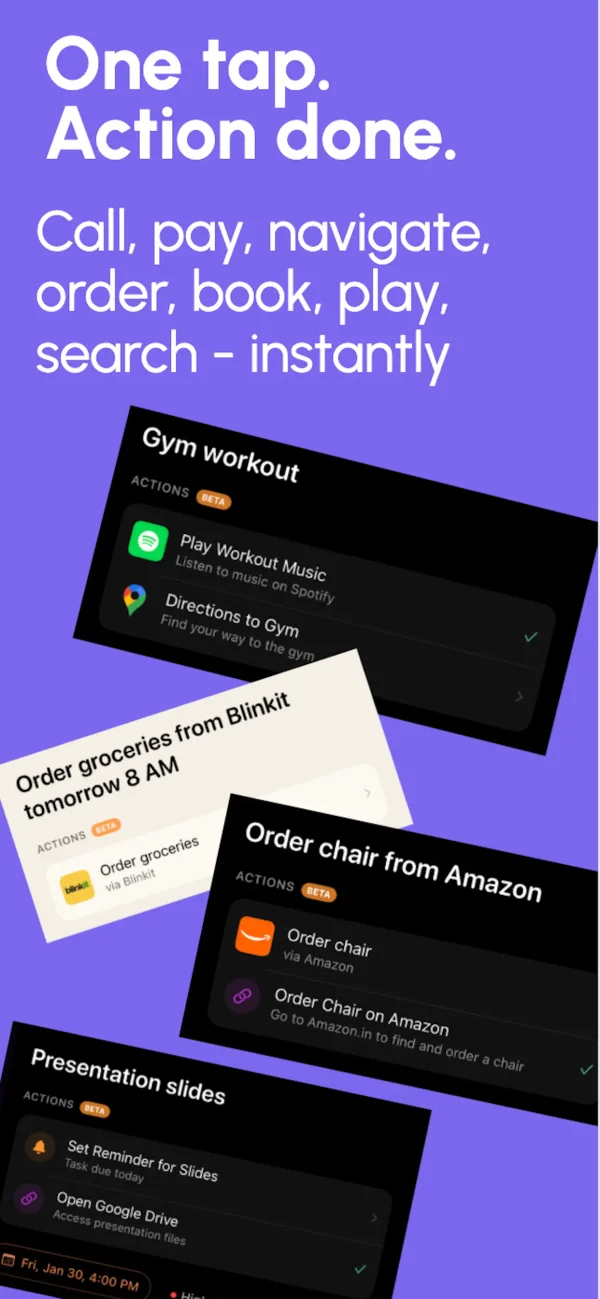
MindDraft analyzes context to extract relevant details and organize items automatically.
VOICE ASSISTANT
Capture tasks hands-free when needed.
• Speech-to-text task creation
• Real-time transcription and parsing
• Supports multiple languages
• Useful while driving, walking, or multitasking
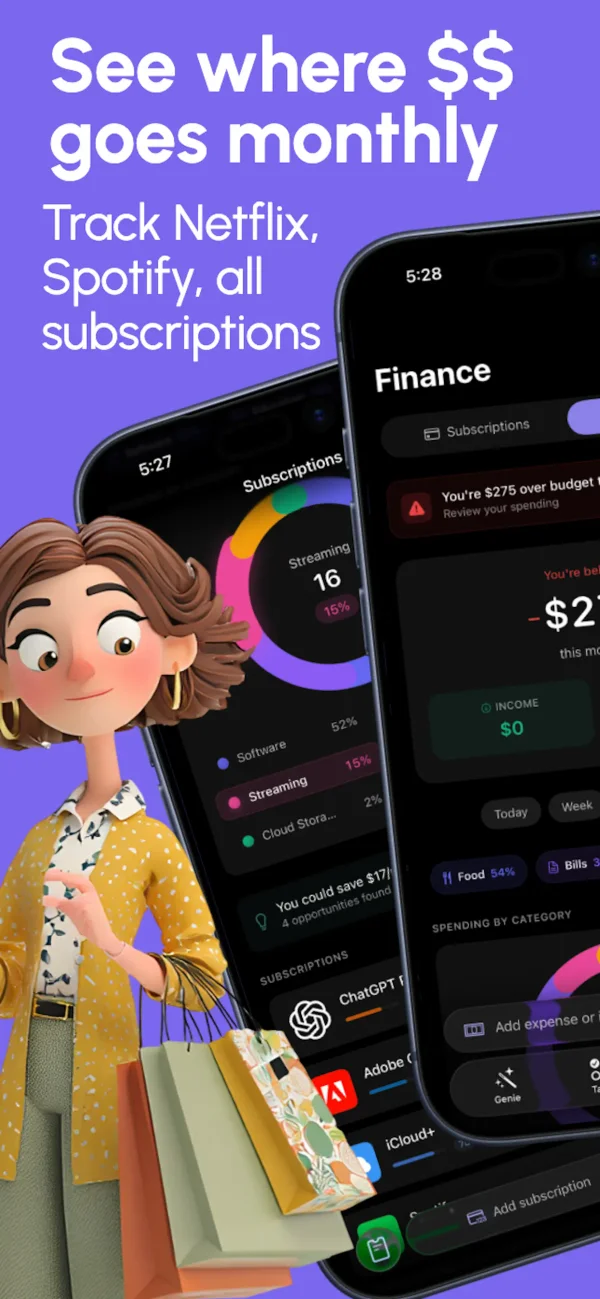
SUBSCRIPTION & EXPENSE TRACKING
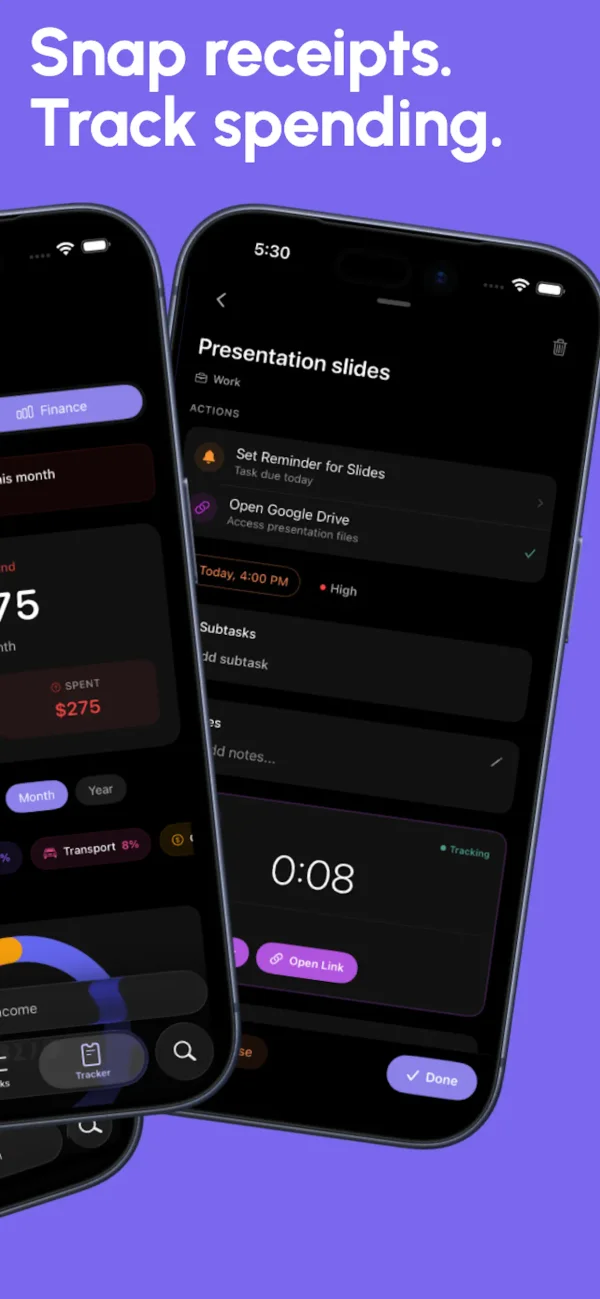
Track recurring payments and expenses alongside your tasks.
• View subscriptions in one dashboard
• See monthly spending summaries
• Renewal reminders
• Expense logging via voice, camera, or text
• Budget insights and trends
PRODUCTIVITY INSIGHTS
Understand your task habits over time.
• Daily activity overview
• Completion streaks
• Heatmaps and timelines
• Weekly summaries
• Personalized suggestions
ORGANIZATION & VIEWS
Flexible ways to view and manage your tasks.
• Automatic categorization
• Priority-based sorting
• Timeline, Calendar, and Heatmap views
• Smart collections
• Search and filters
APPLE ECOSYSTEM SUPPORT
Designed to work seamlessly across devices.
• Home Screen and Lock Screen widgets
• Apple Watch app
• Siri Shortcuts
• iCloud sync
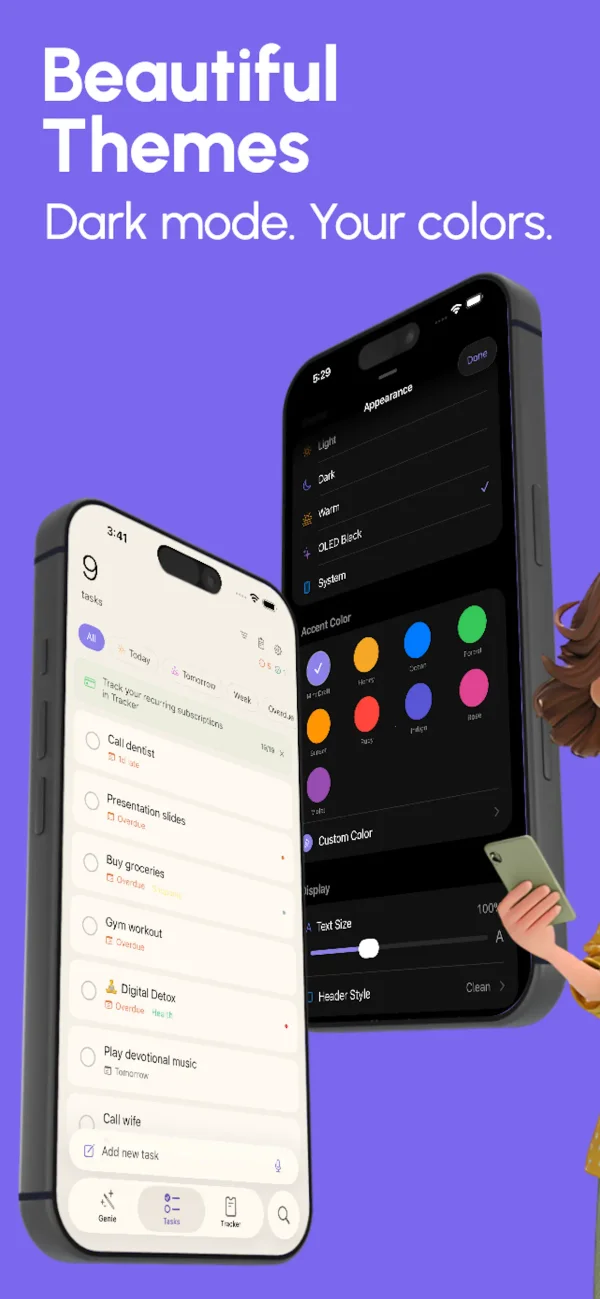
• Dark mode and custom themes
• Focus mode
MINDDRAFT PRO
Optional upgrade includes:
• Unlimited AI task parsing
• Advanced subscription and expense tracking
• Additional views and themes
• Apple Watch support
• Email-to-task capture
• Priority support
Free trial available. Subscription required for Pro features.
PRIVACY
Your data is private and secure.
• iCloud-based sync
• No ads
• No third-party tracking
• No data selling
Download MindDraft and organize your tasks and subscriptions in one place.
Support: help@minddraft.ai
Terms of Use: https://minddraft.ai/terms
Privacy Policy: https://minddraft.ai/privacy
What’s new
Version 1.0.1 · Jul 7, 2026
Bug Fixes
App privacy
What Pawan Kumar declares on the App Store about how this app handles data.
-
Data not linked to you
May be collected but is not linked to your identity.
- Contact info
- Usage data
- Diagnostics
Privacy practices may vary, for example with the features you use or your age.
Information
- Seller
- Pawan Kumar
- Category
- Productivity
- Version
- 1.0.1
- Updated
- Jul 7, 2026
- Released
- Feb 3, 2026
- Size
- 45.7 MB
- Requires
- iOS 17.6 or later
- Age rating
- 4+
- In-app purchases
- Yes
- Copyright
- © 2026 Pawan Kumar
You might also like
-
 Prehearsal - Speaking CoachReal feedback on how you speak
-
 MindDraft: Idea to ProjectAI Idea Planner & Brainstorm
-
 Check My WarrantyBills, Docs & Expiry Reminders
-
 Multi: Habit Tracker & To DoDaily Planner, List & Expenses
-
 Qiki - Your Essentials.Save text, photo, files & more
-
 ConstructFloProductivity
-
 Pilot PunchProductivity
-
 Habit Tracker - HabitSystemDaily Routine & Streaks
-
 FocusOn: Flip Clock PomodoroAI Pomodoro & Deep Work Timer
-
 3by4: Goal & Task PlannerHabit Tracker & To-Do List