
Mindhive Mindmaps & Flashcards
Handwritten Notes & Whiteboard
Designed for iPhone, iPad, iPod touch
Free · In-app purchases
- Age rating4+
- CategoryProductivity
- Developer广州数迪科技有限公司
- LanguagesEnglish+ 1 more
- Size304.1 MB
Links to the official App Store page
Download.org hosts no file of Mindhive Mindmaps & Flashcards. The button opens its official App Store page, published by 广州数迪科技有限公司. Listing last checked on Nov 18, 2026.
Screenshots


About
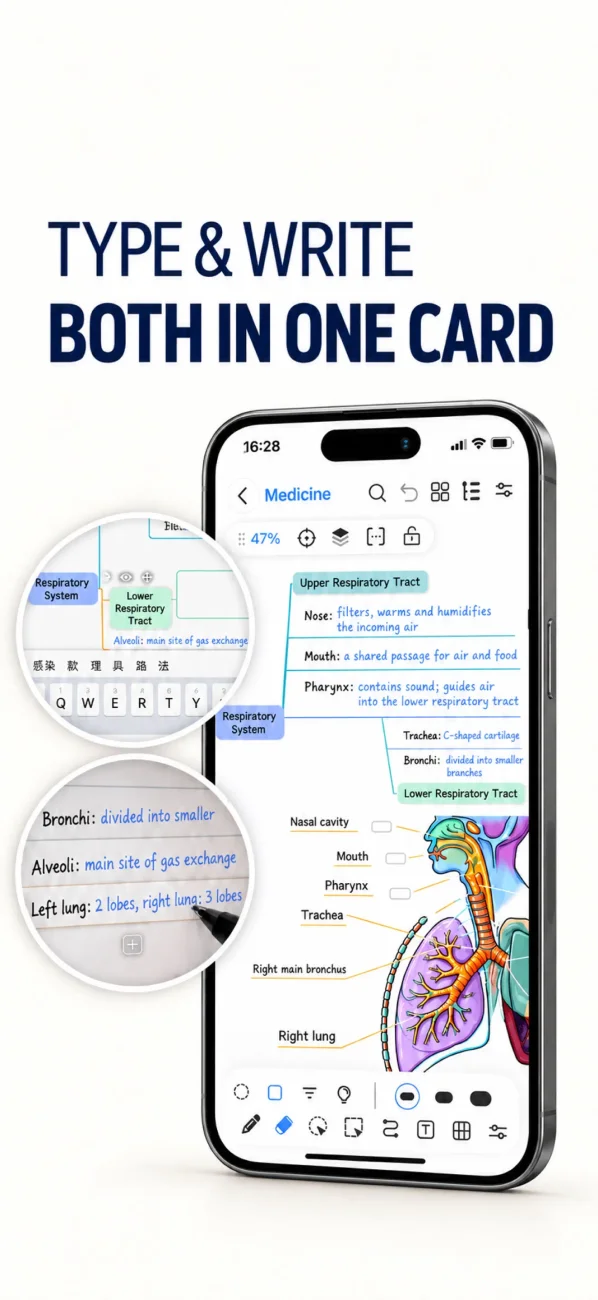
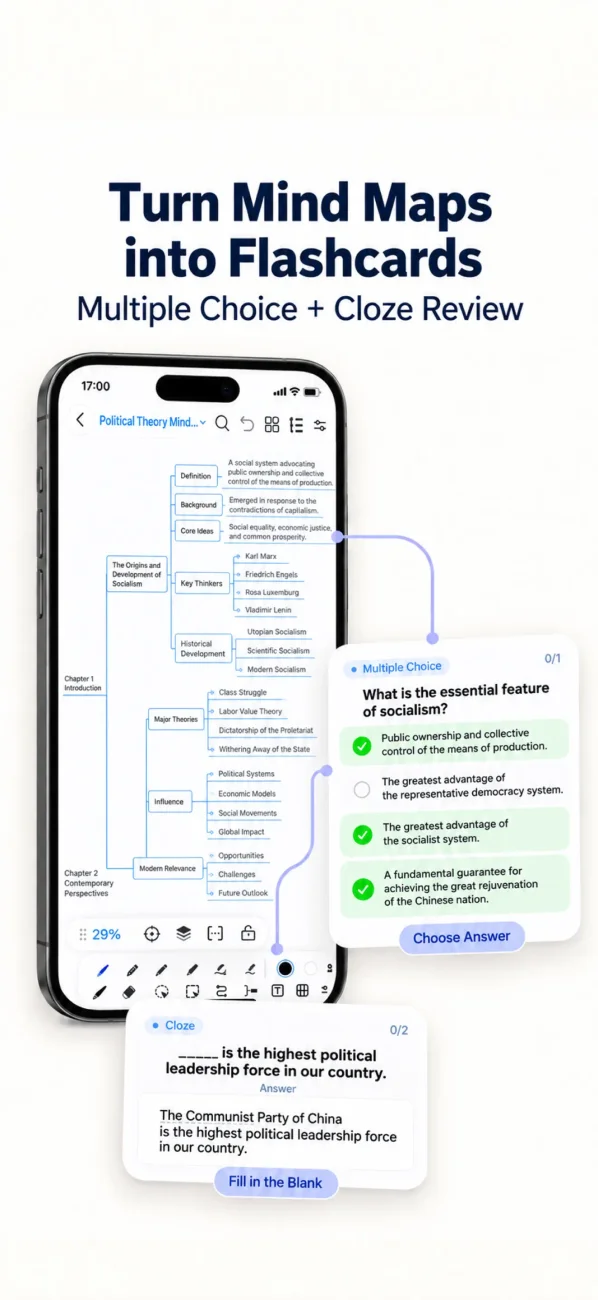
Mindhive is a handwriting-first mind mapping and visual note-taking app that uses a "Handwriting + Flashcard" approach to naturally capture your thoughts.
You can write and connect ideas just like drawing a mind map on paper, perfectly blending mind maps, handwriting, and notes. Whether for study notes or project planning, Mindhive serves as an advanced alternative to Xmind and traditional outliners.
[ Import & Seamless Transition ]
● Image Recognition & Import: Use image recognition to convert paper notes into mind map nodes. Fully supports importing Markdown and Xmind files.
[ Handwriting & Mind Mapping ]
● Infinite Canvas Mind Maps: Create cards on an infinite whiteboard and write your mind maps as naturally as taking notes. Easily record complex formulas and visual sketches.
● Authentic Ink Tools: Built-in pens, pencils, and highlighters help you create a unique visual style for your mind maps.
● Pressure-Sensitive Eraser: Optimized pressure control makes modifying handwritten notes feel like a real eraser, keeping your visual maps clean.
● Bound Drawing Boards: Create drawing boards anywhere and bind them to cards so your handwritten content moves in sync.
● Flexible Connectors: Build clear mind map structures with flexible lines and sub-card hierarchies.
[ Structured Organization ]
● Rich Map Layouts: Offers tree, fishbone, and free-form layouts. Multi-level card embedding provides more flexibility than traditional Xmind structures.
● Outline Mode: Switch to the outline view to edit structured text. It operates smoothly like traditional outliners, combining handwritten maps and structured notes.
● Cross-Card Hyperlinks: Link different cards or mind maps together to build a personal knowledge network.
[ Sync & Quick Capture ]
● Screenshot to Card: Convert web snippets and images into mind map cards instantly.
● Mind Map Templates: Built-in templates for various note-taking and brainstorming needs get you started quickly.
● Cloud Synchronization: Securely store your handwritten mind maps and notes in the cloud. Seamlessly switch between mobile devices and PC.
[ Practical Features ]
● Custom Themes: Define your own mind map backgrounds and card visual styles.
● Multi-Format Export: Export your work seamlessly as PDFs, images, Markdown, and outliner formats.
● Smart Handwriting Search: Search for text globally within your handwritten notes and images to locate information quickly.
[ Who is Mindhive For? ]
● Students: Organizing lecture notes, exam prep, and subject mind maps.
● Professionals: Project planning, meeting minutes, and workflow mind maps.
● Creatives: Capturing inspiration and brainstorming creative visual maps.
Mindhive integrates handwriting, mind mapping, and structured notes. Download now and experience a straightforward, flexible way to take notes and map your mind.
What’s new
Version 2.0.11 · Nov 17, 2026
* Add numbering to child cards in the Style menu.
* Set a default text style.
* Improved formula recognition with vector output.
* Flashcards can now be moved into merged cards.
* Improved recognition of some specialized terms in handwriting beautification, handwriting responsiveness, undo operations, and various interactions and UI details.
* Improved performance, smoothness, and stability.
* Fixed bugs involving connection lines, overlapping interface elements, PDF export, card positioning, cloze deletions, and more.
App privacy
What 广州数迪科技有限公司 declares on the App Store about how this app handles data.
-
Data linked to you
May be collected and linked to your identity.
- Location
- Identifiers
- Usage data
- Diagnostics
Privacy practices may vary, for example with the features you use or your age.
Information
- Seller
- Guangzhou Shudi Technology Company Limited
- Category
- Productivity
- Version
- 2.0.11
- Updated
- Nov 17, 2026
- Released
- Mar 16, 2025
- Size
- 304.1 MB
- Requires
- iOS 15.3 or later
- Age rating
- 4+
- Price
- Free
- In-app purchases
- Yes
- Languages
- English, Simplified Chinese
- Copyright
- © 2024 广州数迪科技有限公司
You might also like
-
 TouchMind-handwritten mind mapBrainstorm,Organize idea
-
 MindMap - Mind Mapping ToolsMind Maps, Files & Transfer
-
 MindTwigsMind Mapping Made Easy
-
 YouMind - Mind Map BrainstormMind Mapping, Brainstorming
-
 Deer: Note, Outline, MindMapStructured Notes
-
 noteE: AI Notes & DocsSmart notes for work & study.
-
 Mindz - Mind Map & OutlineVisual Concept & Brainstorm
-
 MindThreadeasy-to-use mind map editor
-
 BoardNotes: Notes, PDF, DocsNote taking,Whiteboard,Mindmap
-
 SuperMind: Mind Mappingcapture your ideas and notes