
- Age rating4+
- CategoryPuzzle
- DeveloperPigSoft
- LanguagesEnglish+ 1 more
- Size3.3 MB
Links to the official App Store page
Download.org hosts no file of Minesweeper - 지뢰찾기. The button opens its official App Store page, published by PigSoft. Listing last checked on Nov 12, 2026.
Screenshots

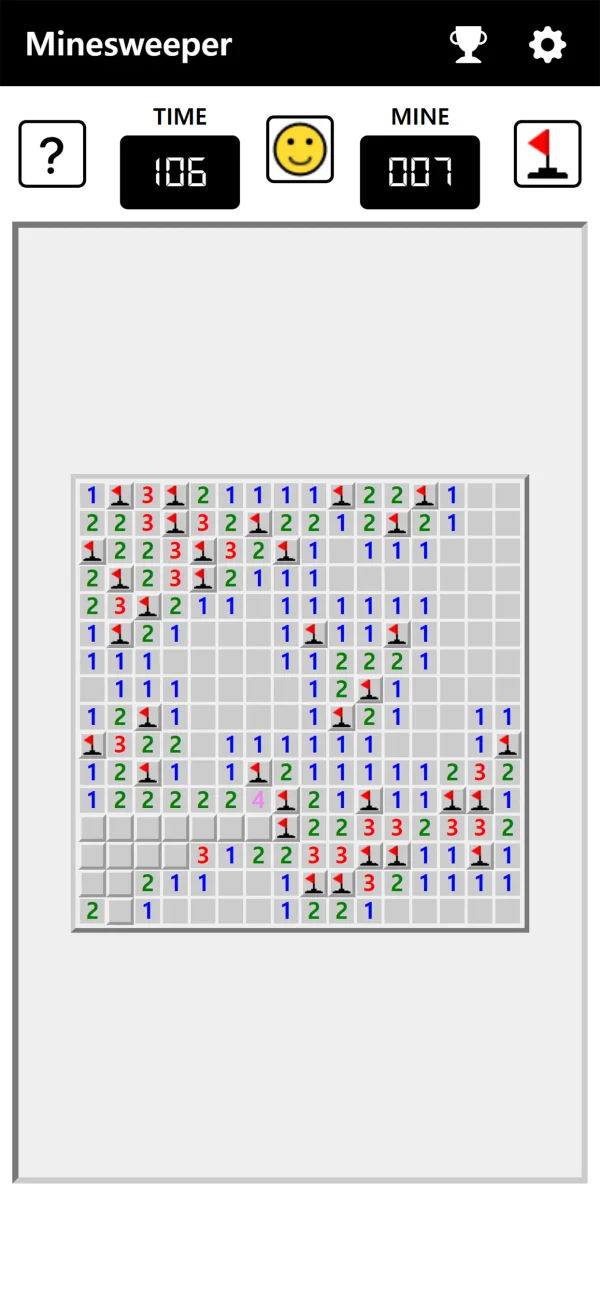
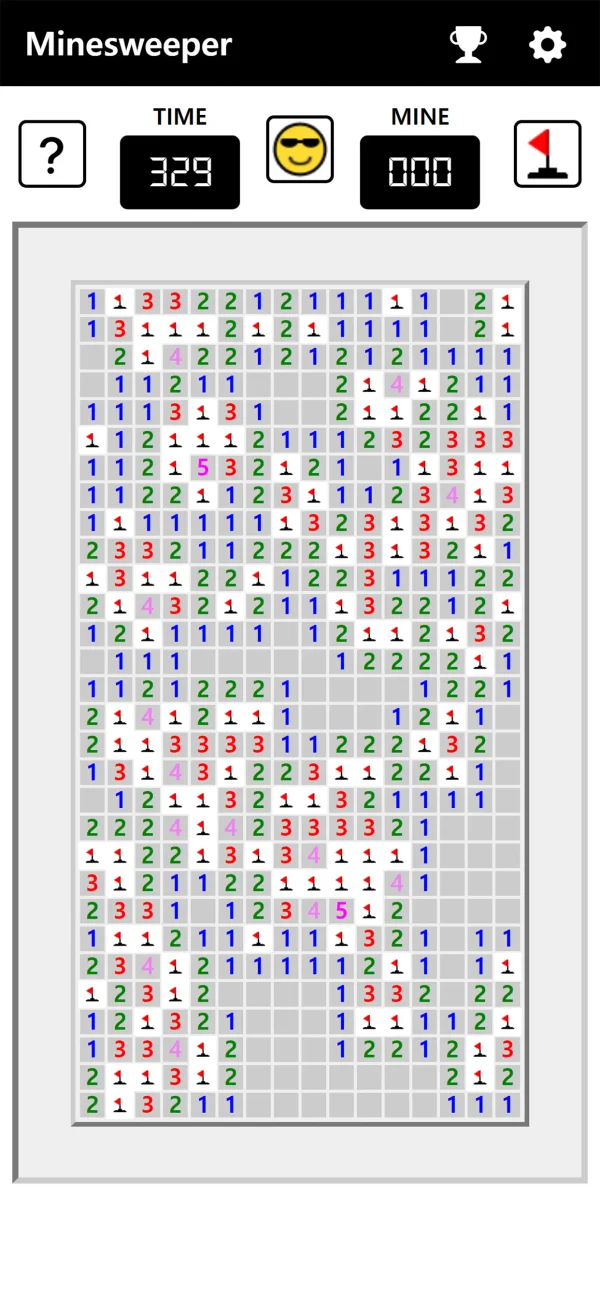
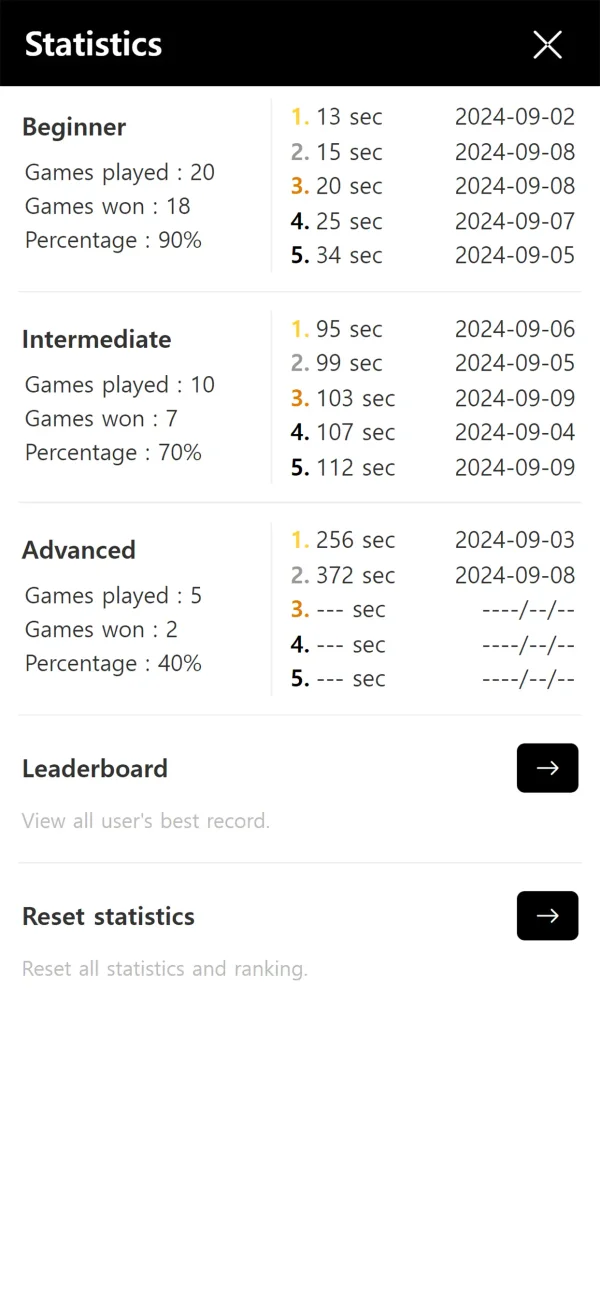

About
Minesweeper is a simple puzzle game where you win by placing flags in all the squares with mines. You solve the puzzle by combining the number hints that appear every time you open a square and place flags in places where mines are likely to be. If you place all the flags in places with mines, you win, and if you open a square with mines, you lose.
* This app requires an Internet connection.
※ How to play
1. Select a cell
- Select the cell you want to reveal and check what's in that cell.
- If a number is displayed, there are as many mines as the number around that cell.
- You can guess which cell has a mine by combining the surrounding numbers.
2. Marking
- ? : If you are not sure what's in that cell, select the [?] button on the top left, then select that cell and mark it with a ?. Selecting the [?] button again will return to normal mode.
- Flag : If you are sure that there is a mine in that cell, select the flag button on the top right, then select that cell and place a flag. Similarly, selecting the flag button again will return to normal mode. You can also place a flag in that cell by holding down the cell without pressing the flag button.
3. Confirmation of victory or defeat
- If you reveal all cells and place flags on all the cells with mines, you win. If you select a cell with mines, you lose and the results screen will appear.
- If you want to start a new game in the middle, select the face button in the top center.
※ Supported features
1. 4 levels of difficulty
- Beginner : 9 x 9 grid, 10 mines
- Intermediate : 16 x 16 grid, 40 mines
- Advanced : 16 x 30 grid, 99 mines
- Custom : Can freely set the grid size and number of mines. Maximum grid and mines are limited by the device size.
2. Statistics / Leaderboard
- You can view your statistics and best records for each difficulty level.
- You can register your best records on the leaderboard and compare them with users all of the world.
- Custom difficulty levels are not added in statistics.
3. Customization support
- You can change sound and vibration option and theme color in the settings menu. (Vibration only support iPhone.)
- Supports korean and english language.
4. First cell select protection
- You can protect from mine when you select the first cell. when this function is turned on, if a mine appears in the first square you select, that square will be displayed in red.
- You can turn the function on and off on the settings screen.
What’s new
Version 1.1.1 · Nov 8, 2024
[v1.1.1]
- App stability is increased.
App privacy
What PigSoft declares on the App Store about how this app handles data.
-
Data used to track you
May be used to track you across apps and websites owned by other companies.
- Location
- Identifiers
- Usage data
- Diagnostics
-
Data linked to you
May be collected and linked to your identity.
- Location
- Identifiers
- Usage data
- Diagnostics
Privacy practices may vary, for example with the features you use or your age.
Information
- Seller
- PIGSoft
- Category
- Puzzle
- Version
- 1.1.1
- Updated
- Nov 8, 2024
- Released
- Sep 18, 2024
- Size
- 3.3 MB
- Requires
- iOS 15.0 or later
- Age rating
- 4+
- Languages
- English, Korean
- Copyright
- © PigSoft
You might also like
-
 Minesweeper - Classic FunLearn tactics on live boards
-
 MultiMines MinesweeperMinesweeper + Flags Online
-
 Mine SeekerClassic Minesweeper Puzzle
-
 Reaction Rate(반응 속도 테스트)Casual
-
 Mine Clues: Logic PuzzlesDaily Minesweeper Brain Puzzle
-
 Modern MinesweeperMinesweeper with modern design
-
 Minesweeper 99Let's battle Minesweeper here!
-
 Honey Mergea numbers game
-
 MineSweeper X.xGames
-
 Candy Pop - Candy blast gamesCandy Blast cute crush Games