
mini Bubble Level: Angle Meter
Tilt, slope & surface checks
Designed for iPhone, iPad, iPod touch
Free
- Age rating4+
- CategoryUtilities
- DeveloperMert TUZER
- LanguagesEnglish+ 12 more
- Size6.5 MB
Links to the official App Store page
Download.org hosts no file of mini Bubble Level: Angle Meter. The button opens its official App Store page, published by Mert TUZER. Listing last checked on Nov 12, 2026.
Screenshots


About
A simple level for everyday jobs. Check a shelf, straighten a picture frame or find the tilt of a table without searching through a busy screen.
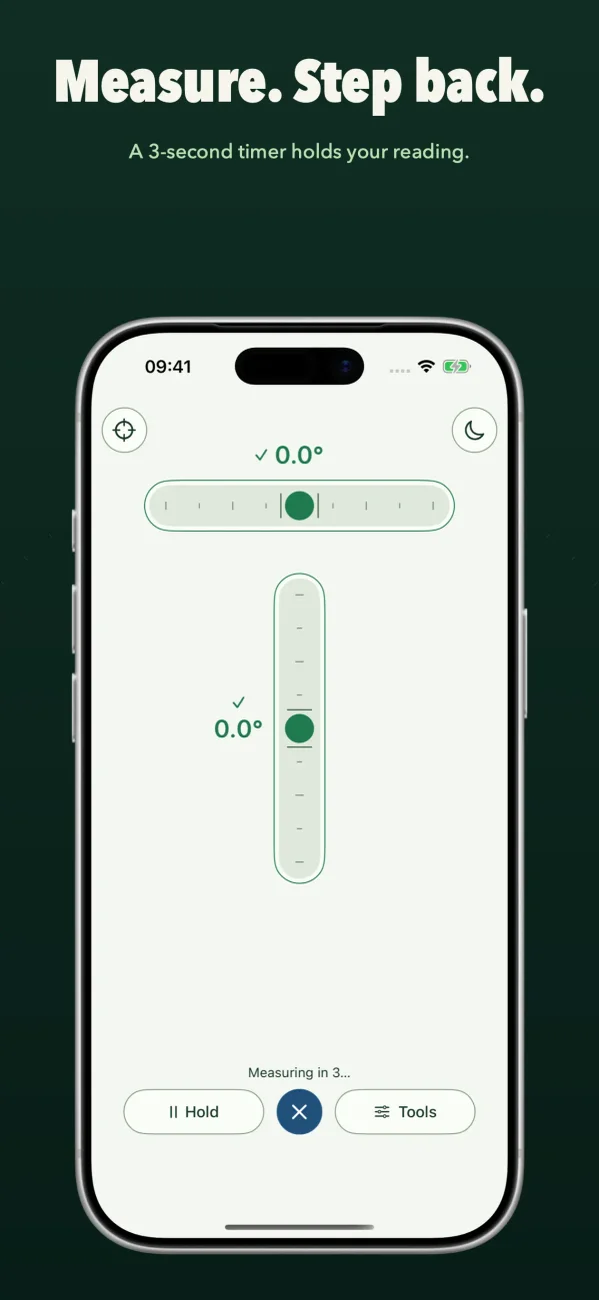
• See the horizontal and vertical levels together on the main screen.
• Read angles in degrees or slope as a percentage in the Angle & slope tool.
• Place your phone flat on a surface to check its tilt in both directions.
• Choose a target angle and align to it with visual and haptic feedback.
• Set a reference to compare the angles of two positions.
• Hold a reading, move your phone and read the result. Resume when ready.
• Use a clear light or dark appearance. The screen stays awake while the app is in use.
• Use camera guides to align your frame while reading the phone’s horizontal and vertical tilt.
• Start a 3-second timer, place the phone and hold the reading without touching it again.
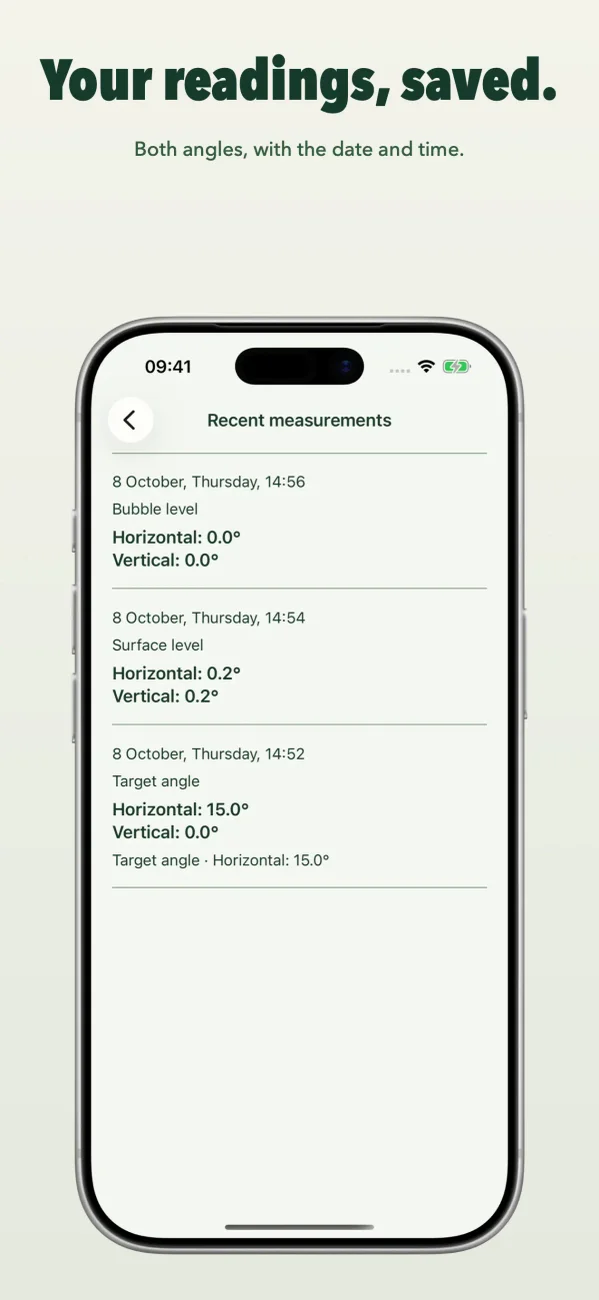
• Find held readings in Recent measurements, with both axes and the date and time, stored on your device.
The measurement tools are free to use, with no subscription or Pro tier. The app displays banner ads.
Measurements use your phone’s motion sensors and are approximate. Place the phone firmly against the surface; a case or camera bump can affect contact. Slope percentage is undefined at a vertical position. Use a suitable physical instrument when a job requires verified accuracy.
Camera alignment shows the phone’s tilt; it does not measure an object’s angle or distance from an image. Photos are not saved.
What’s new
Version 2.1 · Oct 12, 2026
New Angle & slope, Surface level, Target angle and Camera alignment tools. Added a 3-second capture timer and Recent measurements with both axes and dates. New minimal app icon and support for 13 languages.
App privacy
What Mert TUZER declares on the App Store about how this app handles data.
-
Data used to track you
May be used to track you across apps and websites owned by other companies.
- Usage data
-
Data not linked to you
May be collected but is not linked to your identity.
- Identifiers
- Usage data
Privacy practices may vary, for example with the features you use or your age.
Information
- Seller
- Mert TUZER
- Category
- Utilities
- Version
- 2.1
- Updated
- Oct 12, 2026
- Released
- May 11, 2016
- Size
- 6.5 MB
- Requires
- iOS 15.0 or later
- Age rating
- 4+
- Price
- Free
- Languages
- English, Arabic, French, German, Hindi, Indonesian, Italian, Japanese, Korean, Russian, Spanish, Traditional Chinese + 1 more
- Copyright
- © miniLabs Inc.
You might also like
-
 Spirit Level+ UtilitySpirit Level - Utility
-
 Bubble Level - Measure ToolAngle gauge, plumb, align tool
-
 Bubble Level + CompassSpirit level & compass tool
-
 Level gaugeBest Simple Level Gauge
-
 Bubble Level: Angle & RulerDigital Laser & Inclinometer
-
 Bubble Level & CompassMeasure Angle, Tilt & Slope
-
 Bubble Level ( Water level )Utilities
-
 Kıble YönüUtilities
-
 Bubble Level & Ruler MeasureMeasure, Ruler, Level Tool
-
 Enerjisa MobilUtilities