Minimal Expense: Travel, Split
Daily, travel & shared ledgers
Designed for iPhone
In-app purchases
- Age rating4+
- CategoryFinance
- DeveloperPOEN HSIEH
- LanguagesTraditional Chinese+ 5 more
- Size44.4 MB
Links to the official App Store page
Download.org hosts no file of Minimal Expense: Travel, Split. The button opens its official App Store page, published by POEN HSIEH. Listing last checked on Nov 24, 2026.
Screenshots


About
Minimal Expense: Travel, Split — daily, travel and shared ledgers in one app. And when you're done logging, a finance report written just for you.
■ Journal design
- Warm paper tones, a terracotta seal, soft Japanese-inspired colors, dark mode retuned page by page. Logging feels like keeping a quiet journal.
■ Everyday logging & splitting
- Custom categories and payment methods: your own colors and icons; cash, card and e-payments tallied separately.
- Recurring entries: set rent, subscriptions, salary or that annual insurance once, and they post themselves — monthly, quarterly, half-yearly or yearly.
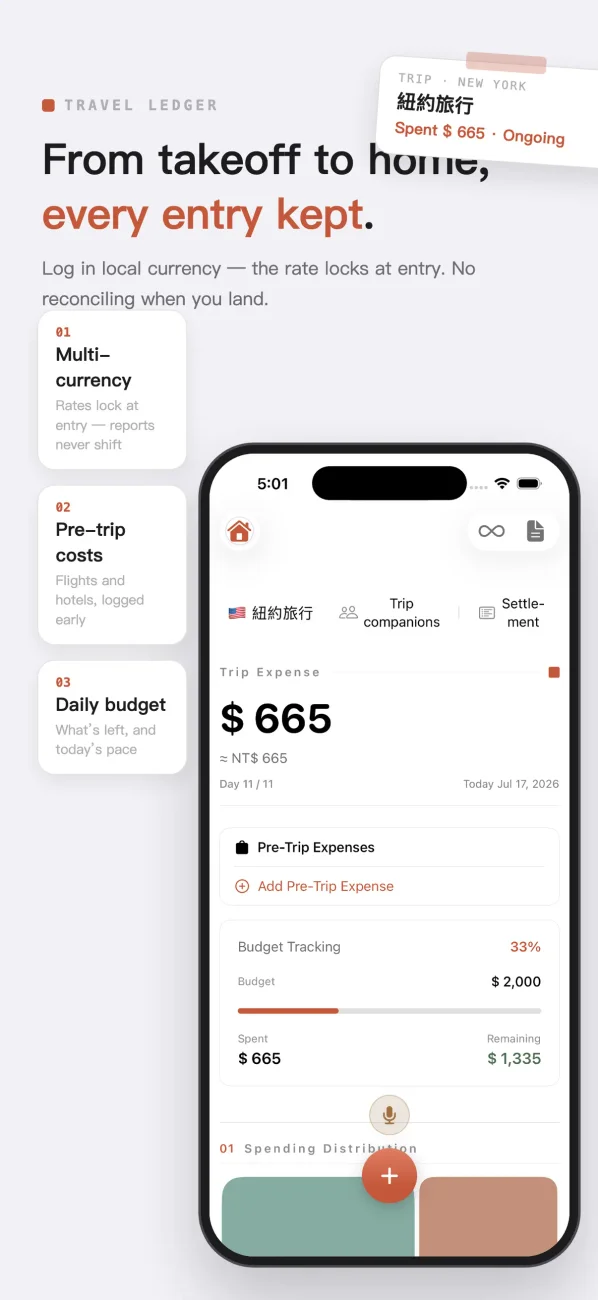
- Income and expenses tallied separately, with a budget that shows what's left.
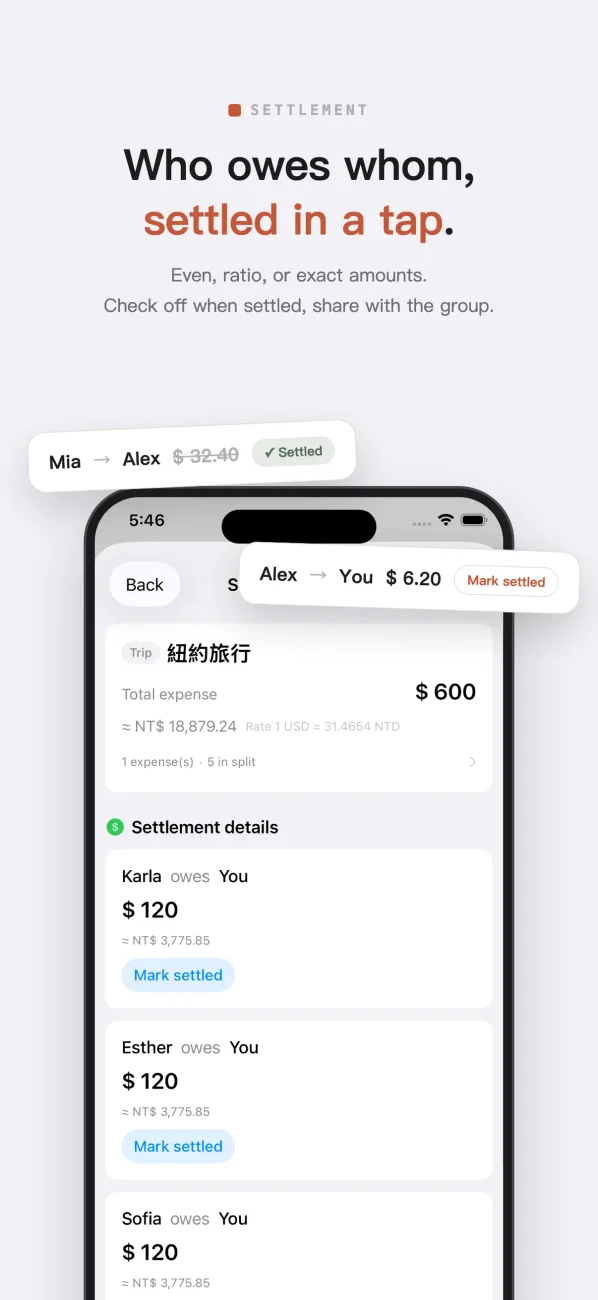
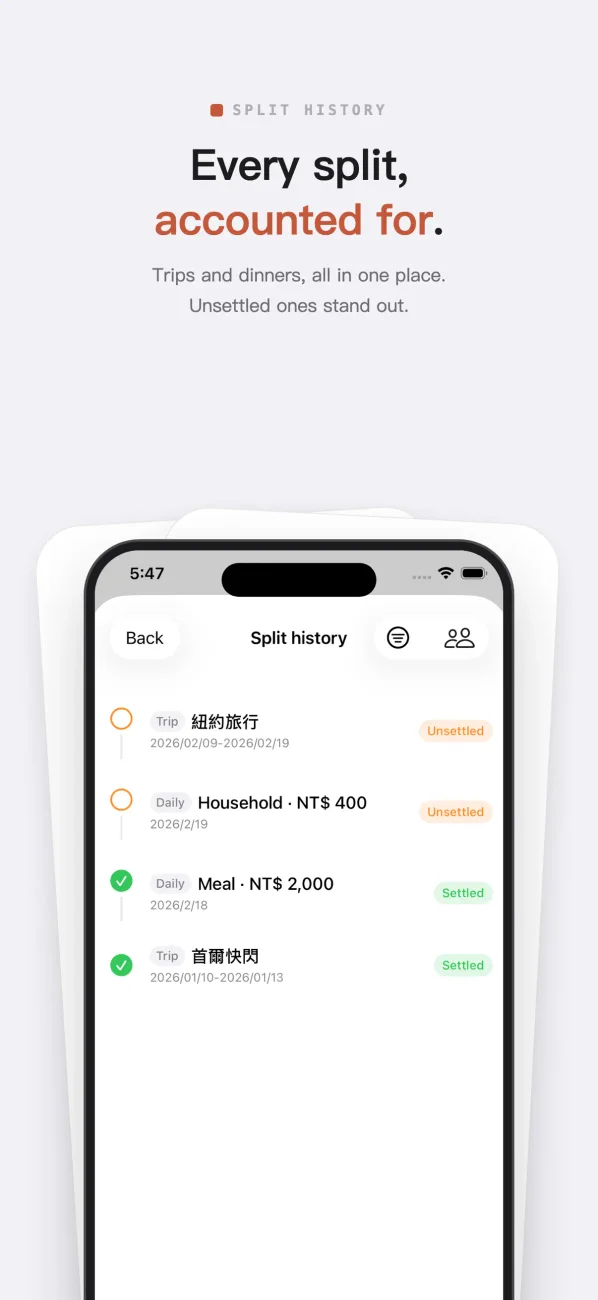
- Everyday splitting: no trip needed — build a dinner or household event and add saved contacts as a group in one tap.
- Multiple accounts & net worth: bank, cash and e-payments tracked apart. Transfers never count as spending, and the main ledger shows total and net worth at a glance.
■ Why Minimal Expense?
- Three kinds of ledger, kept apart: daily, travel and shared each get their own book. Trip expenses file themselves.
- Split with companions: who paid, how to split, who's in — three taps. Settlement reports work out who owes whom; mark as settled and share.
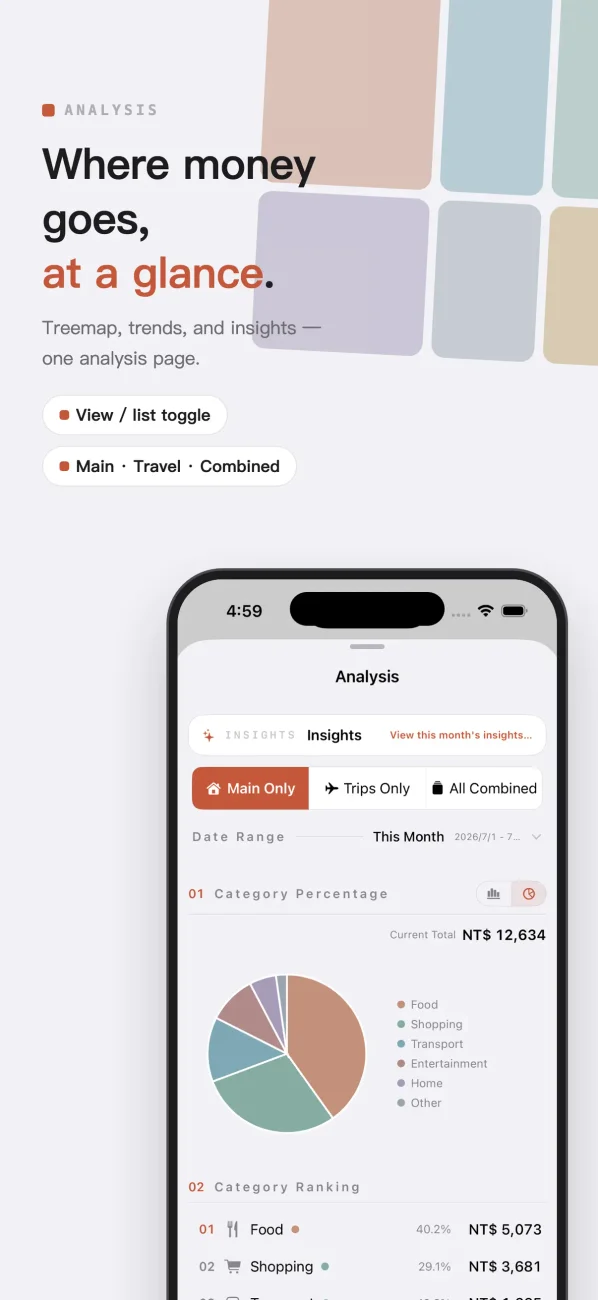
- Treemap charts: the bigger the block, the more you spent. Understand your spending at a glance.
- Multi-currency with locked-in rates: log in local currency abroad; the exchange rate is locked at entry time, so reports never shift.
- Voice logging: "Lunch ramen 250" — one sentence logs category and amount. Works offline, completely free.
- Transaction search: notes, categories, payment methods, amounts — find any entry in seconds.
- Daily reminder + streak: a gentle knock each day to keep the habit going.
■ Weekly, monthly and yearly reports (Premium)
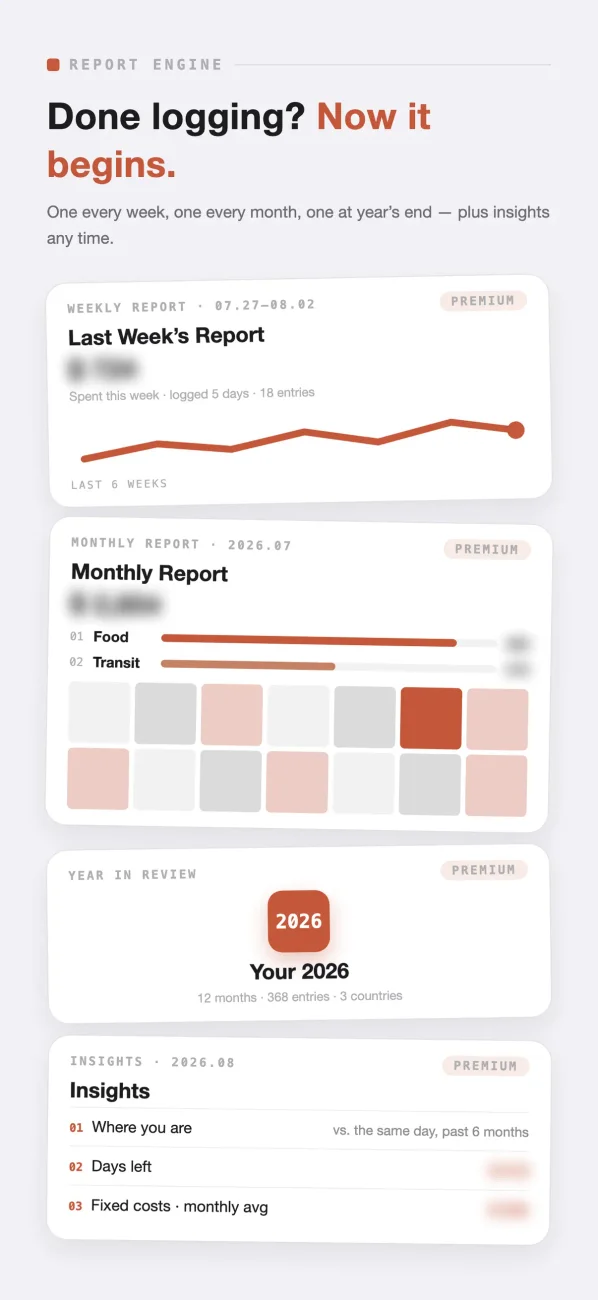
- Weekly report: appears by itself every Monday — where last week went, how many days you logged. No waiting for month end.
- Monthly Report: published on the 1st — spending trend, category ranking, a rhythm calendar, and a one-line summary.
- Year in Review: a once-a-year page-flip ritual — seasons, top categories, records — shareable as a beautiful card.
- Insights: see where you are this month (compared with the same day in your own past months, not with strangers), and which charges are still due before month end.
- Trip Recap & Trip Report: statistics and share cards worth keeping.
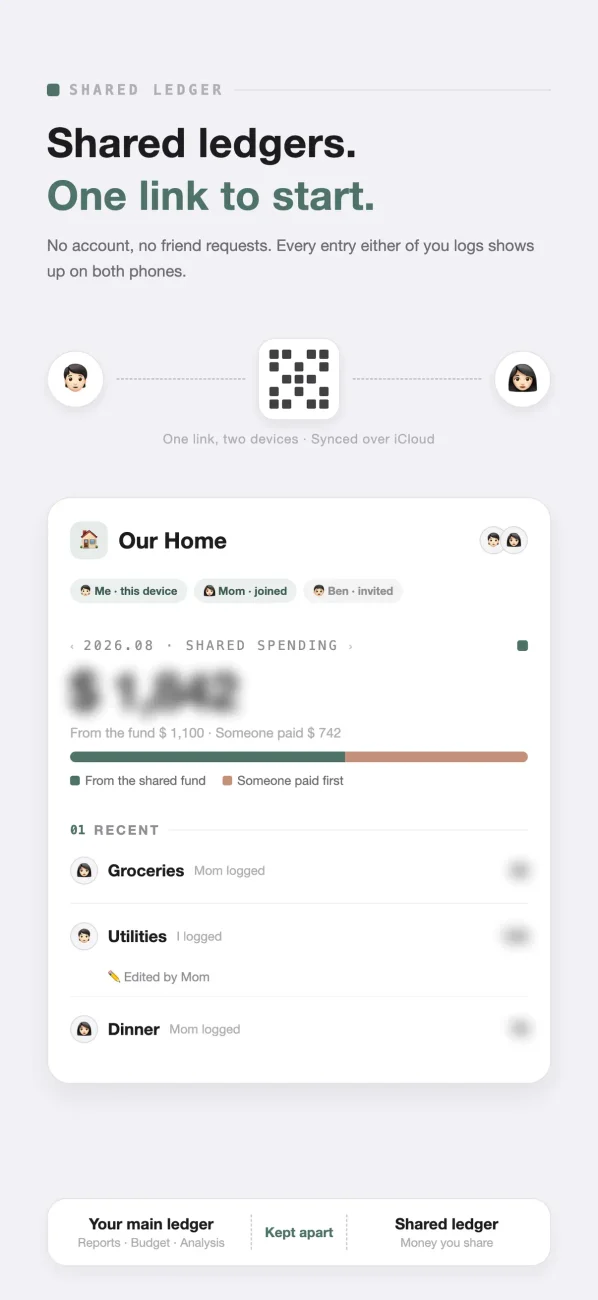
■ Shared ledgers: one book, two people
- Send a link and you're in: family, a friend, or your partner. No account, no friend requests.
- Every entry shows who logged it, and syncs over iCloud to both phones.
- Shared money is kept apart: it never mixes into your own ledger, so your reports and budget stay as clean as before.
- Shared fund: each put some in, then spend from it — or let one person pay first and settle later.
■ Built for travel
- Trip list: ongoing, upcoming, and finished trips at a glance; keep multiple trips.
- Pre-trip expenses: log flights and hotels before departure for complete trip costs.
- Travel footprint map: countries and cities light up on the map with per-trip spending (Premium).
- Currency converter: quick conversions on the road, cached for offline use.
■ Subscription
- Free: full main ledger + 1 travel ledger + 1 shared ledger + 1 account + splitting & settlement + voice logging + ledger search + charts. No ads.
- Premium: weekly reports, monthly reports, year in review, insights, trip recap & footprint map, unlimited travel and shared ledgers, unlimited accounts, iCloud backup, export (CSV / JSON / PDF).
- 3-day free trial; monthly or yearly (yearly saves more), cancel anytime in Settings.
■ Contact
- Website: https://www.miniexpense.com
- Privacy Policy: https://www.miniexpense.com/privacy-policy
- Terms of Use (EULA): https://www.miniexpense.com/eula
Thank you for choosing Minimal Expense — let's keep daily, travel and shared spending clear, together.
What’s new
Version 5.5 · Nov 17, 2026
Hi! I'm the minimalist developer.
5.5 is built from your emails. One person often covers a coworker's lunch and only collects every few months, so they wanted to see at a glance who still owes what. Someone else wanted to see how much budget is left right on their ledger. Someone wanted to add a transfer from a few days ago, and another person, logging last night's dinner the next day, wanted the time to be right too. This update brings them all in.
* Split history now opens with "Who owes whom": one row per friend, showing how much they owe you and for how many entries. Anything you owe them is netted into the same number.
* Tap a friend to see what's still open. When they pay you back, tap "Got it all", or tap "Got part of it" and enter an amount; it clears the oldest entry first. It's just a note, so your account balances stay the same.
* "Send them the list" turns what's still open into a short message you can paste into any chat. No more doing the math twice.
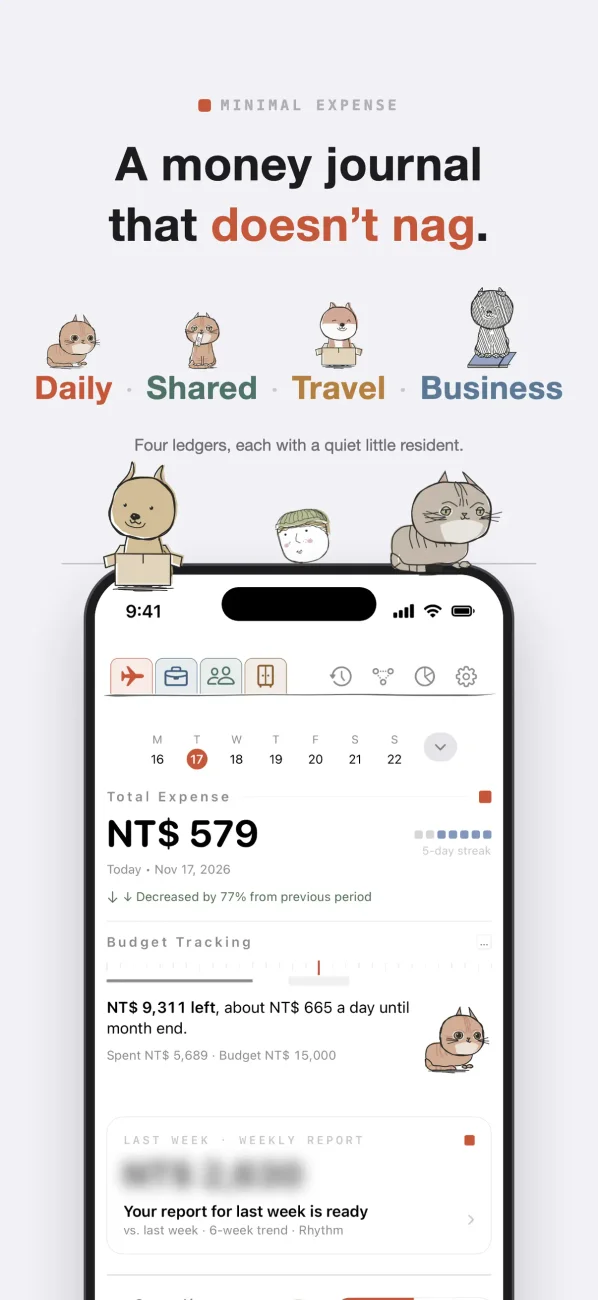
* If you've set a budget, the budget card now shows up on your ledger, and its first line tells you what's left, followed by about how much a day until month end. Don't want it there? Turn off "Show the budget on your ledger" in Settings.
* The Budget page in Analysis now shows how much is left this month, and how many days to go.
* On transfer, deposit and withdrawal, and balance-fix cards, the date sits at the very top; tap it to pick an earlier day. Save and delete stay pinned at the bottom of the card, too.
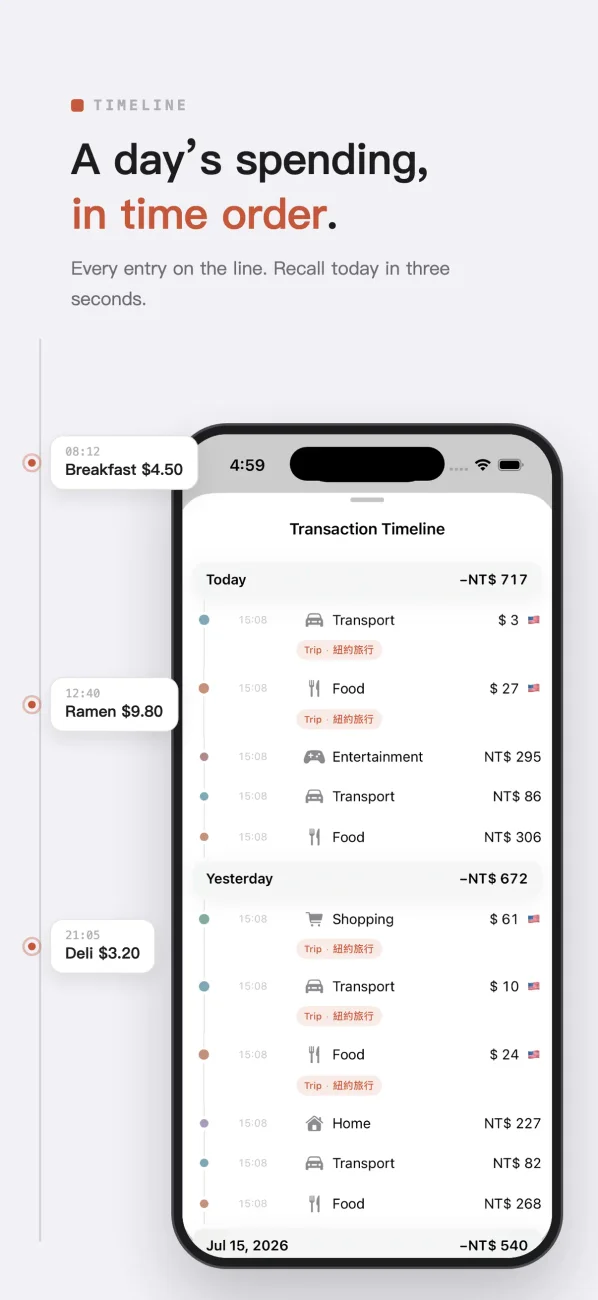
* The "When" row on every entry now lets you change the time, too: tap it, and the time sits right under the calendar. Logging last night's dinner the next morning? Set it to 20:30, and your Journal says 20:30 in the evening, with the timeline in order. It works in all four ledgers, and trips use local time.
* Account cards now show your three most recent entries, and tapping one opens it for editing. In the timeline, an expanded entry now has "Edit this entry".
* Little residents have moved into all four ledgers: a cat, a dog, or one of the Inkfolk, sitting quietly in a corner and changing pose with your numbers. Over budget, they look worried; at night, they doze off. Turn them on under "What you see" in Settings, then tap a resident to swap it, or leave a ledger empty. Cat, dog and Inkfolk residents are part of Premium, and the first time you turn them on, they stay free for 3 days. Not subscribing? An emoji can move in instead.
* Inkfolk, cat and dog doodle faces now come with 3 free days, too: the days start the first time you save one. If you haven't subscribed after 3 days, it switches back to your original emoji.
The money owed lines itself up; all you have to do is ask.
App privacy
What POEN HSIEH declares on the App Store about how this app handles data.
-
Data not linked to you
May be collected but is not linked to your identity.
- Usage data
Privacy practices may vary, for example with the features you use or your age.
Information
- Seller
- POEN HSIEH
- Category
- Finance
- Version
- 5.5
- Updated
- Nov 17, 2026
- Released
- Feb 23, 2026
- Size
- 44.4 MB
- Requires
- iOS 17.2 or later
- Age rating
- 4+
- In-app purchases
- Yes
- Languages
- Traditional Chinese, Japanese, Simplified Chinese, English, Spanish, Korean
- Copyright
- © 2026 Minimal Studio