
MintMonitor: Budget Planner
Budget smarter. Live better.
Designed for iPhone, iPad
In-app purchases
- Age rating4+
- CategoryFinance
- DeveloperMintMeter LLC
- LanguagesEnglish
- Size53.6 MB
Links to the official App Store page
Download.org hosts no file of MintMonitor: Budget Planner. The button opens its official App Store page, published by MintMeter LLC. Listing last checked on Nov 16, 2026.
Screenshots
About
MintMonitor shows where your money is heading, not just where it went.
Bills and paychecks land on their real dates instead of being smoothed into a monthly average, so you can see the day your balance dips while there's still time to do something about it. Enter everything yourself for free, or subscribe to Bank Sync and let your accounts and transactions come in on their own.
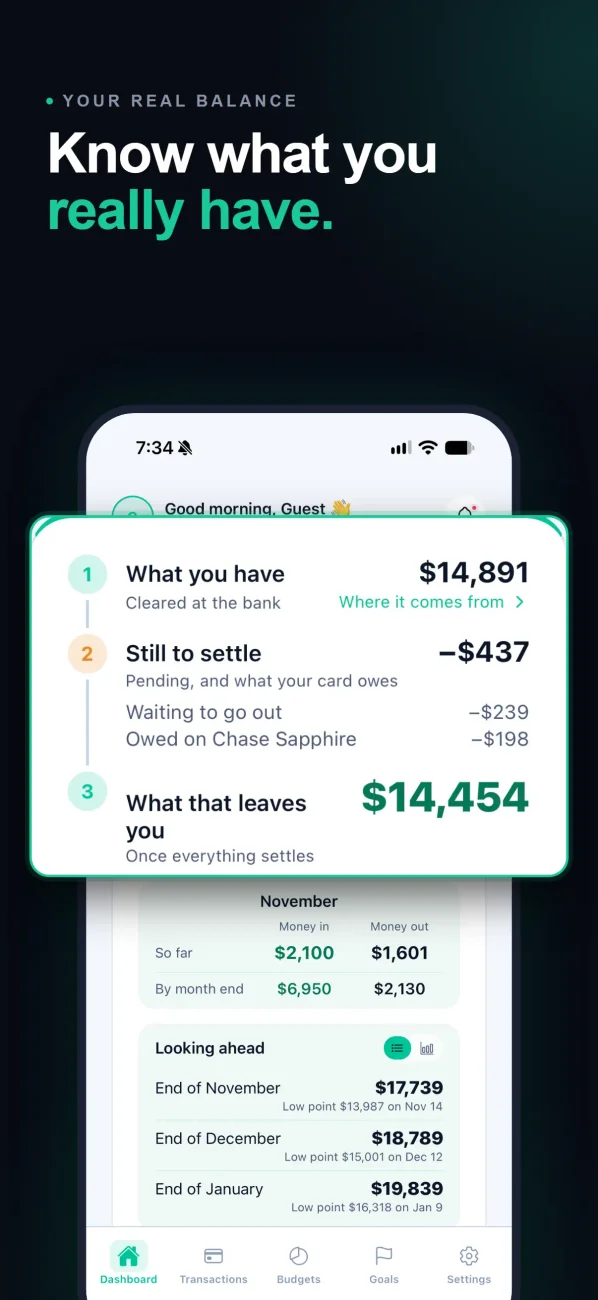
WHERE YOU STAND, IN THREE STEPS
• What you have: cleared at the bank, and tap it to see where the figure comes from
• Still to settle: what's pending, and what your cards owe
• What that leaves you, once it all goes through
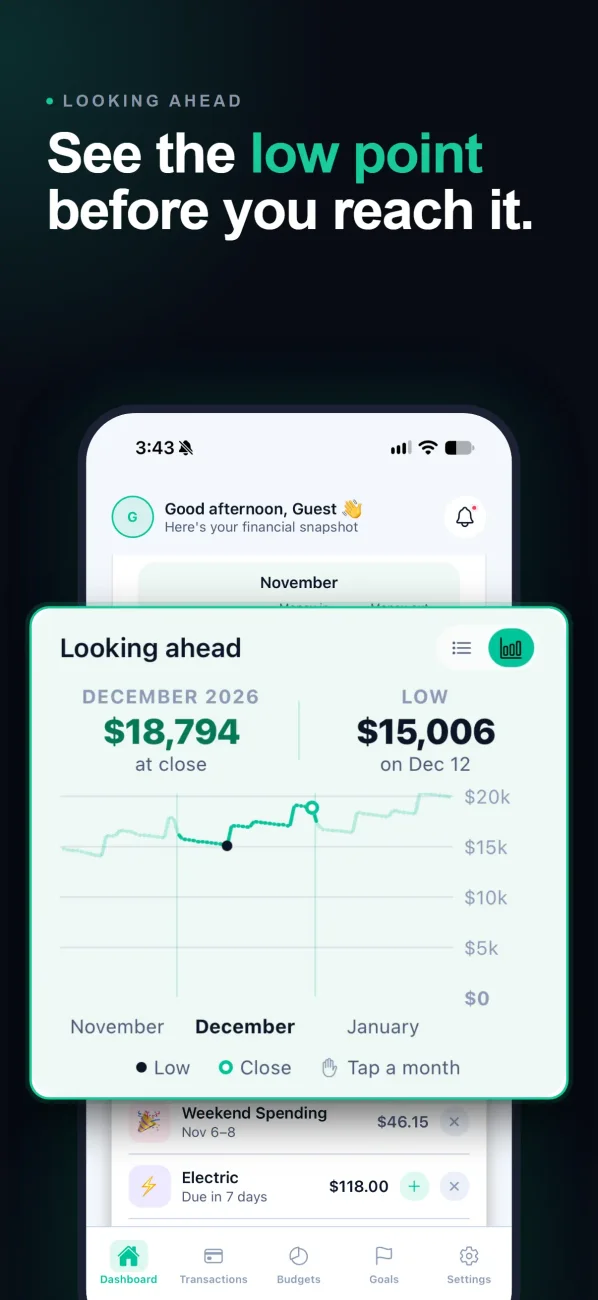
LOOKING AHEAD
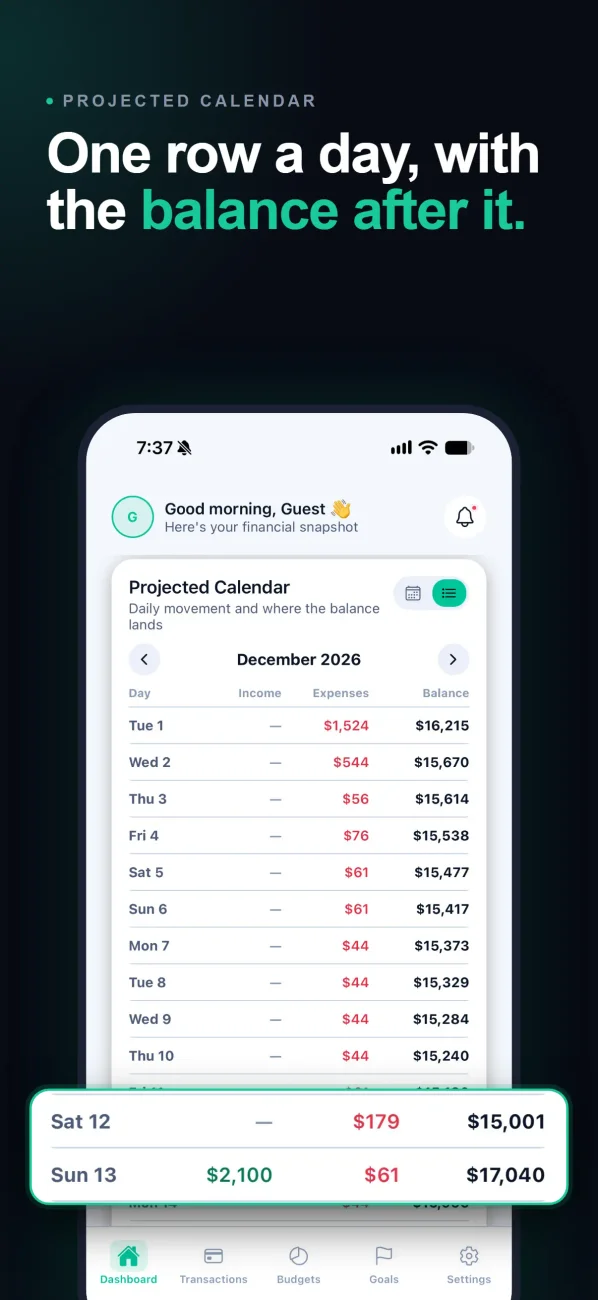
• Your balance at the end of this month and the next two, and the month after that from mid-month
• The low point in each month, dated, so a tight week shows before you reach it
• Read it as figures or as a chart, and tap any day of the projected calendar to see what it's made of
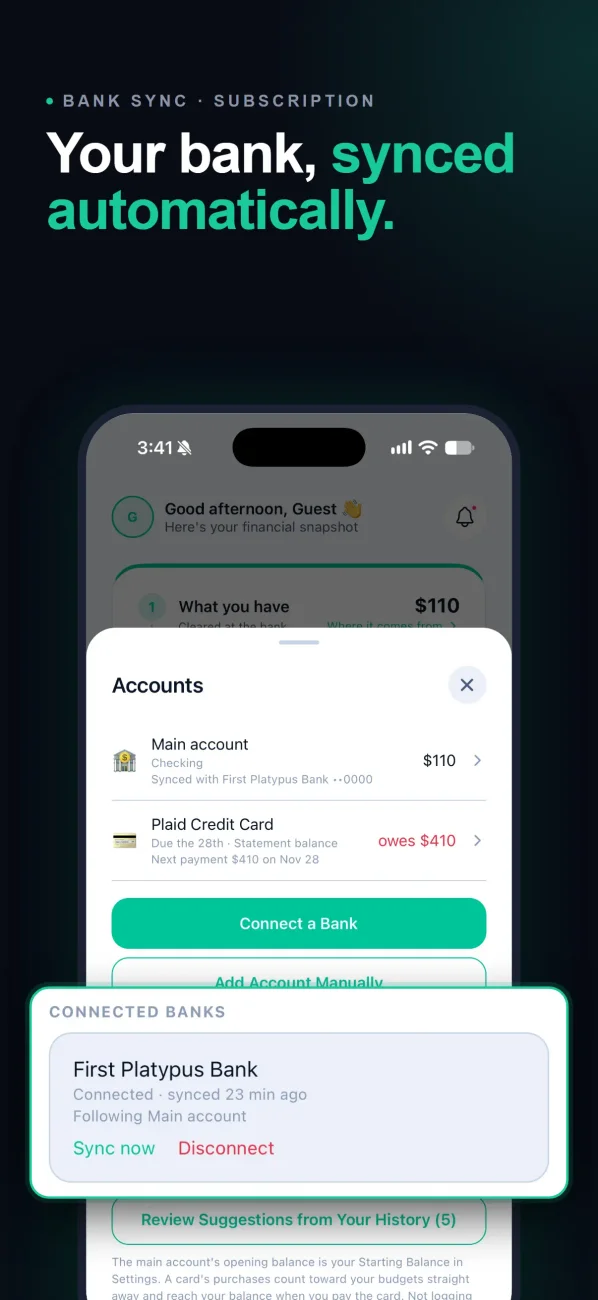
CONNECT YOUR BANK (OPTIONAL SUBSCRIPTION)
• Accounts, balances and transactions come in automatically through Plaid, in the US and Canada
• You sign in to your bank in Plaid's own screen; we never see your bank login, and the app can't move money
• Search for your bank before subscribing to check it's supported
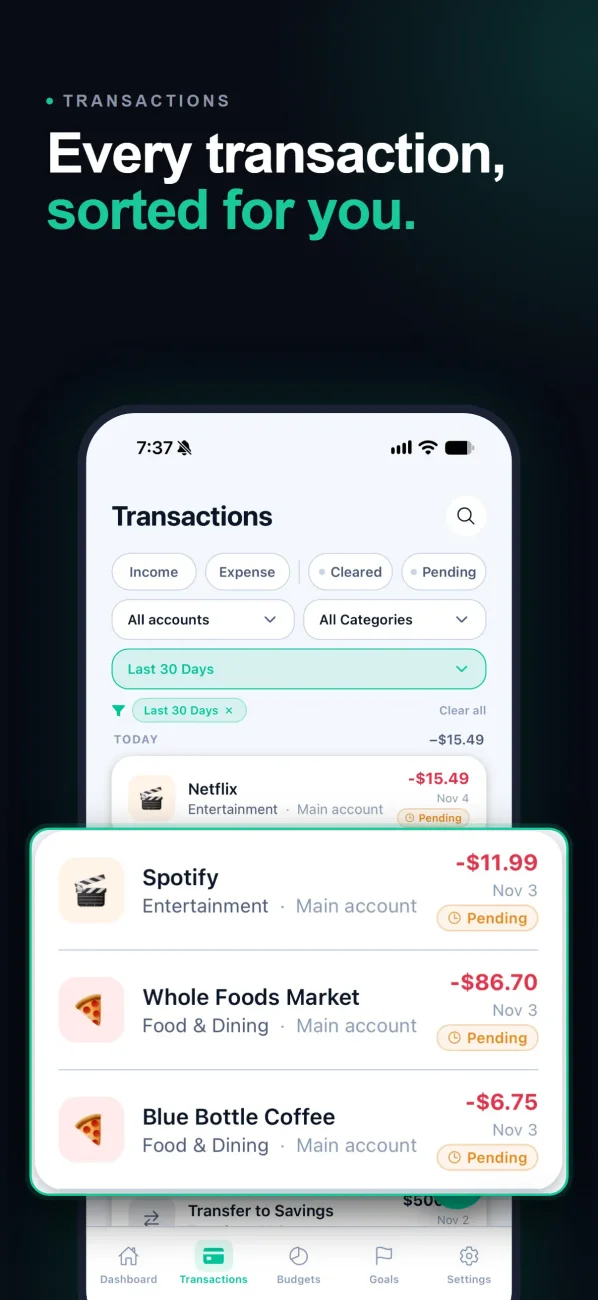
• Pending charges, transfers between your accounts and card payments are recognised, so nothing is counted twice
• A synced credit card brings its statement balance, minimum payment and due date, where your bank shares them
• Change a category once and choose "Always", and that merchant is filed there from then on, bills included
ACCOUNTS, CARDS AND TRANSFERS
• Checking, savings, cash and credit cards, each with its own balance
• Each card's payment planned on its due day: statement balance, current balance, minimum or a fixed amount
• Paying a card or moving money to savings is a transfer, not spending
• Leave a savings or cash account out of your balance when that money is set aside
• Update Balance brings a hand-kept account in line with what your bank shows
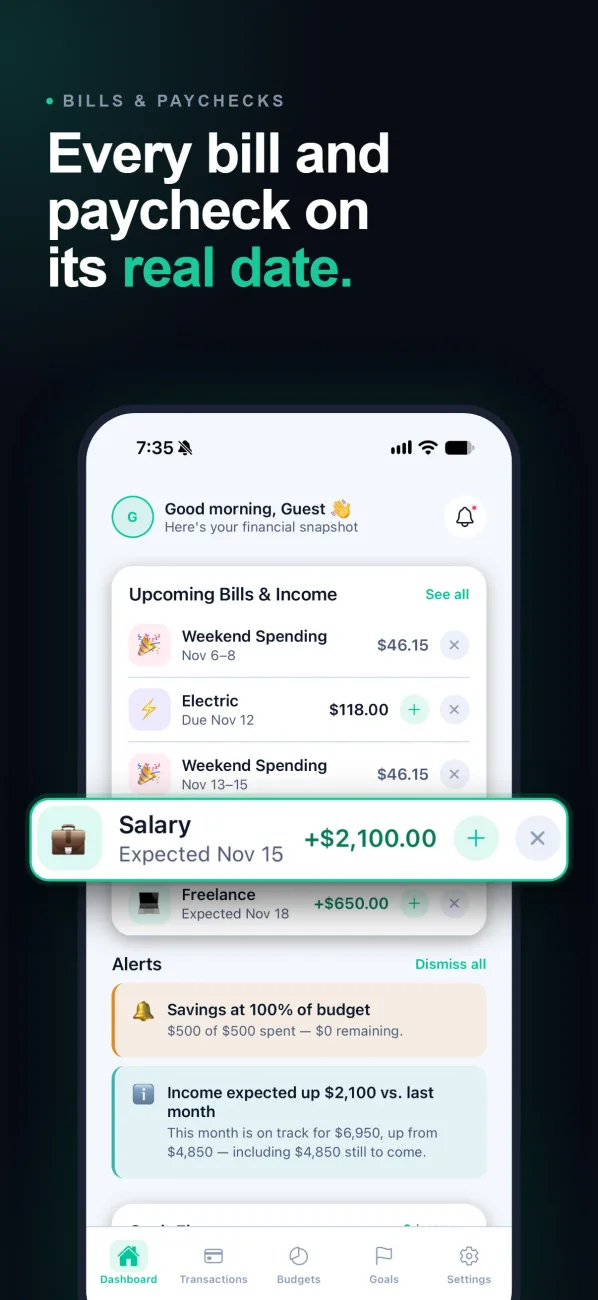
BILLS AND PAYCHECKS ON THEIR REAL DATES
• Bills weekly, every two weeks, monthly, quarterly or yearly
• Paychecks weekly, every two weeks, twice a month or monthly
• Reminders before a bill is due, and a follow-up if one goes past due
BUDGETS THAT MATCH HOW YOU'RE PAID
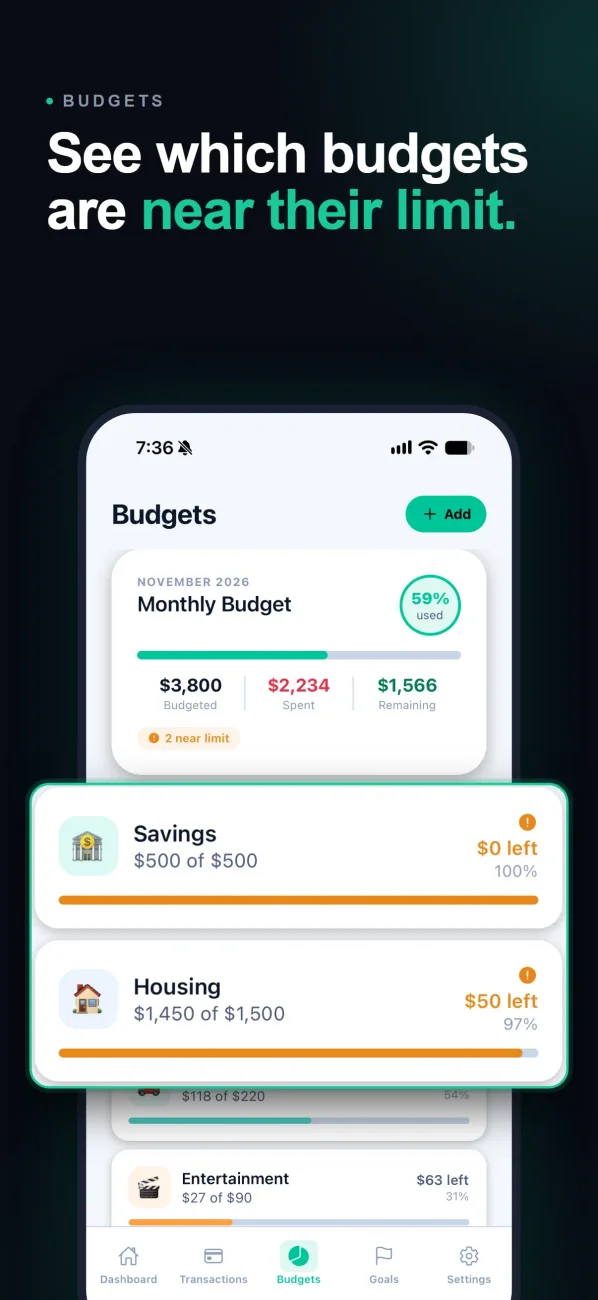
• A budget per category, tracked from what you log or spread across the month
• Start your budget month on your payday, not the 1st
• Alerts when a budget is near its limit or over it
• Seasonal budgets: one amount for the holidays or back-to-school, with saving up for it built in, and seasonal income such as a bonus or a summer job
GOALS AND SUGGESTIONS
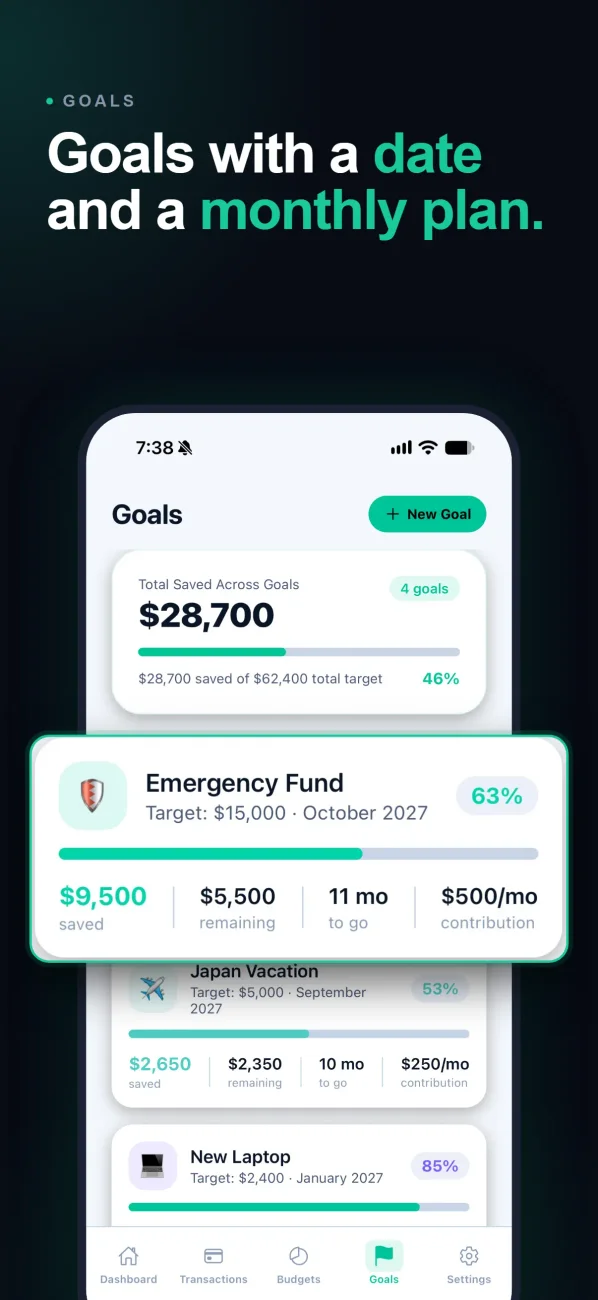
• Savings goals with a target and a date, set aside each month or each payday; a transfer to savings can count toward one
• Suggestions find the bills, paychecks and budgets in your history
SET UP YOUR WAY
• Start from your bank, or set up by hand with a short guided walkthrough
• A tour of the app whenever you want it
YOURS, AND PORTABLE
• Cloud backup, restored on any device you sign in to
• Export your history to CSV
• Sign in with Apple, and delete your account and its data from inside the app
• Dark and light themes, nine currencies, and plain definitions of every term
FREE, WITH OPTIONAL BANK SYNC
MintMonitor is free to use by entering things yourself. Bank Sync is an optional auto-renewing subscription, billed monthly or yearly, for banks in the US and Canada. Payment is charged to your Apple ID at confirmation of purchase, and the subscription renews automatically unless cancelled at least 24 hours before the end of the current period. Manage or cancel anytime in your Apple ID settings.
MintMonitor is a budgeting tool. It doesn't give financial advice.
Terms of Use (EULA): https://www.apple.com/legal/internet-services/itunes/dev/stdeula/
What’s new
Version 2.0.0 · Nov 15, 2026
MintMonitor is now free.
New in 2.0:
• Bank sync (optional subscription, US and Canada): your accounts, balances and transactions come in automatically through Plaid. We never see your bank login.
• Accounts and credit cards, with each card's payment planned for you and transfers between accounts.
• A clearer dashboard: what you have, what's still to settle, and what that leaves you.
• Seasonal budgets for the holidays or back-to-school, with saving up built in, and seasonal income.
• Suggestions that find bills, paychecks and budgets in your history.
• A new welcome, setup and tour.
Already subscribed? MintMonitor is now free to use, and your subscription includes bank sync where it's available (US and Canada). Manage or cancel it anytime in your Apple ID settings.
App privacy
What MintMeter LLC declares on the App Store about how this app handles data.
-
Data linked to you
May be collected and linked to your identity.
- Purchases
- Financial info
- Contact info
- Identifiers
Privacy practices may vary, for example with the features you use or your age.
Information
- Seller
- MintMeter LLC
- Category
- Finance
- Version
- 2.0.0
- Updated
- Nov 15, 2026
- Released
- Sep 2, 2026
- Size
- 53.6 MB
- Requires
- iOS 16.4 or later
- Age rating
- 4+
- In-app purchases
- Yes
- Languages
- English
- Copyright
- © MintMeter LLC
You might also like
-
 Persue BudgetZero based budgeting for two
-
 Enoughly: Paycheck BudgetDebt Payoff & Spending Planner
-
 Horizon CheckbookYour balance, in sight
-
 BudgetFox: Budget Planner AppTrack Expenses, Bills & Goals
-
 Budgio: Budget & ExpensesBudgeting that feels simple
-
 Cadence Paycheck PlannerPlan ahead. Stress less.
-
 BudgetBadger: Budget PlannerMoney Manager, Expense Tracker
-
 PayAnchor: Paycheck BudgetSpend Between Paychecks
-
 SpendLens: Budget EnvelopesEnvelope budgeting, offline
-
 Expenses Pro: Budget TrackerTrip, Home & Shared Sheets