
Mintory: Expense Tracker
Track income and expenses
Designed for iPhone, iPad, iPod touch
Free · In-app purchases
- Age rating4+
- CategoryFinance
- Developerao Toan
- LanguagesEnglish
- Size92.2 MB
Links to the official App Store page
Download.org hosts no file of Mintory: Expense Tracker. The button opens its official App Store page, published by ao Toan. Listing last checked on Nov 18, 2026.
Screenshots

About
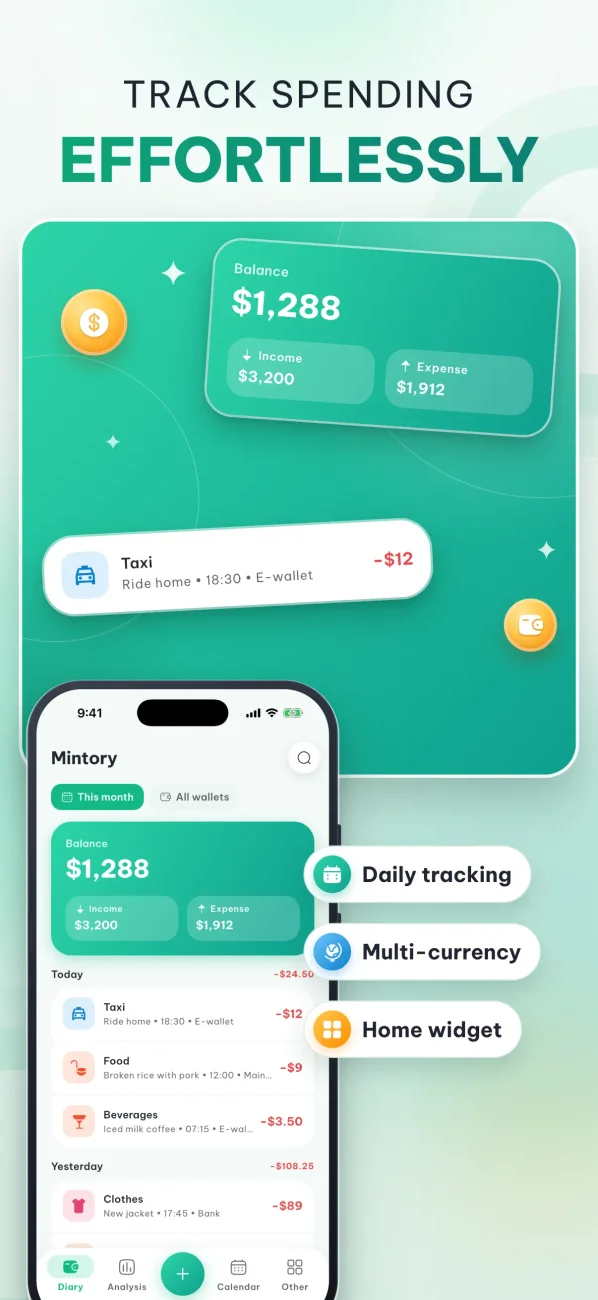
Mintory is a simple, private expense tracker and budget planner. Log income and spending in seconds, see where your money goes, and stay on budget. No sign-up: your records are stored on your phone.
FAST LOGGING
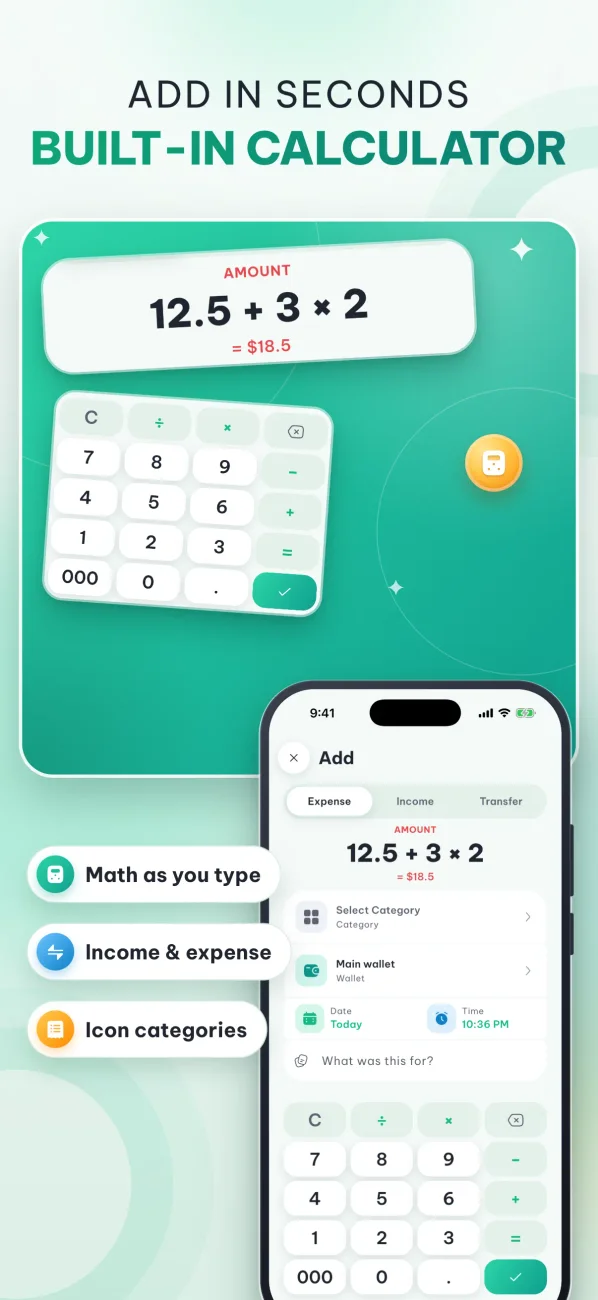
• Calculator keypad: type 25+18 and save the result
• Income, expense and transfers between wallets
• Customizable categories with icons
• Swipe to delete with Undo
• Recurring transactions: daily, weekly, monthly or yearly
• Daily reminder at the time you choose
WALLETS & SAVINGS GOALS
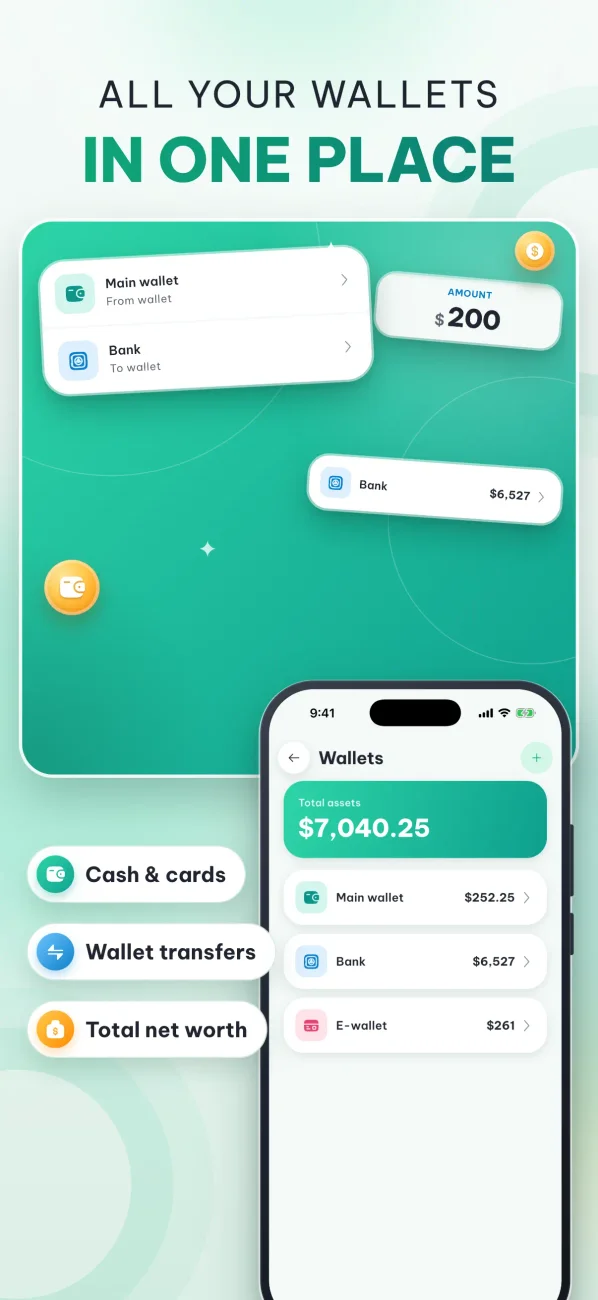
• Cash, bank, cards: one balance per wallet
• Transfers between wallets with the same currency
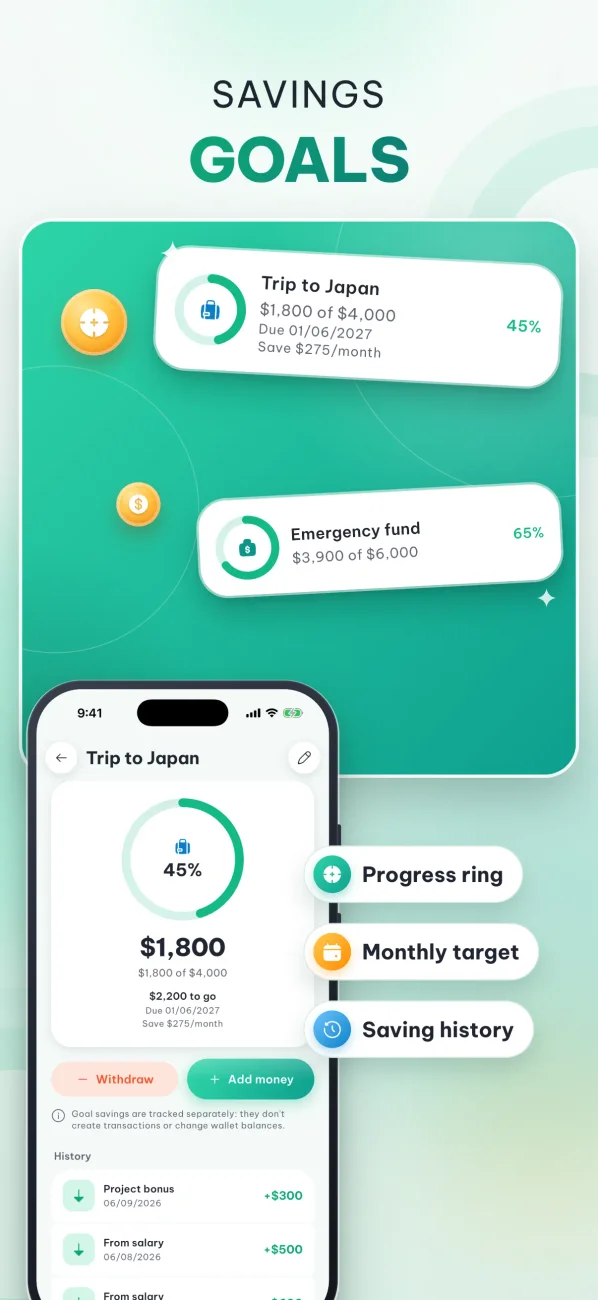
• Savings goals with progress ring, deadline and monthly target
BUDGETS THAT WARN YOU
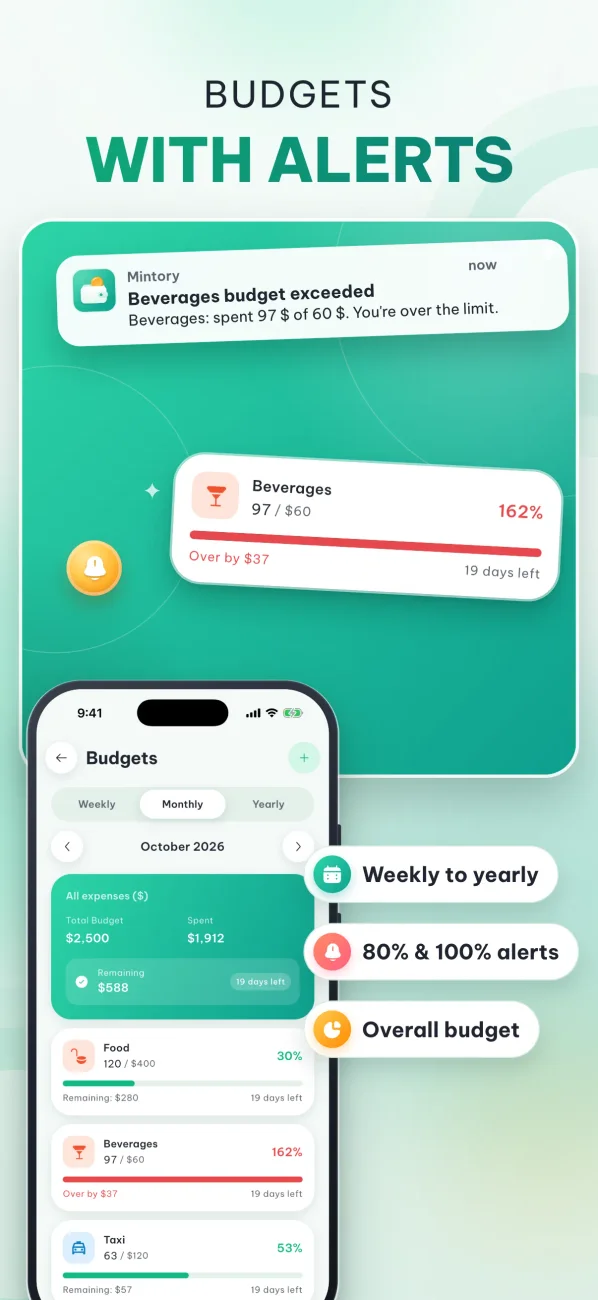
• Weekly, monthly or yearly budgets per category
• Overall budget for all expenses
• Notification at 80% and 100% of a budget
SEE YOUR MONEY CLEARLY
• Calendar view with daily totals
• Lunar dates on the Calendar
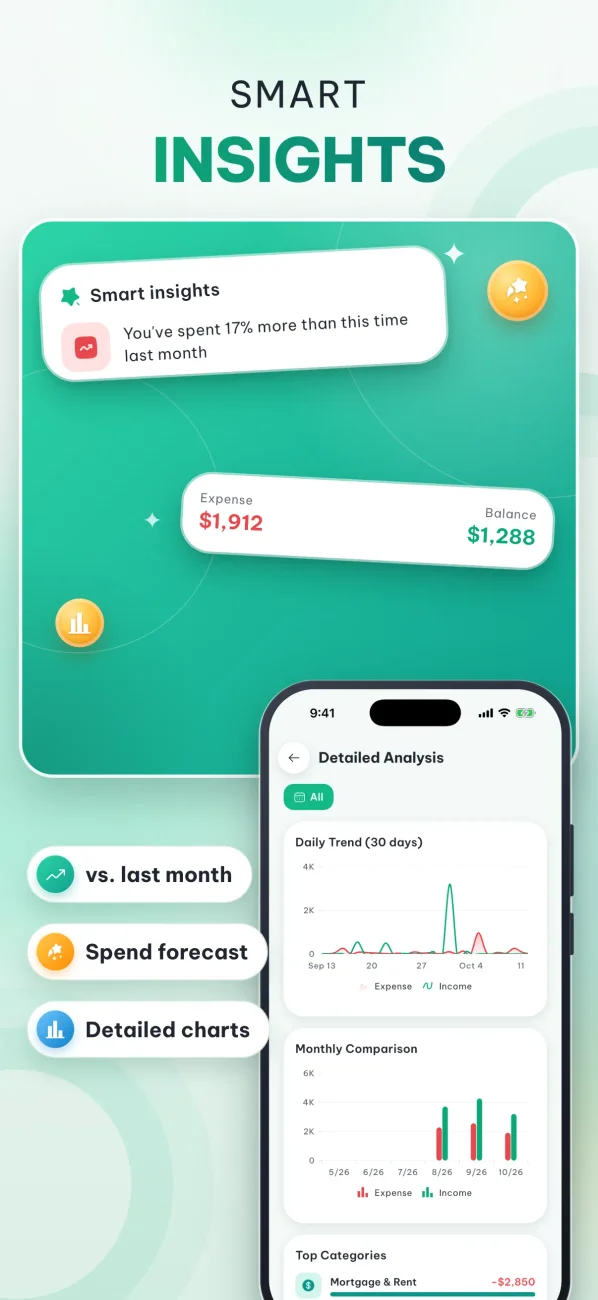
• Charts, reports and detailed analysis
• Smart insights: this period vs the last one, period-end forecast, top category increase, average daily spend
MADE FOR YOU
• 12 languages and 12 currencies
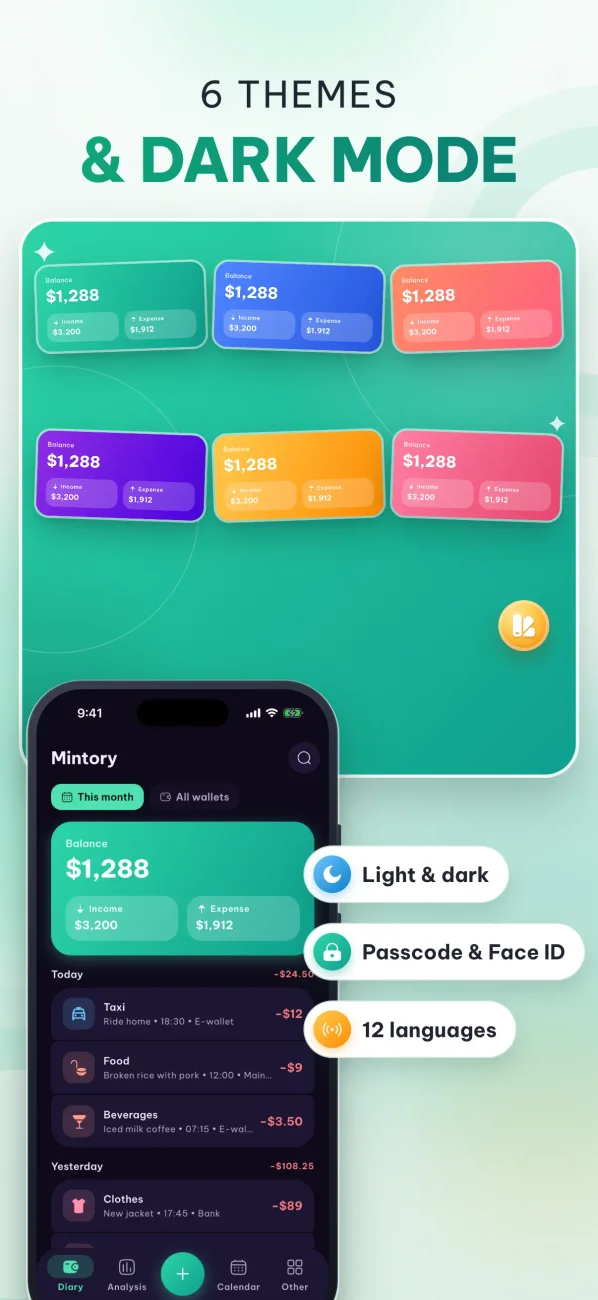
• Light and dark mode; Mint palette free, 5 more with Pro
• Passcode lock with Face ID / fingerprint
• Home screen widgets in two sizes
• Export and import CSV (opens in Excel, Google Sheets, Numbers)
FREE AND PRO
Everything above is free, including smart insights, daily auto backup of your latest data to your own Google Drive, natural-language quick add, receipt photos, debts (3 open), templates (3), 3 wallets and 2 active savings goals. A one-time purchase unlocks Pro: no ads, all 5 premium color palettes, unlimited wallets, savings goals, templates and debts, debt due reminders, split transactions, reading the amount and date from receipts and a 12-month backup history. You can also buy Remove Ads only. No subscription.
Your transactions are saved on your device. You can back them up, optionally password-encrypted, to a file or to your own Google Drive. Usage statistics and crash reports help us improve the app.
What’s new
Version 1.2.1 · Nov 12, 2026
• Quick add: hold + and type “lunch 40k, parking 5k”
• Daily auto backup to your Google Drive, with optional password encryption
• Debt book, tags, templates and receipt photos
• Bill reminders and a “safe to spend today” amount
• Trash, multi-select, custom week and month start
• Lunar dates on the Calendar and a small home screen widget
• Smart insights are now free; Free now has 3 wallets and 2 goals
• Pro adds split transactions, receipt reading and a 12-month backup history
App privacy
What ao Toan declares on the App Store about how this app handles data.
-
Data used to track you
May be used to track you across apps and websites owned by other companies.
- Usage data
-
Data linked to you
May be collected and linked to your identity.
- Usage data
- Diagnostics
-
Data not linked to you
May be collected but is not linked to your identity.
- Usage data
- Diagnostics
Privacy practices may vary, for example with the features you use or your age.
Information
- Seller
- ao Toan
- Category
- Finance
- Version
- 1.2.1
- Updated
- Nov 12, 2026
- Released
- Jul 27, 2026
- Size
- 92.2 MB
- Requires
- iOS 15.5 or later
- Age rating
- 4+
- Price
- Free
- In-app purchases
- Yes
- Languages
- English
- Copyright
- © BreezyTap Studio
You might also like
-
 Tivelis - Expenses & AssetsBudget, debts & net worth
-
 Cháy Túi: Expense TrackerScan receipts, AI logs for you
-
 Maneki: Budget & SavingsSpending log, jars & budgets
-
 Cỏ: Chi Tiêu Cá NhânFinance
-
 Budget Tracker & Money ManagerBills & Savings Planner UK
-
 Wellet: Budget & Family MoneyTrack expenses, save together
-
 PocketLog: Budget TrackerSpending, Bills & Savings
-
 Expense Tracker - BudgetTrack Income & Spending
-
 Vén: Quản lý chi tiêu cá nhânFinance
-
 Sổ chi tiêu: Quản lý tài chínhFinance