
MiraBridge AI Code Remote
AI Coding from Your Phone
Designed for iPhone, iPad
Free
- Age rating4+
- CategoryDeveloper Tools
- LanguagesEnglish
- Size39.9 MB
Links to the official App Store page
Download.org hosts no file of MiraBridge AI Code Remote. The button opens its official App Store page, published by . Listing last checked on Nov 12, 2026.
Screenshots
About
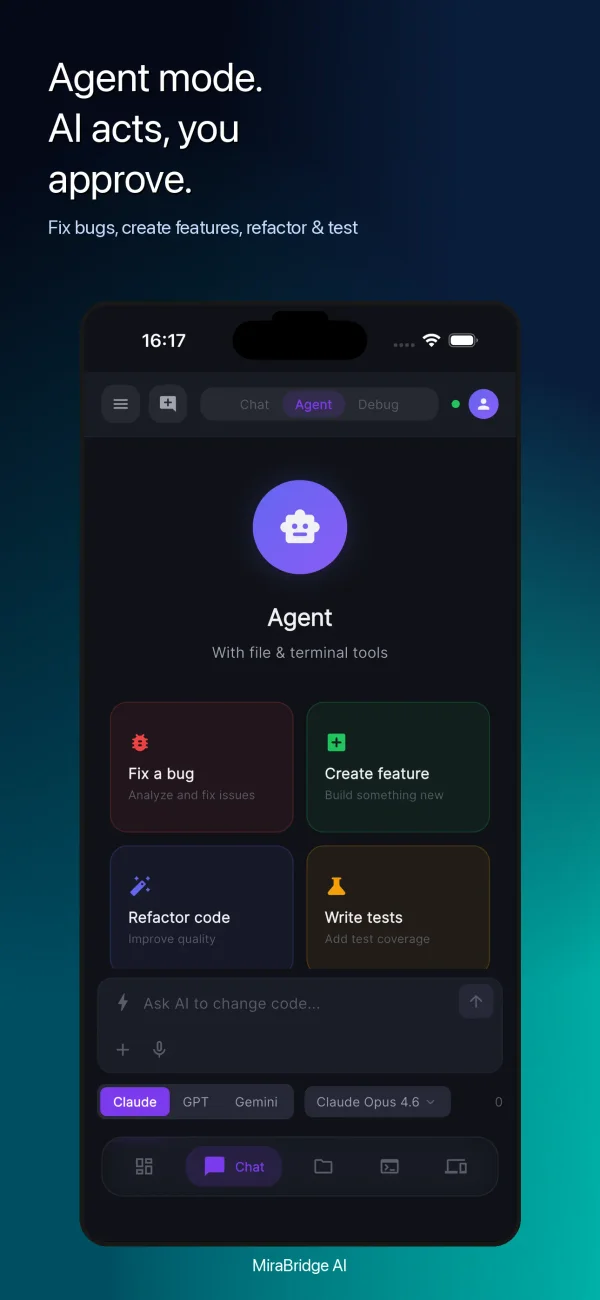
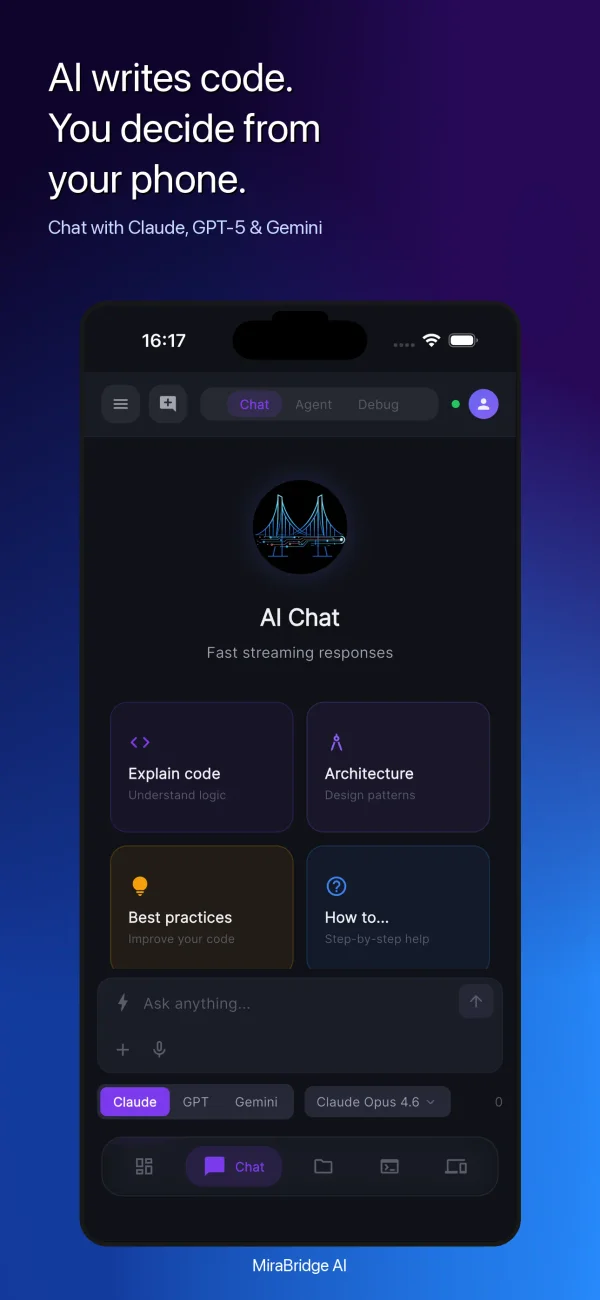
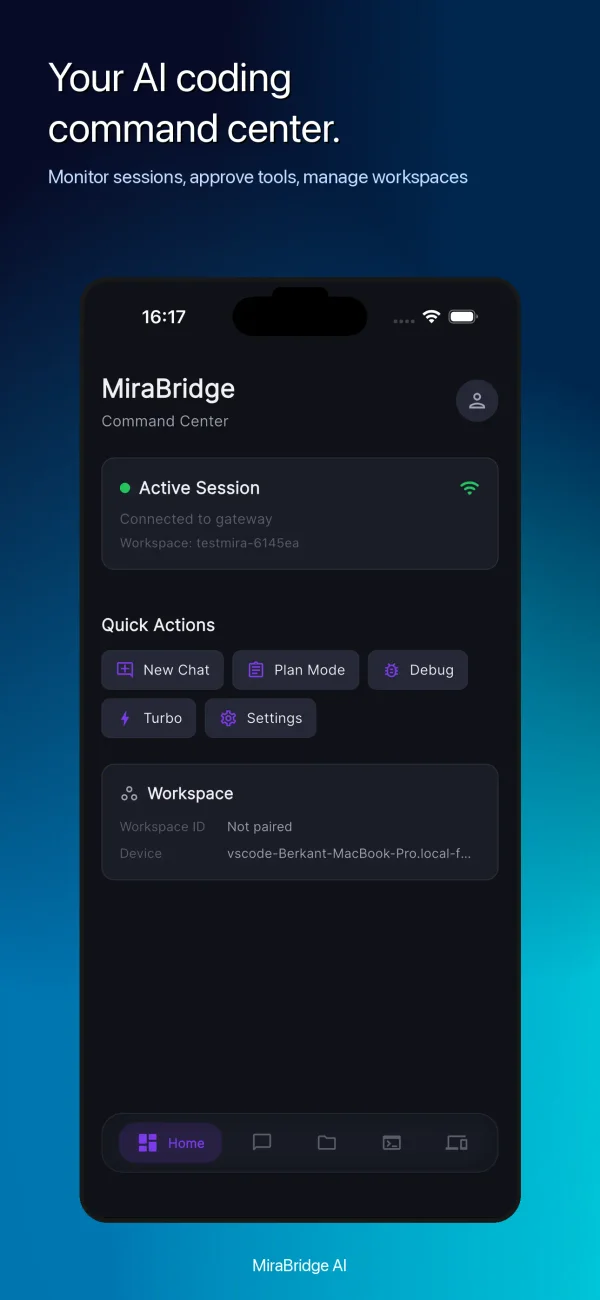
MiraBridge AI helps you stay connected to active coding work from your phone. Start a session on your computer, then follow progress, review code, approve agent actions, monitor terminal output, and respond when your AI coding workflow needs input.
Built for developers who move between desk, meetings, commuting, and focused work, MiraBridge gives you a practical mobile surface for the coding sessions already running in your workspace.
REMOTE CONTROL FOR AI CODING
Track agent progress, review planned changes, and keep the session moving without sitting in front of your computer. MiraBridge is designed for modern AI-assisted development where the important moment is often an approval, a quick instruction, or a build result.
CODE REVIEW FROM YOUR PHONE
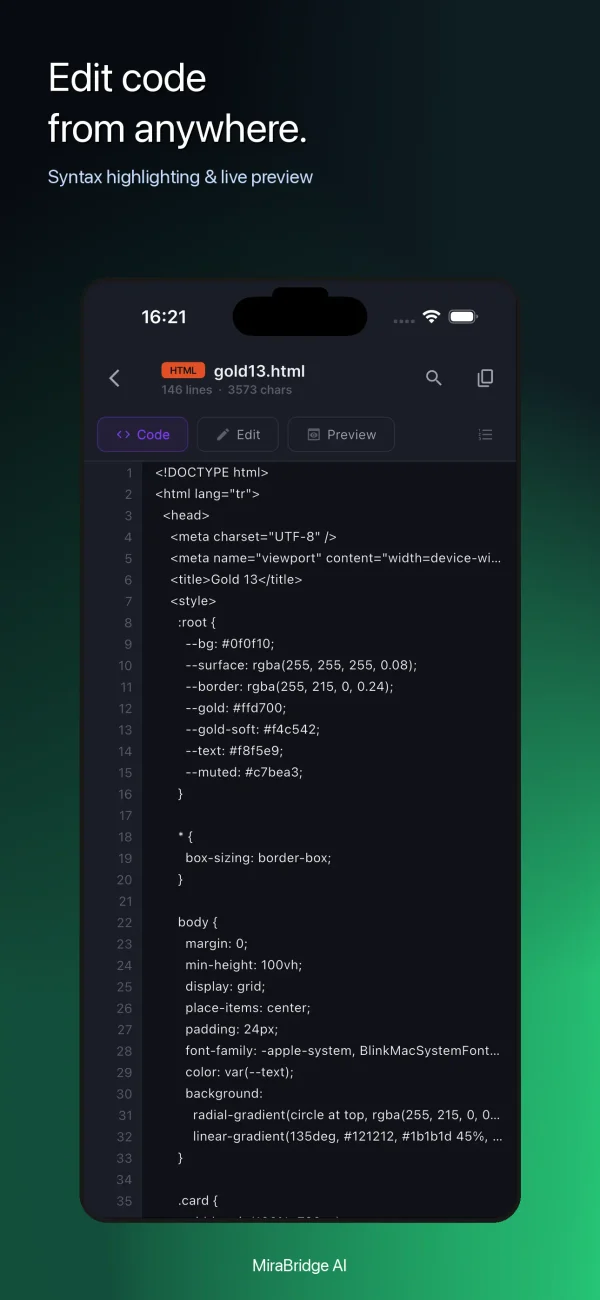
Open files, inspect changes, read diffs, and approve or reject tool actions with a clear mobile flow. Stay in control while your AI assistant handles repetitive implementation work.
TERMINAL AND BUILD VISIBILITY
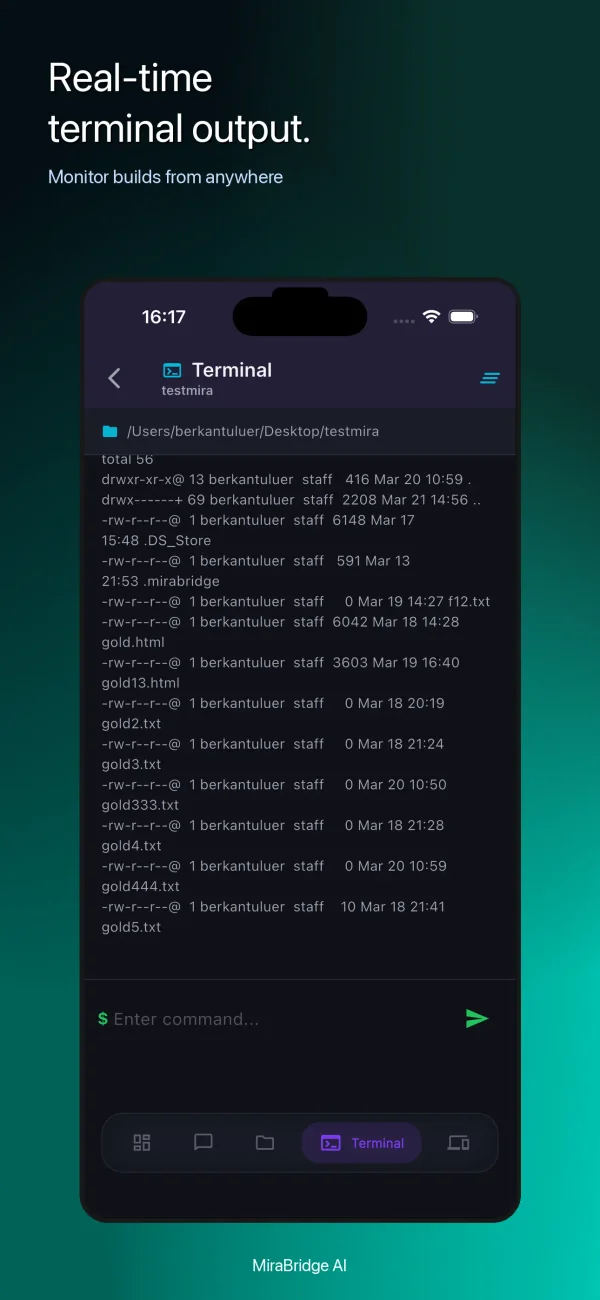
Watch command output in real time, check build and test results, and see when something needs attention. MiraBridge helps you catch failures quickly and continue the loop from anywhere.
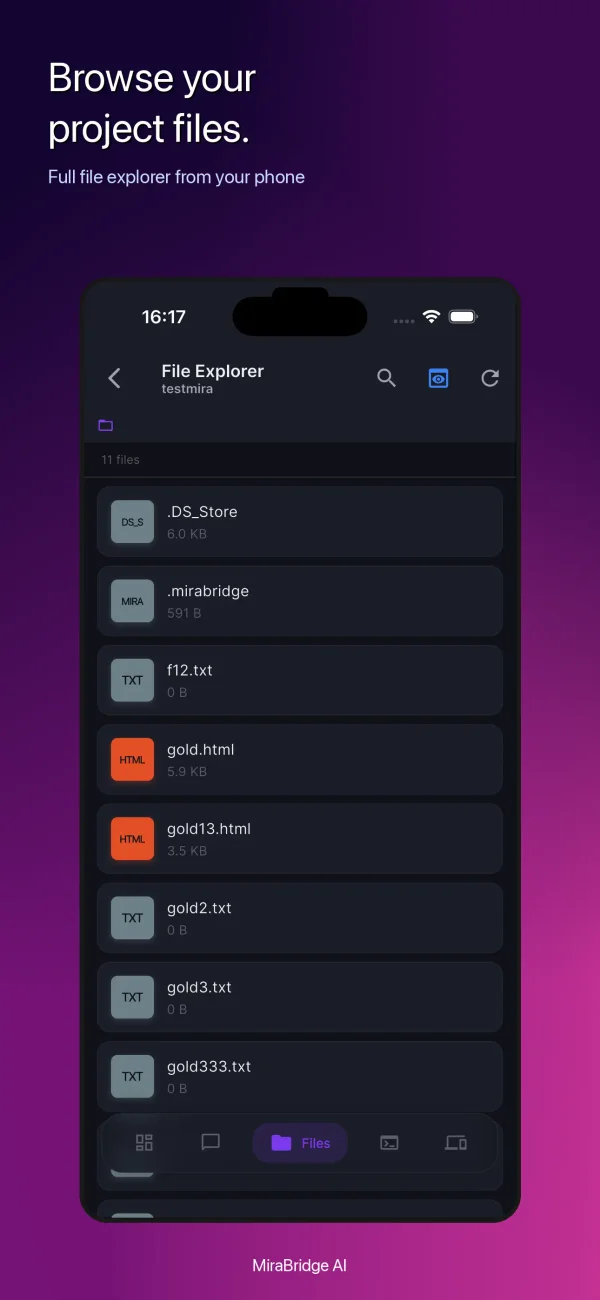
FILE AND WORKSPACE CONTEXT
Browse project files, inspect code, and keep track of workspace state from a mobile interface designed for developers, not a generic remote desktop.
MODEL AND AGENT WORKFLOWS
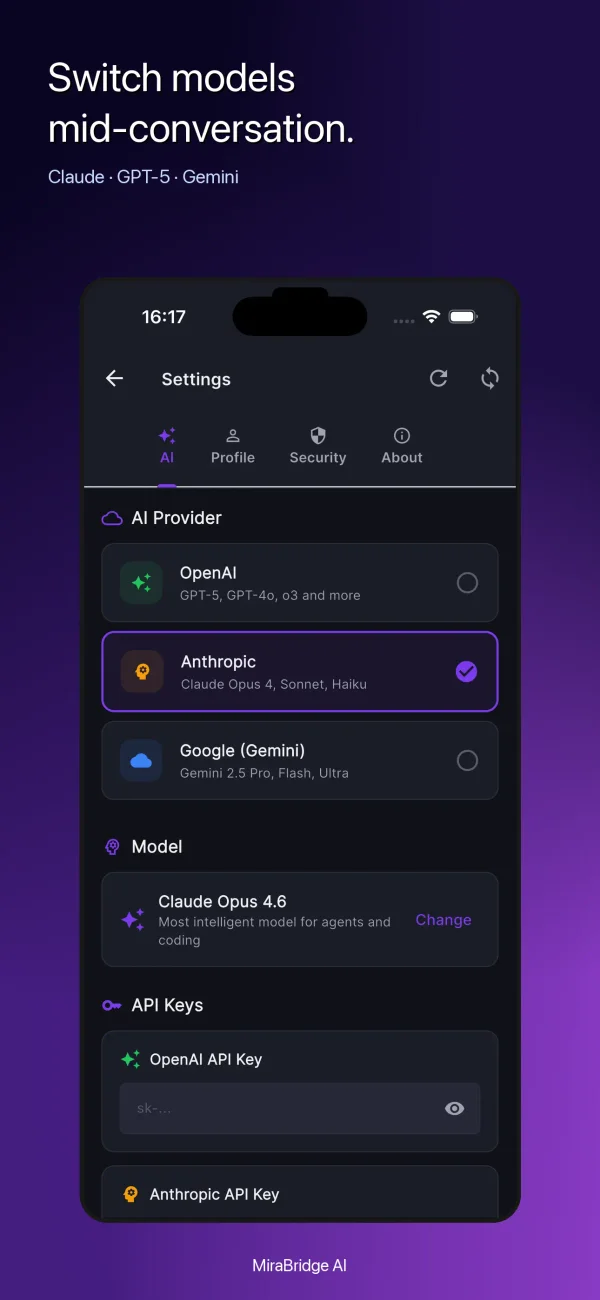
Use MiraBridge with supported AI coding providers and agent modes. Switch context, send follow-up instructions, and keep approvals organized across your coding workflow.
DESIGNED FOR CONTROL
MiraBridge keeps the developer in the loop. AI can help write code, investigate issues, and run tools, while you stay responsible for review, approval, and direction.
MiraBridge AI is for developers who want their coding session to keep moving, even when they step away from the keyboard.
What’s new
Version 1.0.18 · May 25, 2026
What's New in 1.0.17:
• Live Activity (iOS): monitor your AI coding session right from the lock screen
• Custom mode picker now built into the chat toolbar
• Faster, more reliable connections (HTTP timeouts, smarter token refresh)
• Cross-surface agent activity feed stays consistent across every device
• Plan-mode state now persists across sessions
• Cost cap warnings surface inline before you hit a limit
• AI replies and the UI honor your stored account language
• Improved crash reporting for faster bug fixes
• Removed: regenerate-response (cleaner conversation flow); MCP management moved to Desktop
• General stability and bug fixes
App privacy
What declares on the App Store about how this app handles data.
-
Data linked to you
May be collected and linked to your identity.
- Identifiers
- Usage data
Privacy practices may vary, for example with the features you use or your age.
Information
- Seller
- Berkant Uluer
- Category
- Developer Tools
- Version
- 1.0.18
- Updated
- May 25, 2026
- Released
- Apr 7, 2026
- Size
- 39.9 MB
- Requires
- iOS 16.0 or later
- Age rating
- 4+
- Price
- Free
- Languages
- English
- Copyright
- © 2026 MiraTech AI
You might also like
-
 DeepCode: Code with AIAI Chat for Your Code
-
 Code Converter AIAI-Powered Coding Assistant
-
 GameForge AI: Code & BuildDeveloper Tools
-
 Vicoa: Claude Code & Codex IDEVibe Code Anywhere, AI Agents
-
 Mobile IDE for Antigravity AIVibecode Remote Code Helper
-
 Nano AI - for OllamaModern AI Chat Client
-
 Mobile IDE: AI App BuilderVibe Code Generator & Preview
-
 OpenCode Mobile AppDeveloper Tools
-
 Happy: Codex & Claude Code AppAI coding agents for your team
-
 Swifty Compiler: Swift IDECode Editor & Playground