
Mirimi
Review notes before you forget
Designed for iPhone, iPod touch
Free · In-app purchases
- Age rating12+
- CategoryEducation
- DeveloperJinwook Choi
- LanguagesEnglish+ 3 more
- Size88.6 MB
Links to the official App Store page
Download.org hosts no file of Mirimi. The button opens its official App Store page, published by Jinwook Choi. Listing last checked on Nov 23, 2026.
Screenshots


About
You read the slides. A week later, it's gone.
Just add your files. Mirimi, your AI coach, makes questions from them and asks first, before you forget.
■ How it works
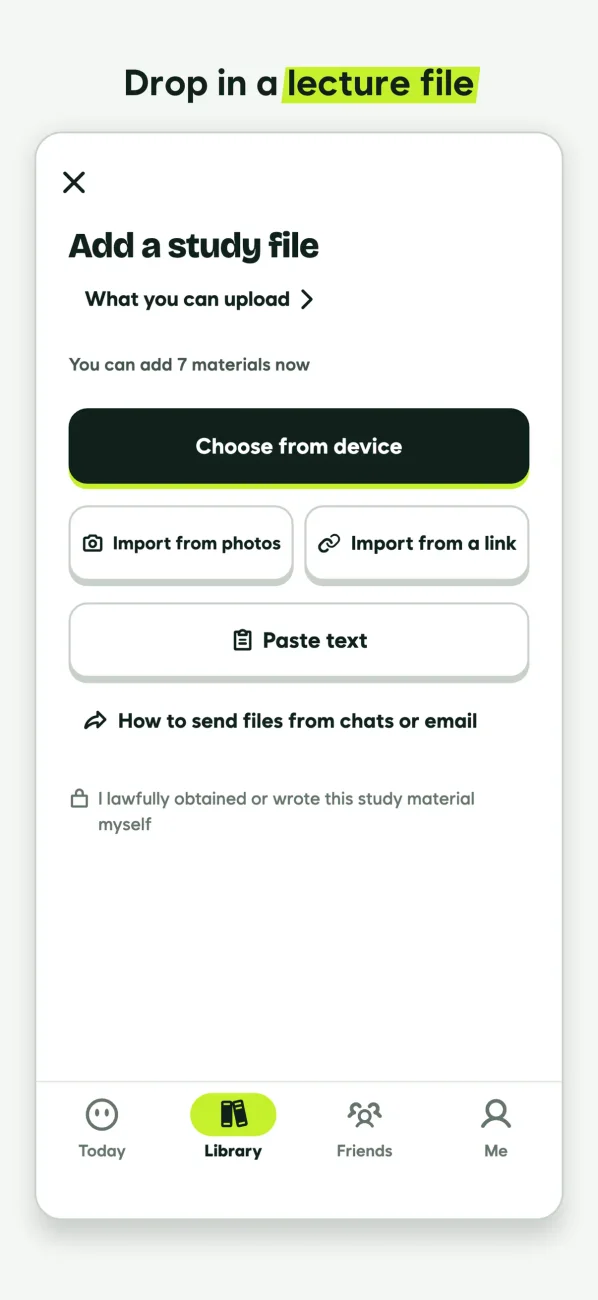
1. Add a PDF, PowerPoint, Word, .txt or .md file, a photo of a page or your notes, a web page or public Drive link, pasted text, or a file shared from another app.
2. Multiple-choice, true/false and short-answer questions are written from that material only.
3. A reminder arrives as your memory fades. A few questions are enough, and you can answer O/X right in the notification.
■ What your AI coach does
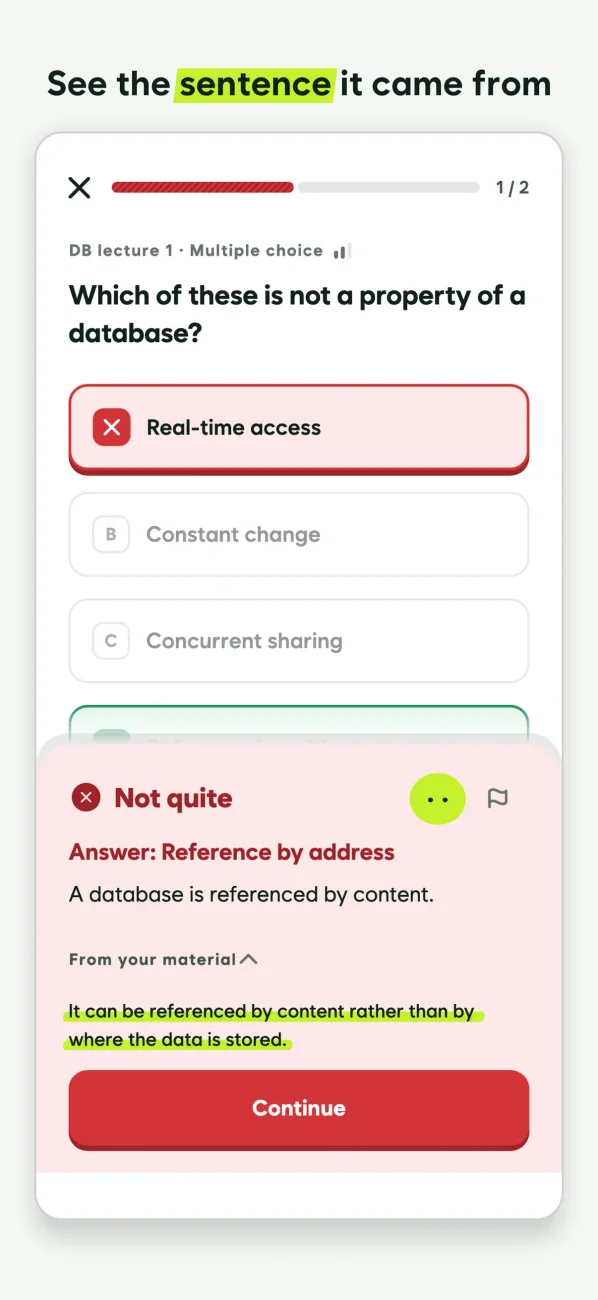
• Grounded in your material — every question shows the sentence it came from.
• Difficulty that follows you — it starts simple, gets harder after a few right in a row and easier after a miss. Seven steps, from two-choice to flashcards.
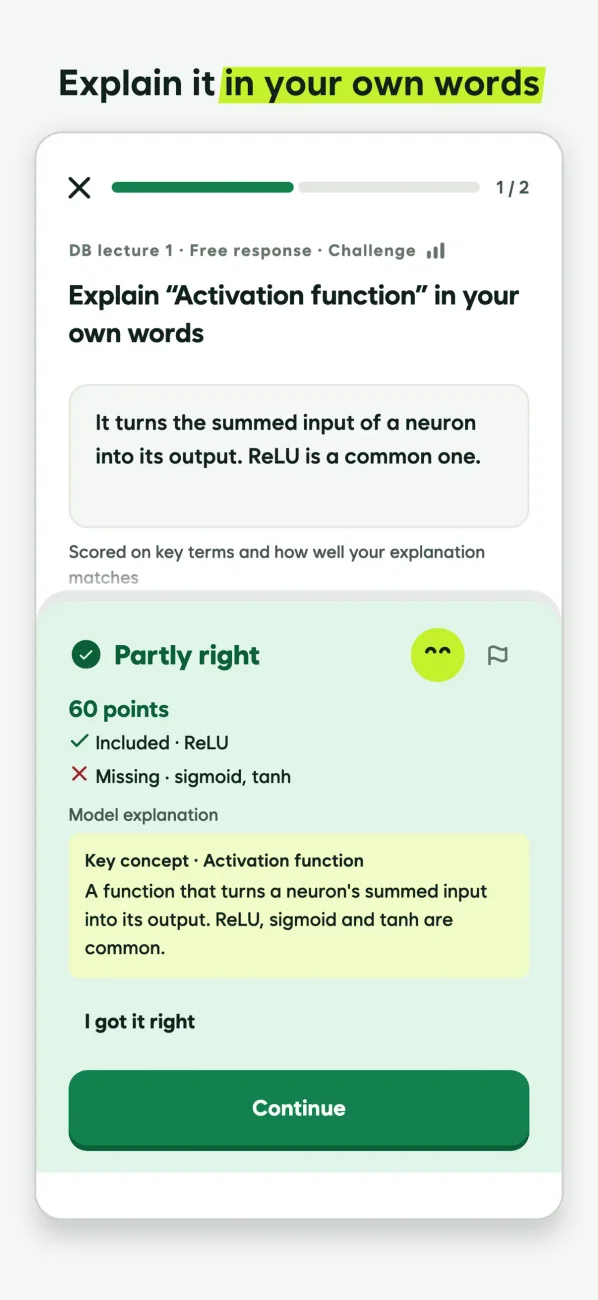
• Free response — now and then, explain a concept you know in your own words. Scored 0–100 on key terms and closeness, with a model explanation.
• Spaced repetition — right answers come back later each time; misses come back soon.
• A daily amount that adjusts (5 to 25 questions) — more when you finish every day, fewer when you quit midway or take a break. Or set it in Settings.
• Room to be stuck — hard questions return with a hint, and typed answers accept small slips.
• Weak concepts — miss one twice running and it's explained first; you can also get extra questions on it.
• Two languages — files in another language get both; flip with one tap.
■ Four tabs
• Today — questions due, one [Start review] button, your streak, study time, accuracy and missed questions.
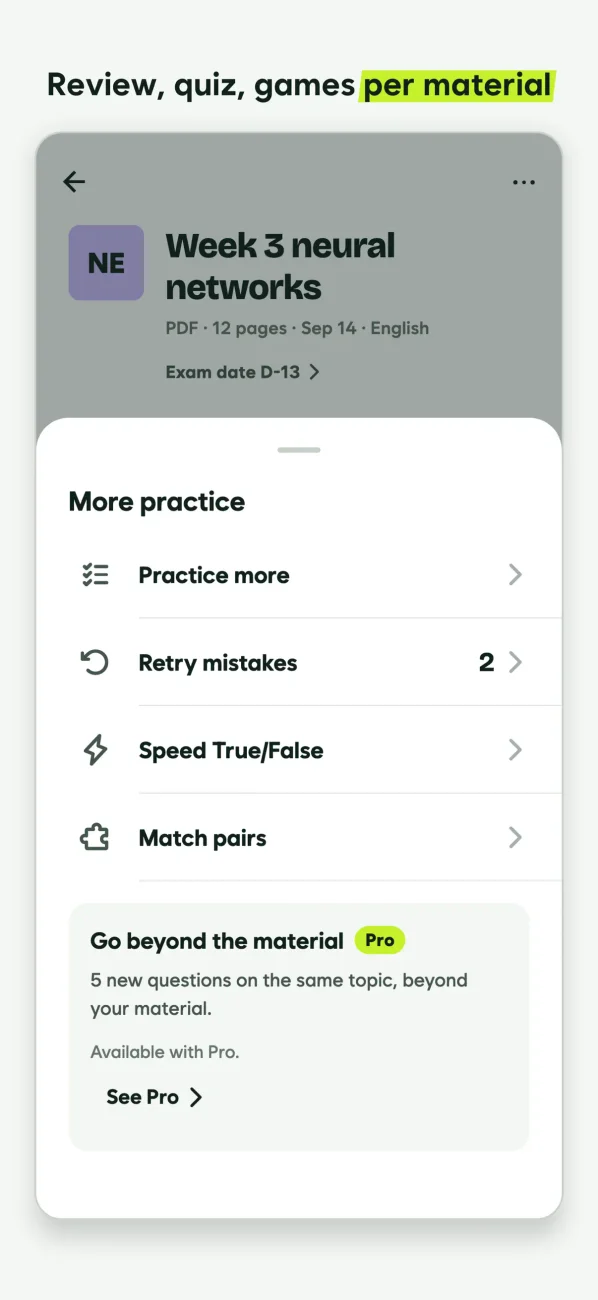
• Library — your materials and how well you know each. One button starts a review; More practice has extra questions, retries, Speed True/False and Match pairs.
• Groups — review a course's materials together.
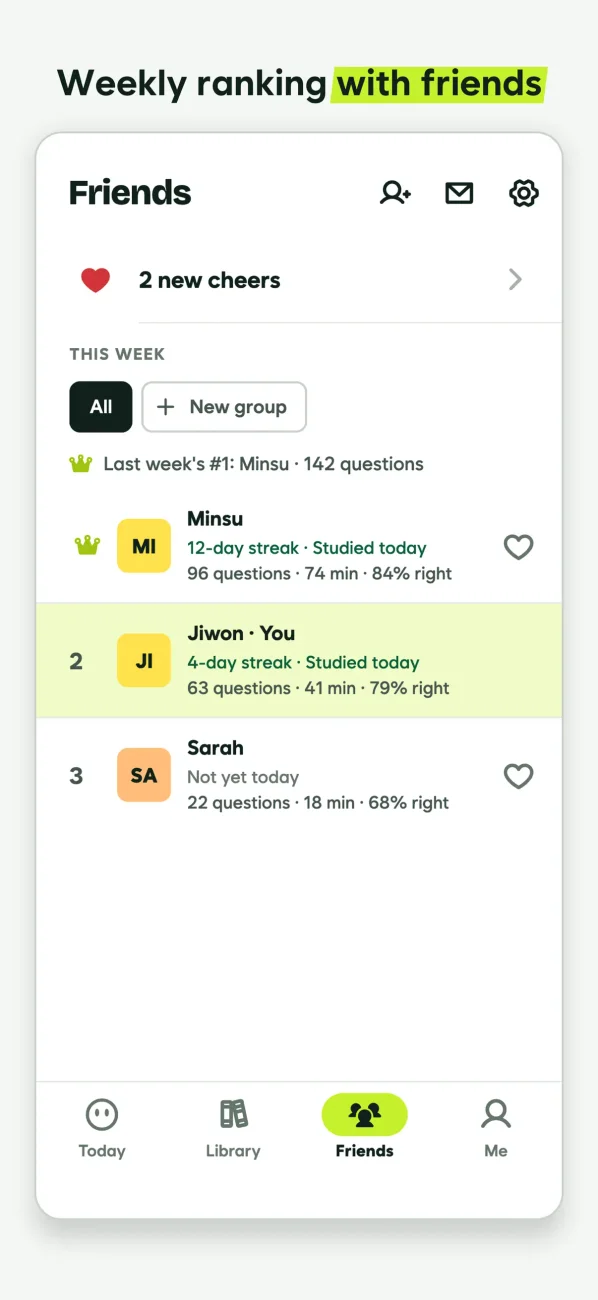
• Friends — this week's ranking, friends' progress and cheers. Hide any material.
• Me — streak, 14-day memory curve, accuracy by material and concept, study time, weekly coach report.
■ Reminders
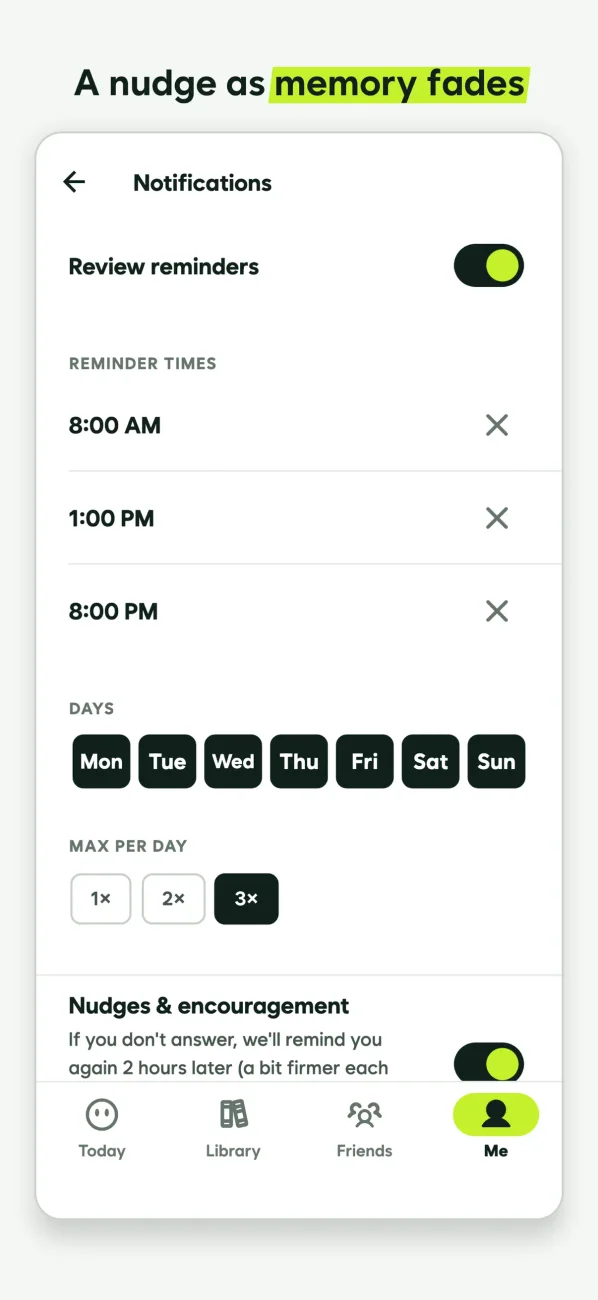
• Question reminders alternate with plain nudges and rotate through all your materials.
• Choose times, days, how many per day, and quiet hours.
• Reminders are scheduled on your iPhone, not a server.
■ Privacy
• Your original file is never uploaded. Text is extracted on your iPhone, and only the text needed for questions is sent. Pro figure reading sends only figure images, which are not stored.
• Crash reports and usage data can be turned off (Me → Settings → Privacy); neither carries your material or email.
• Delete your account in the app (Me → Settings → Delete account); your materials, questions and study history go with it.
■ Plans
• You start on the free plan; no payment details needed.
• The free plan keeps 5 materials for review and lets you add 2 a day.
• On the free plan, today's review and retrying mistakes aren't limited. Extra practice (Practice more, Speed True/False, Match pairs) is 2 rounds a day, plus 2 more by watching an ad. One ad plays after your results each session. Pro has no ads and no practice limit.
• Pro: ₩6,900 a month in Korea (US$4.99 in the US; prices vary by country). It renews automatically every month until cancelled and is charged to your Apple Account. Cancel at least 24 hours before the period ends in Settings → Apple Account → Subscriptions. Pro has no limit on materials and adds beyond-the-material questions, figure reading and more question sets each day.
■ Pro extras
• Five more questions that take a material's topic further.
• Figure reading: AI turns graphs, diagrams and tables in images into text (30 pages a day, 200 a month).
■ Good to know
• AI writes the questions, so some can be wrong or awkward. Report one in a tap, and check your original material before an exam.
• No guarantee of grades or learning outcomes.
• For ages 14 and up.
• Languages: Korean, English, Vietnamese, Japanese.
Terms of Use: https://iterialab.com/mirimi/terms/en.html
Privacy Policy: https://iterialab.com/mirimi/privacy/en.html
What’s new
Version 1.0.9 · Nov 22, 2026
• Free response: explain a concept you know in your own words; scored 0–100 on key terms, with a model explanation
• Auto daily amount: more when you finish every day, fewer if you quit midway or take a break (or set it in Settings)
• Reminders: questions alternate with plain nudges and rotate through your materials
• Simpler material screen: one study button, the rest in More practice and ⋯
• Simpler questions first; no locked stages
• Concept refreshers after two straight misses
• Small fixes
App privacy
What Jinwook Choi declares on the App Store about how this app handles data.
-
Data linked to you
May be collected and linked to your identity.
- Purchases
- Location
- Contact info
- User content
- Identifiers
- Usage data
- Other data
-
Data not linked to you
May be collected but is not linked to your identity.
- Usage data
- Diagnostics
Privacy practices may vary, for example with the features you use or your age.
Information
- Seller
- Jinwook Choi
- Category
- Education
- Version
- 1.0.9
- Updated
- Nov 22, 2026
- Released
- Nov 2, 2026
- Size
- 88.6 MB
- Requires
- iOS 15.5 or later
- Age rating
- 12+
- Price
- Free
- In-app purchases
- Yes
- Languages
- English, Japanese, Korean, Vietnamese
- Copyright
- © 2026 ITERIA
You might also like
-
 Illumine: Living Bible AppHebrew and Greek, word by word
-
 문제 - 유사문제·시험지 만들기Education
-
 한남대학교 중앙도서관Education
-
 정처기 실기 - 정보처리기사 실기 시험 대비Education
-
 시간표친구Education
-
 pomoco - 뽀모도로 공부 타이머Education
-
 Notit - AI Notes Saving TimeStudy most important topics
-
 Stdy AI - Lecture Note TakerExam Prep, Quiz & PDF Summary
-
 QuizEve: AI Exam & Quiz MakerCustom Study Notes & Mock Test
-
 마이데스크Education