Mirror Local Cast
Local Wi-Fi Screen Casting
Designed for iPhone, iPad, iPod touch
Free
- Age rating4+
- CategoryProductivity
- DeveloperCHARLES MORGAN
- LanguagesEnglish
- Size10.6 MB
Links to the official App Store page
Download.org hosts no file of Mirror Local Cast. The button opens its official App Store page, published by CHARLES MORGAN. Listing last checked on Nov 16, 2026.
Screenshots
About
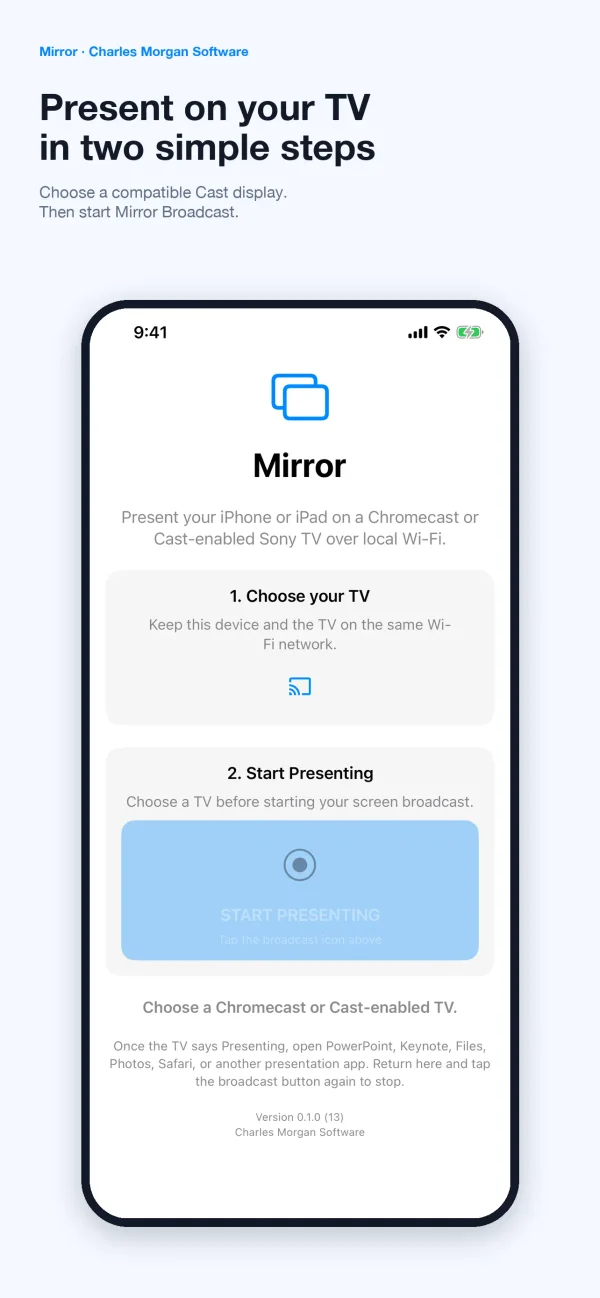
Mirror Local Cast makes it easy to present your entire iPhone or iPad screen on a Chromecast or Cast-enabled Sony TV over the same local Wi-Fi network.
Choose your TV, tap Start Presenting, select Mirror Broadcast, and open Keynote, PowerPoint, Photos, Files, Safari, or another visual presentation app.
Mirror preserves the complete screen:
- Portrait presentations are centered with black side bars.
- Landscape presentations use the TV's full width.
- Video is optimized for responsive visual presentations.
Mirror is free and does not require an account or a hosted relay server. Screen content travels directly across your local Wi-Fi network to the selected Cast receiver.
Audio is not streamed. Mirror is designed for slides, documents, photos, websites, demonstrations, and other visual presentations.
Requirements:
- iPhone or iPad and TV connected to the same Wi-Fi network
- Chromecast or a Cast-enabled Sony TV
- Local network and screen broadcast permissions
App privacy
What CHARLES MORGAN declares on the App Store about how this app handles data.
-
Data not linked to you
May be collected but is not linked to your identity.
- Identifiers
- Usage data
- Diagnostics
Privacy practices may vary, for example with the features you use or your age.
Information
- Seller
- CHARLES MORGAN
- Category
- Productivity
- Version
- 1.0
- Updated
- Jul 29, 2026
- Released
- Jul 29, 2026
- Size
- 10.6 MB
- Requires
- iOS 15.0 or later
- Age rating
- 4+
- Price
- Free
- Languages
- English
- Copyright
- © 2026 Charles Morgan Software
You might also like
-
 Simple Chromecast MirrorSend you screen to Chromecast
-
 Screen Mirroring Cast to TV+Mirroring Your Phone to TV
-
 Shepherd Church CareCare for every church member
-
 Shepherd: A Pastoral DashboardProductivity
-
 AirCue - Pro TeleprompterProductivity
-
 InfinotesInfinite zoom note taking
-
 Dual Screen SyncProductivity
-
 Teleprompter Portablescript recorder & prompter
-
 SceneSync for HueSync Hue scenes to Home app
-
 StretchPaperThe Infinite Drawing App