- Age rating4+
- CategoryUtilities
- DeveloperGeorge Boahene
- LanguagesEnglish
- Size3.5 MB
Links to the official App Store page
Download.org hosts no file of MirrorType. The button opens its official App Store page, published by George Boahene. Listing last checked on Nov 14, 2026.
Screenshots




About
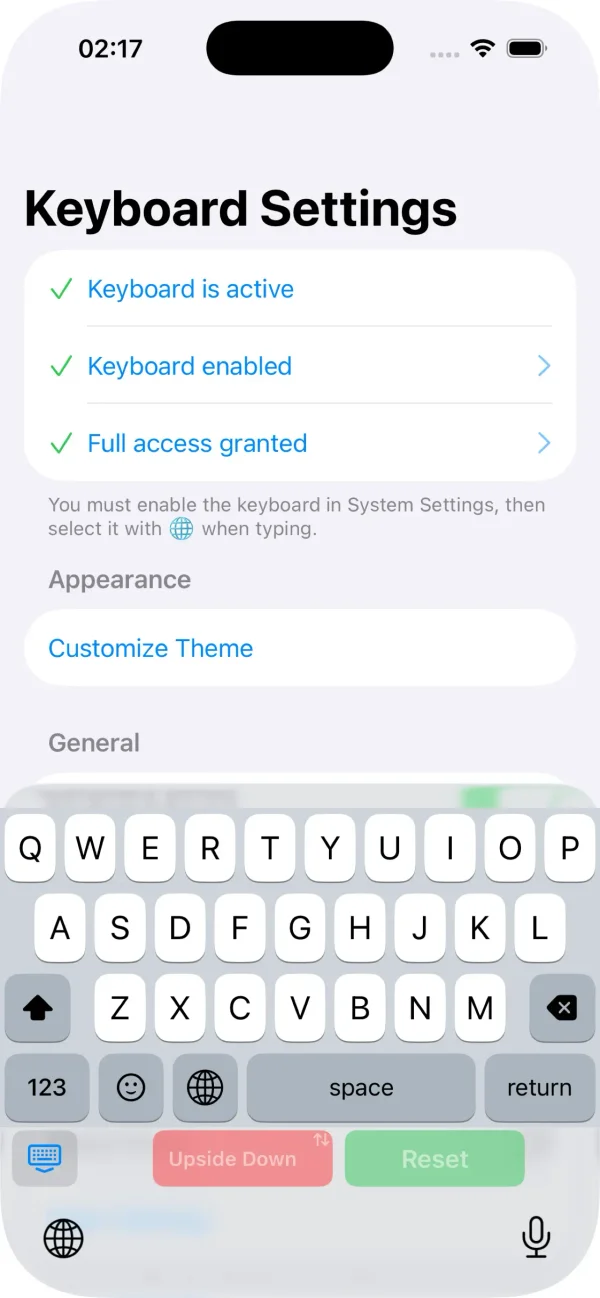
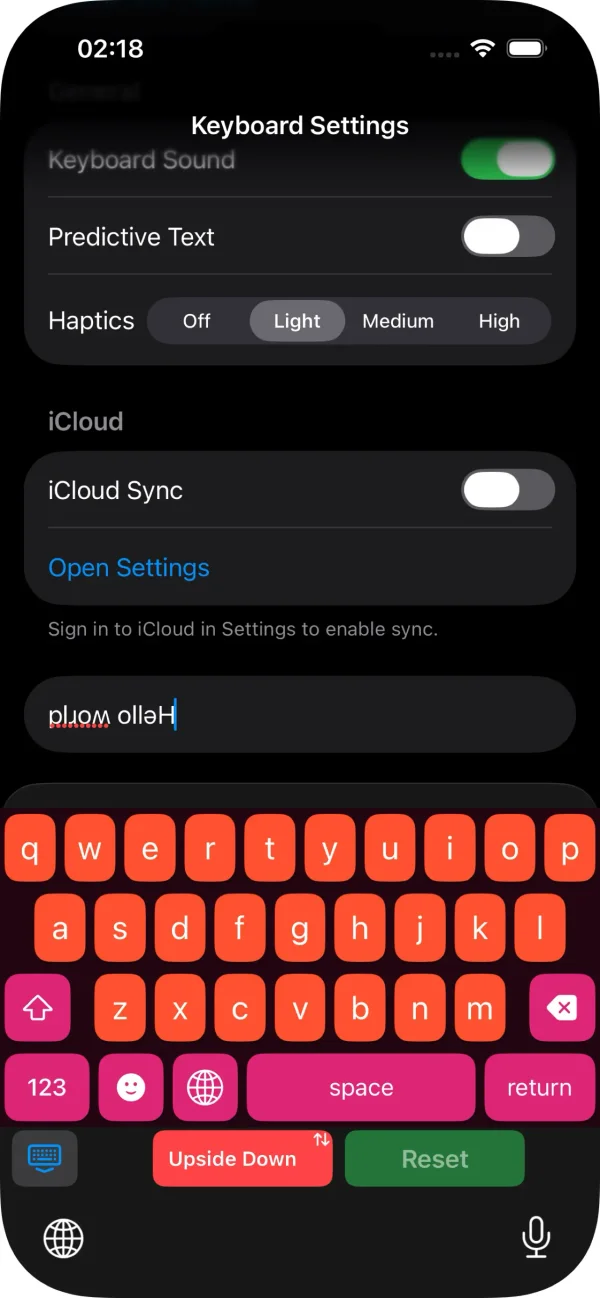
MirrorType is a custom iOS keyboard that lets you flip your text upside down and transform it in creative ways.
FEATURES:
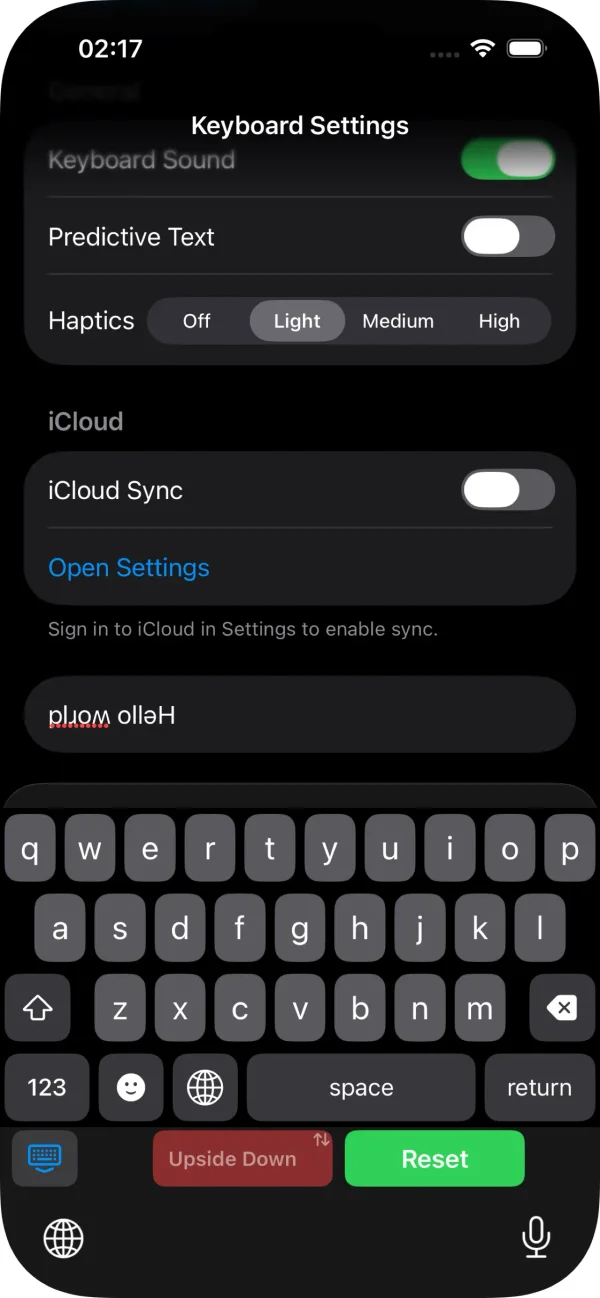
• Flip Text — Instantly transform your typed text into upside-down characters. Surprise your friends with mirrored messages.
• Bubble Text — Convert your text into circled Unicode characters for a unique look.
• Custom Themes — Choose from premium preset themes like Cyberpunk, Matcha, Vampire, Ocean, and more, or create your own with full color customization.
• Emoji Keyboard — Full emoji support with categorized browsing, frequently used emojis, and smooth scrolling.
• Autocomplete — Predictive text suggestions to speed up your typing.
• Spacebar Cursor Control — Long-press the spacebar and drag to precisely position your cursor.
• iCloud Sync — Keep your theme, sound, and haptic settings consistent across all your Apple devices.
• Haptic Feedback — Customizable haptic intensity (off, light, medium, high).
• Keyboard Sounds — Optional typing sounds for tactile feedback.
PRIVACY:
MirrorType requests Full Access to enable features like haptic feedback, keyboard sounds, and iCloud sync. Your keystrokes are never collected, stored, or transmitted. All text processing happens entirely on your device.
Get started in seconds — the app guides you through enabling the keyboard and granting Full Access with a step-by-step animated tutorial.
What’s new
Version 1.0.1 · Sep 15, 2026
The built-in themes have clearer contrast, and the theme editor warns you before you save colors that would be hard to read
Improved VoiceOver, Dynamic Type, and Reduce Motion support
Typing feels faster and smoother throughout
Tapping a suggestion right after a space or punctuation no longer replaces the wrong word
App privacy
What George Boahene declares on the App Store about how this app handles data.
-
Data not collected
The developer does not collect any data from this app.
Privacy practices may vary, for example with the features you use or your age.
Information
- Seller
- George Boahene
- Category
- Utilities
- Version
- 1.0.1
- Updated
- Sep 15, 2026
- Released
- Aug 26, 2026
- Size
- 3.5 MB
- Requires
- iOS 16.6 or later
- Age rating
- 4+
- Languages
- English
- Copyright
- © 2026 MirrorType. All rights reserved.
You might also like
-
 Flip Text: Upside Down & FontsReverse, Mirror & Secret Codes
-
 Type180Mirrored Text Notepad
-
 Truth Check – Certified ProofTimestamped photo/video & AI
-
 TextMirrorPrank your friends
-
 Hear Better from DistanceLive Hearing Amplifier
-
 Flip and Reverse TextText Reverser
-
 IIDControlUtilities
-
 Nickname generator, Name styleFont style cool name generator
-
 Track Caller LocationSIM Location & Provider Info
-
 Sandy TimerThe real sand timer