
Missnote - Mistake Journal
AI Review for Exam Prep
Designed for iPhone, iPad, iPod touch
Free · In-app purchases
- Age rating4+
- CategoryEducation
- DeveloperMooncode
- LanguagesEnglish+ 33 more
- Size73.9 MB
Links to the official App Store page
Download.org hosts no file of Missnote - Mistake Journal. The button opens its official App Store page, published by Mooncode. Listing last checked on Nov 17, 2026.
Screenshots



About
"Turn every wrong answer into your next score gain."
Missnote is a mistake journal for students, test takers, and anyone preparing for exams.
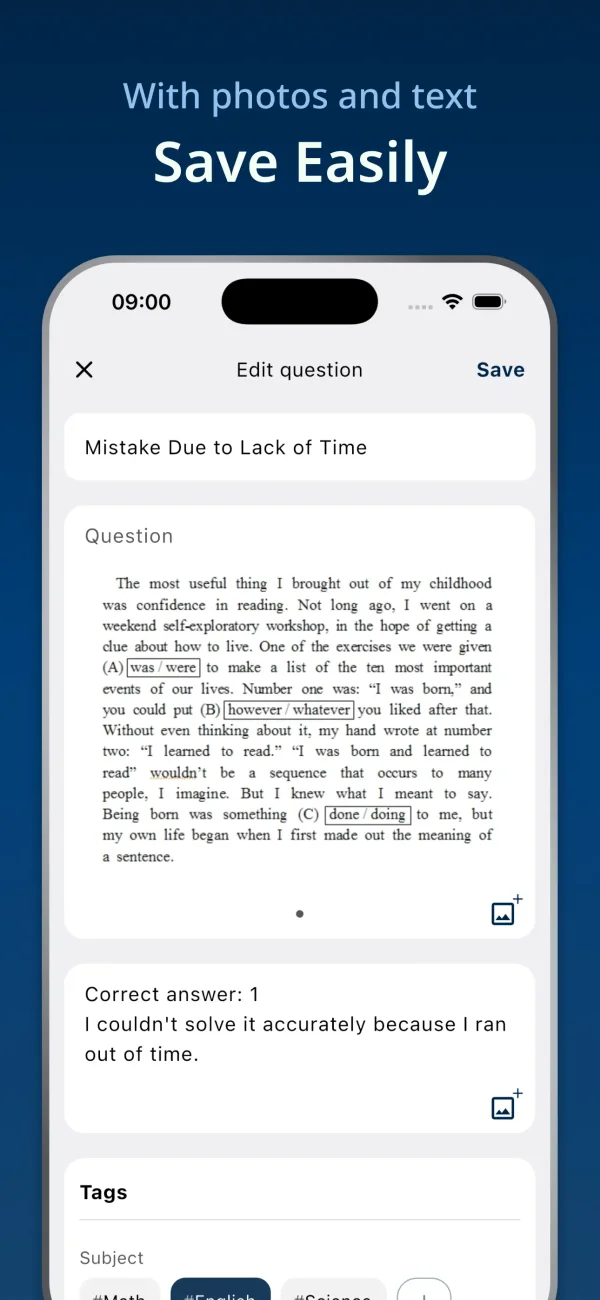
Save missed questions, confusing problems, and questions you want to solve again as photos or text. Organize them with tags, markings, and custom notebooks.
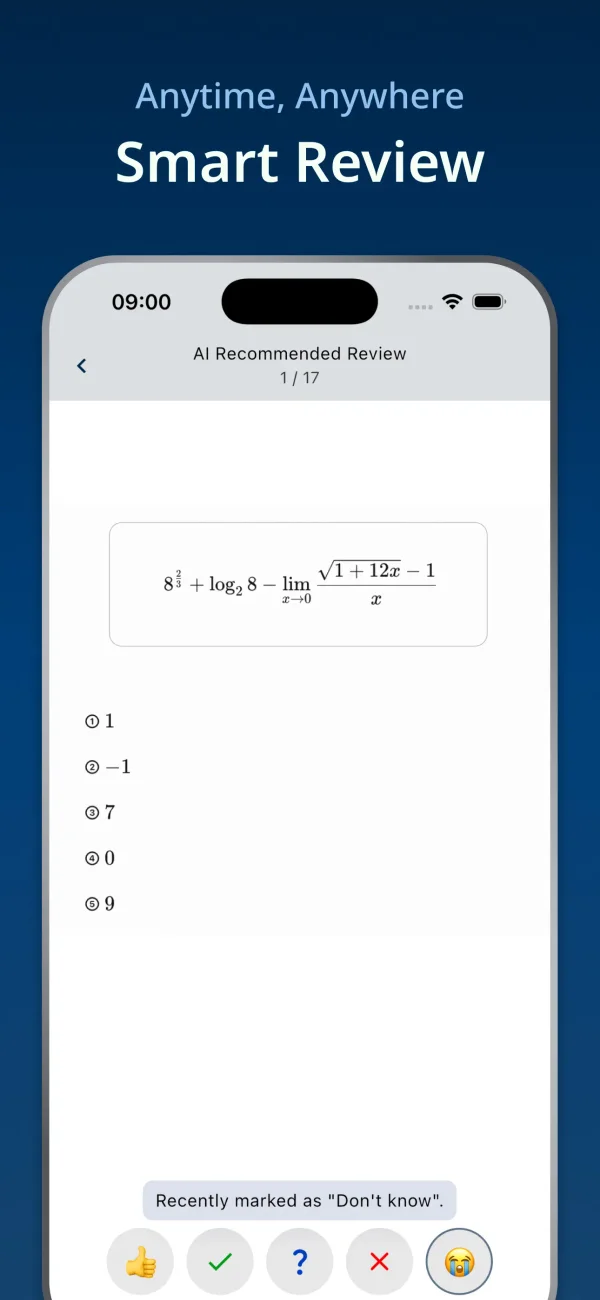
AI review suggestions and spaced repetition-based timing help you know what to review today, so your mistake log becomes a smarter study routine.
● Key Features
• Save questions quickly with photos or text
Capture exam questions, past paper problems, workbook pages, and important exercises with a photo, or type them in directly.
Use the scanner feature to keep question images clean and easy to review.
• Organize mistakes with tags and markings
Add tags such as #math, #functions, #carelessMistake, and mark questions with your own icons.
Find the right problems fast by subject, chapter, exam range, difficulty, or mistake type.
• Create your own review notebooks
Group saved questions into custom notebooks.
Build sets like “SAT math review,” “final exam mistakes,” “certification practice,” or “questions I keep missing,” then review them whenever you need.
• Review mode
Go through saved questions one by one and check them again.
Do more than look at the answer: write why you missed it, what concept you forgot, and how to solve it correctly next time.
• AI review suggestions
Missnote recommends questions that may be worth reviewing now based on your review history, last viewed date, important marks, and frequently missed problems.
Spend less time choosing what to study and more time improving your weak spots.
• Spaced repetition-based review timing
Manage today’s review targets by focusing on questions you have not seen recently or questions that are ready to be reviewed again.
Build a steady review habit so important mistakes do not disappear from memory.
• Review reminders
Get notified when you have questions to review today.
Keep your mistake journal routine going even during a busy exam season.
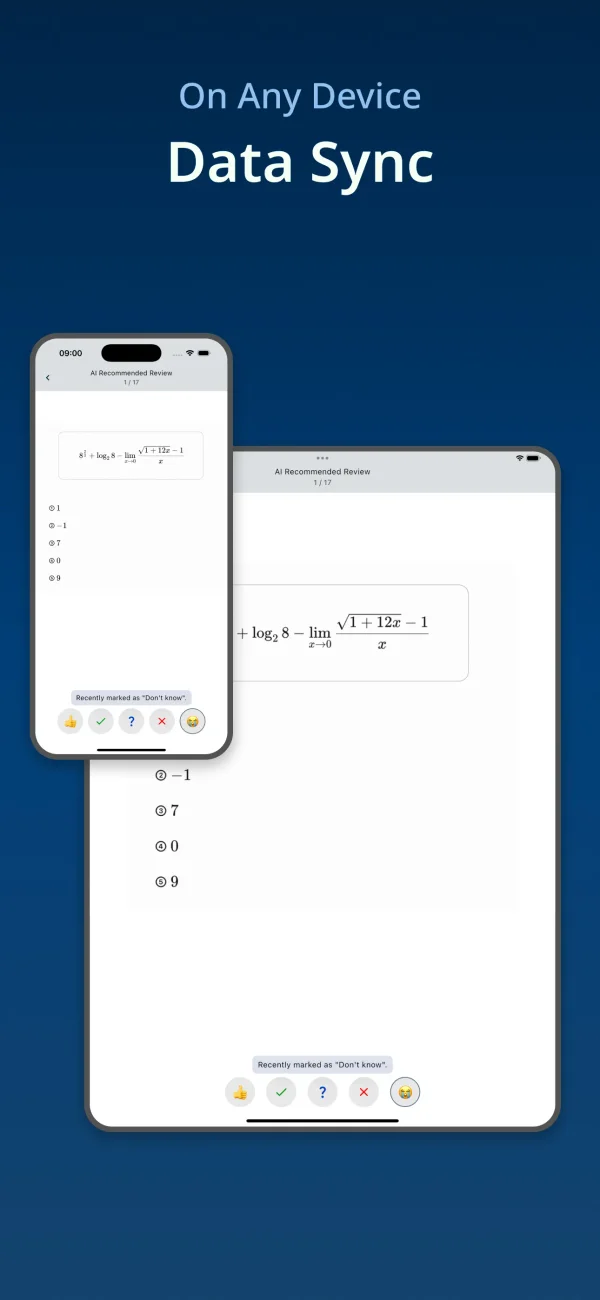
• Continue across devices
Sync your data across your phone, tablet, and other devices.
Review your saved questions at school, in the library, at home, or anywhere you study.
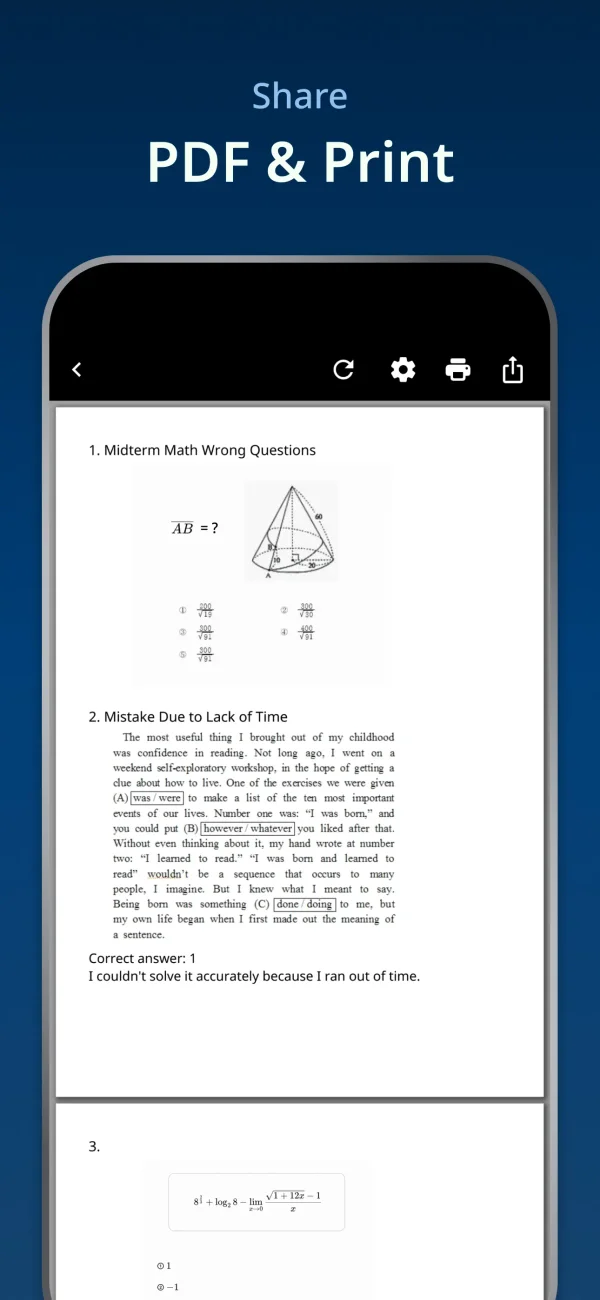
• Create and print PDFs
Turn selected questions into a PDF, share it, or print it.
Useful when you want to solve wrong answers again on paper or make a quick review sheet before an exam.
[Recommended for]
• Students who want a faster alternative to a paper mistake notebook
• Test takers preparing for school exams, SAT, ACT, GCSE, A-Level, AP, certification exams, or college tests
• Anyone who wants to save question photos and organize them with tags
• Learners who do not want to miss review timing with AI suggestions and reminders
• Students who want to export wrong answers as PDFs and solve them again
Missnote is not just a place to store questions.
It helps you manage wrong answers, organize study notes, choose what to review, set reminders, and print PDF review sheets in one study app.
The habit of reviewing mistakes can make the difference on exam day.
Start a more organized exam prep routine with Missnote.
Permissions
This application uses the permissions below. There are no required permissions, and you can use the application even if you do not grant them.
Push notifications: receive reminders when there are questions to review.
Camera: add a question using a photo taken with the camera.
Photos: add a question using an image from your photo library.
Contact
For questions about the application, please email support@mooncode.app.
Terms of Use
https://mooncode.app/terms-of-use
Privacy Policy
https://mooncode.app/privacy-policy
What’s new
Version 1.2.0 · Oct 21, 2026
Automatic question books: Automatically collect questions matching your conditions.
Custom reviews: Set conditions and question count to create your own review.
Reminder settings for each review
Sorting within question books
Random review of question books
Fixed PDF saving and sharing not working properly in some languages
App privacy
What Mooncode declares on the App Store about how this app handles data.
-
Data not linked to you
May be collected but is not linked to your identity.
- Contact info
- User content
- Identifiers
- Usage data
- Diagnostics
Privacy practices may vary, for example with the features you use or your age.
Information
- Seller
- Mooncode
- Category
- Education
- Version
- 1.2.0
- Updated
- Oct 21, 2026
- Released
- May 5, 2026
- Size
- 73.9 MB
- Requires
- iOS 15.0 or later
- Age rating
- 4+
- Price
- Free
- In-app purchases
- Yes
- Languages
- English, Arabic, Bengali, Catalan, Croatian, Czech, Danish, Dutch, Finnish, French, German, Greek + 22 more
- Copyright
- © 2026 Mooncode
You might also like
-
 AprovadoEasy Study Control!
-
 Notepad by SubjectNotes
-
 School Planner: Class ScheduleCollege calendar & homework
-
 YPT - Study Timer & TrackerPlanner, Focus & Study Group
-
 Cogni: AI Flashcards & NotesMemorize more in less time
-
 Jungle: AI Flashcards & Quizstudying doesn’t have to suck
-
 RemNote - Notes & FlashcardsReplace: Notion, Quizlet, Anki
-
 Easy Study - Timetable PlannerCollege Scholl Tasks Organizer
-
 RevisAppHigh School
-
 Genio AI: College Smart TutorBest app for college students