
MixSurface
Multi-touch control for Reaper
Designed for iPhone, iPad, iPod touch
Free · In-app purchases
- Age rating4+
- CategoryMusic
- DeveloperSoulful Music
- LanguagesEnglish
- Size52.0 MB
Links to the official App Store page
Download.org hosts no file of MixSurface. The button opens its official App Store page, published by Soulful Music. Listing last checked on Nov 23, 2026.
Screenshots
About
MixSurface is a wireless control surface for the REAPER digital audio workstation. Set it up once and mix, tweak, and perform from your iPhone or iPad.
REQUIRES REAPER running on your Mac or PC on the same local network, plus a small free extension. MixSurface is a remote controller, not a copy of REAPER. No REAPER handy? Tap Try Demo on the connect screen and explore the app with a simulated session, no setup required.
* FADERS THAT FEEL GREAT
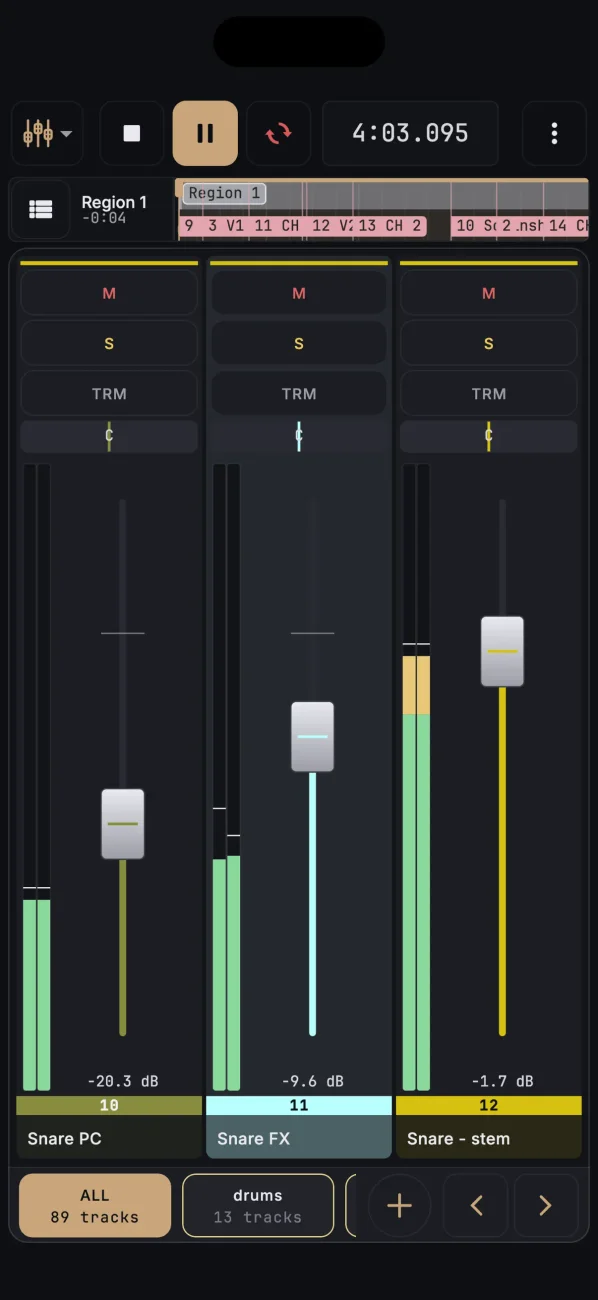
Faders, pan, mute, solo and metering, with touch response tuned for real mixing: fast, precise and smooth under your fingers. Bank across every track, or group them into custom layers you switch in a tap.
* SENDS ON FADER, INCLUDED FREE
Flip the whole mixer into send mode and ride one destination across every channel, the classic console monitor-mix workflow. Pin the buses you reach for most so they are always one tap away.
* BUILT-IN EQ ADAPTERS
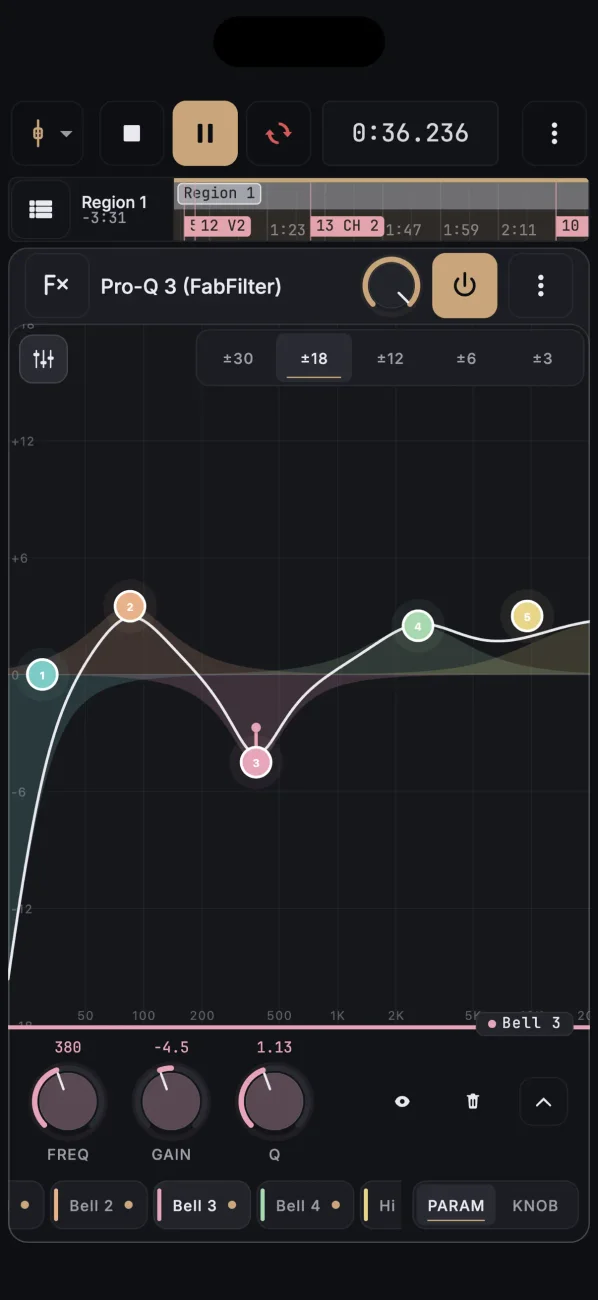
A multi-touch parametric EQ, pre-mapped to popular EQ plugins. Drag bands on the curve, pinch to set Q, and read live values straight from REAPER, with no per-plugin setup.
* CUSTOM TEMPLATES
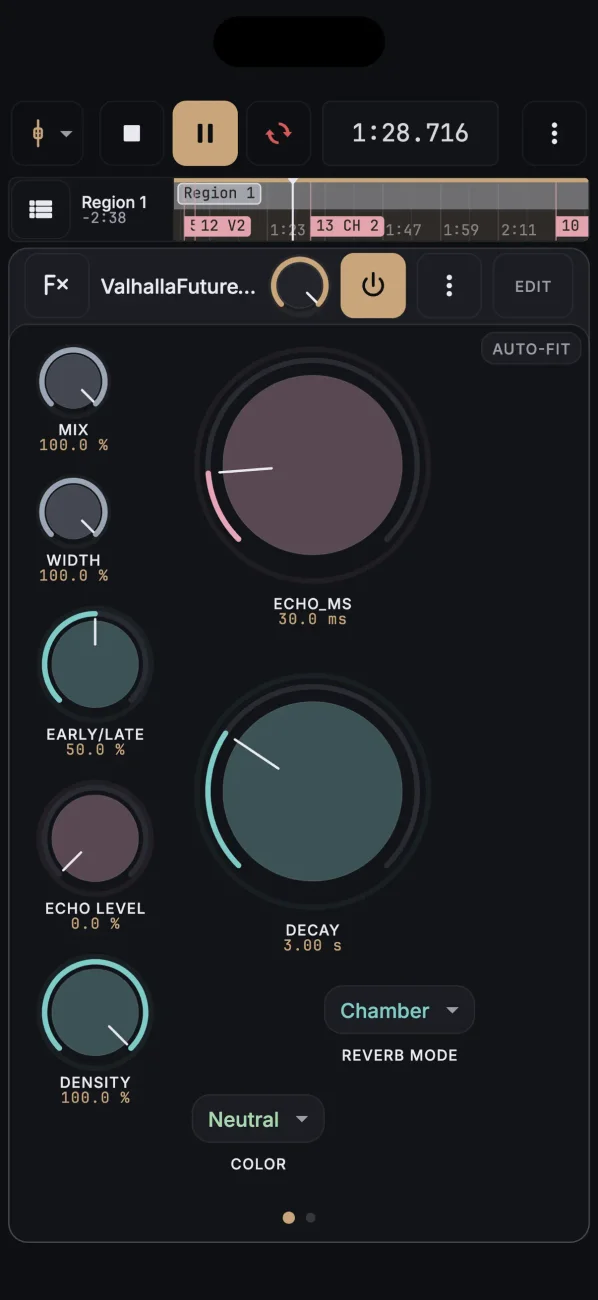
Control any plugin with knobs and faders that read and write in real time, including gain-reduction metering for compressors that report it. Use the built-in templates, or map your own in seconds with listen mode: touch a control in REAPER and it binds.
* GLOBAL CONTROL SURFACES
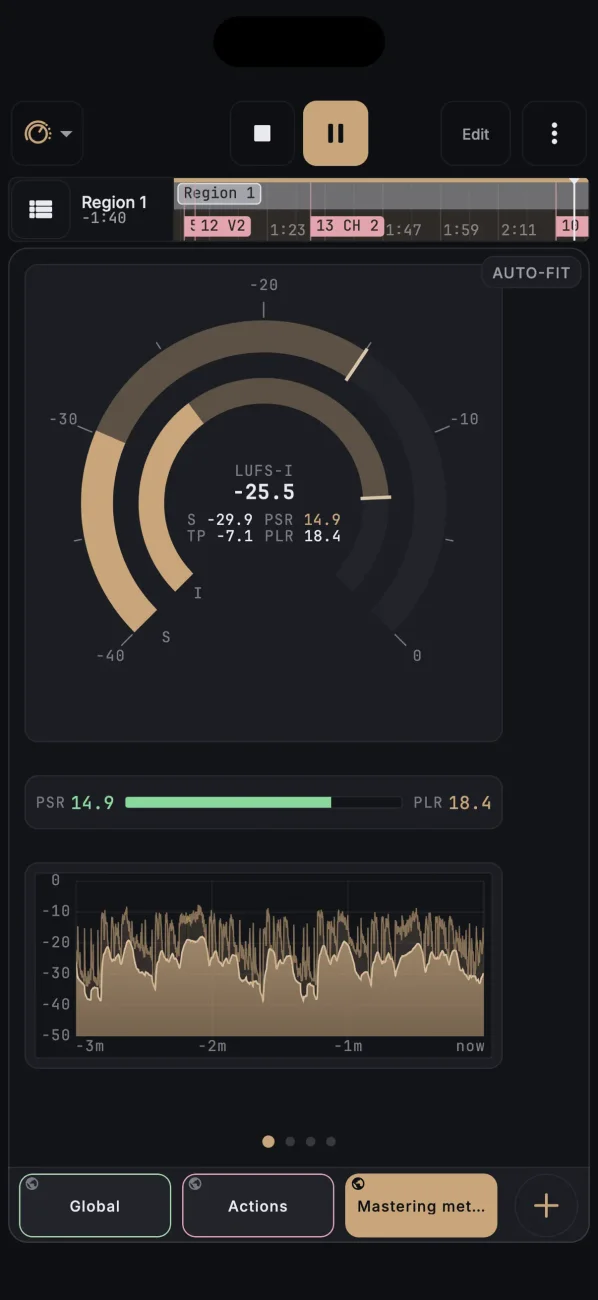
Build your own pages from plugin controls, transport and one-tap REAPER actions, then make them global so they follow you into every project.
* AUTOMATION AND TRACK SETUP
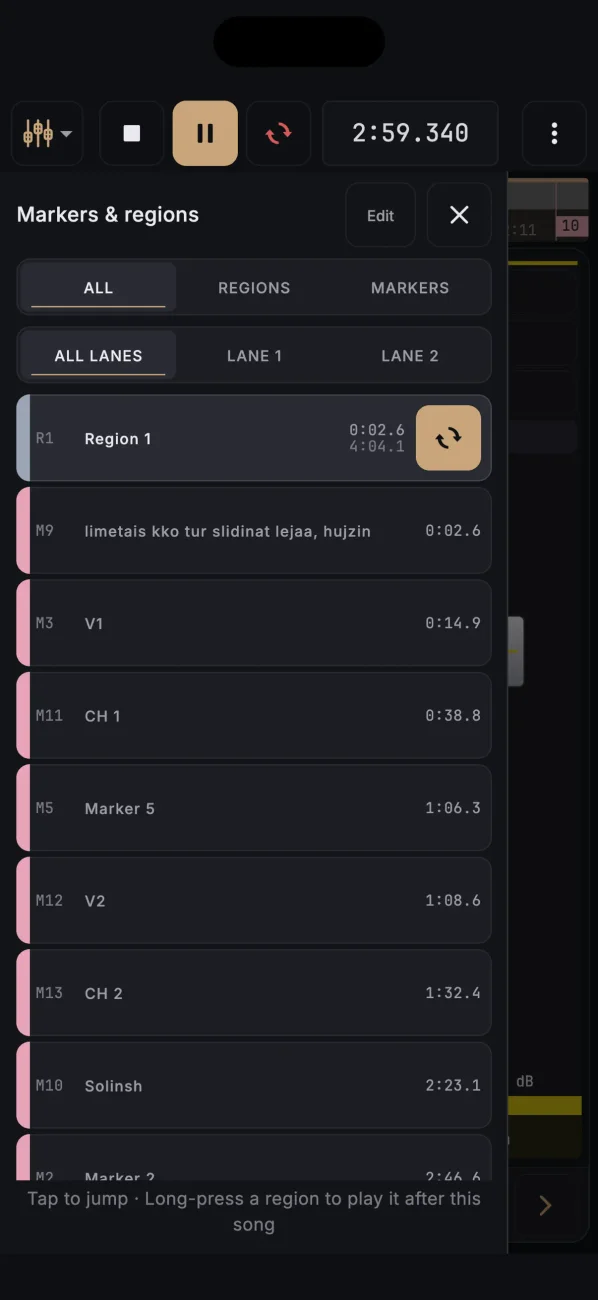
Read and write automation from the surface, with each fader showing the automation value rather than just the trim. Name tracks, set colours, choose record inputs and set monitoring without going back to the computer.
* KEEP THE VIEWS IN STEP
Show only the tracks REAPER is showing, or drive REAPER's mixer from a layer you tap. Run several phones and tablets on one session and they all stay in sync.
* FREE, PLUS ONE PURCHASE
The mixer, track layers and Sends on Fader are free, forever. One purchase, no subscription, unlocks Channel Details, the multi-touch EQ, plugin control, custom templates and the global Control View. Family Sharing supported.
Built for people who run REAPER and want a control surface that just works.
Requires REAPER 7 or later on macOS or Windows, the free MixSurface extension, and a shared local network (Wi-Fi or wired). MixSurface connects over your local network only, with no account and no cloud. Not affiliated with or endorsed by Cockos Incorporated. "REAPER" is a trademark of Cockos Incorporated.
What’s new
Version 1.0.3 · Nov 18, 2026
A big update. Before you update the app, install the REAPER extension 0.1.172 from mixsurface.app/setup and restart REAPER.
NEW
- Plugin windows on your tablet: see and touch any plugin's own window, streamed live from REAPER on Mac, Windows or Linux, in Channel Detail or full screen. Experimental: turn it on in Settings > Streaming.
- Play surface: keys with scale mode and 16 drum pads with Note Repeat (free).
- MIDI editor, Drum Rack and Sampler, routing matrix.
- Talkback from the iPad into a musician's cue, cue mixes, and a Monitor page for your control room.
- Channel strips: EQ, dynamics and colour in one strip per track.
- FX presets, multiband EQ (Pro-MB, Multiplicity), gain reduction on every dynamics curve, over 240 ready-made plugin layouts.
- A rebuilt template editor: select, marquee, grid and snapping, resize any control, containers and tabs, colour picker.
- Mixer layouts: named strip layouts per orientation.
- Scroll the mixer by swiping track names sideways. A touch stops it without pressing anything. Select on the mixer rail brings back drag-select.
- Hold ring: a line runs round a button while you hold it, so you see when a hold fires.
- New layer from your selected tracks.
- Monitor mixes for the band in a browser, from one QR code.
IMPROVED
- Fine moves: put more fingers down while you ride a control.
- Top bars end with Sends, Save, Undo, Redo.
- Clearer buttons: pressed buttons light in the accent, lit toggles fill with it.
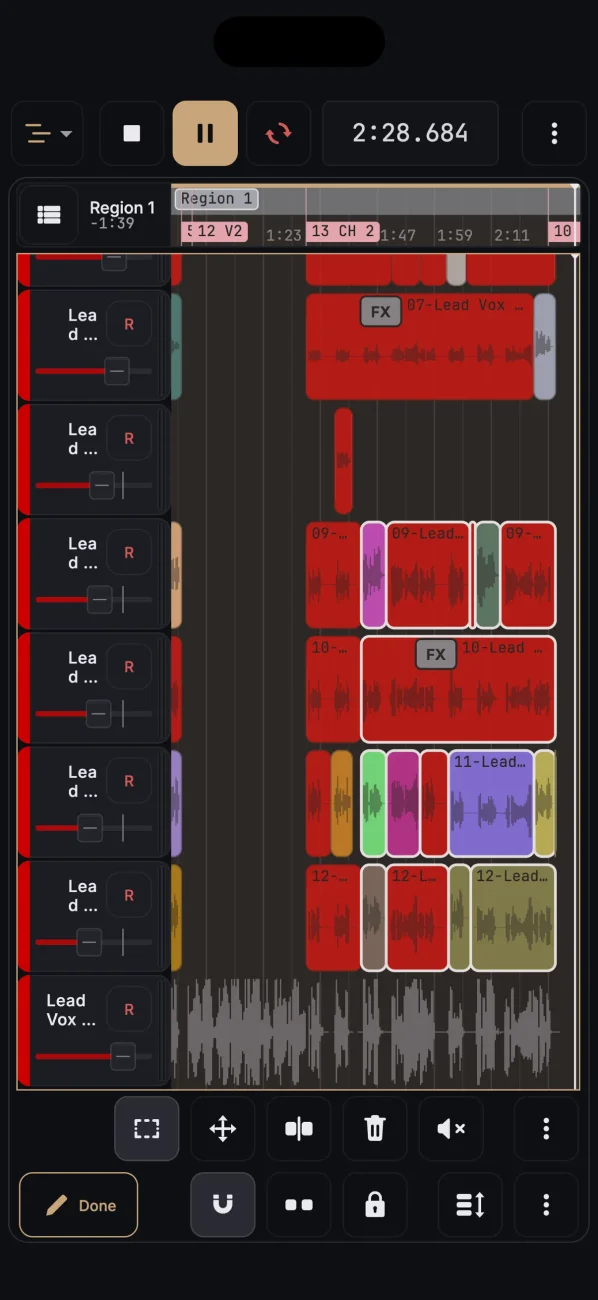
- Arrange: changing track height keeps the selected item or track in view.
- Steadier sync with REAPER and automatic reconnects.
- Many fixes across the mixer, Arrange and plugin control.
App privacy
What Soulful Music declares on the App Store about how this app handles data.
-
Data not collected
The developer does not collect any data from this app.
Privacy practices may vary, for example with the features you use or your age.
Information
- Seller
- Soulful Music SIA
- Category
- Music
- Version
- 1.0.3
- Updated
- Nov 18, 2026
- Released
- Sep 30, 2026
- Size
- 52.0 MB
- Requires
- iOS 15.0 or later
- Age rating
- 4+
- Price
- Free
- In-app purchases
- Yes
- Languages
- English
- Copyright
- © 2026 Soulful Music SIA
You might also like
-
 reaper-audio editorOn-device multitrack editor
-
 BattleFXDelay, Reverb, and Maximizer
-
 Avid ControlMusic
-
 SonoBusNetwork Audio Streaming
-
 AudioKit Synth One J6 + AUv3Pro Analog Synthesizer Fun!
-
 Numa PlayerMulti-Core. Multizone
-
 King of FM 2: DX Synth/E Piano#1 DX7 Sounds & Electric Piano
-
 Loopy Pro: Looper DAW SamplerLive looping. Your way.
-
 AudioKit Synth One SynthesizerFeature-packed Pro Synthesizer
-
 Cubasis LE 3Mobile Music Creation System