
moa - AI Meeting Notes
Record, transcribe, remember
Designed for iPhone, iPad
Free · In-app purchases
- Age rating4+
- CategoryProductivity
- DeveloperJungran Jeon
- LanguagesEnglish+ 3 more
- Size25.6 MB
Links to the official App Store page
Download.org hosts no file of moa - AI Meeting Notes. The button opens its official App Store page, published by Jungran Jeon. Listing last checked on Nov 29, 2026.
Screenshots
About
moa sits in on your meetings so you don't have to take notes.
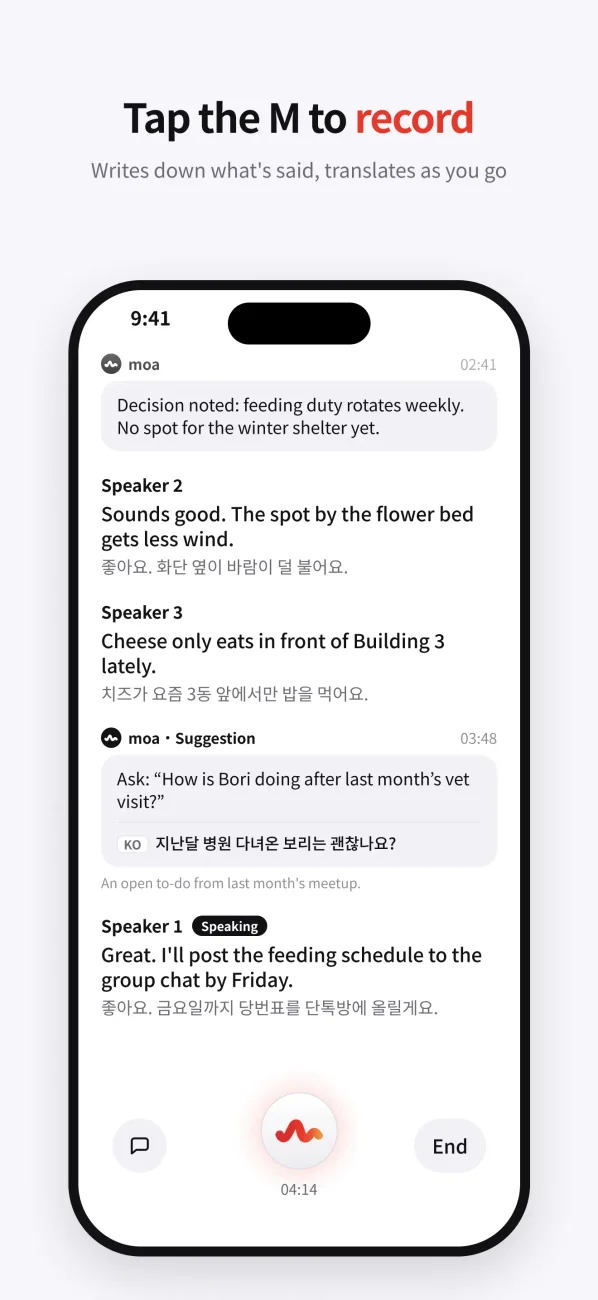
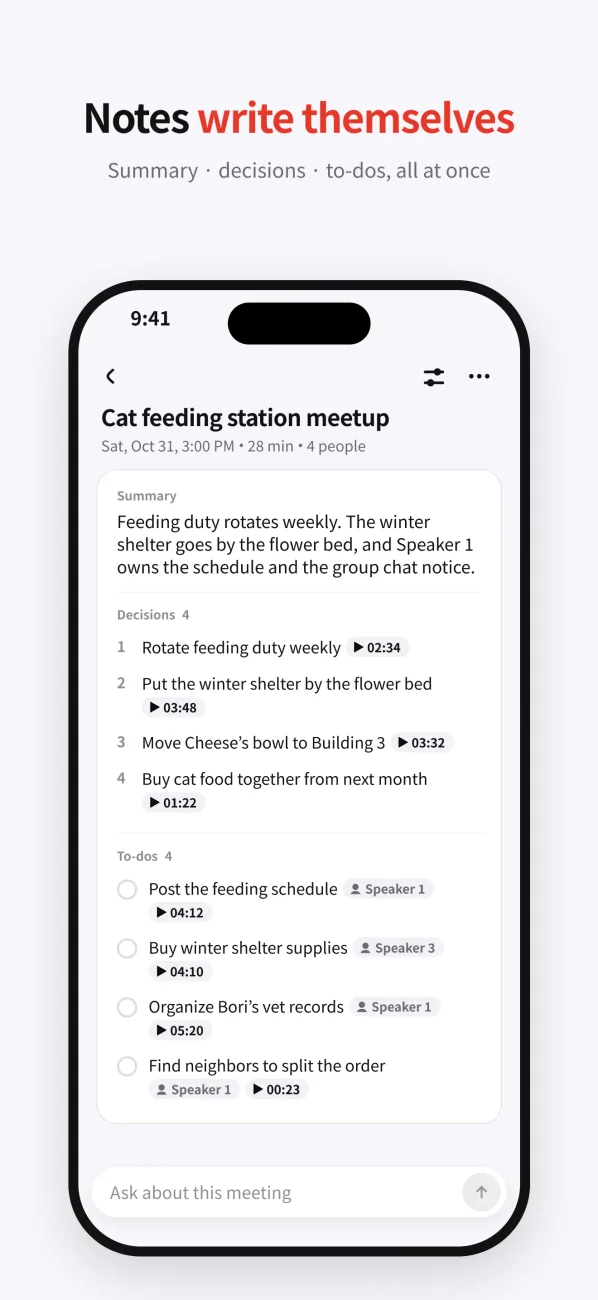
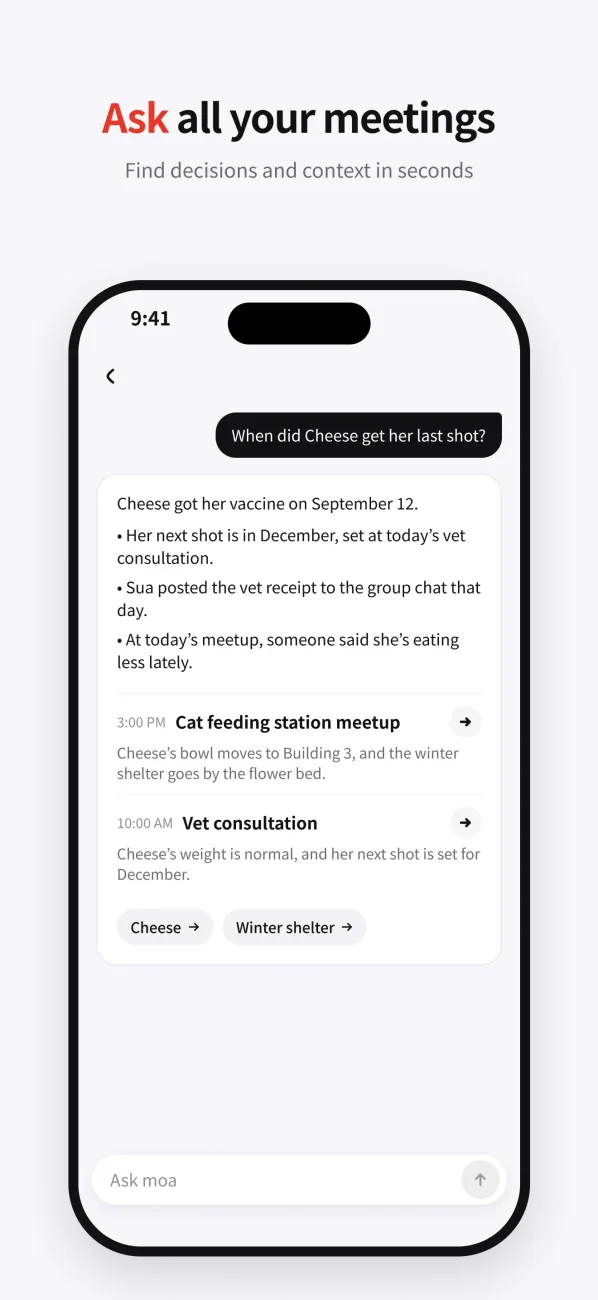
Tap the M and moa records. As people talk, it writes down who said what, speaker by speaker, and translates other languages under the original. When the meeting ends, you get a summary, the decisions and the to-dos with the moment each was said, the conversation in short, and a wiki that gathers what you know about each person and project across meetings. Ask a meeting, or all your meetings, a question and get an answer with the moments it came from.
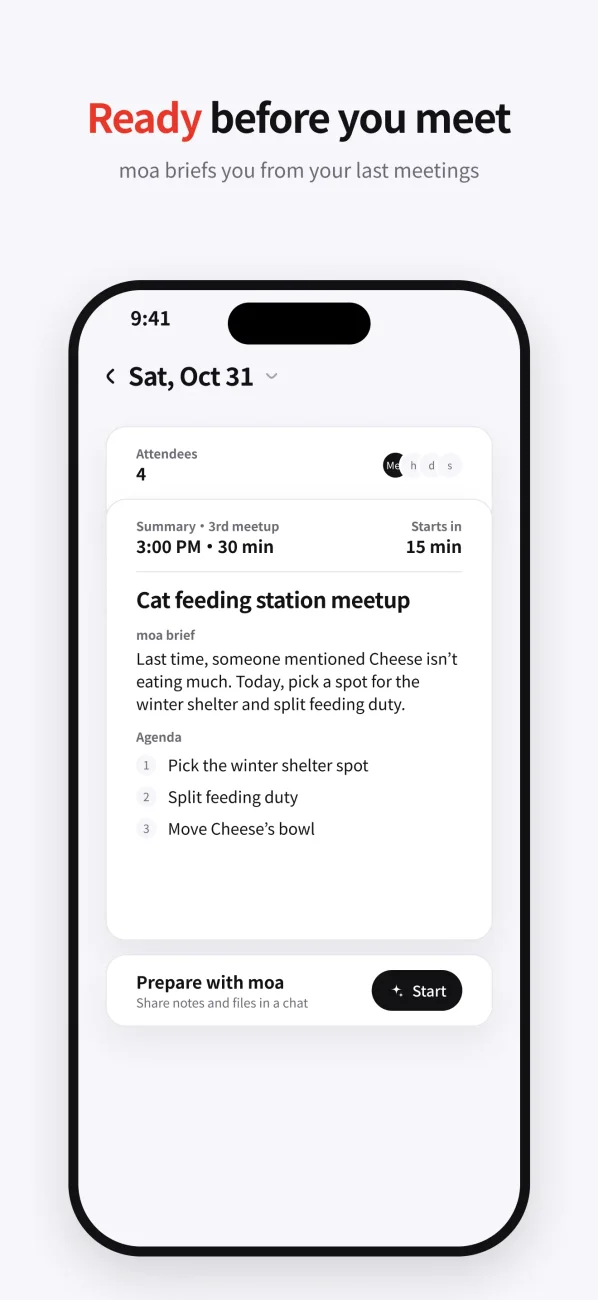
Before a meeting, moa prepares a brief from the calendar event and your last meeting with the same people: who is coming, what was decided, what is still open. Tell moa what to bring up and it goes into the brief.
During the meeting, moa can quietly help: it notes what was just decided, and when you wrote down things to say beforehand, it suggests them at the right moment, in your language and in the room's other language too.
Built for privacy
• Recordings stay on your iPhone, and moa's server never keeps them. Turn on online backup and only an encrypted copy of the notes' text goes to the server.
• Speech goes to a transcription service and text to an AI for the notes, only with your consent; neither trains on your data.
• No ads, no tracking, no analytics SDKs. Delete your account in one tap.
Everywhere you are
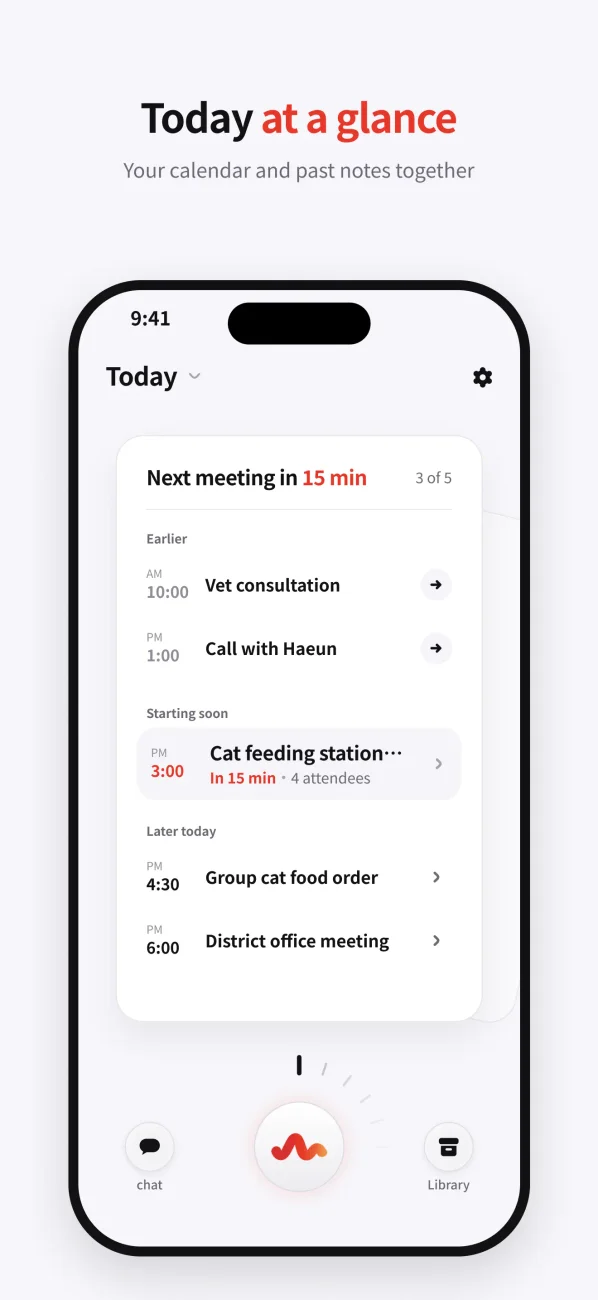
• Apple Watch: start recording from your wrist, read live captions, see the next meeting on your watch face.
• Lock Screen widget, Control Center and the Action button start a recording.
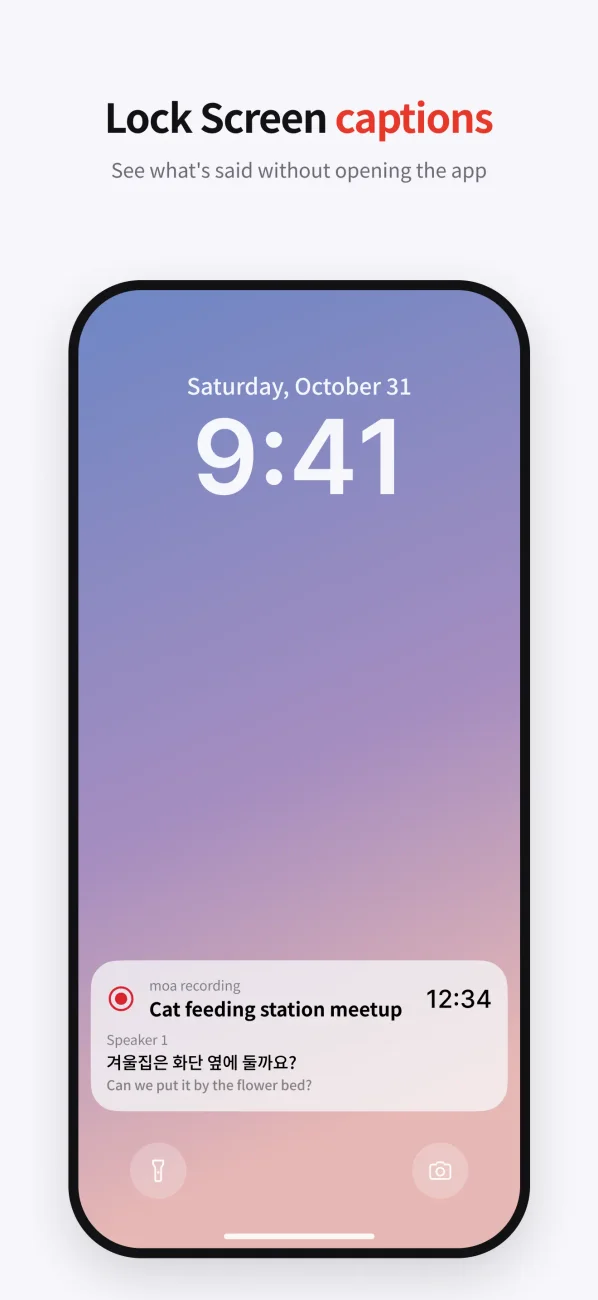
• Live Activity and Dynamic Island show the latest caption while you record.
• Calendar: moa takes each event's title and attendees, saves the recording with that event, and prepares a brief before it.
• Share a meeting's summary, decisions and to-dos by link, open for 7 days, with an optional passcode.
Plans
moa is free with 180 meeting minutes a month. Basic (1,200 minutes) and Pro (6,000 minutes) are monthly or yearly subscriptions, and Basic starts with a one-week free trial; all plans have the same features. Payment is charged to your Apple account and the subscription renews unless cancelled at least 24 hours before the period ends. Manage it in your App Store subscriptions.
Privacy Policy: https://moa.codes/privacy
Terms of Use: https://moa.codes/terms
What’s new
Version 1.0.16 · Nov 28, 2026
• On Even G2 glasses, moa now shows only answers, term explanations and search results, and skips misheard words and anything uncertain.
• Live suggestions and notes show on the phone, as your settings say.
App privacy
What Jungran Jeon declares on the App Store about how this app handles data.
-
Data linked to you
May be collected and linked to your identity.
- Purchases
- Contact info
- User content
- Identifiers
- Usage data
- Diagnostics
Privacy practices may vary, for example with the features you use or your age.
Information
- Seller
- Jungran Jeon
- Category
- Productivity
- Version
- 1.0.16
- Updated
- Nov 28, 2026
- Released
- Nov 6, 2026
- Size
- 25.6 MB
- Requires
- iOS 17.0 or later
- Age rating
- 4+
- Price
- Free
- In-app purchases
- Yes
- Languages
- English, Japanese, Korean, Spanish
- Copyright
- © 2026 Suralab
You might also like
-
 Echo AgentMeeting notes for teams
-
 monolog - Your Second BrainRecording without the effort
-
 Focus to do: PomoTaskStay focused, get tasks done
-
 This Week - Weekly To-Do ListWeekly To-Do List
-
 Smooth AI - English Meeting AIUnderstand, respond, speak now
-
 Local BrainPrivate, offline AI assistant
-
 Bear Todo Box: To-Do & PlannerTask List·Widget·Voice Input
-
 TaapProductivity
-
 Tiny Calendar ProCalendar App: Planner & Tasks
-
 MollamaOn-Device AI, Total Privacy