
- Age rating4+
- CategoryUtilities
- Developer3D Technologies
- LanguagesEnglish+ 12 more
- Size300.1 MB
Links to the official App Store page
Download.org hosts no file of Moasure. The button opens its official App Store page, published by 3D Technologies. Listing last checked on Nov 21, 2026.
Screenshots



About
The Moasure app is the innovative companion for all Moasure devices.
Connecting via Bluetooth, the Moasure app provides you with a sleek and user-friendly interface to help you measure, view, and edit your measurement data in one place, without the need for GPS or an internet connection.
Measure and draw simultaneously.
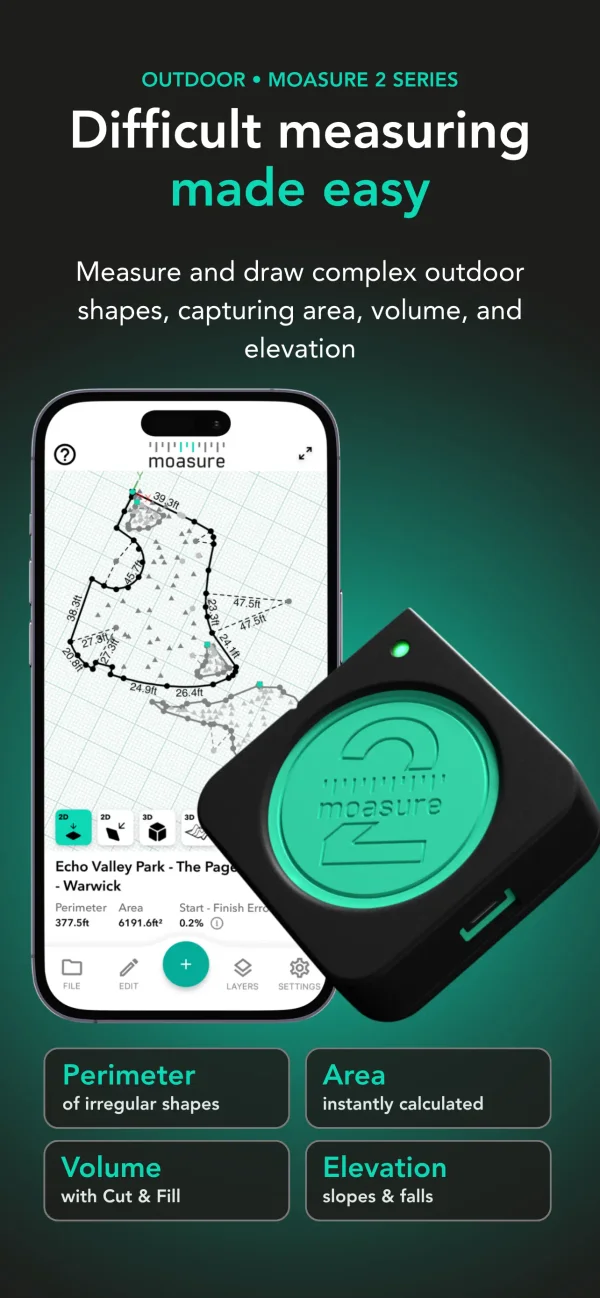
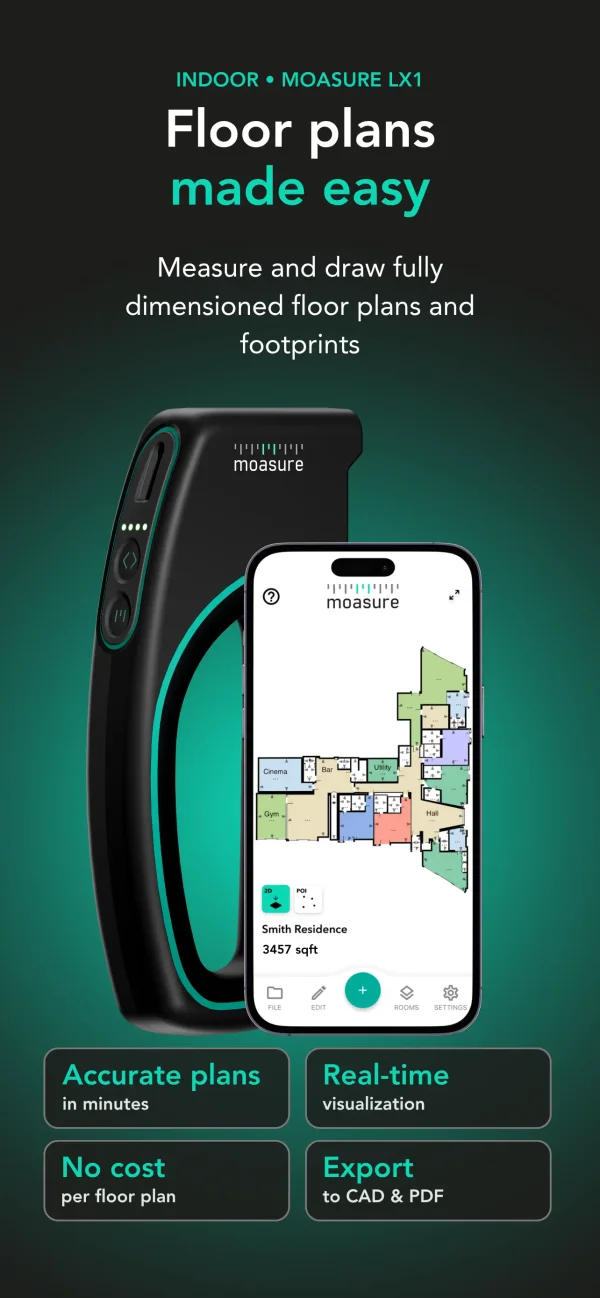
See your measurements visualized instantly on-screen, with a number of different ways to view your data. With the Moasure 2 Series, watch your drawing appear as you walk the site, capturing area, perimeter, volume, elevation, and more. With Moasure LX1, watch your floor plan build in real time as you move from room to room.
Inspect and edit your measurements.
Utilize the range of powerful in-app tools to enhance your drawings. For outdoor measurements, determine the rise, run, and gradient between any two selected points, calculate cut-and-fill volumes, add background images to measurements and label points of interest. For floor plan measurements, label and color code rooms, add annotations, edit door and window types, plus align and join walls.
Organize and export your files.
Save each measurement and categorize files into folders for easy access within the app. Use a variety of exporting options, including directly to CAD through DXF & DWG formats, as well as PDF, CSV and various IMG files, for quick and convenient sharing to customers and colleagues.
The Moasure app is free to download, and there is no subscription required.
What’s new
Version 4.2.1 · Nov 19, 2026
Georeferencing features for the Moasure 2 Series, including:
• New 2D satellite view
• Overlay measurements on satellite imagery
• View latitude, longitude, altitude & UTM coordinates
• Align layers using phone GNSS
• Manually georeference measurements using known points
• Updated export options: KML, GPX, PDF, CSV
App privacy
What 3D Technologies declares on the App Store about how this app handles data.
-
Data linked to you
May be collected and linked to your identity.
- Contact info
- User content
- Identifiers
- Usage data
- Diagnostics
-
Data not linked to you
May be collected but is not linked to your identity.
- Location
- User content
- Diagnostics
Privacy practices may vary, for example with the features you use or your age.
Information
- Seller
- 3D technologies Ltd
- Category
- Utilities
- Version
- 4.2.1
- Updated
- Nov 19, 2026
- Released
- Nov 5, 2021
- Size
- 300.1 MB
- Requires
- iOS 15.0 or later
- Age rating
- 4+
- Price
- Free
- Languages
- English, Dutch, French, German, Italian, Japanese, Polish, Portuguese, Russian, Simplified Chinese, Spanish, Swedish + 1 more
- Copyright
- © 2016-2025 3D Technologies Ltd. All rights reserved.
You might also like
-
 Landscaping Calculator Plusby Inch Calculator
-
 Concrete Calculator Plusby Inch Calculator
-
 AreaMap: Measure Land & AcresProperty Lines, Acreage, Fence
-
 Gravel Calculator Plusby Inch Calculator
-
 Measure Map ProArea, distance and topography
-
 Chippy Tools: ConstructionConstruction Calculator
-
 Twindo: LiDAR Scan to CAD/BIM2D floor plans & 3D as-builts
-
 GPS Land Measurement & SurveyField Area & Distance Measure
-
 Emlid FlowReach companion app
-
 SiteScape: LiDAR Scanner & CAD3D Scan, 3D Model, 3D Photo