
- Age rating4+
- CategoryMusic
- DeveloperAbelSim
- LanguagesEnglish
- Size9.8 MB
Links to the official App Store page
Download.org hosts no file of Mobel bell ringing simulator. The button opens its official App Store page, published by AbelSim. Listing last checked on Nov 12, 2026.
Screenshots
About
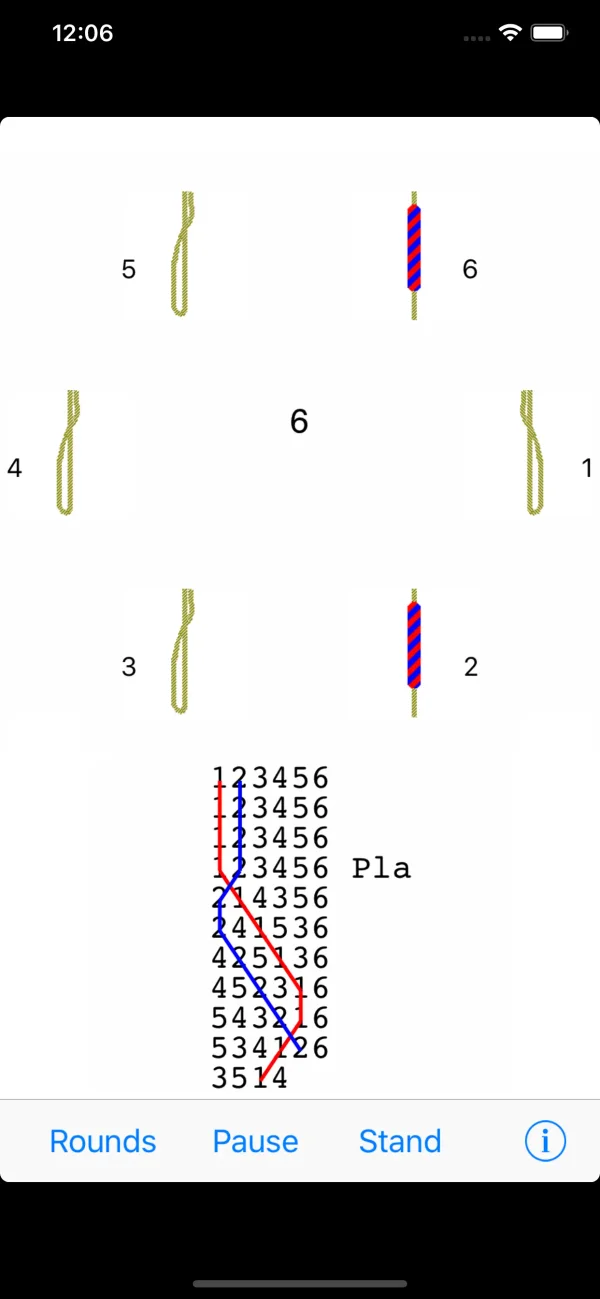
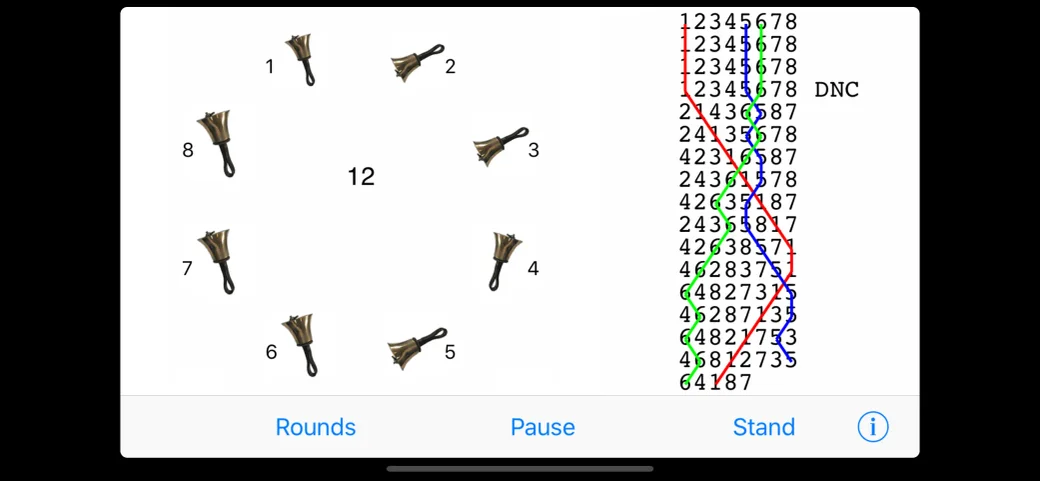
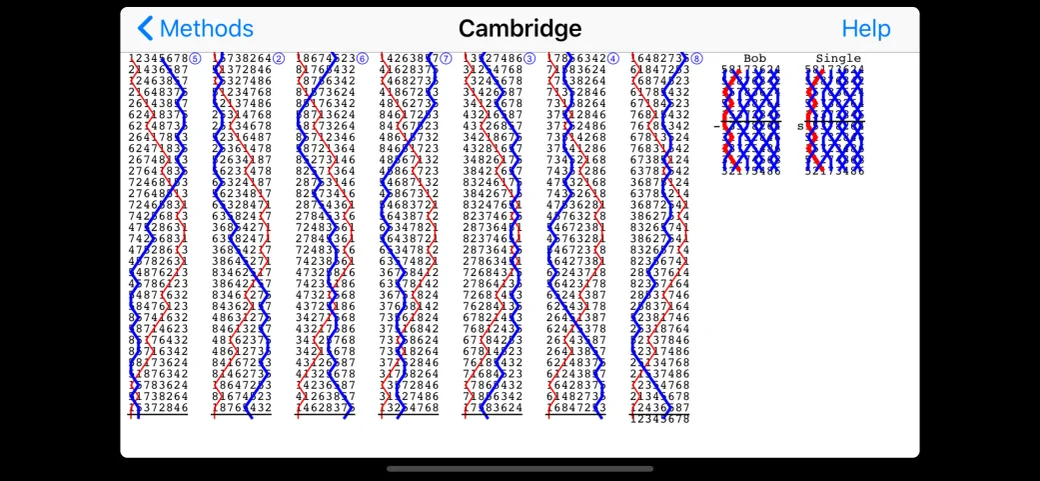
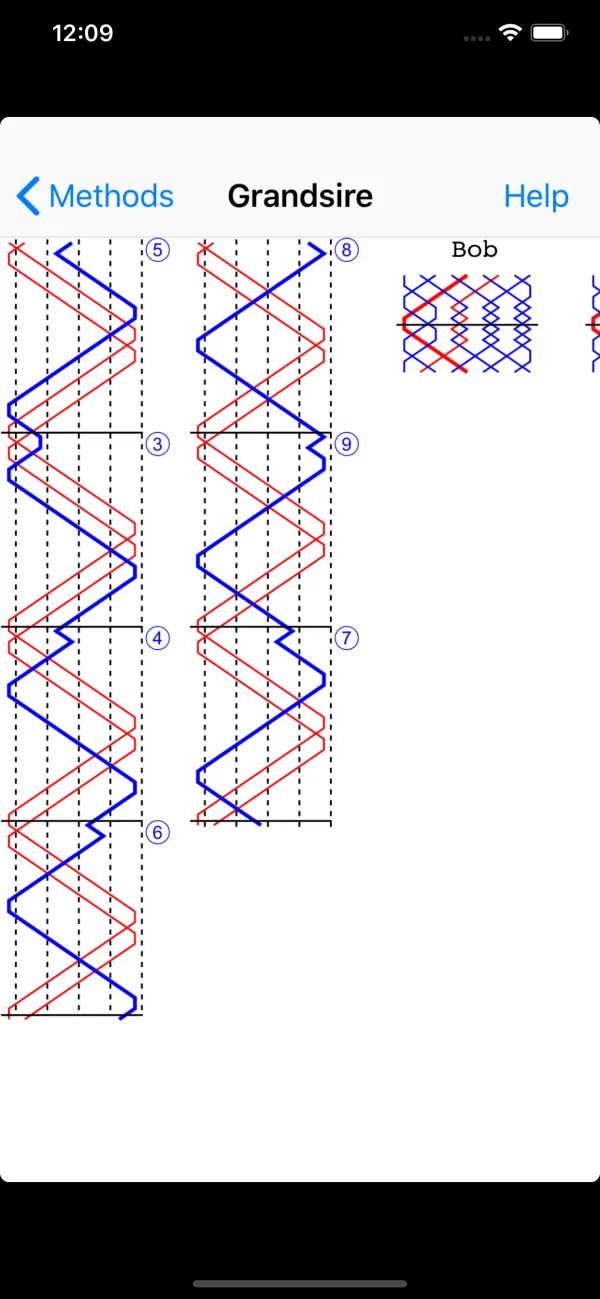
Mobel is a bell ringing simulator for church bell ringers and handbell change ringers. It runs on iPhone, iPad and Apple Mac. When ringers are at home, travelling or at towers, Mobel lets them practise any method they are going to ring. It also shows the blue line diagram for any method, including bobs and singles.
Practise any method on 4 to 16 bells.
Ring plain courses, or touches that Mobel creates (including spliced). Add your own touches (compositions).
Ring any bell; handbell ringers can ring any pair.
Mobel rings the other bells, and speaks any calls.
Conduct: put in bobs and/or singles yourself.
See the blue line diagram for any method or composition that you have added.
Line styles with or without the underlying bell numbers, or as a grid.
Lines for bobs and singles.
Pinch to zoom the diagram.
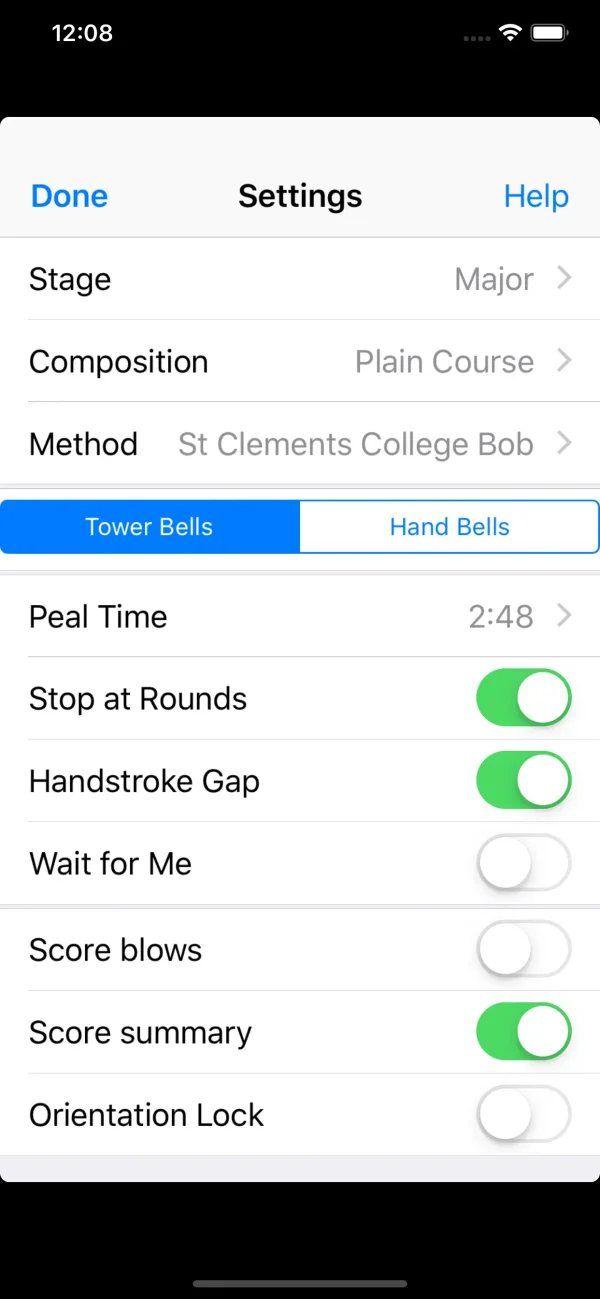
Select from 20,000 methods in the Central Council library.
Change the speed of the ringing.
Ring with or without a handstroke gap.
Have Mobel wait if you hesitate - or continue in perfect rhythm.
Edit methods and calls to create new methods or doubles variations.
Basic instructions for using Mobel on iPhone and iPad:
- Tap a bell to select it for ringing.
- Tap Start to start the bells ringing rounds.
- Then tap Go to ring the current composition and method.
- Tap the bottom of the screen to ring the bell you selected.
- For handbells, tap right and left to ring a pair.
- Conducting: tap the top of the screen for a bob or single.
- Tap Show to see the blue line for the current method.
- Then double tap to change line style, or pinch to zoom.
- Tap the info (i) button to view and change settings.
- Tap the Help buttons for further information.
From iOS 13.4 onward you can also ring using a keyboard on iPad/iPhone.
Mobel comes from AbelSim, producer of the world's best-selling change ringing simulators: Abel for Windows PCs and Mabel for Apple Mac (see www.abelsim.co.uk).
Mobel is not intended for handbell tune ringers: it rings changes, not tunes.
The latest version runs on iOS 12 and later. Earlier versions of Mobel are still available for previous versions of iOS.
What’s new
Version 2.4.4 · Dec 1, 2024
Fixed a small visual problem with iOS/iPadOS 18.
App privacy
What AbelSim declares on the App Store about how this app handles data.
-
Data not collected
The developer does not collect any data from this app.
Privacy practices may vary, for example with the features you use or your age.
Information
- Seller
- AbelSim Ltd
- Category
- Music
- Version
- 2.4.4
- Updated
- Dec 1, 2024
- Released
- Oct 26, 2010
- Size
- 9.8 MB
- Requires
- iOS 12.0 or later
- Age rating
- 4+
- Price
- $5.99
- Languages
- English
- Copyright
- © 2024 AbelSim Ltd
You might also like
-
 Ringing RoomA virtual bell tower
-
 CampanaThe bell ringer's app
-
 Rutland and Stamford SoundRutland Stamford Local Radio
-
 ANALOGyX1Mini Mono Synth AudioUnit
-
 ClavitudoMusic
-
 ZX PlectrumMusical toy with AUv3 support
-
 ARGateAttack / Release Gate AUv3
-
 PolyDelayPolyrhythmic Delay AudioUnit
-
 PhysisPlus EditorMusic
-
 ChiddfestMusic