
- Age rating4+
- CategoryUtilities
- DeveloperSensor Access
- LanguagesEnglish
- Size43.2 MB
Links to the official App Store page
Download.org hosts no file of MobileKit. The button opens its official App Store page, published by Sensor Access. Listing last checked on Nov 12, 2026.
Screenshots
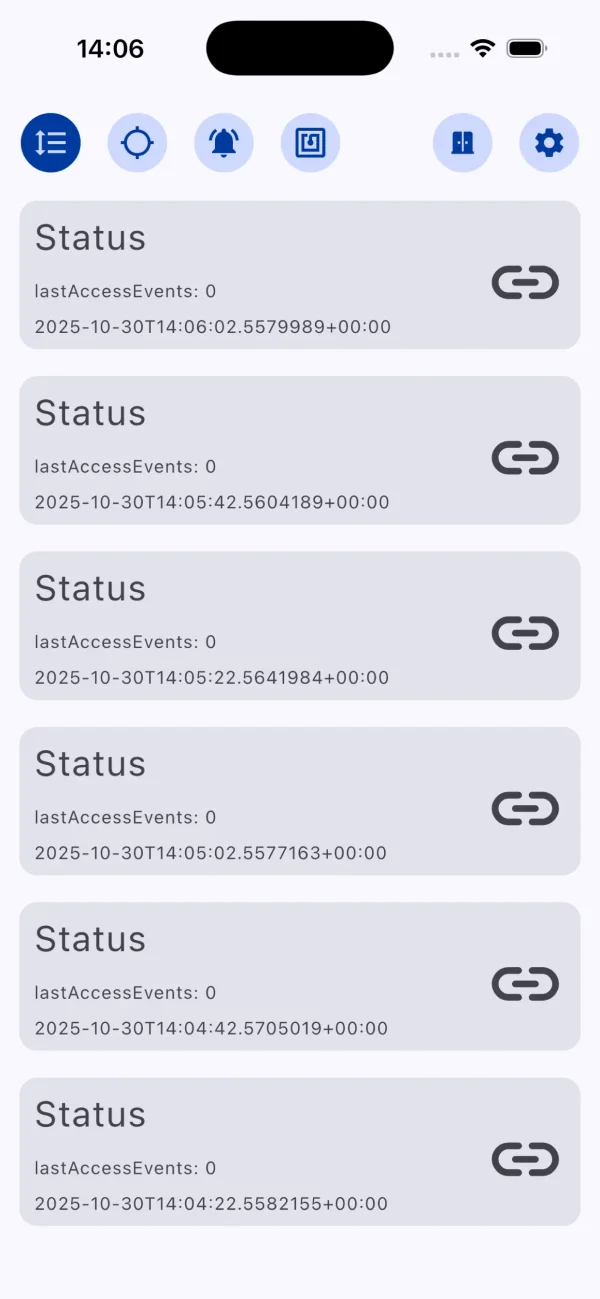
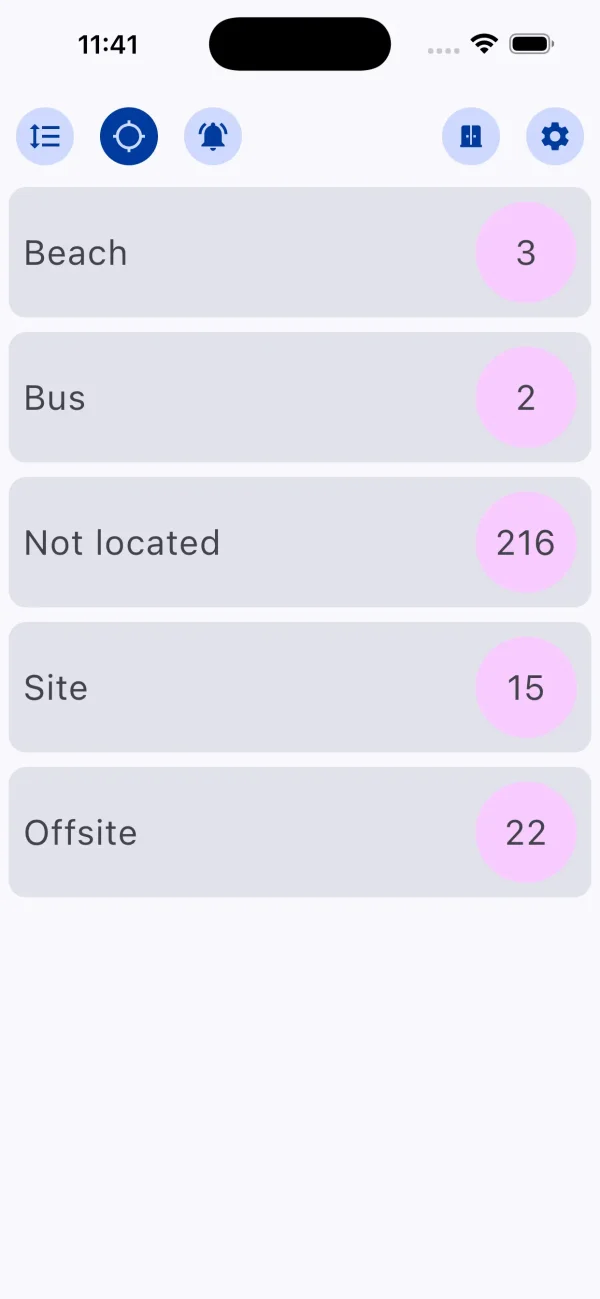

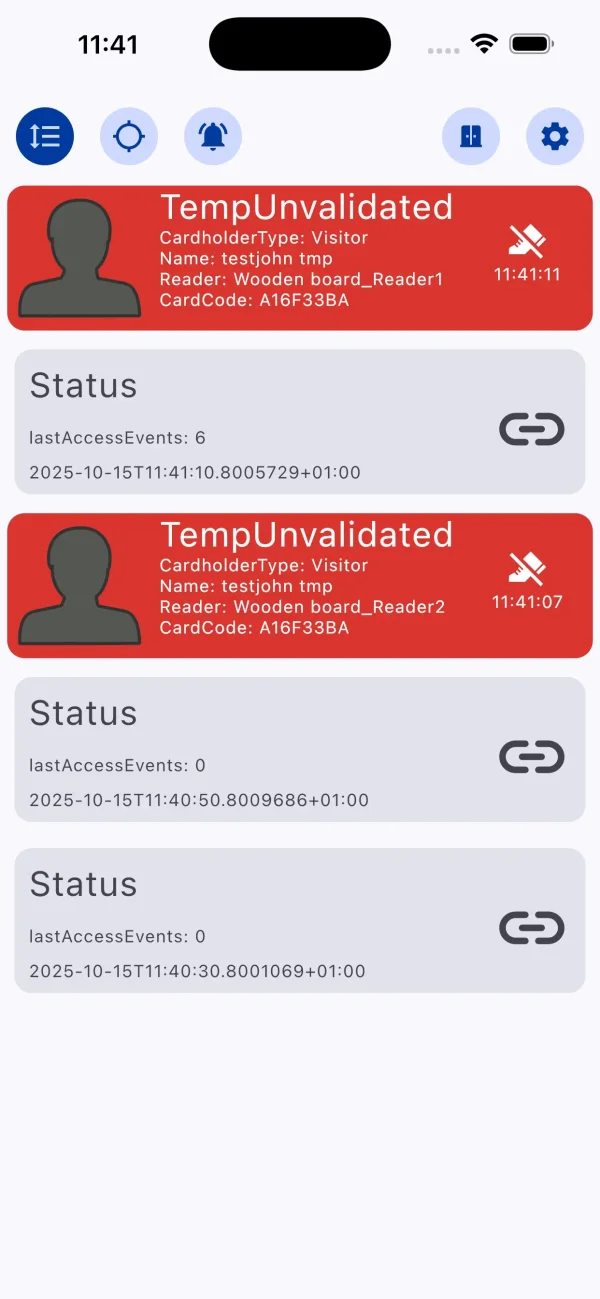
About
MobileGuardLite puts your GuardPoint 10 access control system in your pocket.
See who is coming and going, check who is on site, and arm or disarm your
alarm zones — wherever you happen to be.
LIVE ACCESS EVENTS
Watch badge activity as it happens. Choose which readers you want to follow,
and filter the feed to show granted access, denied access, alarms or system
status. Tap any event to see the cardholder behind it.
CARDHOLDER LOOKUP
Photo, name, cardholder type, security group and current status, so you can
confirm at a glance that the person at the door is who they should be.
AREA OCCUPANCY
See how many people are inside each area and who they are — useful for a
roll call, or just for knowing whether the building is empty before you arm.
ALARM ZONES
Arm and disarm intrusion zones, protected by your PIN. The app picks the
right schedule for each zone, and lets you choose how long to disarm for:
30 minutes, an hour, or until someone re-arms it.
Before arming, it checks the zone is ready. Inputs still in alarm and alarms
waiting to be confirmed are listed separately, because they need different
things from you — a door closed, or an alarm acknowledged. You can still arm
anyway, bypassing what's triggered. If GuardPoint refuses, the app tells you
why instead of failing silently.
A zone in alarm is impossible to miss: the card flashes red and your phone
notifies you.
MANUAL EVENTS
Trigger the site actions your system defines — lockdown, open all doors,
arming routines — with PIN protection on the ones that need it.
BUILT FOR A FLAKY SIGNAL
Brief network drops are ridden out quietly and reconnected in the
background, so you aren't interrupted by a message that fixes itself. A real
outage is reported plainly, and the app tells you when a connection has been
unstable enough that events may have been missed.
REQUIREMENTS
MobileGuardLite connects to your organisation's own GuardPoint 10 server.
You will need the server address and credentials from whoever administers
it. Client certificates are supported, and your credentials are kept in the
iOS Keychain.
What’s new
Version 1.59 · Oct 2, 2026
ALARM ZONES
• Fixed a problem that stopped zones arming. Arming now works normally
again.
• Choose how long to disarm for: 30 minutes, an hour, or until re-armed.
• When GuardPoint refuses an arm or disarm, the app now shows you the
reason.
• A zone that accepts the command but doesn't actually change state is now
reported, along with the likely cause.
• Inputs currently in alarm are now listed separately from alarms that are
simply waiting to be confirmed.
CONNECTION
• Brief drops are now ridden out and reconnected in the background instead
of interrupting you.
• A connection that keeps dropping is flagged, since events may have been
missed.
• Lost connections are now noticed in seconds rather than half a minute.
LAYOUT
• Tidied the button alignment in the top menu.
App privacy
What Sensor Access declares on the App Store about how this app handles data.
-
Data not collected
The developer does not collect any data from this app.
Privacy practices may vary, for example with the features you use or your age.
Information
- Seller
- Countermac Limited
- Category
- Utilities
- Version
- 1.59
- Updated
- Oct 2, 2026
- Released
- Oct 15, 2025
- Size
- 43.2 MB
- Requires
- iOS 18.2 or later
- Age rating
- 4+
- Languages
- English
- Copyright
- © 2026 John Owen
You might also like
-
 Dexgreen OpenreachUtilities
-
 Network Cell Analyzer V2Utilities
-
 Barracudas Activity Day CampsUtilities
-
 Outfox EnergyUtilities
-
 Crystalyn: Storage CleanerClean Up Duplicate Photos
-
 myenergiUtilities
-
 Decibel Meter: Sound dBNoise Level Tracker & SPL App
-
 Smart Home - Life ControlRemote Access & Automation
-
 Decibel Meter UltraMeasure Sound and Noise Levels
-
 Decibel Meter:Sound LevelDB Level Analyser