
- Age rating4+
- CategoryGraphics & Design
- Developer龙 陈
- LanguagesEnglish+ 9 more
- Size4.1 MB
Links to the official App Store page
Download.org hosts no file of Mockup Assistant. The button opens its official App Store page, published by 龙 陈. Listing last checked on Nov 14, 2026.
Screenshots


About
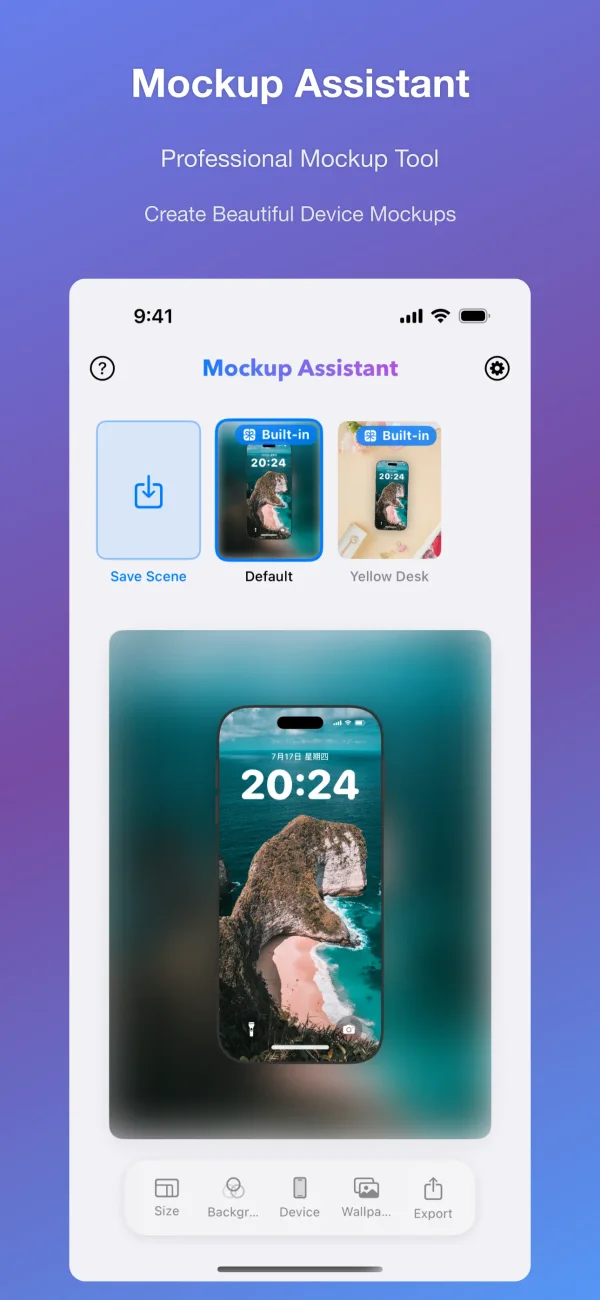
A simple and easy-to-use mockup image creation tool
Main Features:
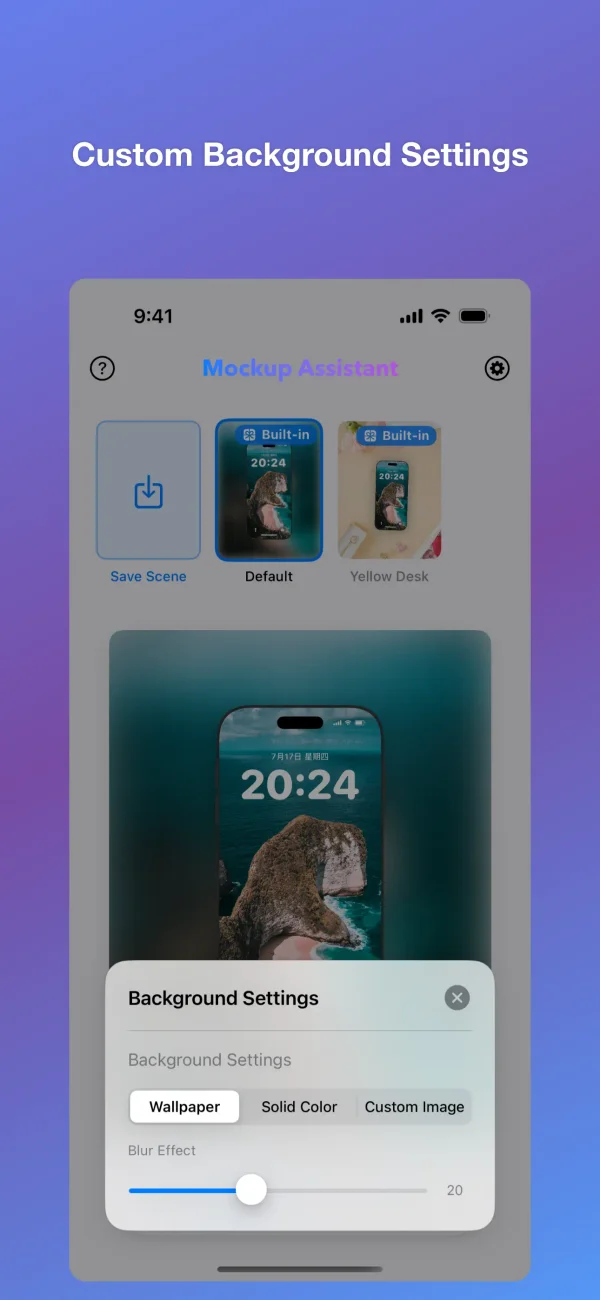
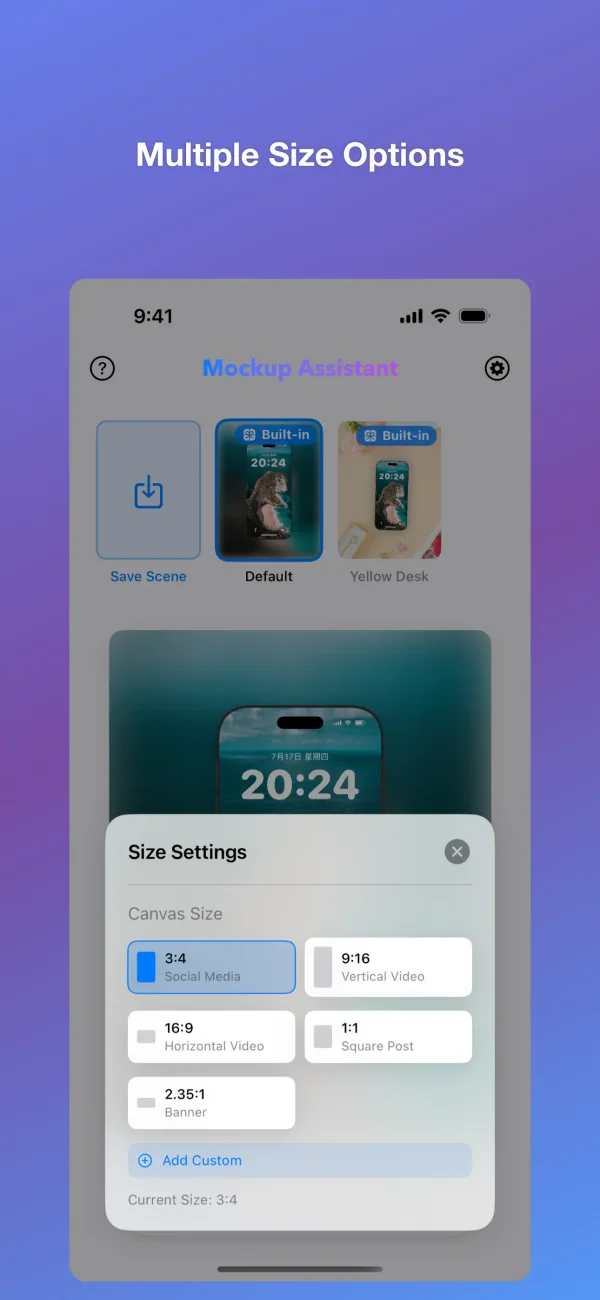
• Free Customization: Support custom sizes, backgrounds, device positions, etc., to create unique mockup images
• Multiple Scenes: Provides various beautiful scene templates including default scenes, yellow desk, etc., to meet different needs
• High Quality Export: Support high-resolution export to ensure your work looks perfect on any platform
Core Features:
Device Configuration: Adjust device display, size, position and rotation
Background Settings: Choose solid color background or custom image
Size Selection: Select preset sizes or create custom sizes
High Quality Export: Set export quality and save to photo album
How to Use:
1. Select or create a scene style
2. Click the canvas size button to choose the right size
3. Use config buttons to adjust device, background, and other settings
4. Click the export button to save your wallpaper
For feedback or support, contact: brkchen@icloud.com
What’s new
Version 0.3 · Aug 3, 2025
Add component color setting options
App privacy
What 龙 陈 declares on the App Store about how this app handles data.
-
Data not collected
The developer does not collect any data from this app.
Privacy practices may vary, for example with the features you use or your age.
Information
- Seller
- 龙 陈
- Category
- Graphics & Design
- Version
- 0.3
- Updated
- Aug 3, 2025
- Released
- Jul 10, 2025
- Size
- 4.1 MB
- Requires
- iOS 16.0 or later
- Age rating
- 4+
- Price
- Free
- Languages
- English, Arabic, French, German, Japanese, Korean, Russian, Simplified Chinese, Spanish, Traditional Chinese
- Copyright
- © Brook 2025
You might also like
-
 Frame It UpDevice Mockups
-
 Snapmod - Screenshot MockupCreate mockups in one tap.
-
 MockPaper - Wallpaper MockupWallpaper Mockup Gen & Preview
-
 NiceShots: Mockup Frame EditorMake Images with Apple Frames
-
 Phone Mockups - MizframaFrame screenshots in mockups
-
 Mockview - Mockup GeneratorTurn Screenshots to Mockups
-
 SMPRO: Mockup & ScreenshotDevice frames for screenshots
-
 Mockuper: Phone Frame MockupPut screenshoot in phone frame
-
 Mockup GeneratorCreator, 3D, Product, Art, AI
-
 PopFrame – Mockup CreatorFrame Screens in Seconds