
Model Painter Companion
Your miniature paint studio
Designed for iPhone, iPad
Free
- Age rating4+
- CategoryGraphics & Design
- DeveloperRobert Wing
- LanguagesEnglish
- Size6.3 MB
Links to the official App Store page
Download.org hosts no file of Model Painter Companion. The button opens its official App Store page, published by Robert Wing. Listing last checked on Nov 25, 2026.
Screenshots


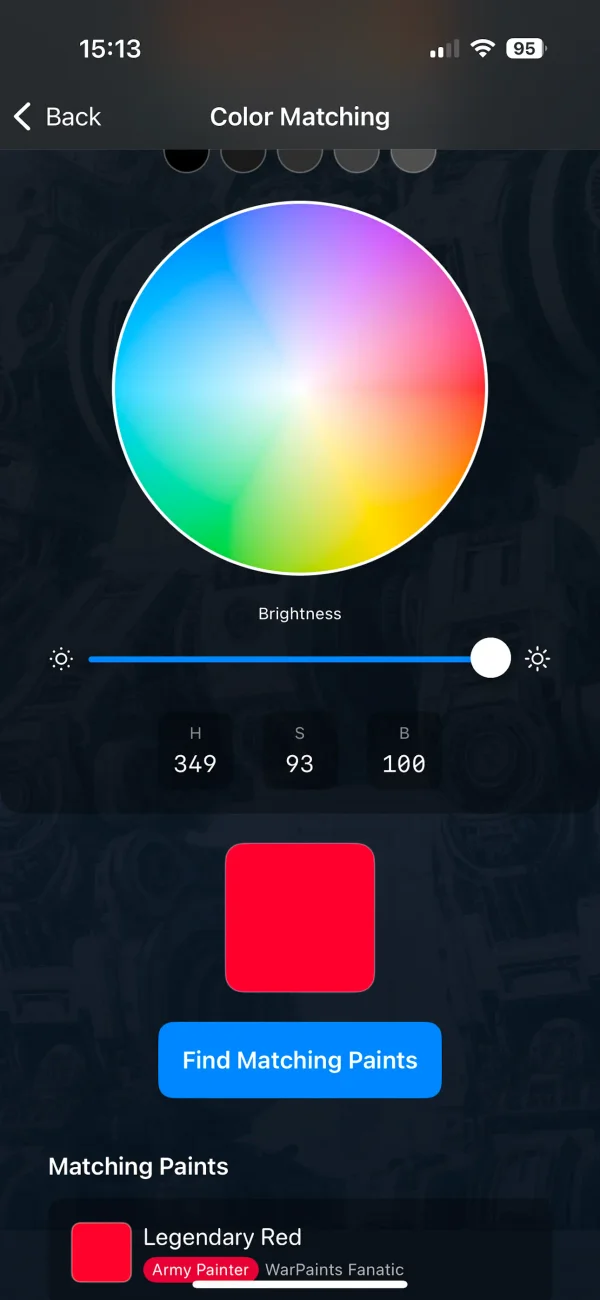
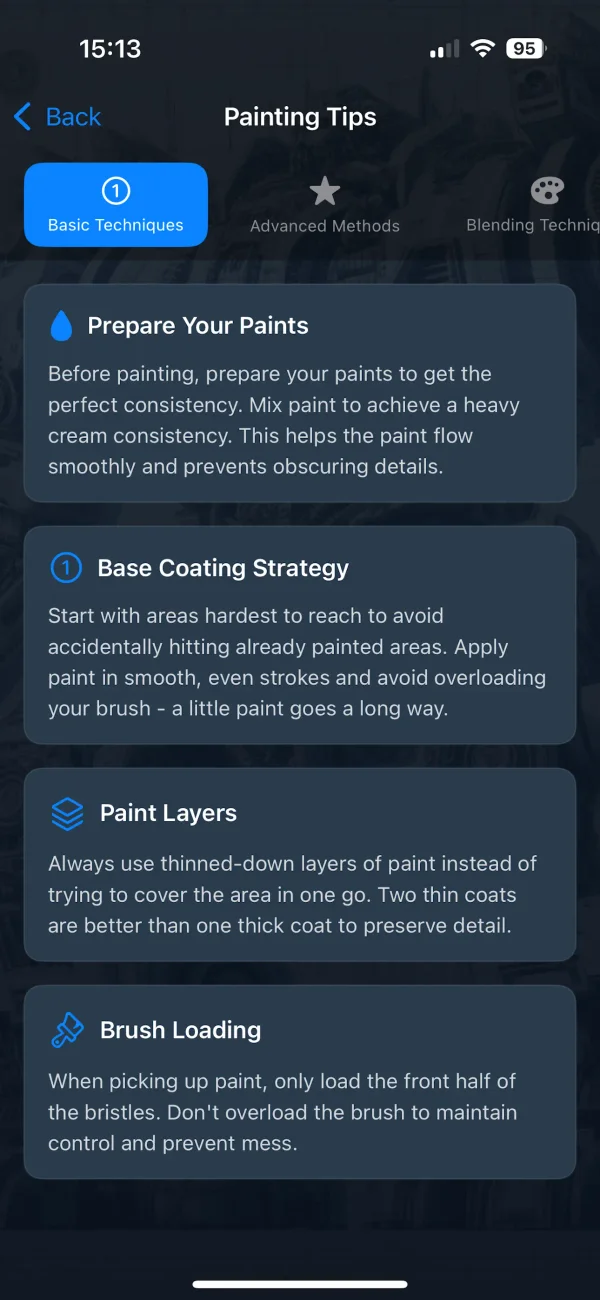
About
Model Painter Companion is the studio app for miniature painters. Search your paints, scan a colour from the desk, match it across catalogues, and keep each project in one place.
PAINT LIBRARY
Look up colours from Vallejo, Army Painter, Warhammer, AK Interactive, AMMO, Colour Forge and Formula P3. Search by name, range or paint code, or open Manufacturers to browse a single brand and its ranges. Every entry shows the official-style chip and the bottle code so you can find it on the shelf.
COLOUR MATCH AND CAMERA SCAN
Pick a colour on the wheel, or point the camera at a miniature, leftover bottle or reference. The app samples the centre of the frame and finds the closest paints in your library. Results are a guide under that lighting — then refine on the wheel if you need to.
CONVERT BETWEEN BRANDS
Already have a recipe in one range? Conversion shows recorded matches in other catalogues so you can keep painting with what you own.
PROJECTS AND NOTES
File the paints for a model, add a photo, and update progress as the work moves on. Painting tips sit alongside the library for blending, brush care and studio habits.
APPLE INTELLIGENCE, SIRI AND SPOTLIGHT
Ask Siri to find a paint, search Spotlight for a colour name, or type a natural request in Paint Finder such as “dark green Vallejo”. On devices with Apple Intelligence, on-device models help interpret the search. Sampling and matching stay on your iPhone or iPad.
Model Painter Companion is an independent studio tool. It is not affiliated with Games Workshop, Vallejo, The Army Painter, AK Interactive, AMMO, Colour Forge, Privateer Press or other manufacturers.
What’s new
Version 2.2.0 · Nov 24, 2026
What's new
New Workbench layout
• The SCAN ring is now front and centre on the home screen. Tap it to scan with the camera, or hold it to sample a colour from a photo.
• The home screen has a bold Model Painter Studio title, the Crusader Games logo and a strip showing your last scan.
• There are four tabs along the bottom: Scan, Library, ColourKeep and Tools.
• Library holds Paint Finder, Collections and every brand.
• Tools holds Manufacturers, Add Custom Paint, Convert, Colour Wheel, Paint Tips, How to Use and About.
• Projects are now called ColourKeep.
ColourKeep fixes
• When you open a paint from a project, a big "Add to [project]" button now sits right under the colour. Tap it to add the paint and go straight back to the project.
• Paints you add now show up in the project straight away. Editing a project's name, notes or status no longer removes paints you've just added.
Home button
• The house button is back in the top-right corner of every screen after the first, in all four tabs.
• In ColourKeep it takes you back to your list of projects. In Scan, Library and Tools it takes you to the Scan home.
Camera focus
• The camera opens at the normal 1x view.
• On phones with a macro or ultra-wide lens, it can switch lenses for close-ups.
• Focus and exposure now track the centre target continuously, and refocus when you move to something new.
• Tap anywhere on the preview to focus there. A yellow square shows where it's focusing. The colour is still read from the centre target.
About and Credits
• The new About screen, under Tools > Help, shows the app version, the paint library size and how colour matching works.
• A new Credits screen, opened from About, credits Robert Wing (Creator) and Crusader Games.
Other fixes
• The project screen's title bar now shows the project's name, falling back to "Project" if it has no name.
• The "Sample from a photo" link has been removed from the no-camera message, which now says "Hold SCAN to sample a photo, or use the colour wheel instead."
Your paints, custom paints and saved projects carry over unchanged.
App privacy
What Robert Wing declares on the App Store about how this app handles data.
-
Data not collected
The developer does not collect any data from this app.
Privacy practices may vary, for example with the features you use or your age.
Information
- Seller
- Robert Wing
- Category
- Graphics & Design
- Version
- 2.2.0
- Updated
- Nov 24, 2026
- Released
- Dec 16, 2024
- Size
- 6.3 MB
- Requires
- iOS 18.1 or later
- Age rating
- 4+
- Price
- Free
- Languages
- English
- Copyright
- © Robert Wing 2026
You might also like
-
 Paint VaultGraphics & Design
-
 Miniature StudioYour portable painting desk
-
 Colix: Palette from ImagesFind HEX, RGB & more
-
 Palettely : Color PalettesColor Picker & Mood Boards
-
 Lock launcher - Group & ScreenLock Screen Widgets & Launcher
-
 Color Wheel & PalettesColor Theory & Color Harmony
-
 ColourTone - Color PaletteScheme Generator and matcher
-
 Palette Collect - Match colorsExtract Color and scheme color
-
 Color Wheel: Palette GeneratorColors Picker & Find Hex Code
-
 Forma3D - 3D Modeling & PrintSTL, 3MF & Mesh Repair