
- Age rating4+
- CategoryEducation
- Developer小健 赵
- LanguagesEnglish
- Size13.0 MB
Links to the official App Store page
Download.org hosts no file of MoleCube 3D. The button opens its official App Store page, published by 小健 赵. Listing last checked on Nov 15, 2026.
Screenshots
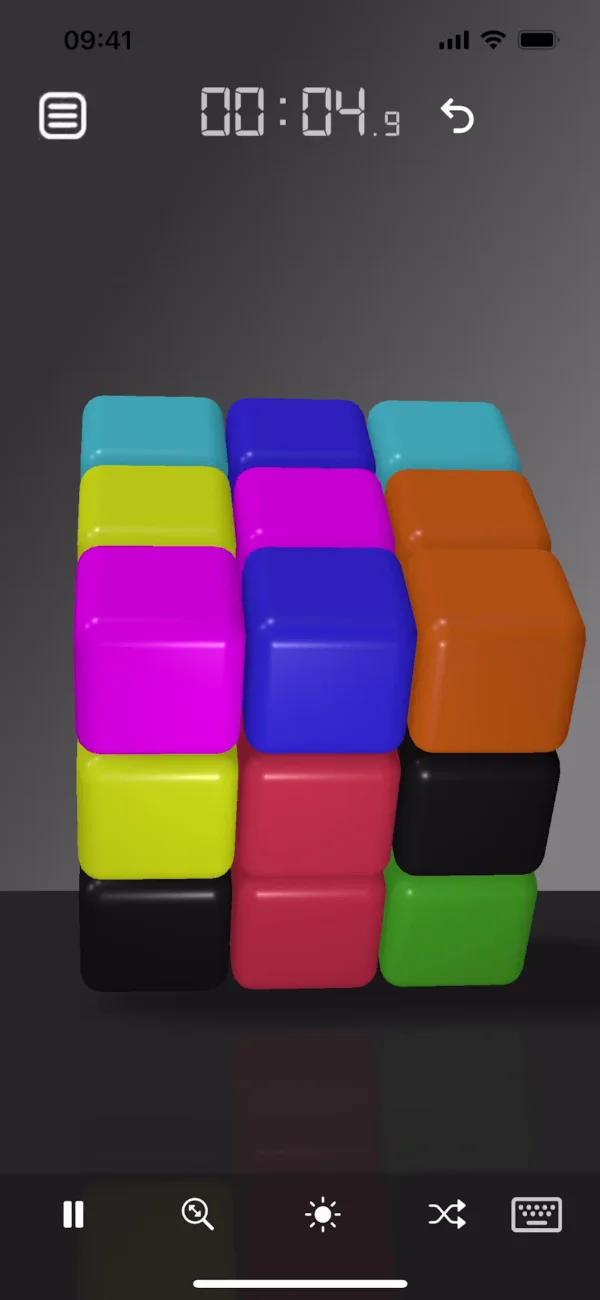

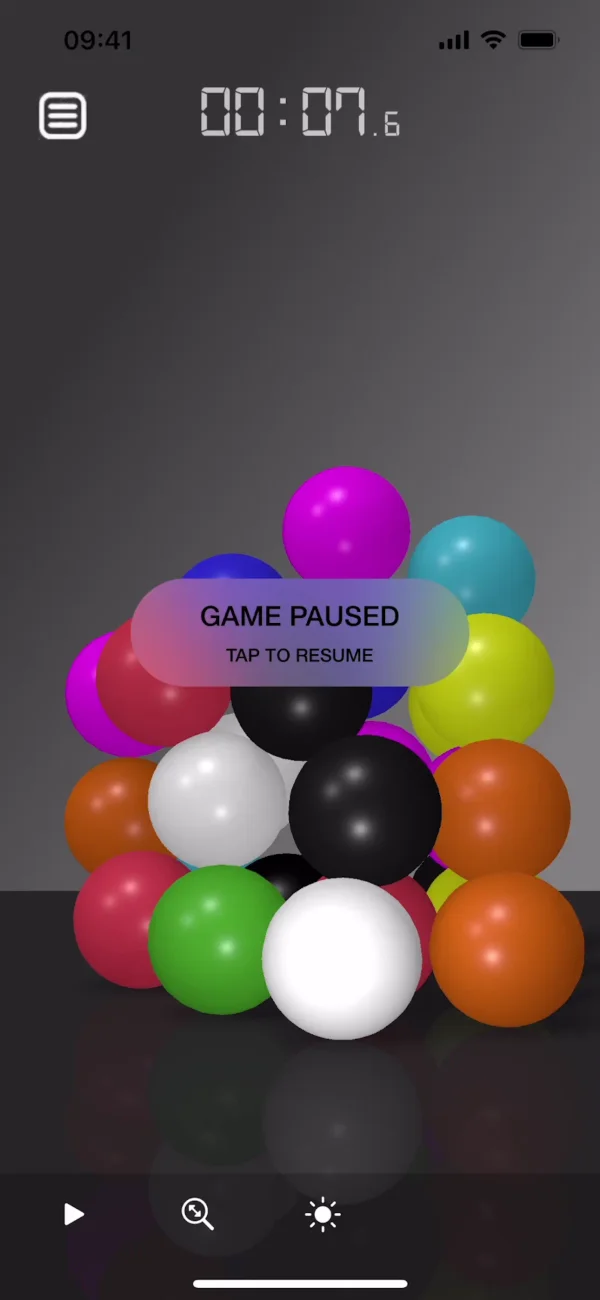

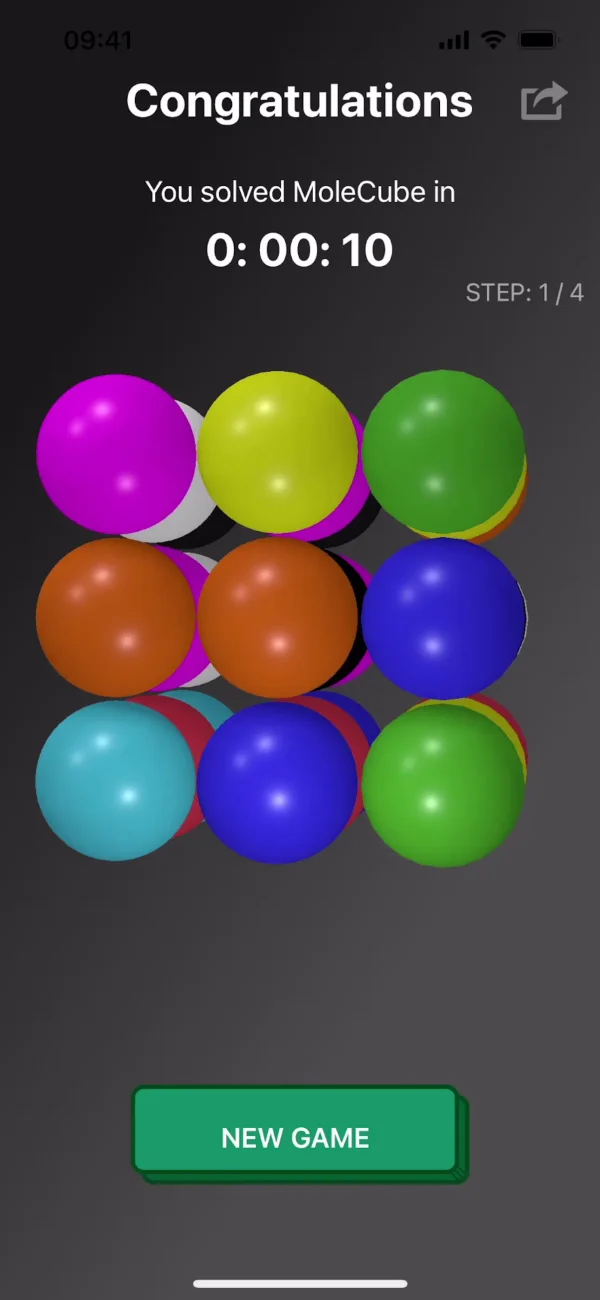
About
# What is MoleCube?
"MoleCube = Sudoku puzzle + Rubik's Cube", roughly.
MoleCube (also called Nine-Color Cube, Ball Sudoku Cube), combines the logic of "Sudoku + Rubik’s cube". Each of the cube’s six sides is comprised of a 3x3 grid of colored spheres. To solve the Molecube, arrange the spheres so that each side contains all nine colors.
# How to Play
This app presents the cube in 3D with a smooth sliding operation, and you can change the perspective by tilting the phone, just like playing a real Rubik's cube.
Swipe across the cube to rotate one layer, and swipe across the blank area to rotate the whole cube.
To start playing the game, click the scramble button and the stopwatch will start.
# The Goal of Game
Molecube is composed of 9 different colors of spheres distributed over 6 sides of a cube. Instead of arranging the colors by side like in a Rubik’s Cube, your goal is to have one piece of every color represented on each side. It’s a problem that’s easier to describe than to solve.
This hybrid puzzle blends the spatial challenge of a Rubik’s Cube with the logical test of a Sudoku puzzle. In the same way that a Sudoku puzzle requires you to place nine unique single-digit numbers on each line of a grid, Molecube requires you to line up one of each color on each side of a cube.
# FEATURES
- 3D realistic graphics makes you feel playing with real cube.
- Swipe the cube with your finger to rotate the layer of cube. Swipe through the blank area to rotate the cube.
- You can also tap the Undo button to undo the last action.
- Tilt the phone horizontally or vertically to change the viewing angle of the Rubik's Cube.
- Two 3D styles: spherical or square (you can change the style at any time during the game).
- Zoom in/out the scene; change the scene brightness.
- Two visual effect qualities can be selected:
* high VFX for realistic 3D graphics while low VFX for power-savings.
- Keyboard is provided as well.
- Two sizes of molecube: 3x3x3 and 2x2x2
2x2x2 molecube is much easier for beginners.
# MoleCube v.s. Rubik's Cube
- What is the difference between a Molecube and a Rubik's Cube?
Their goal configurations are different: the Molecube wants one ball of each color on each face, while the Rubik's cube wants each face to be all the same color. There are nine colors on the Molecube, but only six on the Rubik's cube.
The Sudoku Cube is similar to the MoleCube in that the objective of the Sudoku Cube is to arrange it such that each face contains each number (1 to 9) exactly once.
- Is MoleCube harder than a Rubik’s cube?
Molecube isn’t meant to be harder or easier, just a different type of challenge. That being said, it does have significantly fewer possible permutations than a 3x3 Rubik’s Cube. It also has 80 possible solutions instead of the traditional 1.
Suggestions or questions? Feel free to email: zhaoxiaojian@hotmail.com
What’s new
Version 1.3 · Apr 4, 2024
- Choose cube size: 3x3x3 and 2x2x2 Molecube
- Two 3D styles: spherical or square (you can change the style at any time during the game).
- Zoom in/out the scene; change the scene brightness.
- minor bug fix.
App privacy
What 小健 赵 declares on the App Store about how this app handles data.
-
Data not collected
The developer does not collect any data from this app.
Privacy practices may vary, for example with the features you use or your age.
Information
- Seller
- 小健 赵
- Category
- Education
- Version
- 1.3
- Updated
- Apr 4, 2024
- Released
- Mar 25, 2024
- Size
- 13.0 MB
- Requires
- iOS 14.0 or later
- Age rating
- 4+
- Price
- Free
- Languages
- English
- Copyright
- © Copyright@2024 Xiaojian Zhao
You might also like
-
 CubePal: Solve like a Pro!Master your Cubes & Supercubes
-
 PocketAlgsSolve Faster, Cube Smarter!
-
 Cubix AR - Cube Puzzle Solver3x3 Rubik's Cube Solver by AR
-
 Solve The Cube 3DEasy way
-
 Easy 3x3 cube SolverEasy 3x3 cube Solver
-
 Puzzle School - 3D Cube TutorTimer, Solver and 3D Lessons
-
 Rubik's Cube Solver & TutorialScan, 3D Guide, Timer & 3x3
-
 Addons for Ragdoll Melmod PGHorror Monster Guns Skins Mods
-
 Numberblocks WorldHelp your child learn maths!
-
 Urban City StoriesRP Kids Game for Girls & Boys