
- Age rating4+
- CategoryFinance
- DeveloperLAB617
- LanguagesEnglish+ 3 more
- Size57.0 MB
Links to the official App Store page
Download.org hosts no file of MoneyCare. The button opens its official App Store page, published by LAB617. Listing last checked on Nov 6, 2026.
Screenshots



About
【Introduction】
◆ Intuitive and convenient input that allows you to smartly and easily retain every detail of your spending!
◆ Simply operate to browse detailed expenditure records, not missing any expenses by the hour.
【Top 4 Recommended Features】
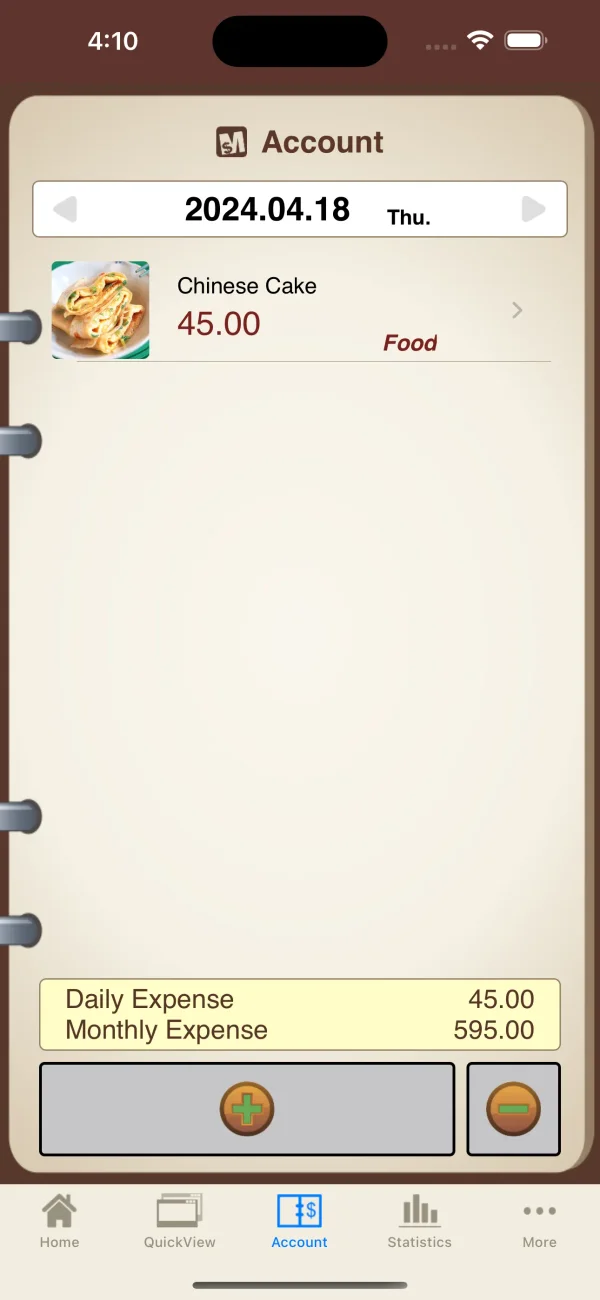
◆ Photo Accounting: A photo replaces the real details that can’t be written down, saving thousands of words.
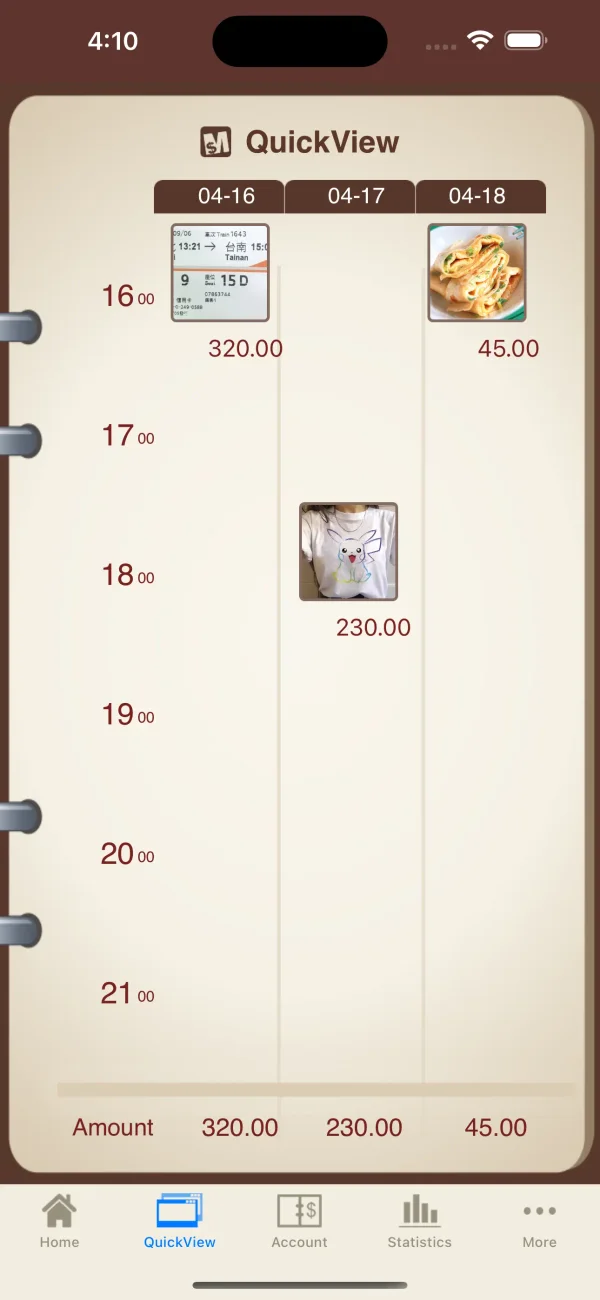
◆ Quick Display: One-click to unfold a 3-day ledger record, displaying each spending item in photos. Quickly compare recent spending at a glance.
◆ One-Step Accounting: Spend just one minute each afternoon to record your bubble tea expenses; combined with "hourly" accounting, it’s done with a single press.
◆ Powerful Search: Unsure how much budget to prepare for this Christmas? Press MoneyCare’s "Data Search" to know at the same time what was bought last Christmas, the Christmas before last, and so on!
【Feature List】
◇ Home Page Features
Supports custom time range analysis of income and expenses.
Total income and expenditure statistics.
Balance inquiry and daily average expenditure analysis.
Monthly and weekly consumption analysis.
◇ Accounting Features
Photo accounting.
One-step accounting.
Supports income and expenditure.
Major category classification and product name menu.
Built-in beautiful gallery for major categories.
Built-in simple calculator.
Add new product names and customize the order of product names.
Add new payment methods and customize the order of payment methods.
Accounting by hour, different from daily accounting method,
combined with quick display feature for clear consumer information.
◇ Quick Display
Displays 3-day expenses in a calendar format.
The smallest unit is by the hour.
Multiple expenses in the same hour will automatically create iOS-style folders.
Displays daily total expenses and subtotal expenses by hour.
◇ Statistics
Custom statistical time range.
Major category statistics.
Payment method statistics.
Detailed category statistics. (Can fully present the sub-items in a major category, such as the proportion analysis of breakfast, lunch, and dinner in the "Food" category.)
◇ Other
Cloud backup feature. (Dropbox)
Mail backup feature.
Edit and customize the order of payment methods.
Edit and customize the order of frequently used product names.
Decimal point setting.
Supports Traditional Chinese, Simplified Chinese, and English.
Supports password lock for privacy.
Excel export functionality.
Supports outputting HTML page format.
Powerful search functionality.
Wide-range deletion of accounting data.
What’s new
Version 5.10.5 · Aug 27, 2024
修正2020年份重複錯誤, 修正備份lost錯誤
App privacy
What LAB617 declares on the App Store about how this app handles data.
-
Data not collected
The developer does not collect any data from this app.
Privacy practices may vary, for example with the features you use or your age.
Information
- Seller
- CHIA MING CHANG
- Category
- Finance
- Version
- 5.10.5
- Updated
- Aug 27, 2024
- Released
- Feb 3, 2011
- Size
- 57.0 MB
- Requires
- iOS 11.0 or later
- Age rating
- 4+
- Price
- $0.99
- Languages
- English, Simplified Chinese, Traditional Chinese, Vietnamese
- Copyright
- © @2024 CHIA MING CHANG
You might also like
-
 到手工资Pro-2025工资计算器Finance
-
 1cc.ai: Stocks, Options, GoldPrivacy-First Multi-Asset App
-
 Accounts Log ProMulti-Account Balance Log
-
 WealthyFinance
-
 AnyMoneyMoney tracker & Item manager
-
 DailyBill - Expense TrackerEasy Budgeting & Money Saving
-
 RBA CalculatorCFA FRM CPA Calculator
-
 Wealth Navigator 财富领航Your family wealth manager
-
 Paynium - Payment TrackerPlan payments, track expenses
-
 Spend ReadyYour budget, you decide!