
- Age rating4+
- CategoryBusiness
- DeveloperMoniepoint
- LanguagesEnglish
- Size104.2 MB
Links to the official App Store page
Download.org hosts no file of Moniebook Register. The button opens its official App Store page, published by Moniepoint. Listing last checked on Nov 17, 2026.
Screenshots


About
Moniebook Register – The Smart Cashier POS App
Turn your phone or tablet into a complete Point of Sale (POS) system with Moniebook Register, the cashier-facing companion of the Moniebook POS software. Designed for small shops, growing retailers, and large businesses, it helps you record sales, manage payments, and serve customers faster.
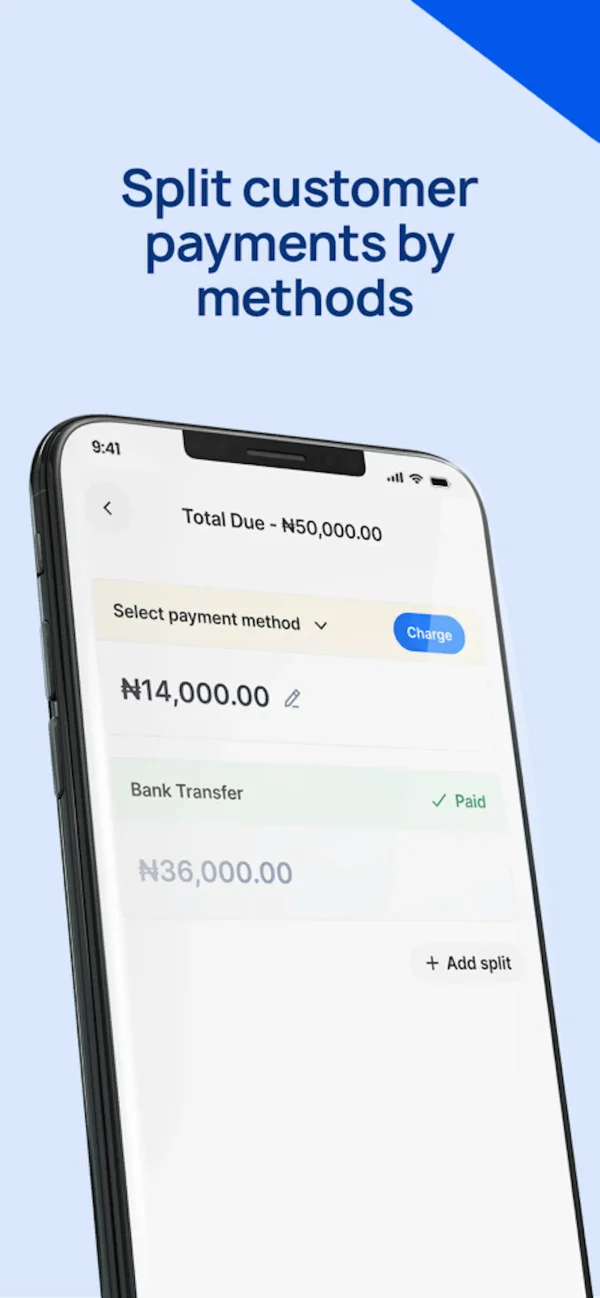
With an easy-to-use interface, cashiers can record sales in seconds, apply discounts, reward loyal customers, and keep track of every order. Moniebook Register supports multiple payment methods including cash, card, and transfer – with the ability to split payments across different methods on a single order.
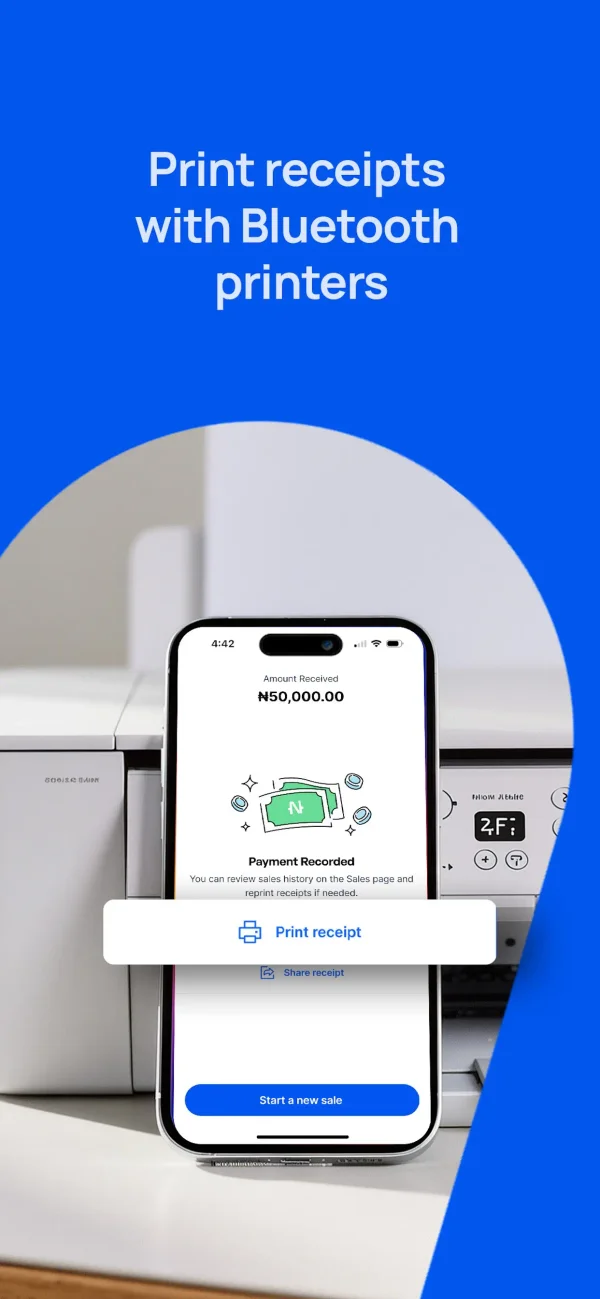
Pair the app with a bluetooth printer to instantly generate receipts, making checkout seamless for customers. Add sales channels, register new customers, and manage credits directly from the app.
Key Features:
• Turn your phone/tablet into a full POS system
• Record and track sales easily
• Accept multiple payment methods & split payments
• Print receipts via Bluetooth printer
• Add sales channels & customers instantly
• Apply discounts, rewards, and credits
• Designed for both small and large businesses
• Works as the cashier-facing app for Moniebook POS
Whether you run a small shop, supermarket, pharmacy, or retail chain, Moniebook Register makes selling simple, smart, and reliable.
The Moniebook Register features includes:
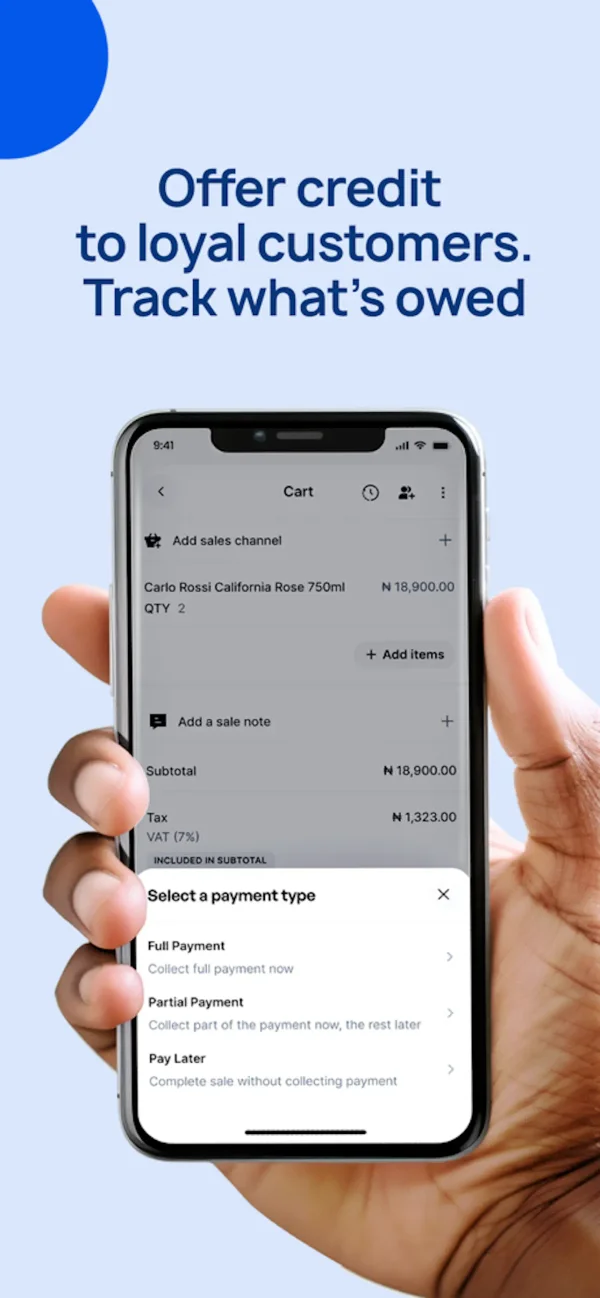
Credit Sales: Offer goods or services without full upfront payment. Track outstanding balances, attach due dates, and link invoices to specific customers. Ideal for businesses that extend credit to trusted buyers. (Configurable per business needs.)
Flexible Discounts: Apply discounts exactly how you want.
• Fixed Amount – Deduct a set amount from the total.
• Fixed Percentage – Automatically reduce the subtotal by a set %.
• Manual Amount – Let cashiers enter the amount at checkout.
• Manual Percentage – Cashiers can apply custom percentage discounts when authorized.
Customer Wallet: Quickly refund or credit a customer after returns. Maintain accurate inventory and financial records by linking refunds to past purchases. Hassle-free returns that make customers and merchants happy.
Bluetooth Printer Support: Print receipts directly from your phone or tablet — no terminals or USB printers required.
Split Payments: Offer flexible payment options by allowing customers to:
• Pay with multiple payment methods (e.g., cash + card)
• Split the bill among multiple payers Fast, seamless, and intuitive—ideal for shared purchases or diverse payment preferences.
Smarter Cart Flow with Variant & Ranged Pricing: Enjoy a simplified and consistent item entry process:
• Standard Items – Single products (e.g., Coke)
• Variant Items – Products with options (e.g., shirts by size & color)
• Bundled Items – Combos or hampers made up of other items
Supports all major pricing types: Fixed, Manual, Range-based, and Multi-Pricing (e.g., VIP vs Walk-in rates).
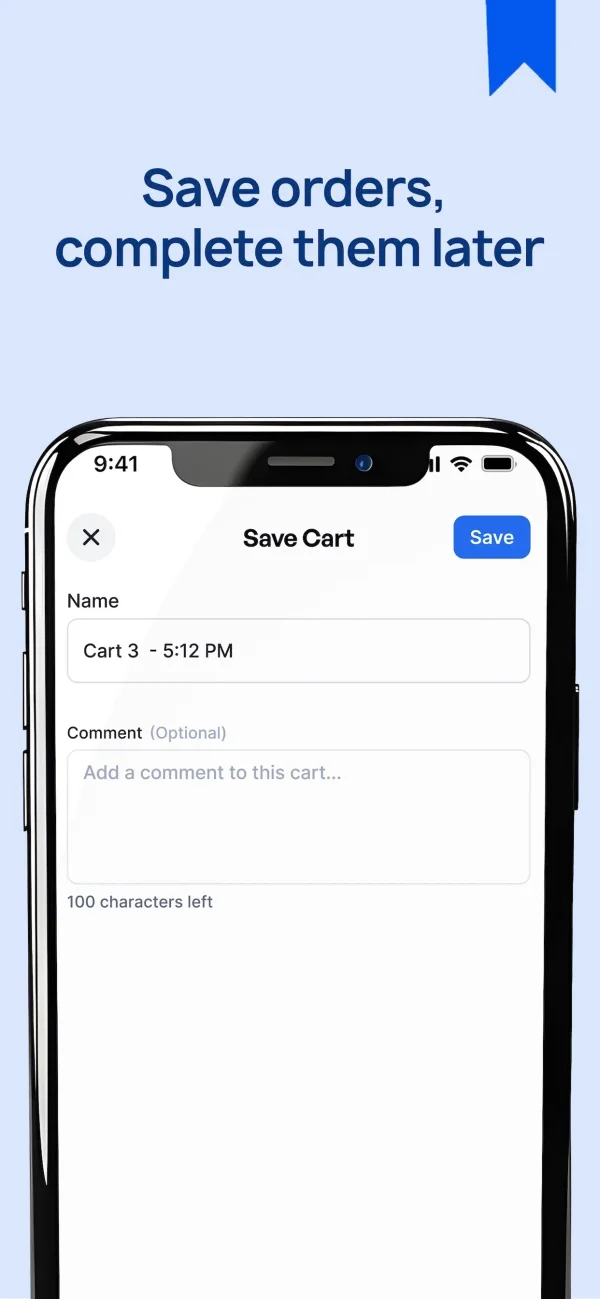
Saved Carts: Pause a sale and return to it later. Perfect for businesses where payments may be delayed. Create, edit, and save orders until the customer is ready to check out.
Business Made Easy, with Moniebook Register.
Download Moniebook Register today to experience a mobile POS software that adapts to how your business works and empowers your cashiers to sell better, faster, and smarter!
Contact us:
Our committed support team is prepared to assist you:
Helpline: 01 888 9990
Website: moniebook.moniepoint.com
What’s new
Version 0.2.992 · Aug 6, 2026
What's New
Improved Staff Login: Updated error messages for staff login to provide clearer feedback, ensuring they no longer get blocked by the keypad on smaller POS screens.
Cart Reliability: Fixed an issue where items in a cart would disappear when reopening the register or resuming another cart.
General Improvements: Under-the-hood fixes and performance enhancements for a smoother experience.
App privacy
What Moniepoint declares on the App Store about how this app handles data.
-
Data used to track you
May be used to track you across apps and websites owned by other companies.
- Location
-
Data linked to you
May be collected and linked to your identity.
- Location
-
Data not linked to you
May be collected but is not linked to your identity.
- Location
- Identifiers
- Usage data
- Diagnostics
Privacy practices may vary, for example with the features you use or your age.
Information
- Seller
- Moniepoint Inc
- Category
- Business
- Version
- 0.2.992
- Updated
- Aug 6, 2026
- Released
- Jan 7, 2026
- Size
- 104.2 MB
- Requires
- iOS 15.6 or later
- Age rating
- 4+
- Price
- Free
- Languages
- English
- Copyright
- © Moniepoint Microfinance Bank
You might also like
-
 Timart Business AppBusiness
-
 Cantant - Smarter BookkeepingCashflow, Inventory & Invoices
-
 Moneey App: Better Than A BankSend & Receive Money Easily
-
 FinstoreMerchant store application
-
 ABC Logistics AppSend your packages anywhere
-
 NIBSS Mobile AppNIBSS Mobile App
-
 OmniPay by OmniFinance
-
 GAPS-LiteFinance
-
 Jaiz eTokenGenerate one-time passwords.
-
 Paystack MerchantSell anywhere, get paid faster