
Monivera: Auto Expense Tracker
Shared family & couple budget
Designed for iPhone
Free · In-app purchases
- Age rating4+
- CategoryFinance
- DeveloperJoon Young Kim
- LanguagesEnglish+ 3 more
- Size72.2 MB
Links to the official App Store page
Download.org hosts no file of Monivera: Auto Expense Tracker. The button opens its official App Store page, published by Joon Young Kim. Listing last checked on Nov 20, 2026.
Screenshots
About
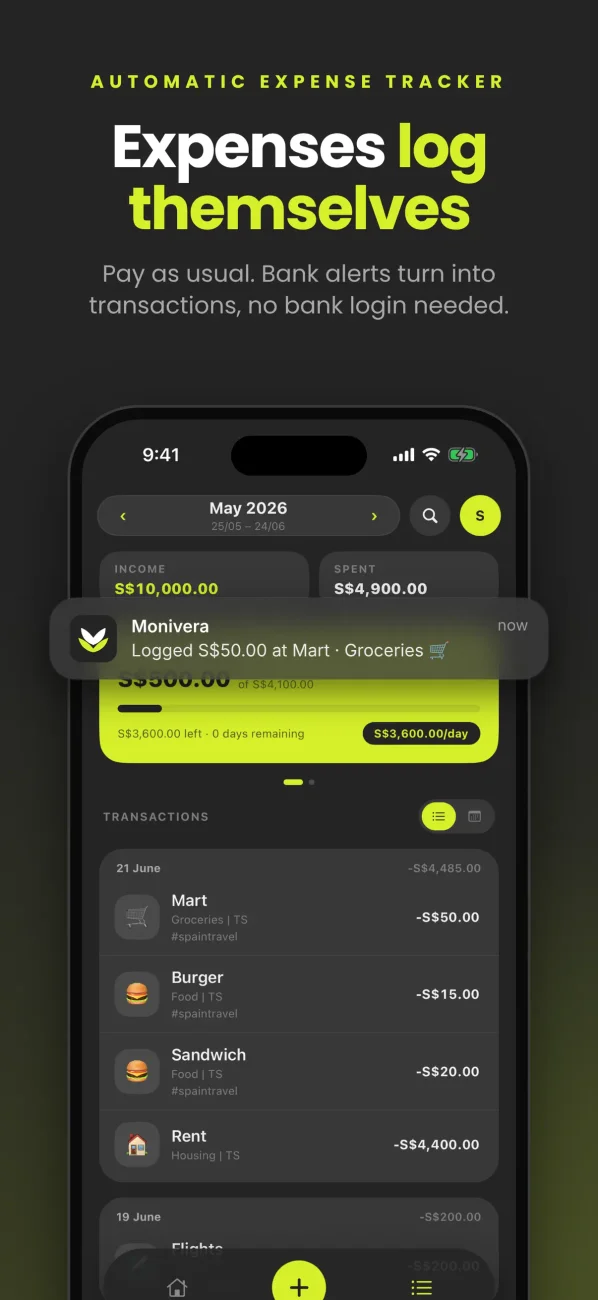
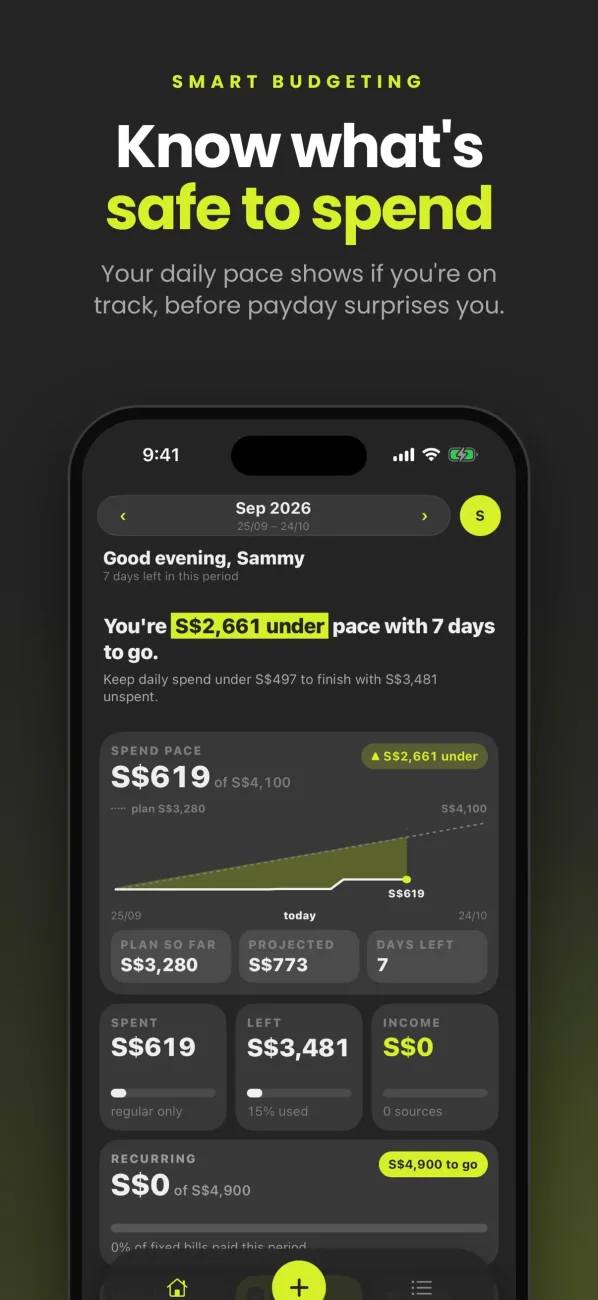
Monivera turns your bank's transaction emails and SMS notifications into a live budget. Logged automatically, categorized for you, and shared with your household. All your finances, one clear view.
Logging is the reason budgets die, so we deleted it. Hook Monivera up to your bank's notifications once, and every card swipe logs itself before you have put your phone back in your pocket.
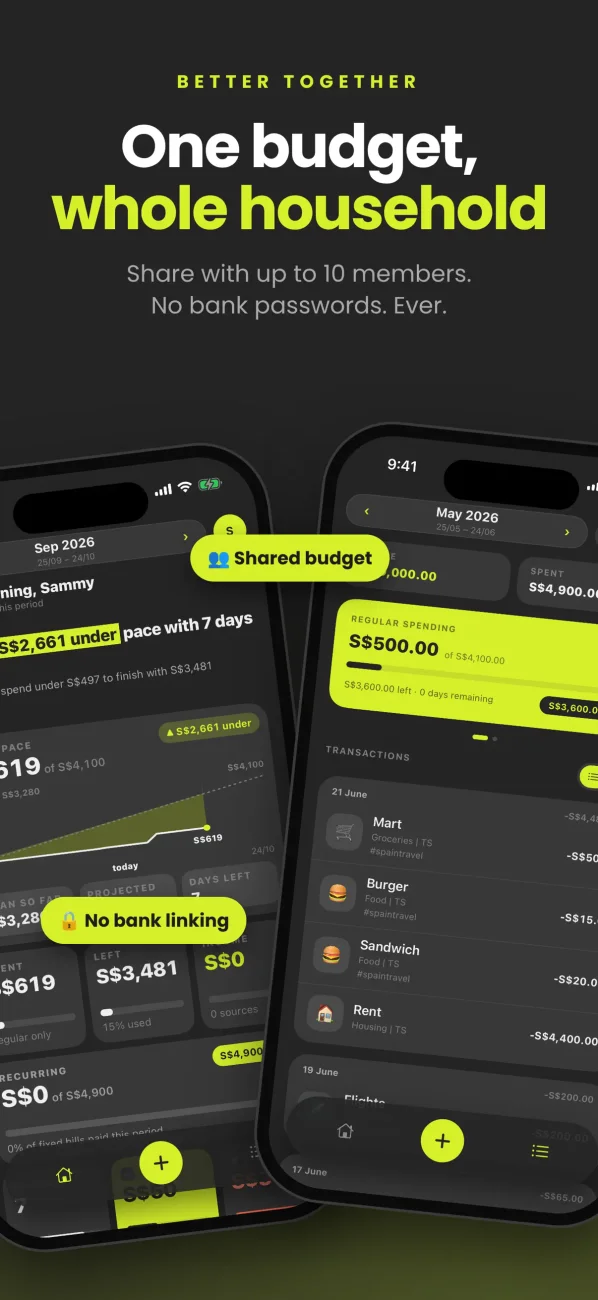
No bank credentials. No typing. No spreadsheets.
FEATURES
• Automatic logging from your bank's email and SMS notifications
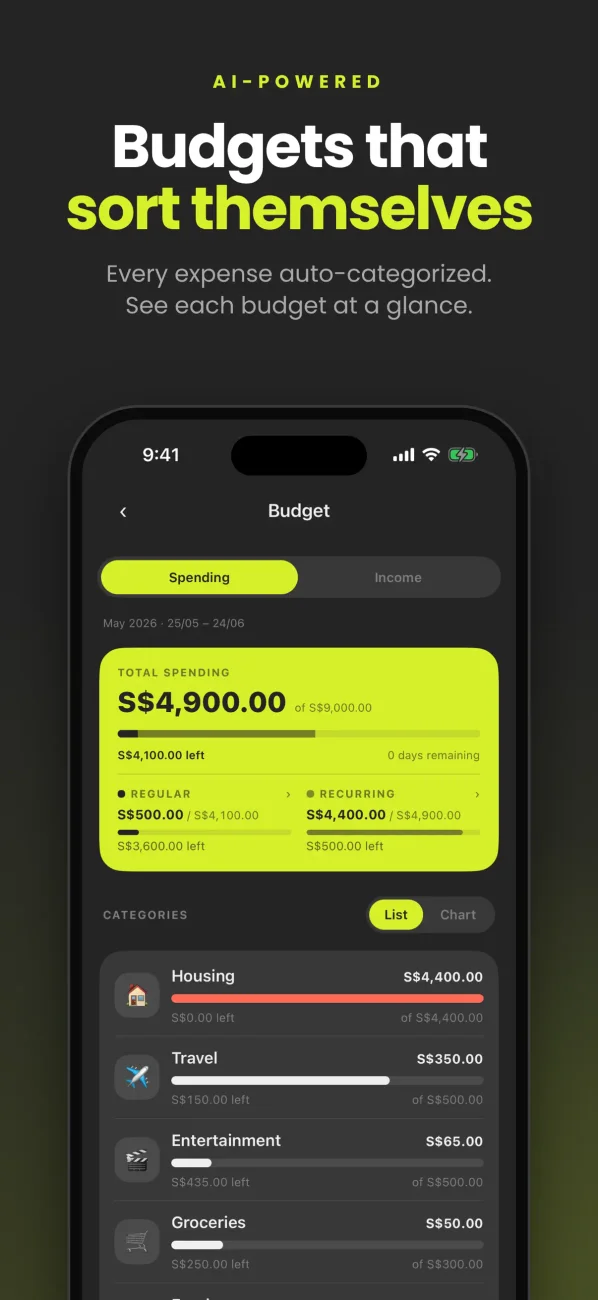
• A live budget that categorizes itself
• Bank notifications from different banks, all in one place
• Shared household budgets for up to 10 people
• 150 currencies, converted to your home currency automatically
• AI rules to mark recurring merchants and transfers
• Tags and search in any language
Built out of necessity by a solo developer who wanted one app that showed every account at once.
SUBSCRIPTION
Monivera Pro is available as an auto-renewing subscription, billed monthly or yearly. Payment is charged to your Apple Account at confirmation of purchase. The subscription renews automatically unless it is cancelled at least 24 hours before the end of the current period, and your Apple Account is charged for renewal within 24 hours prior to the end of the current period. You can manage or cancel your subscription in your Apple Account settings after purchase.
Terms of Use (EULA): https://www.apple.com/legal/internet-services/itunes/dev/stdeula/
Privacy Policy: https://www.monivera.app/privacy/
What’s new
Version 1.6.6 · Nov 17, 2026
Improved
• Bank alerts are no longer lost on a bad connection. If the Shortcut can't reach Monivera, the alert waits safely on your phone and is logged later with its original date, never twice.
• The "session expired" message now only appears when your session has really ended. Brief network hiccups are retried, and a waiting alert is logged once you sign back in.
• Clearer Shortcut notifications tell you when an alert is saved for later, when you need to sign in, and when earlier alerts have been logged.
• Fresh Home templates under + Add, and none shows the same figure twice. Insight, the default, now includes your top categories, and Dense is now Activity, built around the spend calendar. Your saved Home isn't changed.
Fixed
• Bills paid in full, like rent, no longer top the Categories card and Category grid in red. A bill that went over budget still shows.
• When one alert holds several purchases and you reach the free auto-log limit partway through, the rest stop cleanly with the "limit reached" notification.
App privacy
What Joon Young Kim declares on the App Store about how this app handles data.
-
Data linked to you
May be collected and linked to your identity.
- Financial info
- Contact info
-
Data not linked to you
May be collected but is not linked to your identity.
- Usage data
- Diagnostics
Privacy practices may vary, for example with the features you use or your age.
Information
- Seller
- Joon Young Kim
- Category
- Finance
- Version
- 1.6.6
- Updated
- Nov 17, 2026
- Released
- Jul 20, 2026
- Size
- 72.2 MB
- Requires
- iOS 16.4 or later
- Age rating
- 4+
- Price
- Free
- In-app purchases
- Yes
- Languages
- English, Korean, Simplified Chinese, Spanish
- Copyright
- © 2026 Monivera
You might also like
-
 MySprout: Net Worth TrackerExpenses, Assets & Liabilities
-
 wym: where's your moneyExpense tracker & bill splits
-
 Worthful: Budget & ExpenseExpense, Bill & Card Tracker
-
 Two Cents: Couples Budget AppShared expense tracker for two
-
 Gastracky: Control de GastosTrack Spending & Budget
-
 Expense Tracker – PayShareSpending & Money Log, Shared
-
 Mote.Minimal Expense Tracker
-
 Finnit Money & Expense TrackerBudget, Bills, Receipt Scanner
-
 Goose: Manual Expense TrackerIncome & Budget Spend Forecast
-
 CashJot: Daily Expense TrackerOffline Spending Log & Budget