
Monk Zone: Stop Brainrot
Do Habits. Unlock Screen Time.
Designed for iPhone
Free · In-app purchases
- Age rating4+
- CategoryProductivity
- DeveloperMonk AI Labs Inc
- LanguagesEnglish
- Size72.4 MB
Links to the official App Store page
Download.org hosts no file of Monk Zone: Stop Brainrot. The button opens its official App Store page, published by Monk AI Labs Inc. Listing last checked on Nov 22, 2026.
Screenshots


About
Your attention is worth protecting.
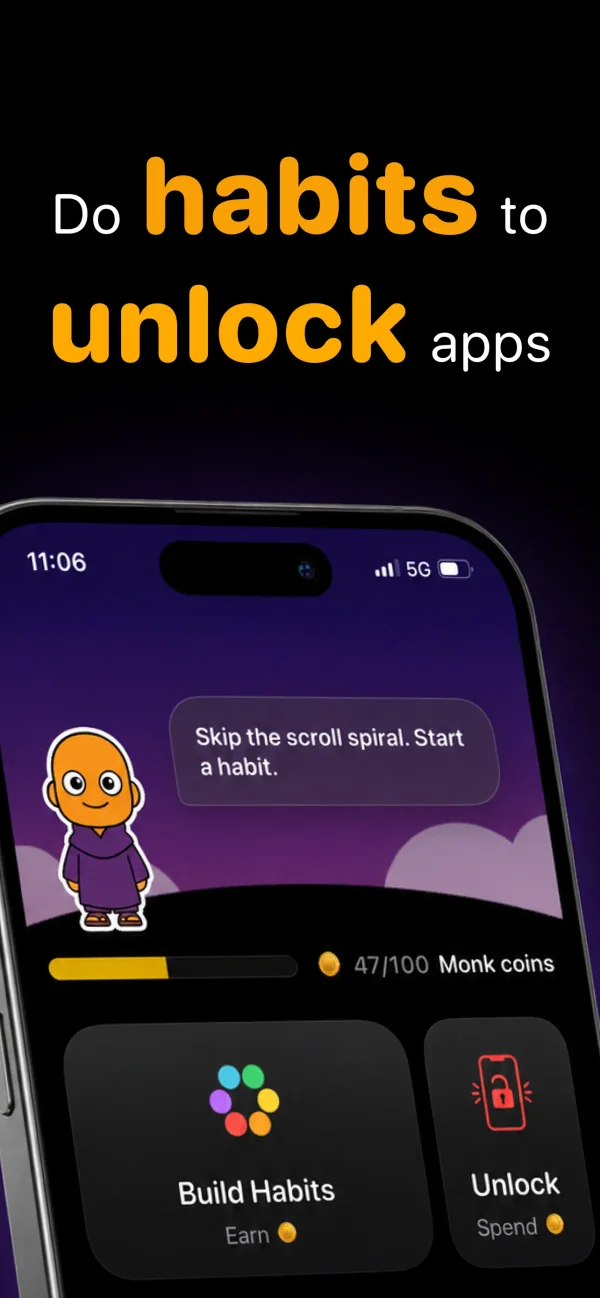
Monk Zone helps you spend less time scrolling and more time doing things you actually care about.
Choose the apps that distract you. Build habits and complete quick wins to earn Monk Coins. When you decide you really want screen time, use your coins to unlock those apps for a limited time.
No endless feeds by default.
You choose when your attention goes back to your phone.
HOW MONK ZONE WORKS
1. Choose the apps you want to block
2. Build habits like Deep Work, Meditation, Exercise, Family Time, or Learning
3. Complete habits to earn Monk Coins
4. Spend coins when you want to unlock an app
5. Choose how long you want access for
You stay in control of both the habit and the screen time.
BUILD HABITS. EARN COINS.
Monk Zone gives you a reason to do the things you keep putting off.
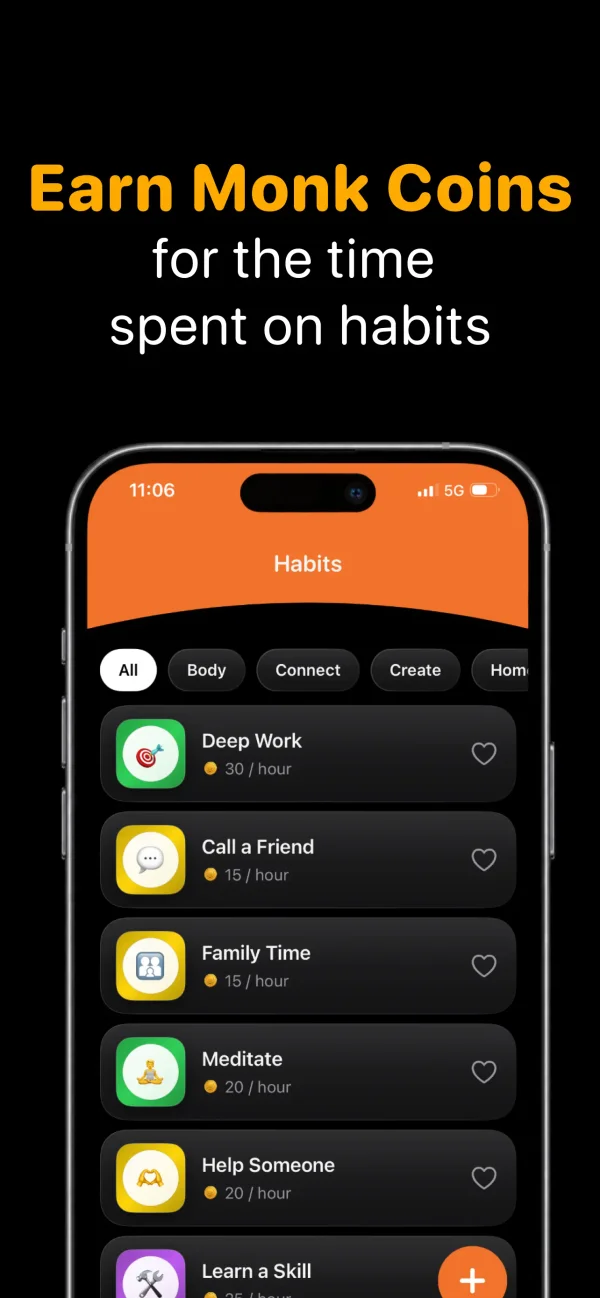
You can earn Monk Coins for habits like:
• Deep Work
• Exercise
• Meditation
• Family Time
• Calling a Friend
• Learning a Skill
• Creative Time
• Your own custom habits
The more consistent you are, the more coins you earn.
UNLOCK APPS ON YOUR TERMS
When you want to open a blocked app, choose how much time you actually need.
1 min • 2 min • 3 min • 5 min • 10 min • 15 min
Spend the coins and unlock it.
This small pause helps stop the habit of opening an app and scrolling without thinking.
QUICK WINS
You do not always need a long habit session.
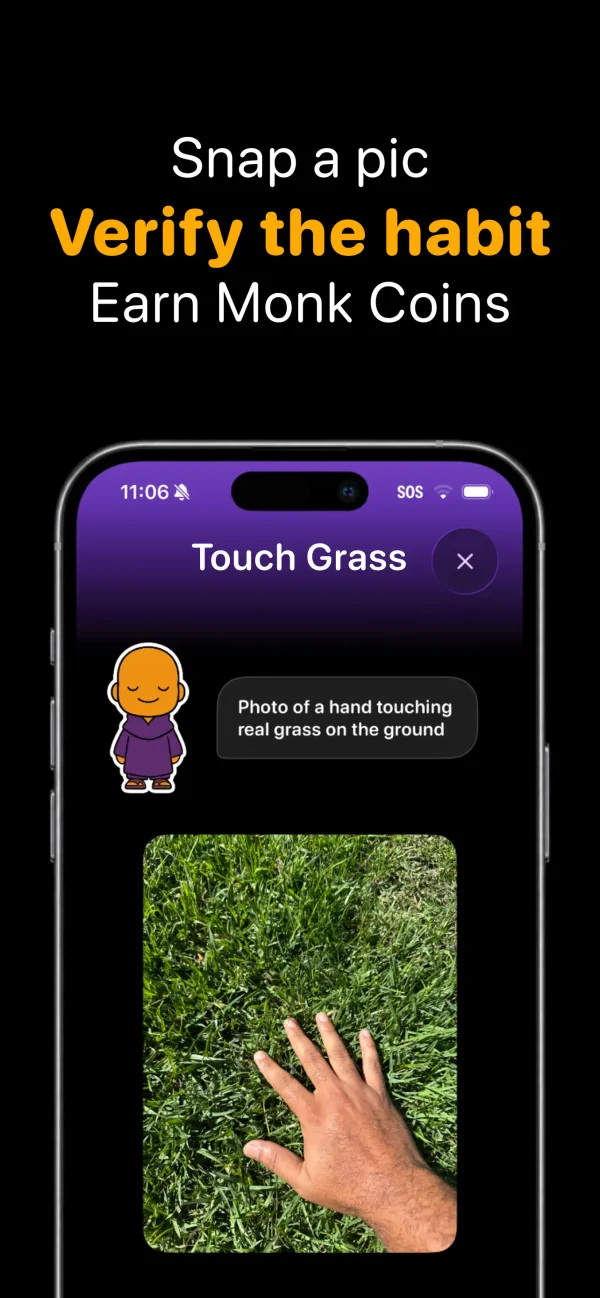
Monk Zone also gives you small actions you can do in a minute or two like drink water or touch grass.
User snaps a photo of the habit like- a glass of water. App uses image verification and verifies if user took an action to do the habit.
Finish one, earn a few coins, and get back to your day.
FOCUS AND SLEEP
Monk Zone also includes audio for times when you want fewer distractions.
Listen to:
• Focus music
• Deep work audio
• Sleep sounds
• Relaxation
• Meditation
Use Monk Zone when you want to work, wind down, or simply spend less time staring at a feed.
WITH MONK ZONE YOU CAN
• Block distracting apps
• Earn screen time through habits
• Earn and spend Monk Coins
• Choose your unlock duration
• Track habits
• Create custom habits
• Complete Quick Wins
• Reduce doomscrolling
• Improve focus
• Listen to focus and sleep audio
Monk Zone is not about quitting your phone.
It is about using it with a little more intention.
Do the things that matter first.
Scroll later.
TERMS & CONDITIONS
https://monk.zone/terms
PRIVACY POLICY
https://monk.zone/privacy
LICENSE AGREEMENT
https://www.apple.com/legal/internet-services/itunes/dev/stdeula/
SUPPORT & FEEDBACK
support@monk.zone
What’s new
Version 1.3.5 · Nov 14, 2026
Meet the new Monk Zone experience.
This update fixes a few bugs and improves the experience of the app
App privacy
What Monk AI Labs Inc declares on the App Store about how this app handles data.
-
Data linked to you
May be collected and linked to your identity.
- Contact info
- Identifiers
- Usage data
-
Data not linked to you
May be collected but is not linked to your identity.
- Diagnostics
Privacy practices may vary, for example with the features you use or your age.
Information
- Seller
- Monk AI Labs Inc
- Category
- Productivity
- Version
- 1.3.5
- Updated
- Nov 14, 2026
- Released
- Oct 5, 2025
- Size
- 72.4 MB
- Requires
- iOS 17.6 or later
- Age rating
- 4+
- Price
- Free
- In-app purchases
- Yes
- Languages
- English
- Copyright
- © 2025 Monk AI Labs Inc
You might also like
-
 Become - Goal Tracking365-Day Goal Commitment
-
 Monk: Screen Time ControlApp Blocker & Habit Builder
-
 Loominote: Smart AI Note TakerVoice Recorder, Plan & Tasks
-
 BlockRot: Screen Time ControlFinish Tasks, Earn Screen Time
-
 Arc: Screen Time ControlBlock apps. Stop scrolling.
-
 Toxic Flamingo: To-Do & NotesVoice Notes, Focus & Reminders
-
 Shelver: Home OrganizationHome Inventory Tracker
-
 Monk Mode - Take ControlTake control of your life!
-
 Screen Time Control - BluckyBlock Apps & Stay Focused
-
 Jolt: Screen Time ControlApp Blocker & Focus Timer