
MonoFlick
Type on your Mac, left-handed
Designed for iPhone
Free · In-app purchases
- Age rating4+
- CategoryProductivity
- Developeryoshihito nagai
- LanguagesEnglish+ 1 more
- Size4.5 MB
Links to the official App Store page
Download.org hosts no file of MonoFlick. The button opens its official App Store page, published by yoshihito nagai. Listing last checked on Nov 18, 2026.
Screenshots


About
MonoFlick lets you send text, keyboard shortcuts and pointer movements to your Mac from the iPhone in your left hand, while your right hand stays on a mouse, a pen tablet or a game controller.
It needs the free Mac companion app "MonoFlick Companion": "MonoFlick Companion lite" on the Mac App Store, or the DMG version from our website.
[Type on your Mac from your iPhone]
Text you type with the flick keyboard, designed for the left hand, is entered into the frontmost app on your Mac. Text being converted is also shown on the Mac screen. A numeric keypad is included.
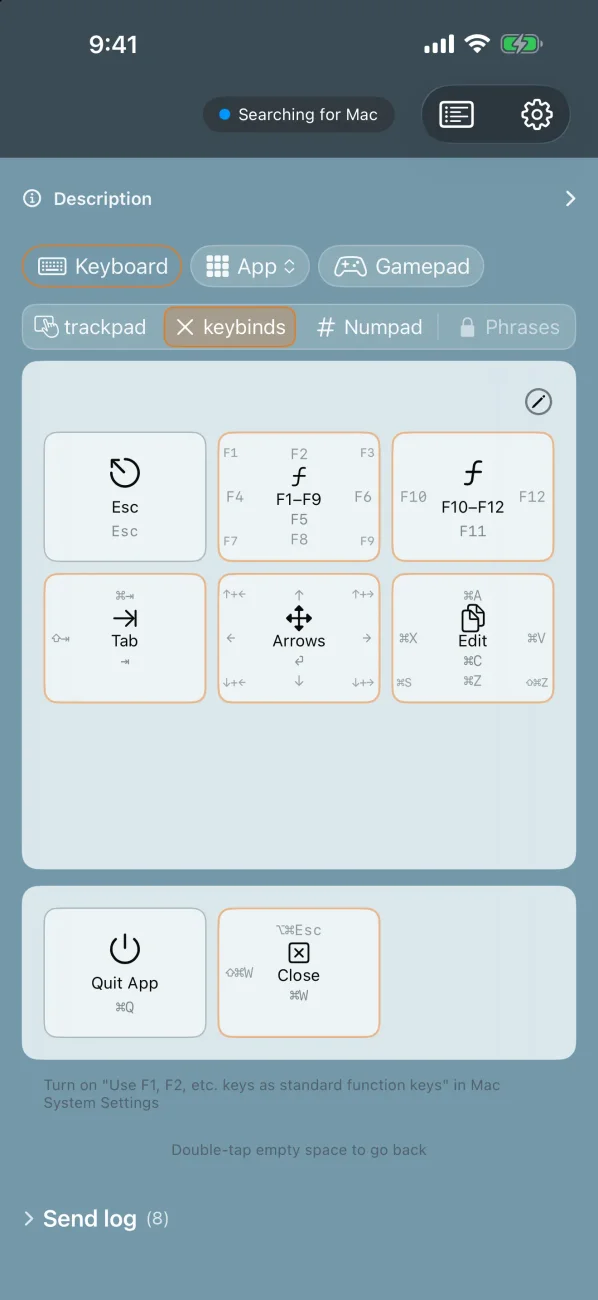
[Shortcuts with one hand]
Send copy, paste, undo and other shortcuts or function keys with a single tap. Save the combinations you use often as key bindings and group them into tabs.
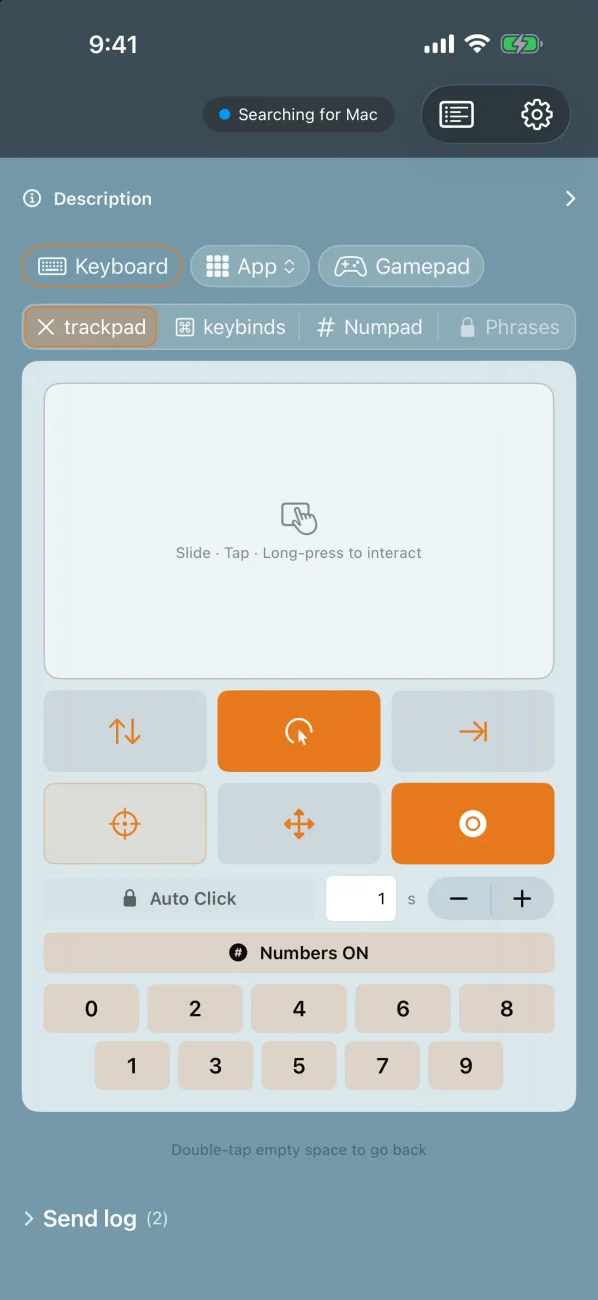
[Use your iPhone as a trackpad]
Move the Mac pointer, click, scroll and select ranges. Buttons can jump the pointer to fixed positions, and a mode moves it along a circle or a line.
[Launch apps]
Open the Mac apps in your launcher with one tap, or switch between the apps running on your Mac. Add more apps with launcher sets (plugins).
[Plugins]
Add key layouts for games and apps, and launcher sets that open Mac apps, as plugins. The Minecraft card for one-handed play is a free plugin on foo-tec.com.
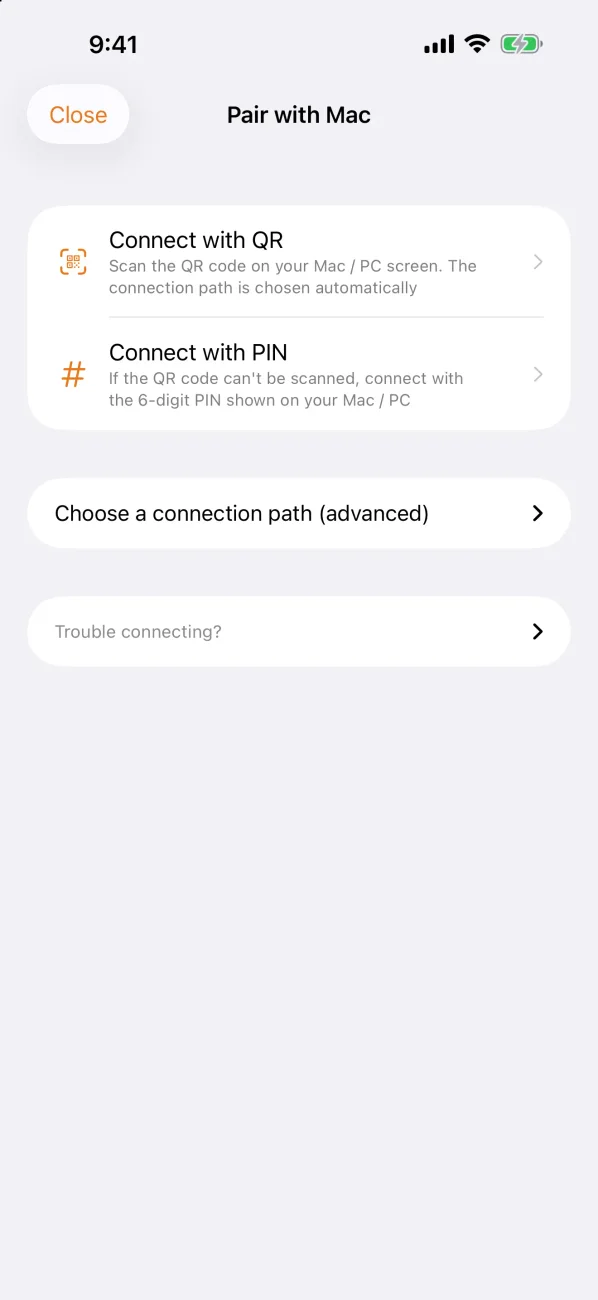
[Pairing]
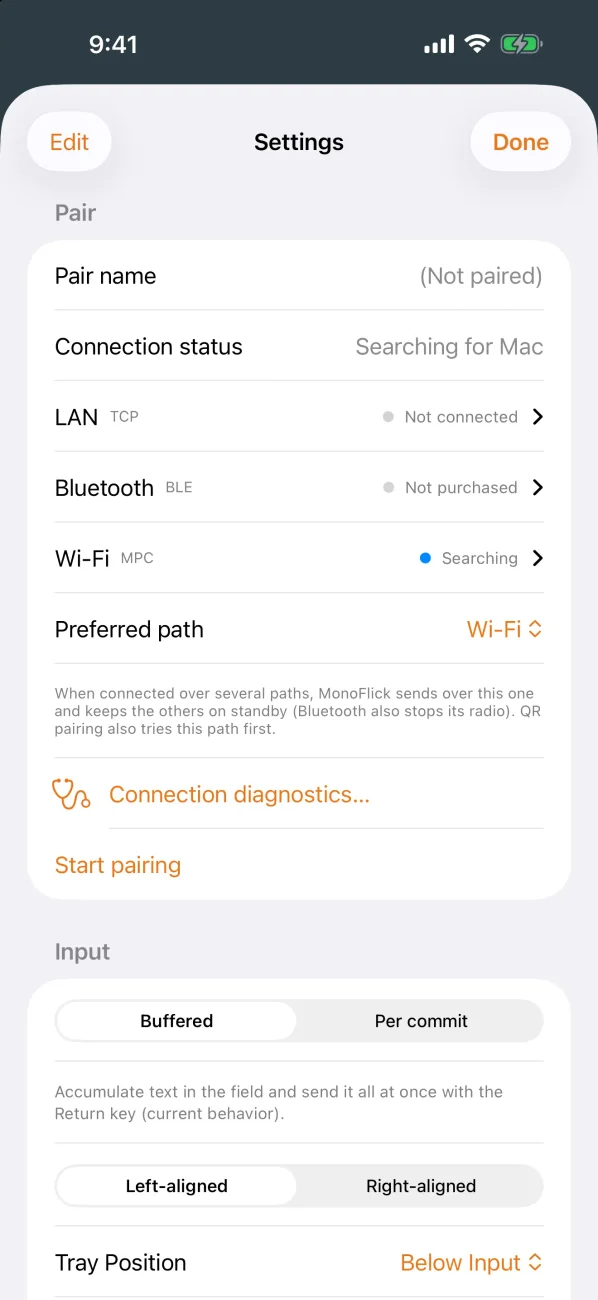
Scan the QR code shown in the Mac menu bar. A PIN is available if the QR code can't be scanned. Connects over Wi-Fi or your local network, and you can set the order in which connections are tried.
[In-app purchases (one-time)]
- BLE Connection: connect over Bluetooth where there is no Wi-Fi
- Phrase Palette: insert saved phrases with one tap
- Auto Click: repeat left clicks at a set interval (requires the DMG version of the Mac app)
- Tip: support development (unlocks no features)
[About the Mac App Store edition]
MonoFlick Companion lite runs in the macOS App Sandbox, so Auto Click, orbit numbering and launching apps by path are not available with it. While connected to lite, the app hides these features or shows that they are not available.
[Privacy]
Communication between the iPhone and the Mac is encrypted, and nothing is sent to the developer's servers. No analytics, no ads.
Please do not use the app while walking or driving.
Privacy Policy: https://foo-tec.com/monoflick/privacy-policy
What’s new
Version 1.3.0 · Nov 13, 2026
[Plugins]
- You can now add plugins: key layouts for games and apps, and launcher sets that open Mac apps. Download a file from foo-tec.com, open it with MonoFlick, and manage it under Settings > Plugins.
- Minecraft is no longer built in. It is available as a free plugin on foo-tec.com (if you used Minecraft before, the app shows you how to add it once).
- A plugin can choose which category it appears in, or create a new one. Give the Plugin Guide on foo-tec.com to an AI assistant to make plugins for other games and apps.
[Launcher]
- Long-press an app to pin it to the top. The rest are ordered by most recent use.
- The launcher is now a plugin. The default apps come preinstalled as the Basic Apps plugin, which you can delete under Settings > Plugins (and install again from foo-tec.com). If you added your own apps, they are kept as My Launcher. The Launcher section in Settings, adding and editing apps, and importing from the Mac's Dock have been removed. To add other apps, use a launcher set (plugin).
- You can export My Launcher and installed sets to a file, and rename the tab of an installed set.
[Screens and settings]
- Trackpad, keybinds, numpad and phrases are now in one bar (the tray), and you can choose where it appears.
- Choose which screen appears first when the app opens.
- You can hide the Description row.
- The app now shows when the keyboard is getting ready.
- The function keys in keybinds are now split into F1-F8 and F9-F12 with the same layout.
[Purchases]
- Added a tip to support development (it unlocks no features).
- The Minecraft left-click hold is now free.
[Working with your Mac]
- While connected to MonoFlick Companion lite (the Mac App Store edition), features and purchases that lite does not support are hidden, and the connection status shows "lite".
- The guidance shown when input doesn't reach the Mac because of a missing permission is easier to read and disappears once the permission is fixed.
[Other changes]
- Fixed the keyboard sometimes appearing during the launch screen.
- Other minor display fixes.
App privacy
What yoshihito nagai declares on the App Store about how this app handles data.
-
Data not collected
The developer does not collect any data from this app.
Privacy practices may vary, for example with the features you use or your age.
Information
- Seller
- yoshihito nagai
- Category
- Productivity
- Version
- 1.3.0
- Updated
- Nov 13, 2026
- Released
- Jun 1, 2026
- Size
- 4.5 MB
- Requires
- iOS 18.0 or later
- Age rating
- 4+
- Price
- Free
- In-app purchases
- Yes
- Languages
- English, Japanese
- Copyright
- © 2026 foo
You might also like
-
 MD SlideMarkdown Slides on the Go
-
 AddnessWork moves with AI, on the go
-
 Focus RangeProductivity
-
 Scrol-Notes : finger writingScrollable notepad, simple.
-
 AI Notebook LM - PodifyGPTFor Brainstorming & Research
-
 Spectra CoreProductivity
-
 DigitalDefendr ContentcleanseProductivity
-
 Websaver TrackitProductivity
-
 共有メモ みんなのノート チームで使えるシンプルメモProductivity
-
 Pal Chat - AI Chat ClientPowerful AI chat playground