
Monologue: Diary & Voice Notes
Private journal, daily writing
Designed for iPhone
Free · In-app purchases
- Age rating4+
- CategoryLifestyle
- Developer书旗 莫
- LanguagesEnglish+ 14 more
- Size29.1 MB
Links to the official App Store page
Download.org hosts no file of Monologue: Diary & Voice Notes. The button opens its official App Store page, published by 书旗 莫. Listing last checked on Nov 24, 2026.
Screenshots

About
A private space for your thoughts, in words and in your own voice.
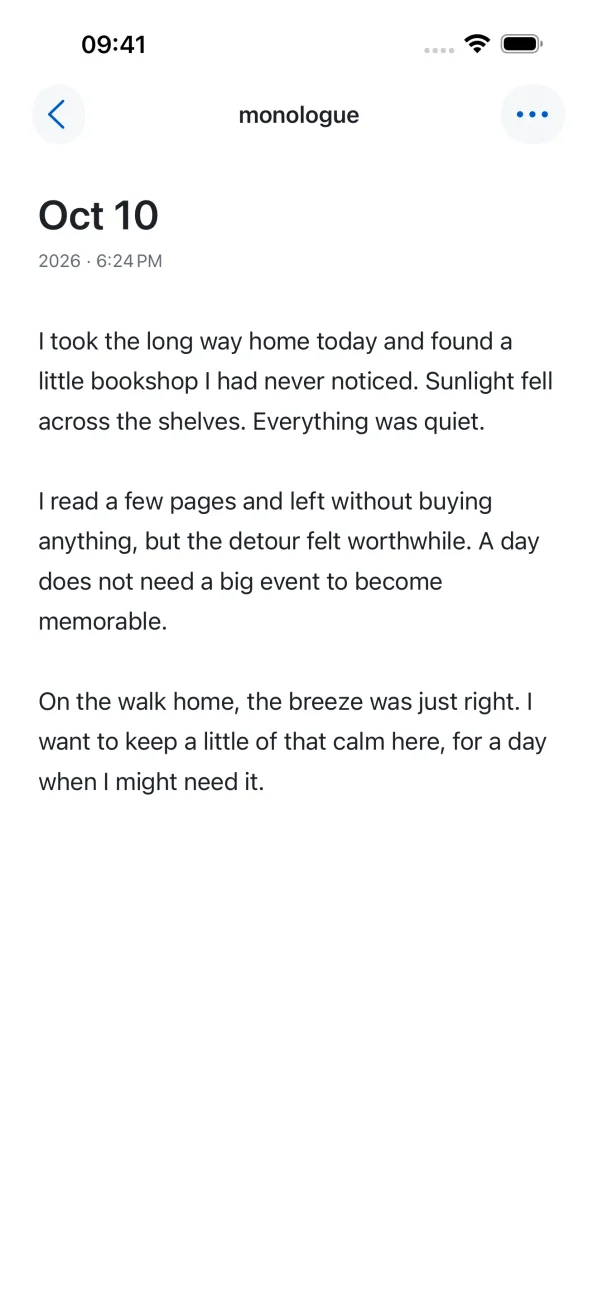
Monologue keeps the focus on personal expression. Save the small moments, passing ideas and feelings you would rather keep to yourself. Write when a thought arrives, or record the voice and emotion behind it. Come back later to read or listen again.
FEATURES
[Write and search]
Create and edit personal notes. Search the text of all your written records to find a thought you remember.
[Archive and revisit]
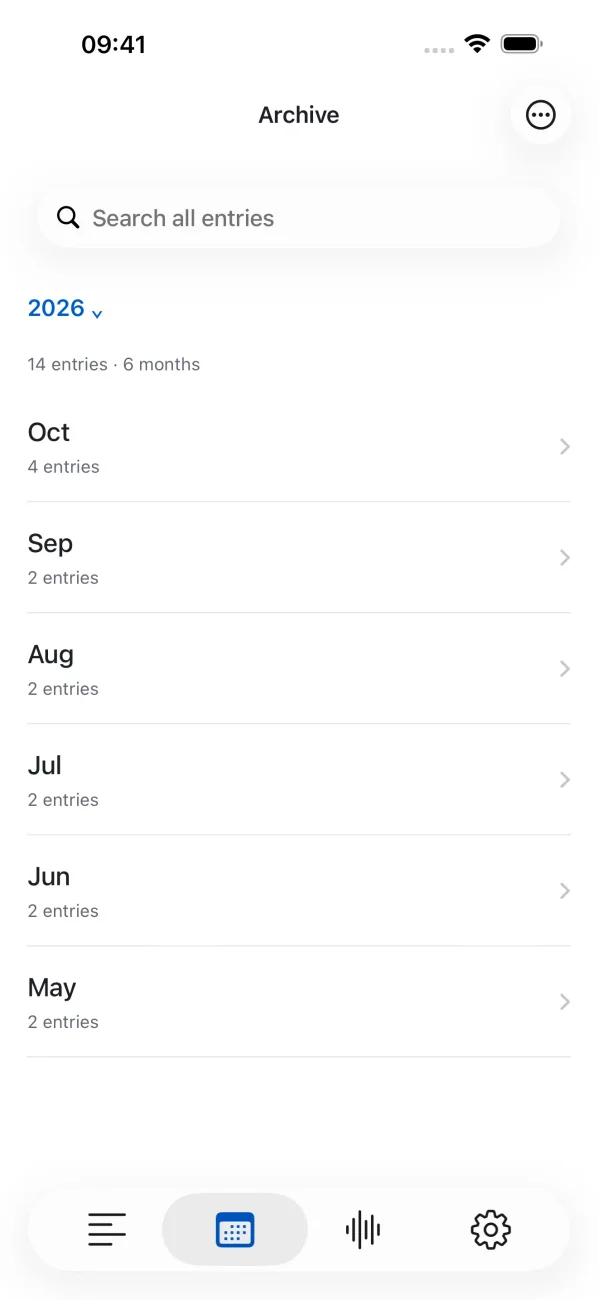
Browse notes by year and month, see record counts, search within a month and filter with the calendar. Sort from newest to oldest or the other way around.
[Export and import notes]
Export a date range as TXT, Markdown, PDF or JSON. JSON note backups exported by the current version can be imported again. Review a validated preview before importing; duplicate records are skipped and existing notes are not overwritten.
[Voice recording]
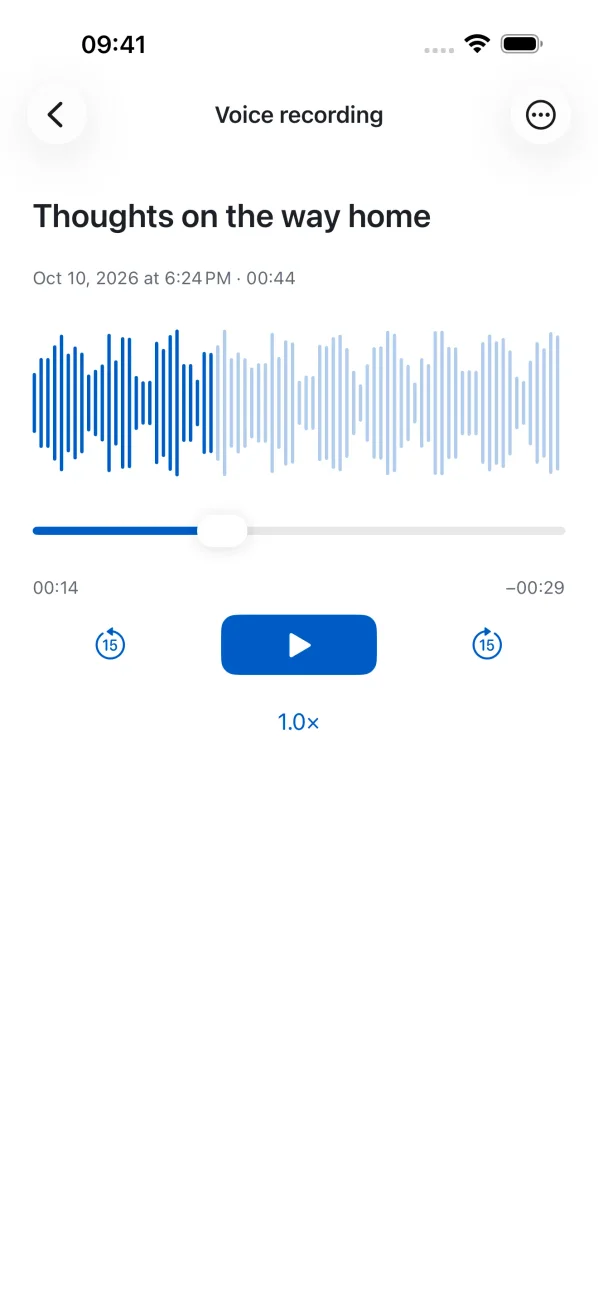
Record, pause, resume and listen before saving. Edit your recording’s title. During playback, view the waveform, seek to a moment, skip 15 seconds forward or back, and choose speeds from 0.5x to 2x. Recording pauses when you leave the app.
[Organize and export audio]
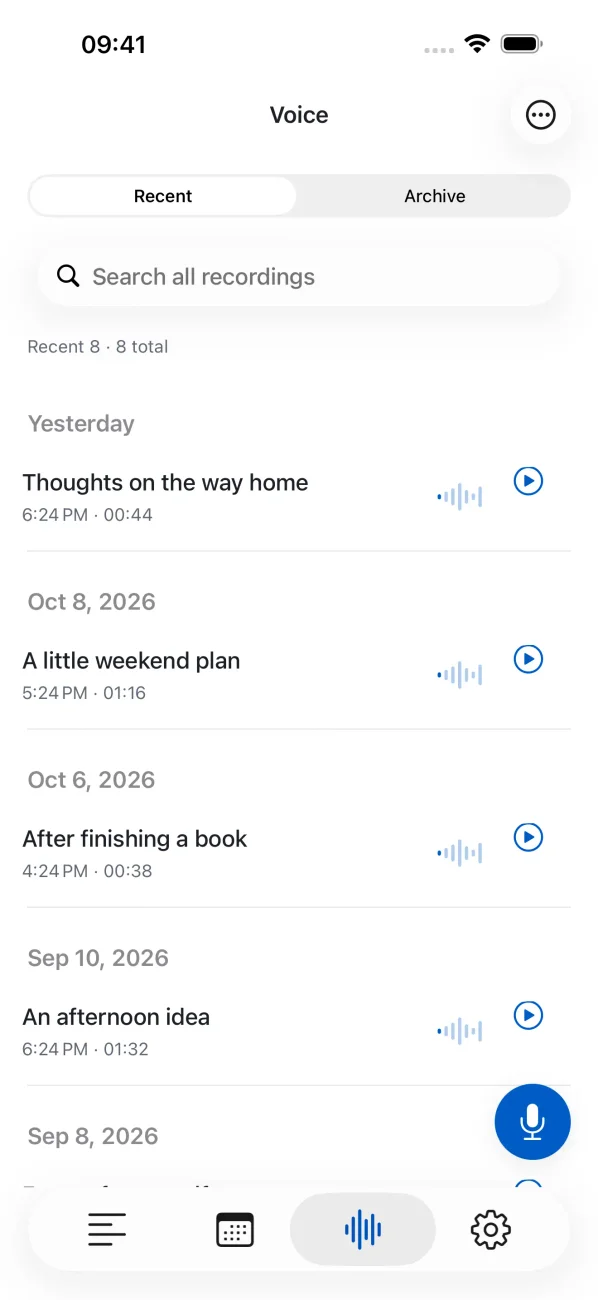
Browse recent recordings by date, archive by year and month, search titles and filter dates. Export one recording, a selection or your entire library as M4A files, or a ZIP organized by year and month, for safekeeping or sharing.
[Home Screen and Lock Screen widgets]
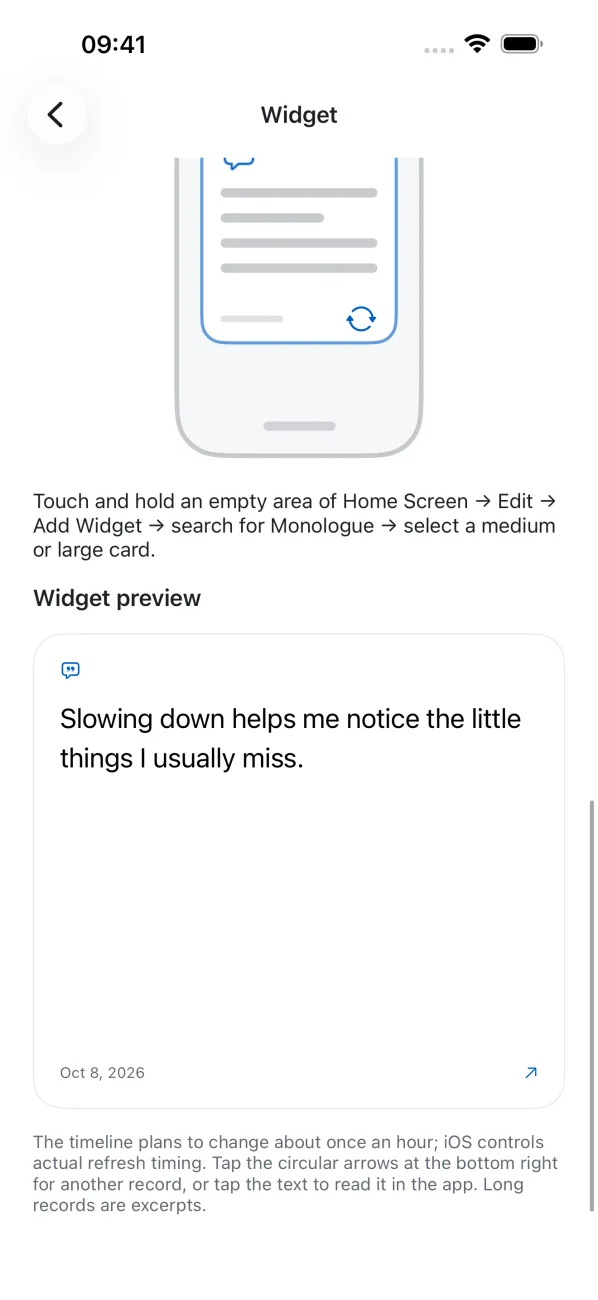
Rediscover a random note from your past. Choose medium or large Home Screen widgets, or a rectangular Lock Screen excerpt. Switch to another note on the Home Screen and tap the text to open the original.
[iCloud note sync — membership]
Sync written records between devices using the same Apple Account. Restore notes already synced to iCloud after changing phones or reinstalling the app.
[Face ID / Touch ID app lock — membership]
Require the biometric authentication supported by your device to enter the app and access your notes and recordings.
[Notes as images]
Turn written records into images and save them to Photos, ready to keep or share.
[Your reading preferences]
Choose from built-in fonts, adjust the number of preview lines in the list and follow the system's light or dark appearance.
[Batch management]
Touch and hold a record or use the More menu to select and delete multiple notes or recordings. When iCloud note sync is enabled, deleting notes also syncs those deletions to iCloud. Check your selection before deleting.
MEMBERSHIP
iCloud note sync and the Face ID / Touch ID app lock require a one-time in-app purchase. There is no automatic renewal.
DATA AND PRIVACY
Voice recording is enabled by default. Hide its tab in Settings; saved recordings remain available when you turn it back on.
Audio is stored only on this device. It is not synced with iCloud or included in system device backups. Export important recordings yourself; deleting the app deletes local audio.
JSON backup and import are for written notes. Exported audio is for safekeeping and playback outside the app; audio reimport is not currently supported.
Widgets display random past notes on the Home Screen or Lock Screen. The app lock does not hide widget text. If your notes contain text you do not want others to see, do not add widgets, or remove those already added.
A world of your own. Words for yourself, and a voice you can return to.
What’s new
Version 2.1 · Nov 21, 2026
Improved interactions and fixed some bugs.
App privacy
What 书旗 莫 declares on the App Store about how this app handles data.
-
Data not collected
The developer does not collect any data from this app.
Privacy practices may vary, for example with the features you use or your age.
Information
- Seller
- 书旗 莫
- Category
- Lifestyle
- Version
- 2.1
- Updated
- Nov 21, 2026
- Released
- Feb 14, 2020
- Size
- 29.1 MB
- Requires
- iOS 26.0 or later
- Age rating
- 4+
- Price
- Free
- In-app purchases
- Yes
- Languages
- English, Arabic, Danish, Dutch, Finnish, French, German, Italian, Japanese, Korean, Norwegian Bokmål, Simplified Chinese + 3 more
- Copyright
- © 2020 msq team
You might also like
-
 Lightmark–Private Diary & TimeText · Voice · Photo · Video
-
 随记 - 写日记和笔记像发朋友圈动态一样简单Lifestyle
-
 aDiary - Type. Save. Live.One line. One day. Done.
-
 长话短说Lifestyle
-
 时刻日记: 全平台时间轴日记Lifestyle
-
 小柚日记 - 记录你的生活,每一天都值得回忆Lifestyle
-
 JotPal - NianNian回应你的所有情感,陪伴你的生活
-
 An Idea - Keep track of ideasRecord your any thoughts
-
 凡事日记 - 生活记事 · 笔记本Lifestyle
-
 Entry MemoText Recording - Memo, Diary