
- Age rating4+
- CategoryProductivity
- DeveloperAndre Weihe
- LanguagesEnglish+ 1 more
- Size2.2 MB
Links to the official App Store page
Download.org hosts no file of Month Atlas. The button opens its official App Store page, published by Andre Weihe. Listing last checked on Nov 24, 2026.
Screenshots


About
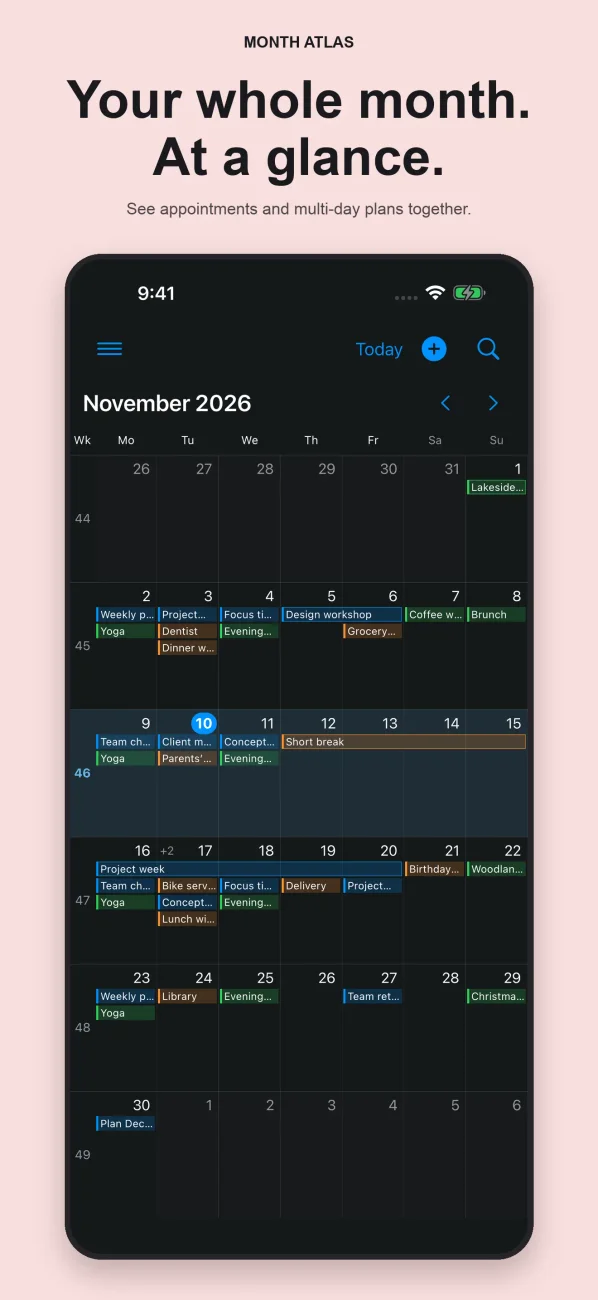
Your whole month at a glance: Month Atlas brings your calendars together in a monthly overview that stays fully visible. Follow multi-day plans, find your way with week numbers and open a day's events right below the month grid.
A CLEAR VIEW OF YOUR MONTH
• See Monday through Sunday with week numbers and colorful event bars.
• Keep track of today and the current week with dedicated highlights.
• Swipe or use the arrows to move between months. Tap Today to return to the current month.
• Tap a date to open its event list. When space runs out, “+N” shows how many more events that day contains.
• Search event titles in your selected calendars and open results directly in the editor.
YOUR CALENDARS, YOUR CHOICE
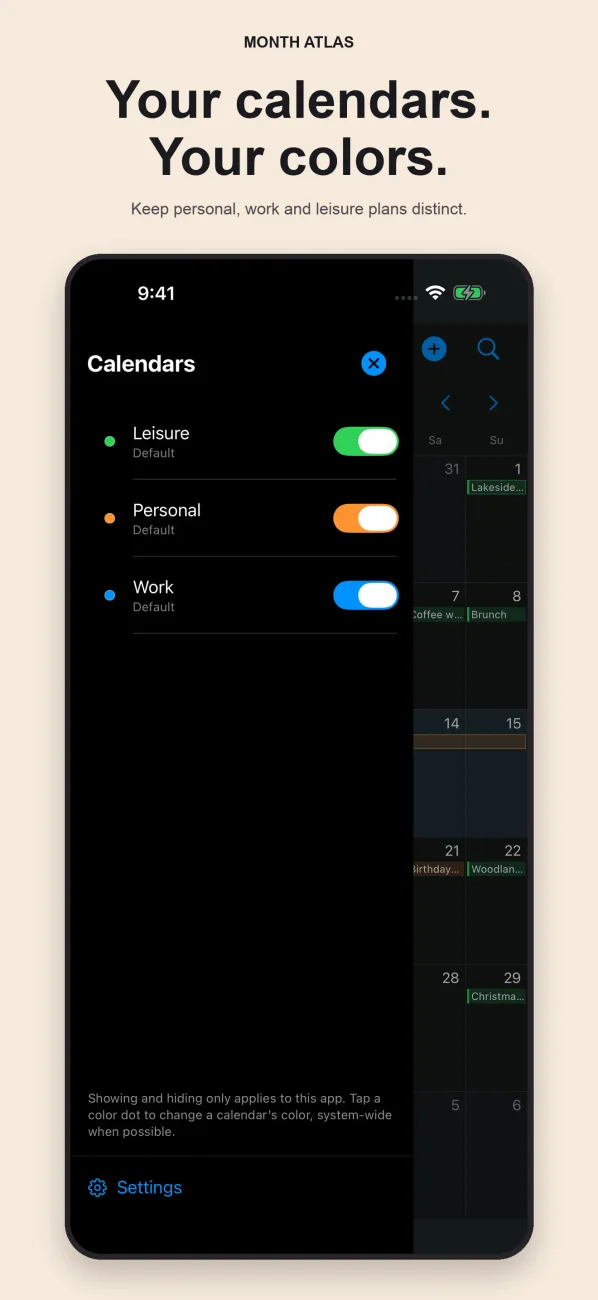
• Show or hide individual calendars set up on your iPhone.
• Customize calendar colors: across calendar apps where possible, otherwise just in Month Atlas.
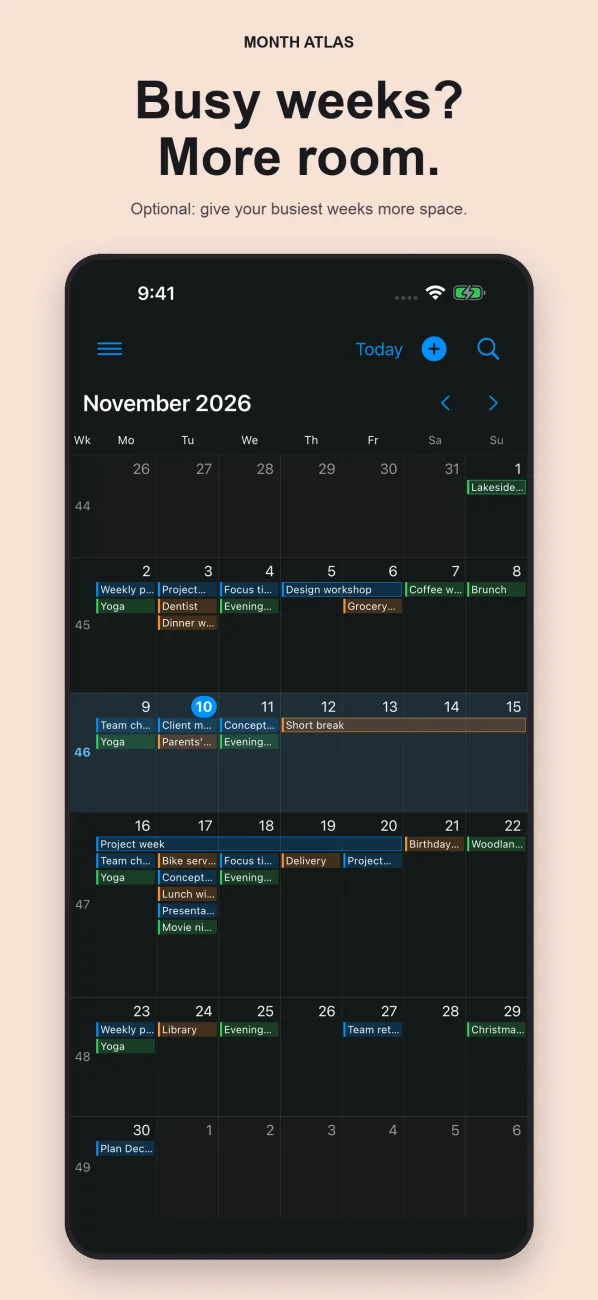
• Turn on adaptive week height when you need it. Busier weeks get more room while the whole month stays visible.
• Enjoy Light and Dark Mode, following your iPhone's appearance setting.
• Choose a holiday calendar to highlight holiday dates in the month grid.
• Use Month Atlas in English or German and change the app language in Settings.
EDIT EVENTS DIRECTLY
• Create an event with “+” or by touching and holding a date.
• Edit titles, locations, dates, times, notes and URLs, or plan all-day and multi-day events.
• Set daily, weekly, monthly or yearly repeats, with an optional end date.
• Add multiple alerts and adjust the minutes before an event.
• Choose whether a change to a recurring event affects just that event or future events too.
OPTIONAL EVENT NOTIFICATIONS
Enable the app's own event notifications in Settings and allow iOS notifications. These use alerts from all calendars, including hidden ones. Apple Calendar may notify you as well. Without regular app use, notifications may be missing or out of date.
REQUIREMENTS AND LIMITS
Month Atlas requires iOS 17 or later and full calendar access. Saving requires a writable system calendar. Changes affect your actual calendar events; read-only calendars can be viewed but not edited. Whether multiple alerts are retained and delivered also depends on your calendar provider and iOS notification settings.
What’s new
Version 1.1.1 · Nov 23, 2026
Delete events faster: Touch and hold an event in the day list and choose “Delete event” — no need to open the editor or scroll.
For recurring events, you can still choose to delete just that occurrence or it and all future occurrences. The day list stays open so you can keep going.
App privacy
What Andre Weihe declares on the App Store about how this app handles data.
-
Data not linked to you
May be collected but is not linked to your identity.
- Usage data
Privacy practices may vary, for example with the features you use or your age.
Information
- Seller
- Andre Weihe
- Category
- Productivity
- Version
- 1.1.1
- Updated
- Nov 23, 2026
- Released
- Nov 7, 2026
- Size
- 2.2 MB
- Requires
- iOS 17.0 or later
- Age rating
- 4+
- Price
- Free
- Languages
- English, German
- Copyright
- © Andre Weihe
You might also like
-
 SticknoteColorful notes & checklists
-
 Two Minutes AI: ADHD PlannerYour tasks, drafted for you
-
 NotoJournalProductivity
-
 WatchNotes — Wrist ChecklistsNotes & checklists, on watch
-
 Memo Keeper: Notes & RemindersVoice to Text, Alarms, Widgets
-
 Simple Memo NotesHandwrite on your smartwatch
-
 Capto ThoughtsJust start typing
-
 Tree - meta data for indexingProductivity
-
 OurCalendarKnow what's happening.
-
 Sift — Notes You Can FindMarkdown notes, found fast