
- Age rating4+
- CategoryFinance
- DeveloperAugust Aeppli
- LanguagesEnglish+ 3 more
- Size49.5 MB
Links to the official App Store page
Download.org hosts no file of Monthly Expense. The button opens its official App Store page, published by August Aeppli. Listing last checked on Nov 14, 2026.
Screenshots


About
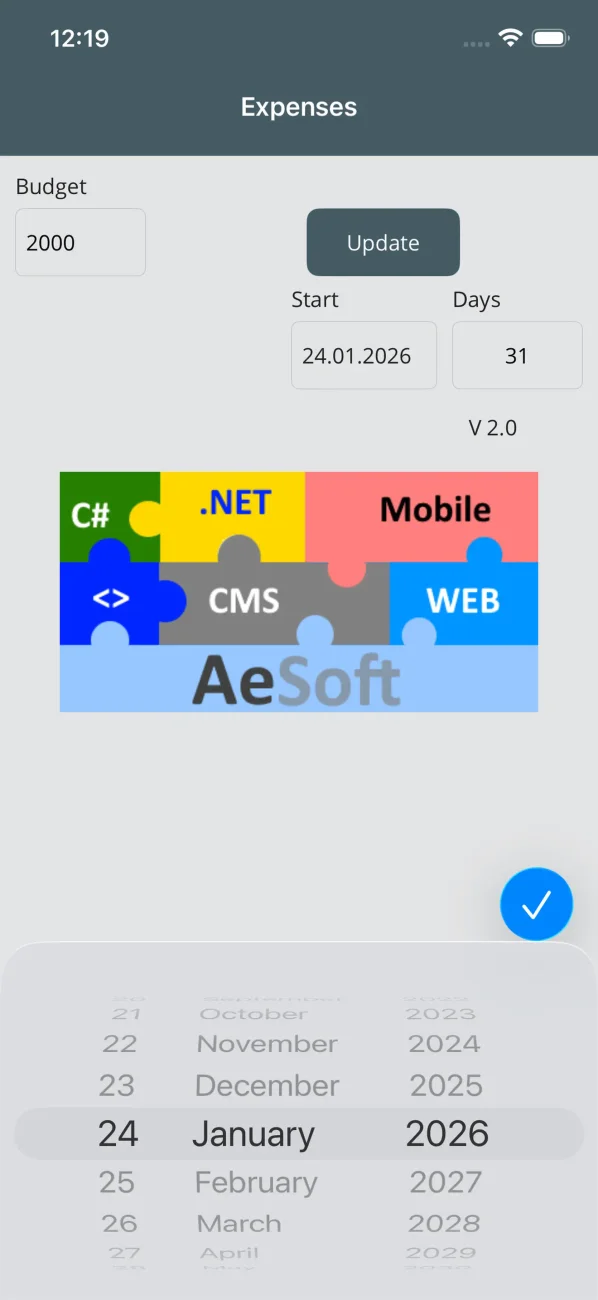
1. Enter budget
2. Select start date
3. Click Update
These simple steps allow you to control your budget over the specified period.
By default, the days correspond to one month.
However, the specified days can be changed as desired.
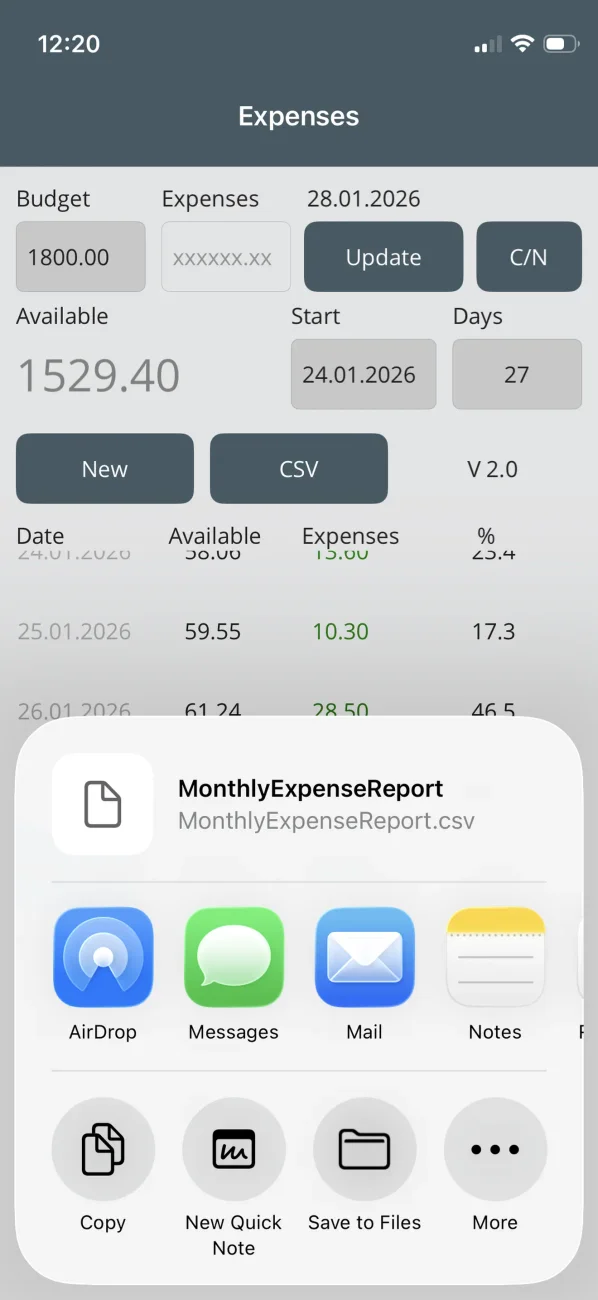
By selecting the current day (shown in light blue),
the expenses must be entered and confirmed with “Update.”
If the expenses are less than the available amount, they are marked in green; otherwise, they are marked in red.
After entering the amount, the remaining amount will be distributed over the remaining days.
The % column shows the percentage of expenditure.
The “C/N” key (Credit Note) can be used to add a credit note to the total amount available.
An Excel file can be sent at any time via a standard communication channel using CSV.
Clicking “New” resets the data and allows you to start a new month with a new budget.
What’s new
Version 2.2 · May 24, 2026
Text corrections
App privacy
What August Aeppli declares on the App Store about how this app handles data.
-
Data not collected
The developer does not collect any data from this app.
Privacy practices may vary, for example with the features you use or your age.
Information
- Seller
- August Aeppli
- Category
- Finance
- Version
- 2.2
- Updated
- May 24, 2026
- Released
- May 20, 2025
- Size
- 49.5 MB
- Requires
- iOS 15.0 or later
- Age rating
- 4+
- Languages
- English, French, German, Italian
- Copyright
- © August Aeppli (aesoft.ch)
You might also like
-
 Shikli - Budget ManagementControl Your Money Easily
-
 Income Expense Budget TrackerTrack Expenses & Manage Budget
-
 Topf: Expense TrackerBudget Planner & Money Manager
-
 Mon-Reliquat : budgetFinance
-
 Budget App & Money TrackerSpending & Expense Planner
-
 Spending Tracker - SpendlyCash tracker and money flow
-
 EasyBudget - Expense TrackerSimple Money Manager
-
 Finance Squirrel | Budget AppSimple. Privat. Offline.
-
 Piff - Budget & Finance IAFinance
-
 Money FocusAccount, Budget & Bill Manager