
Mony Planet
Receipts, expenses & splits
Designed for iPhone, iPad
In-app purchases
- Age rating4+
- CategoryFinance
- DeveloperKaiyu Tsai
- LanguagesTraditional Chinese+ 3 more
- Size50.7 MB
Links to the official App Store page
Download.org hosts no file of Mony Planet. The button opens its official App Store page, published by Kaiyu Tsai. Listing last checked on Nov 22, 2026.
Screenshots

About
Mony Planet organizes daily expenses, travel and shared spending.
FIVE ENTRY METHODS
Tap + to record by text, voice, Quick Entry, photos or frequent items. Text includes a calculator, category, date and Save and add another. Set entry order/default in Recording Preferences. AI results are editable drafts.
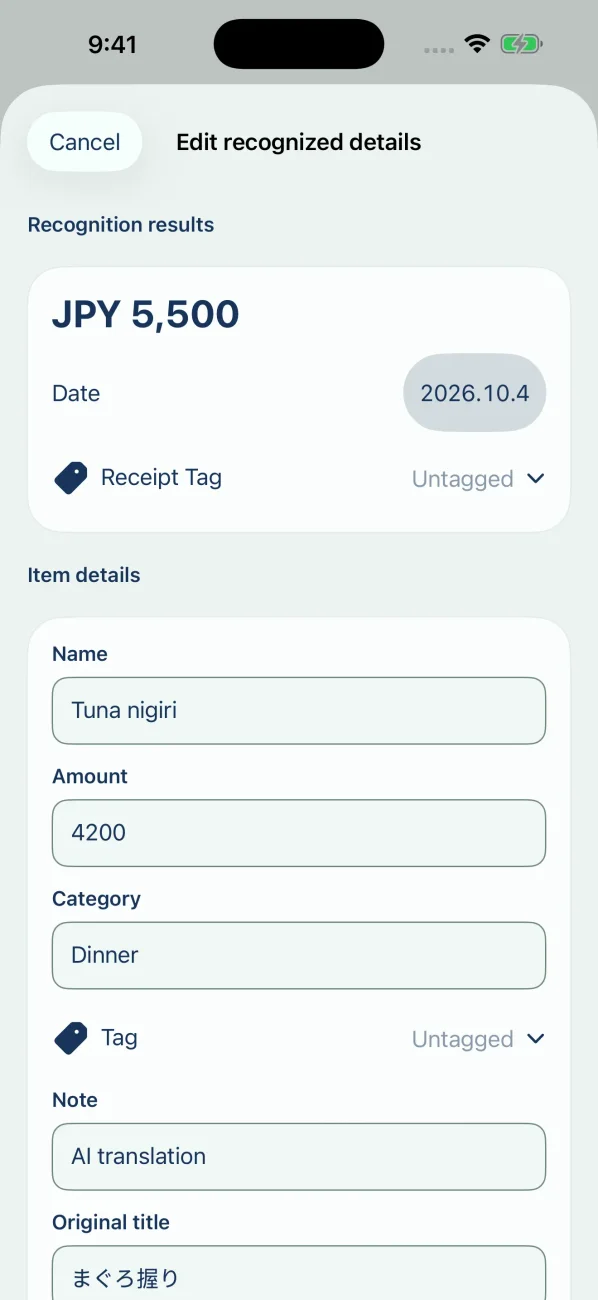
Use multiple photos, saved receipts, foreign receipt translation (system language by default, with a photo preference override) and multiple currencies. Read Taiwan e-invoice QR codes and available items. Resume local photo/text drafts in the same account and ledger. Retry unfinished photos or complete them manually; save completed receipts first.
TAGS AND ANALYSIS
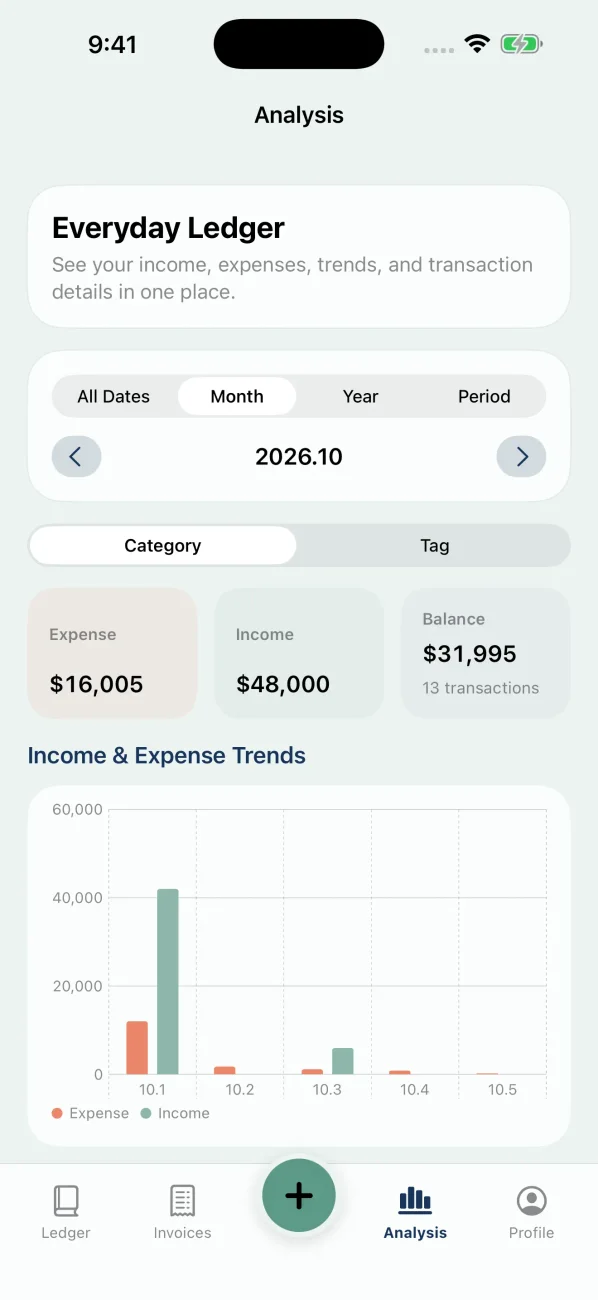
Create ledger tags for trips or projects. Tag receipts or individual items and update older records in bulk. Review income, expenses and balances by category/tag across a month, year, custom period or All Dates. Export PDF reports, CSV entries and personal JSON backups.
SHARED LEDGERS AND PAYMENTS
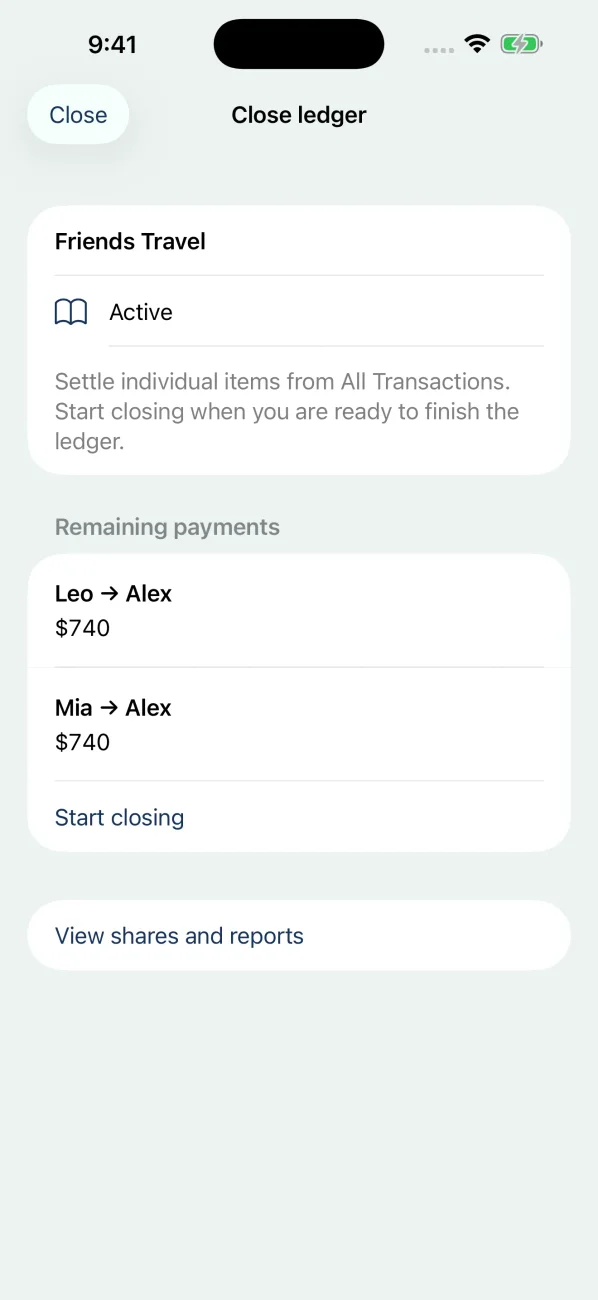
Choose who paid and who shares each item; review amounts owed and keep settlement notes and photos. Select pending records in the Unsettled list and confirm payment details before settling.
After archiving cloud invoices, optionally register payment. Settlement status changes only after confirmation. View, add or edit payment details and proof photos for archived invoices. After saving payment, optionally share receipt-style notices as text or images, with details and proof photos. Batch payments share together; declining or failed sharing keeps saved payments.
EVERYDAY ORGANIZATION
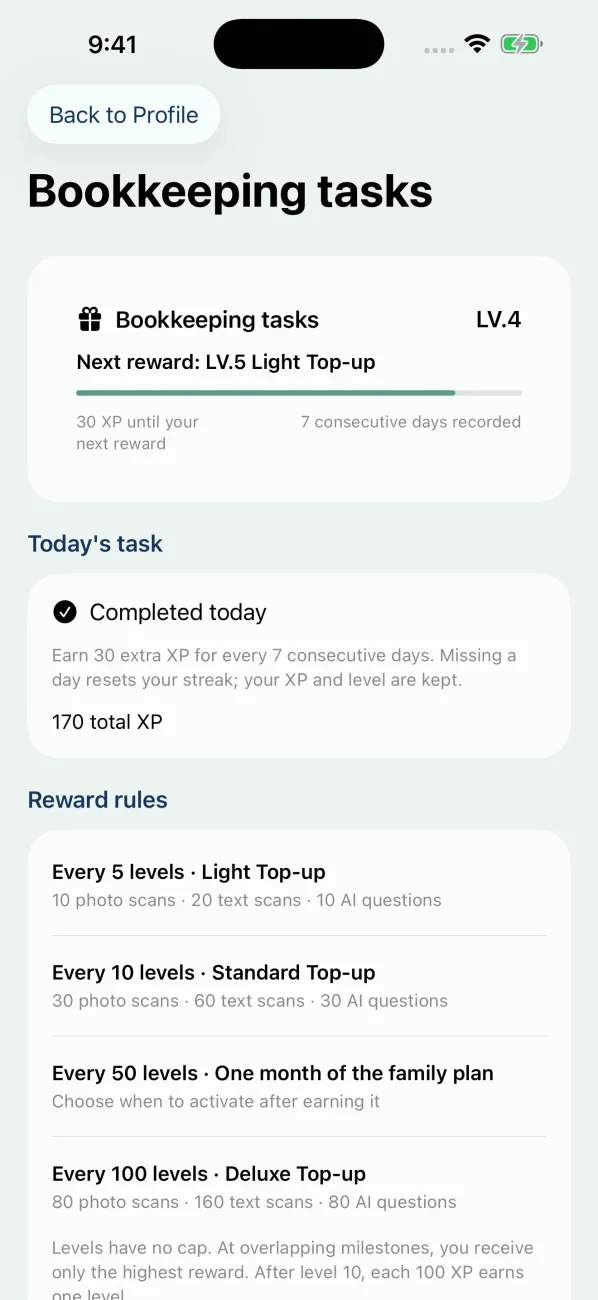
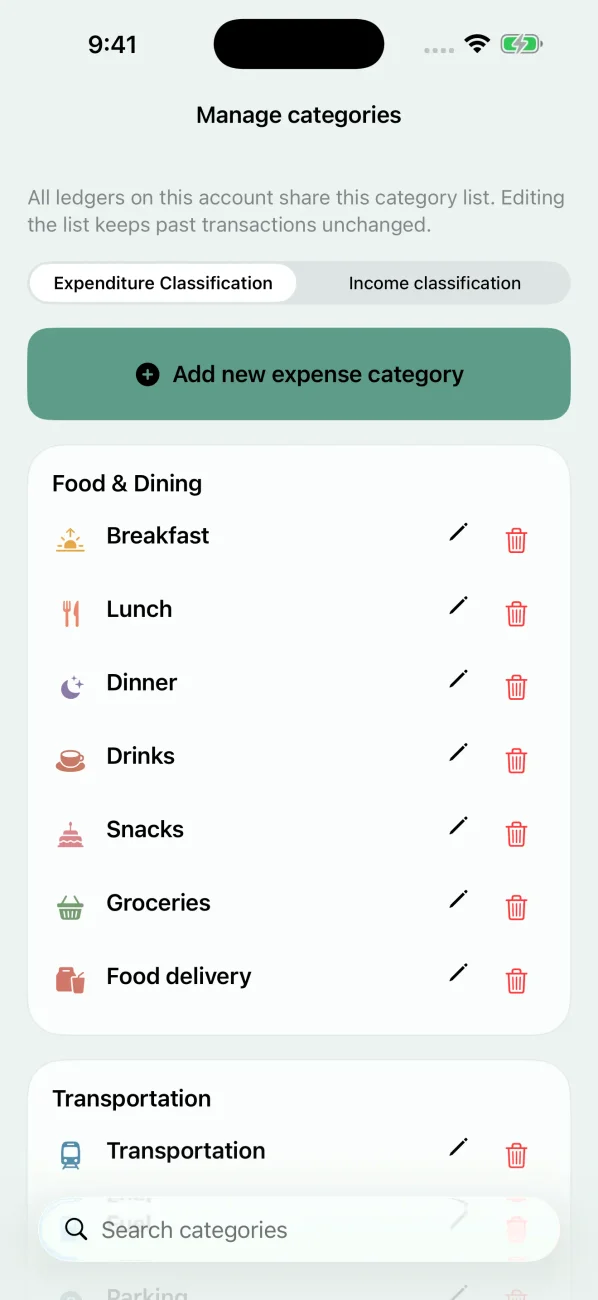
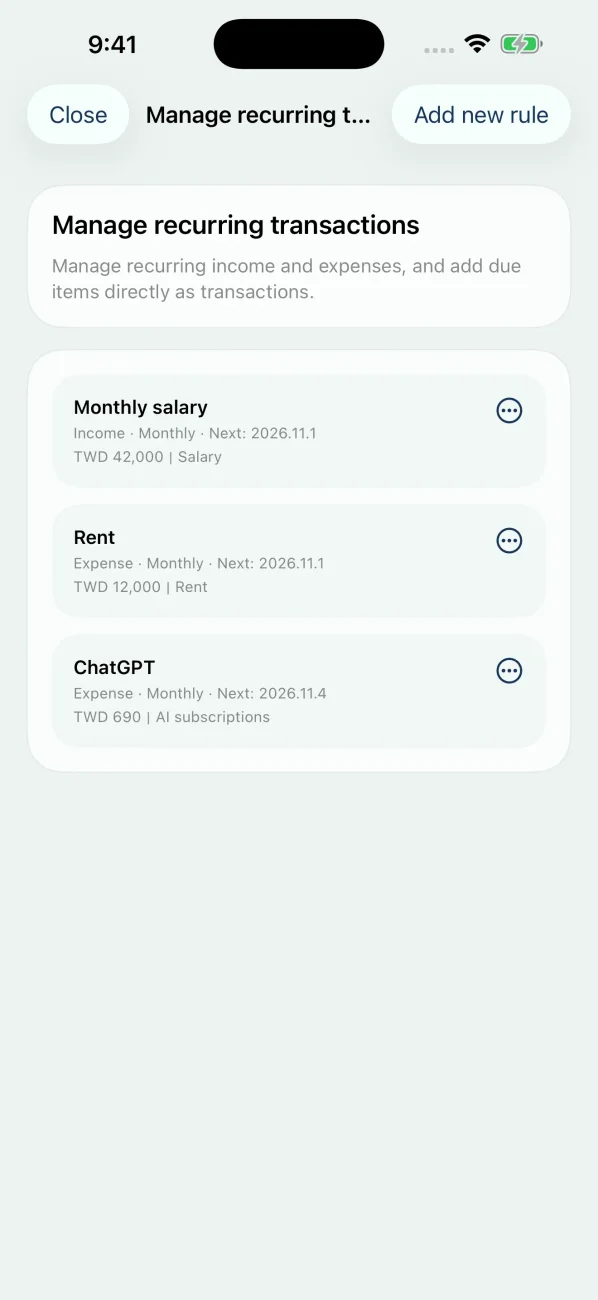
Create frequent income/expense items; select dates, days and occurrences, then review before saving. Manage recurring entries, imports, duplicates and asset balances/transfers. Customize categories, reminders and colors; archive or restore ledgers. Layouts adapt to text size; replay 12 guide topics anytime.
TRAVEL ITEM INSPECTION
Off by default; enable in Ledger Settings and set destination/dates. Free local analysis organizes suspected, pending and all purchase items. Review examples, country rules, penalties, official links and luggage tutorials. Mark items carried, consumed or excluded.
Optional front/back product photos are sent to Google Cloud Vertex AI after consent to extract labels and research arrival rules. Detailed queries need internet and credits; sharing scope and cost appear first. This non-government aid may be wrong. Results are reference only, never an entry permit; check official notices.
JAPAN TAX-REFUND GUIDANCE
Separate airport cash and online steps, inspection FAQs, kiosk illustrations and official links. Methods/deadlines depend on the platform. Some online methods work after returning home; customs confirmation is still required at departure. The app does not process refunds.
LINE AND SYNC
Use our official LINE account for entries, receipts and queries in Traditional Chinese. LINE categories are separate from ledger tags. Financial records save locally; tap Sync or pull to refresh to upload changes and load cloud updates. Frequent-item settings, entry order and default sync across web and phone for the same account. Offline edits remain for retry.
AI AND ACCESS
Some text and Taiwan Chinese receipts are recognized on device first. If unsupported/incomplete, Google Cloud Vertex AI processes requests after consent. Withdraw consent in Settings > AI Data Sharing. Review/edit results before saving. Ledger tools > AI Recognition categorizes selected imported expenses; review before saving. Cancel leaves records unchanged.
Cloud AI requires internet, sharing consent, eligibility and credits. Finance Assistant is for designated accounts only; subscriptions/top-ups do not grant access. Inquiry credits remain usable for enabled travel research. Manual entry remains available without AI. See the app/App Store for plans and prices.
Support: kai.app.support@gmail.com
Terms of Use (EULA): https://www.apple.com/legal/internet-services/itunes/dev/stdeula/
What’s new
Version 1.1.22 · Nov 21, 2026
• Choose whether to share settlement notices after saving a payment. Batch payments can share multiple notices together, and sharing later keeps your saved payments intact.
• Share clear receipt-style notices as text or images, with optional full details and payment photos.
• Improved invoice prize information and photo translation language preferences for easier bookkeeping.
App privacy
What Kaiyu Tsai declares on the App Store about how this app handles data.
-
Data linked to you
May be collected and linked to your identity.
- Purchases
- Financial info
- Contact info
- User content
- Identifiers
-
Data not linked to you
May be collected but is not linked to your identity.
- Diagnostics
Privacy practices may vary, for example with the features you use or your age.
Information
- Seller
- Kaiyu Tsai
- Category
- Finance
- Version
- 1.1.22
- Updated
- Nov 21, 2026
- Released
- Aug 30, 2026
- Size
- 50.7 MB
- Requires
- iOS 17.0 or later
- Age rating
- 4+
- In-app purchases
- Yes
- Languages
- Traditional Chinese, Japanese, Simplified Chinese, English
- Copyright
- © 2026 Kaiyu Tsai
You might also like
-
 Split CatSplit bills, the cat collects
-
 FiftyFifty: Shared ExpensesAd-free, minimal, AI-fast
-
 MeowSplit - Group ExpensesSplit travel bills & settle up
-
 Kuramate: Budget for CouplesAI receipts, solo or couple
-
 SpliteaSplit receipts with friends
-
 Splitly - Group ExpensesSplit bills, save friendships
-
 Kakei AI – Expense TrackerFinance
-
 Receipt Scanner & VAT TrackerSole trader expense reports
-
 BudgetAI: Expense TrackerSmart Bookkeeping Companion
-
 朵茉記帳Finance