
Mood Easy - Mood Tracker
Year in pixels, one tap a day
Designed for iPhone, iPad
Free · In-app purchases
- Age rating4+
- CategoryHealth & Fitness
- DeveloperMatthew Strickland
- LanguagesEnglish
- Size4.8 MB
Links to the official App Store page
Download.org hosts no file of Mood Easy - Mood Tracker. The button opens its official App Store page, published by Matthew Strickland. Listing last checked on Nov 23, 2026.
Screenshots

About
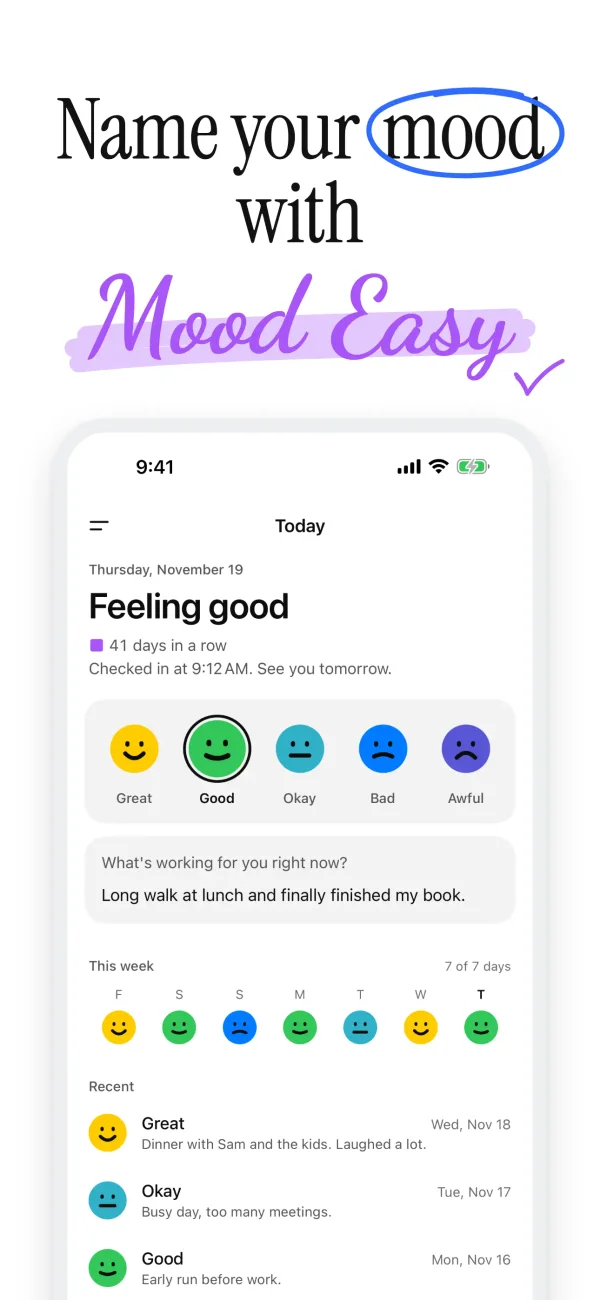
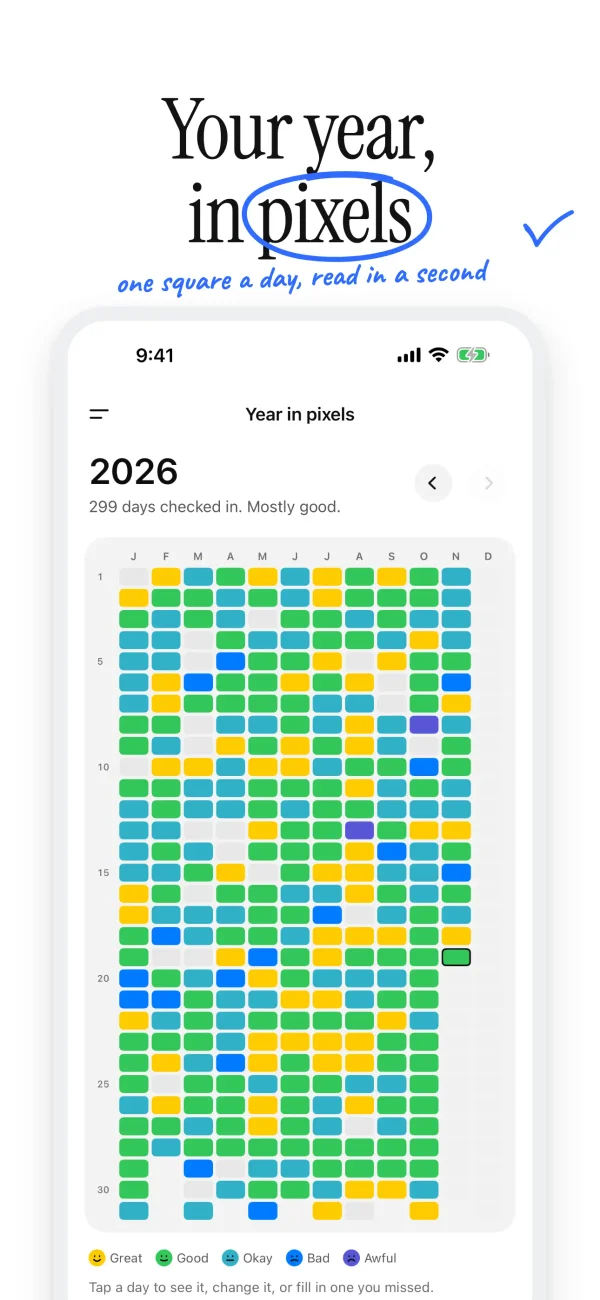
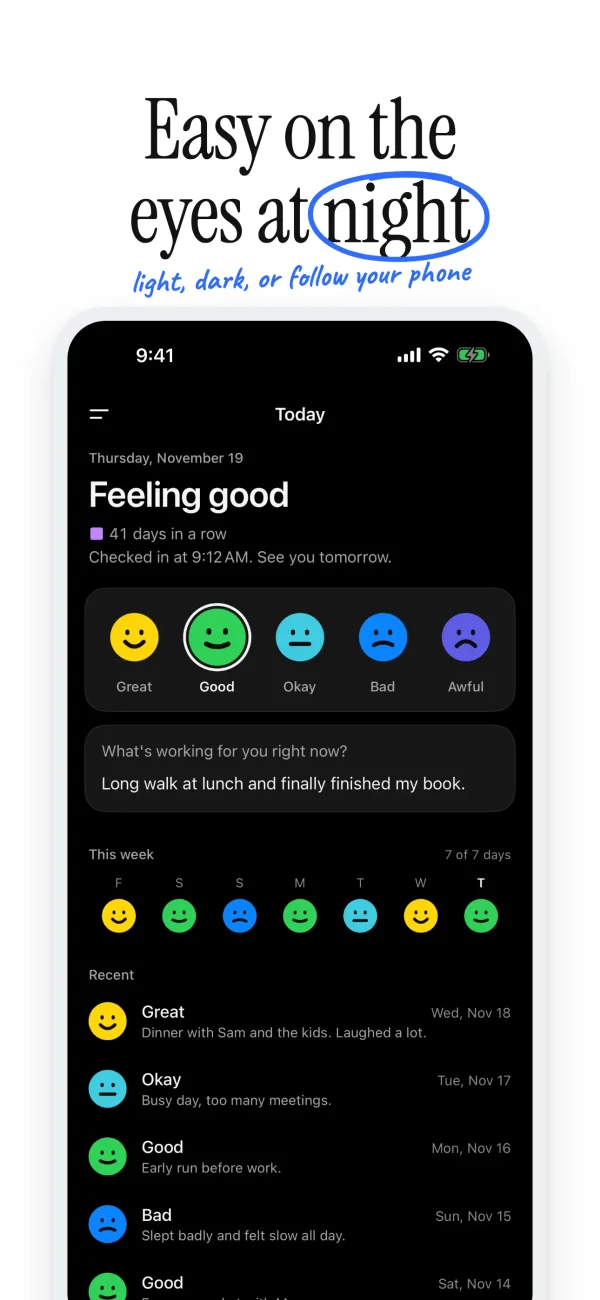
Mood Easy turns each day into one colored square. Tap the face that matches how you feel, and over the months your year fills in as a grid you can read in a second.
FIVE FACES, ONE TAP
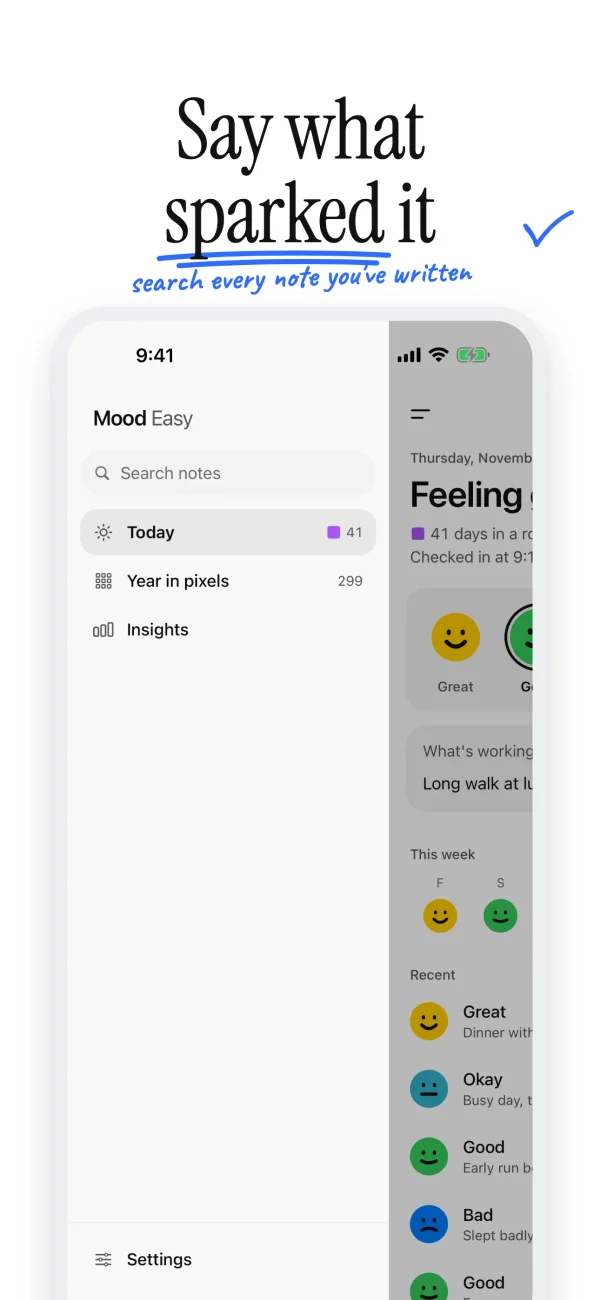
Great, good, okay, bad or awful, each face in its own color, from bright yellow down to deep indigo. Tap once to check in. Tap a different face to change it. Add a short note when something is worth remembering.
THE YEAR AS A GRID
Twelve columns for the months, a row for every date. Good stretches and hard weeks stand out by color alone. Tap a square to open that day, change it, or fill in a day you skipped.
ASK SIRI
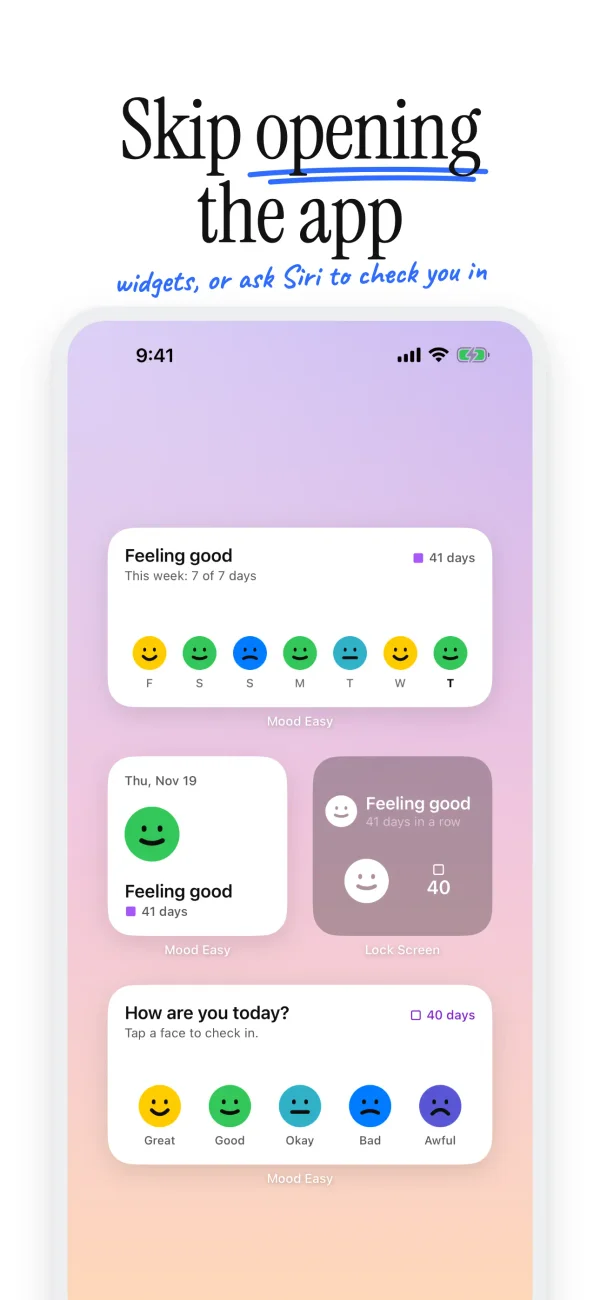
Say "Check in with Mood Easy" and tell Siri how you feel, and the app can stay closed. In Shortcuts you can open Year in pixels or Insights, or add a check-in to an automation.
WHAT THE NUMBERS SAY
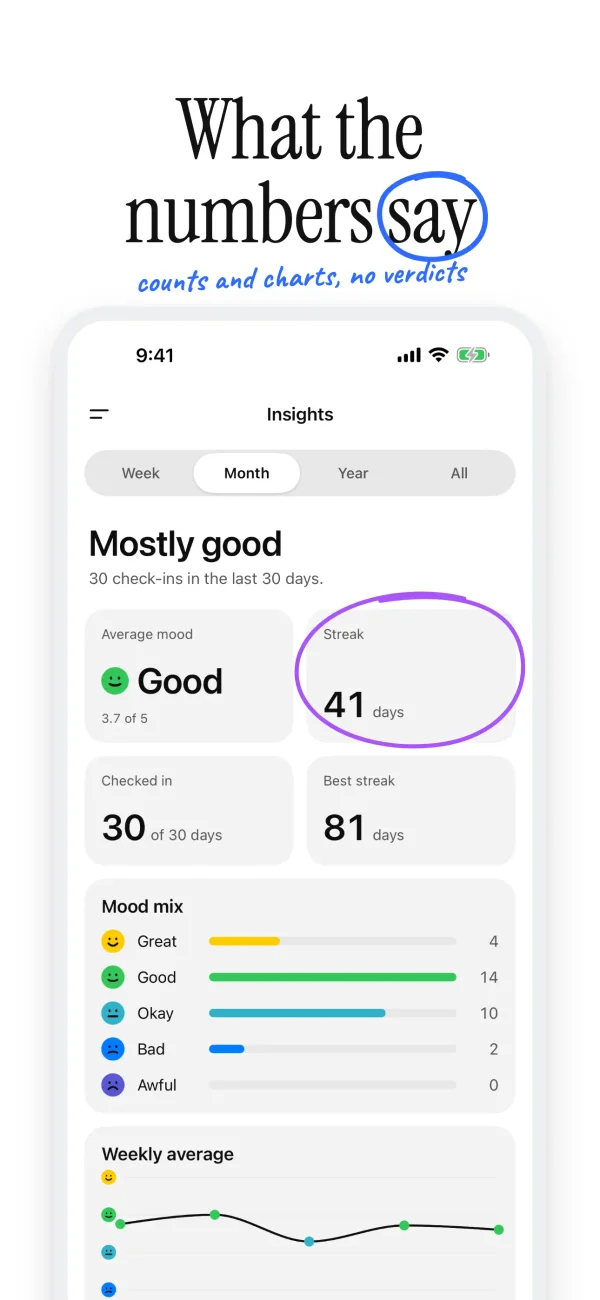
How your moods split, your average, your current and longest streak, how weeks and months compare, which weekday tends to go best, and the words you write most. Counts and charts, no verdicts.
HOME SCREEN AND WRIST
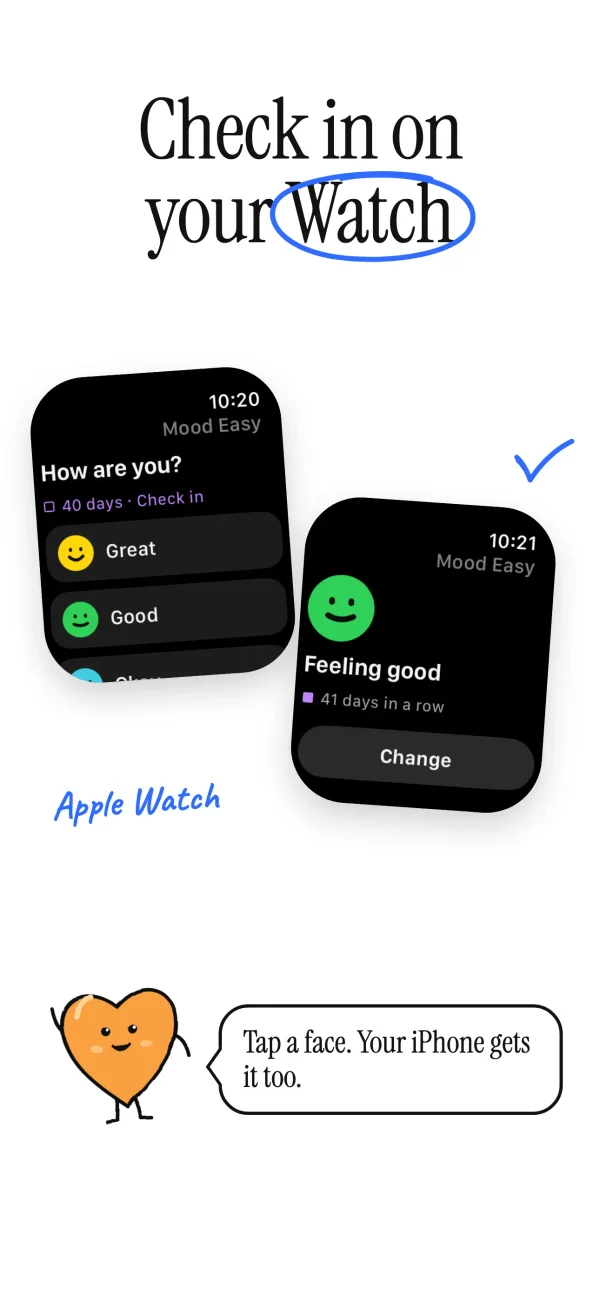
The medium widget checks you in with a tap and lines up the last seven days. A Lock Screen widget keeps today's face in view. The Apple Watch app checks in from your wrist and hands it to your iPhone.
MADE FOR IPAD TOO
On iPad the whole year fills the screen with the day you tap open beside it, Today puts your check-in and this month next to your recent notes, and Insights lays every figure and chart out as one dashboard. It works in Split View, Stage Manager and either orientation.
APPLE HEALTH, YOUR CALL
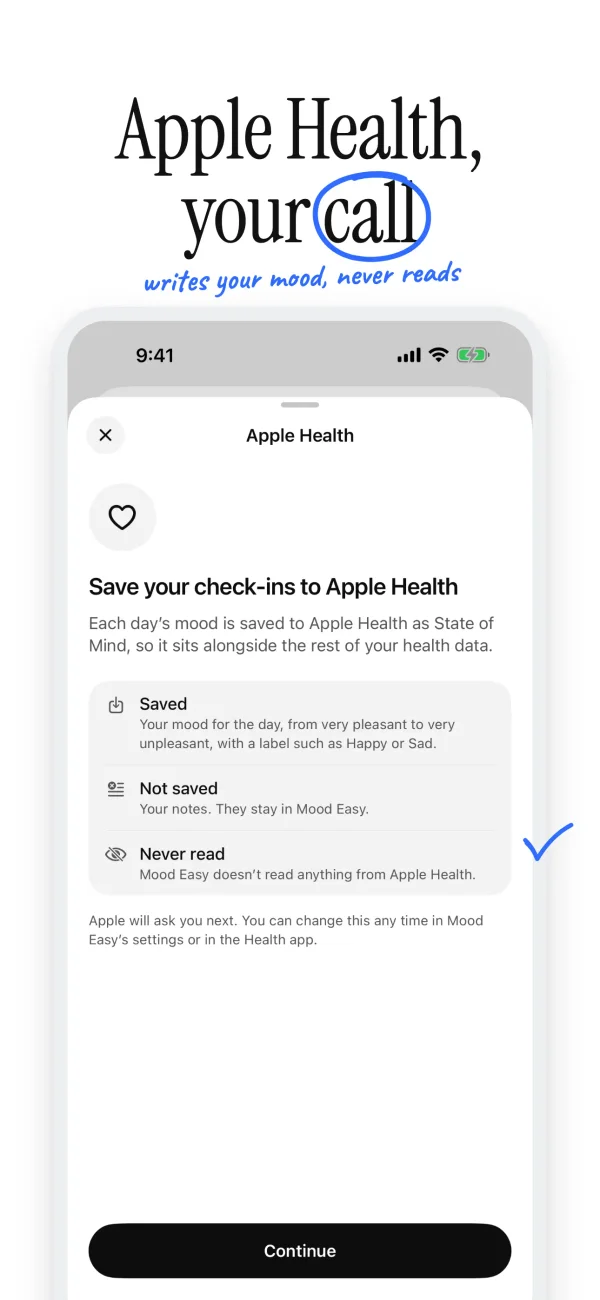
Switch it on and each day's mood is written into Apple Health as a State of Mind sample (iOS 18 or iPadOS 18 or later). Mood Easy writes and never reads, and notes are never sent there.
A NUDGE AT YOUR HOUR
Pick a time for a reminder. Once you've checked in that day, it stays quiet.
YOUR MOODS STAY ON YOUR DEVICE
Nothing to sign into and no advertising. Your history is stored on your iPhone or iPad and paired Apple Watch, and you can export it to a CSV spreadsheet at any moment. Mood Easy sends anonymous diagnostics, such as crash reports and which screens you open, to help fix problems. They never include your moods, notes or anything from Apple Health, nothing identifies you, and you can turn them off in Settings › Privacy.
COLORS AND ICONS
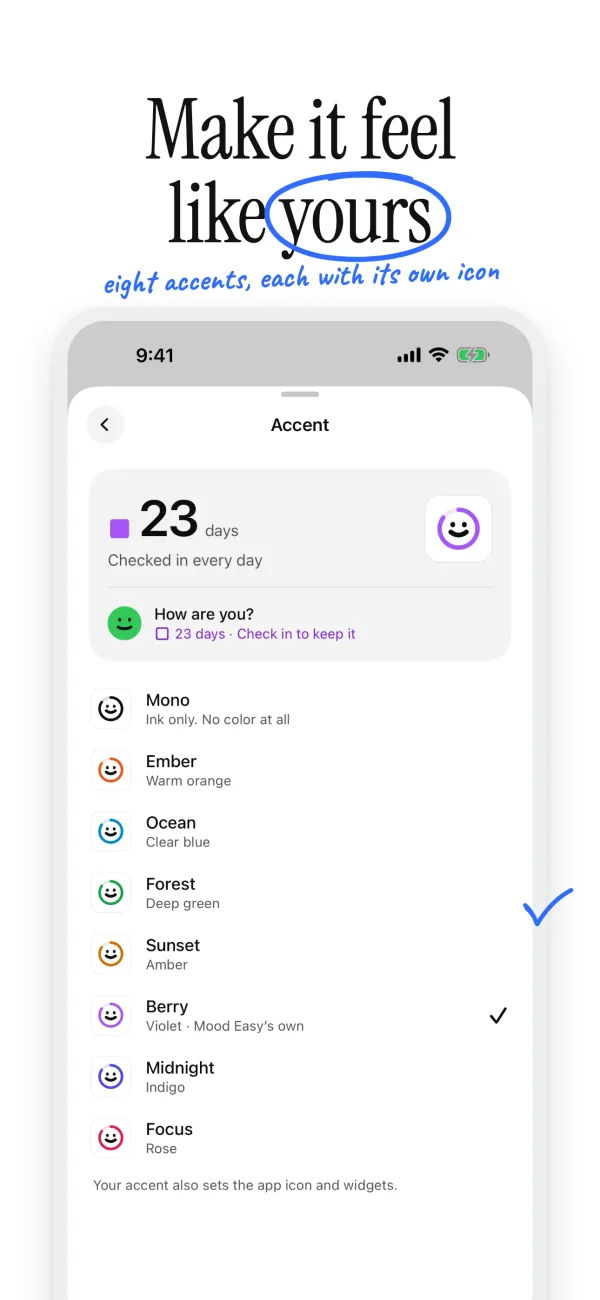
Pick Light, Graphite or Black, plus one of eight accent colors, and the Home Screen icon changes to match.
A TIP, IF YOU LIKE
Mood Easy is free and has nothing to unlock. If it helps you check in with yourself, you can leave a one-time tip in Settings: a Smile, Sunshine, a Bouquet or a Rainbow. The App Store handles each tip, and Mood Easy works the same with or without one.
Mood Easy is a self-check tool. It doesn't diagnose or treat anything. If a day feels too heavy, reach out to someone you trust or a professional; in the US, 988 answers around the clock.
What’s new
Version 1.6 · Nov 21, 2026
Now on iPad, with layouts made for the big screen. Year in pixels fills the screen, with the day you tap and the rest of its month beside it. Today puts your check-in and a calendar of this month next to the week and your recent notes. Insights becomes a dashboard: every figure in one row, the charts larger. Works in Split View, Stage Manager and both orientations, with ⌘1 to ⌘3 for the screens and ⌘S to save a day. On iPhone Duo unfolded, Today shows this month too and the day pane lists the rest of its month.
App privacy
What Matthew Strickland declares on the App Store about how this app handles data.
-
Data not linked to you
May be collected but is not linked to your identity.
- Usage data
- Diagnostics
Privacy practices may vary, for example with the features you use or your age.
Information
- Seller
- Matthew Strickland
- Category
- Health & Fitness
- Version
- 1.6
- Updated
- Nov 21, 2026
- Released
- Feb 20, 2026
- Size
- 4.8 MB
- Requires
- iOS 17.0 or later
- Age rating
- 4+
- Price
- Free
- In-app purchases
- Yes
- Languages
- English
- Copyright
- © 2025 Idle Fusion LLC
You might also like
-
 Mood Tracker — SimpleMoodTrack feelings, daily journal
-
 Dotmood: Mood & Year in Pixels1-Tap Emoji Diary & Mood Log
-
 Mood Grid: One Tap a DayGrow a grid of your moods
-
 LifePulse: Health InsightsFind patterns in your health
-
 MoodIndexPredict Your Mood With AI
-
 Moodrift - AI Mood JournalUnderstand What You're Feeling
-
 inniosYour Personal Health Log
-
 MoodlithPrivate Mood & Journal Tracker
-
 Rineloa: Habit & Goal TrackerDaily Routine & Habit Planner
-
 Moodful - Mindful Mood TrackerTrack moods, identify patterns