Mop To-Do
To-Do Lists & Daily Planning
Designed for iPhone, iPad, Mac
Free · In-app purchases
- Age rating9+
- CategoryUtilities
- Developer辉 徐
- LanguagesEnglish+ 1 more
- Size7.7 MB
Links to the official App Store page
Download.org hosts no file of Mop To-Do. The button opens its official App Store page, published by 辉 徐. Listing last checked on Nov 23, 2026.
Screenshots


About
Mop To-Do brings a little order to your day.
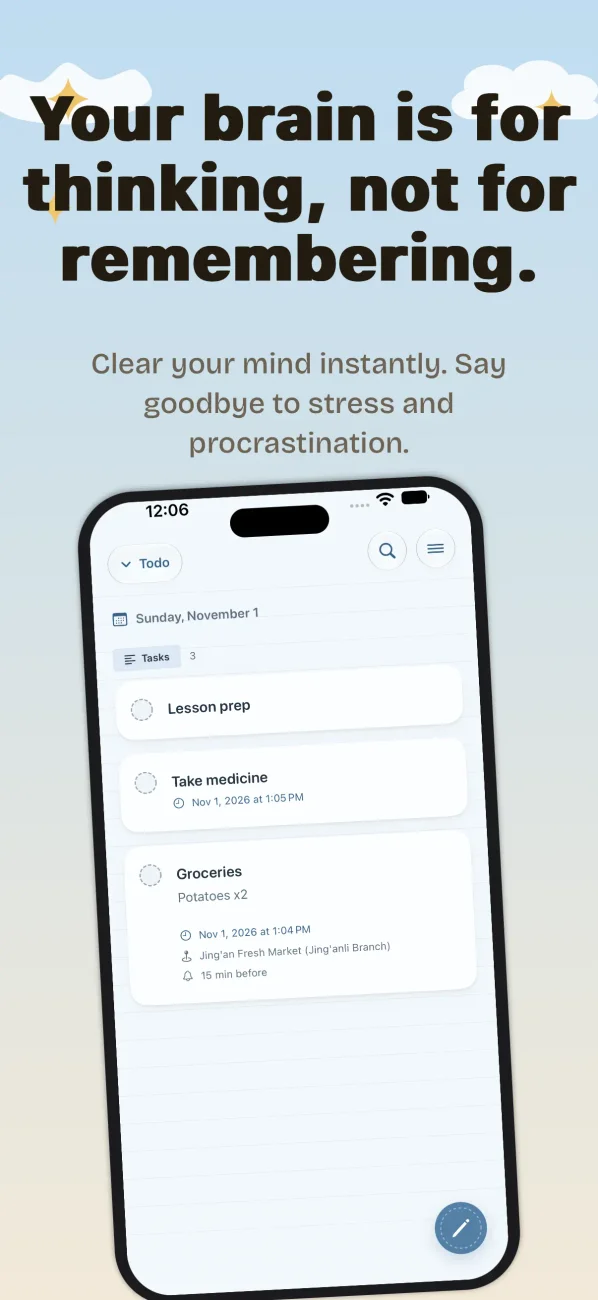
Capture a passing thought, plan what comes next, and enjoy checking something off. With a warm notebook-inspired design, Mop To-Do brings your lists and calendar together so you can work through everyday tasks at your own pace.
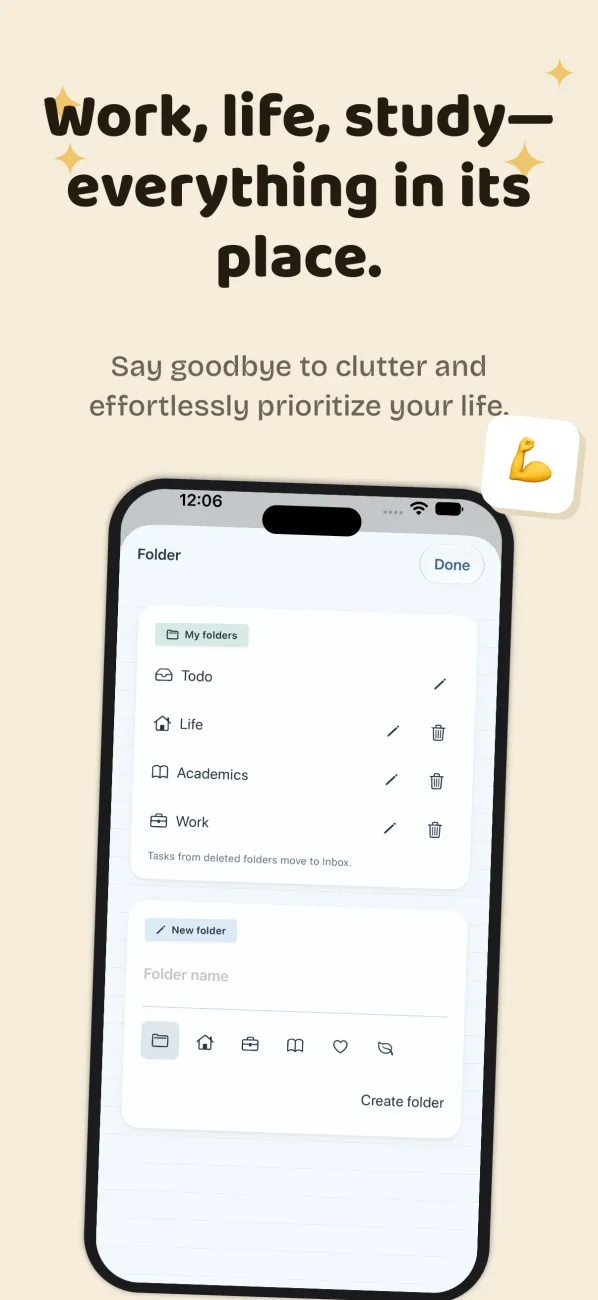
A place for every task
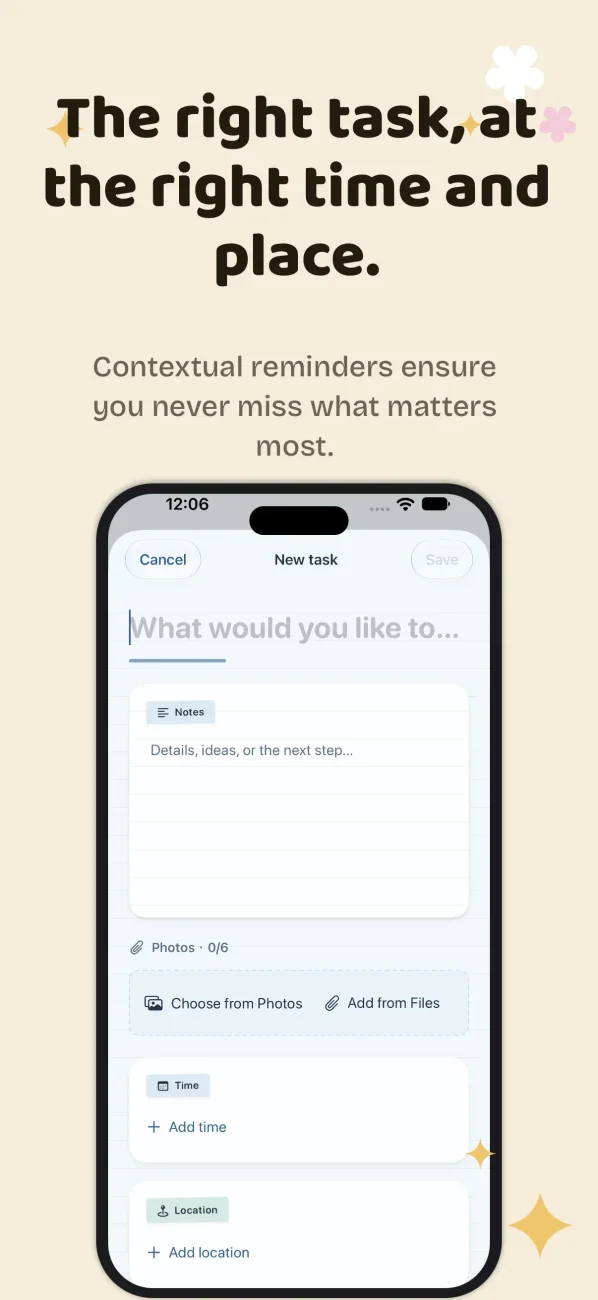
Organize work, study, and personal tasks into folders. Add notes and photos for context, or start with just a title and fill in the details later.
Plan only when you need to
Tasks have no date by default. Add a date, time, and advance reminder when needed. Browse your tasks on a calendar and filter them by folder and completion status.
Remember where to go
Attach a destination to a task. Search the map or browse nearby places to keep what you need to do alongside where you need to be.
Your list, at a glance
Choose small, medium, or large widgets. View tasks, switch folders, or open the app to add something new. Adjust the text size and background color. On systems that support interactive widgets, check off tasks directly from the widget.
Pick up on another device
Designed for iPhone, iPad, and Mac. Turn on optional iCloud sync to keep tasks in sync across devices using the same iCloud account. You can also manage your lists locally without enabling sync.
Make it feel like yours
Choose from multiple color themes, use light or dark mode, or follow your system appearance. Switch between English and Simplified Chinese in settings.
Keep a backup
Import and export all your task data, including folders, notes, photos, dates, places, and completion status. Recover accidentally deleted tasks from Recently Deleted before permanently removing them.
No separate app account is required. If you would like to support development, “Buy the developer a coffee” offers optional, one-time in-app purchases. Tips do not renew automatically or unlock additional features.
iCloud sync requires an available iCloud account and an internet connection. Reminders require notification permission. Widget interactions and background effects vary by operating system version.
What’s new
Version 1.1 · Nov 10, 2026
Fixed widget operation delay
App privacy
What 辉 徐 declares on the App Store about how this app handles data.
-
Data not collected
The developer does not collect any data from this app.
Privacy practices may vary, for example with the features you use or your age.
Information
- Seller
- 辉 徐
- Category
- Utilities
- Version
- 1.1
- Updated
- Nov 10, 2026
- Released
- Nov 5, 2026
- Size
- 7.7 MB
- Requires
- iOS 16.0 or later
- Age rating
- 9+
- Price
- Free
- In-app purchases
- Yes
- Languages
- English, Simplified Chinese
- Copyright
- © 2026 HuiXu
You might also like
-
 PianetaClockSolar time on eight worlds
-
 Clear - Note and BlankWrite it down and shake it off
-
 Deep TaskBecome a Deep Work Master
-
 World SyncTrack time worldwide
-
 Prayer List.Utilities
-
 I Ching Calendar周易万年历,老黄历农历吉日,五行命理,六十四卦,时辰吉凶
-
 Locked Notes°Utilities
-
 TokenPocket: Crypto & BitcoinSecure Crypto & Web3 Wallet