Motion Notes: To Do List
Tasks, Reminders & Planner
Designed for iPhone, iPad
Free · In-app purchases
- Age rating4+
- CategoryProductivity
- DeveloperAfriwan Ahda
- LanguagesEnglish
- Size5.6 MB
Links to the official App Store page
Download.org hosts no file of Motion Notes: To Do List. The button opens its official App Store page, published by Afriwan Ahda. Listing last checked on Nov 20, 2026.
Screenshots

About
Motion Notes is the simple, beautiful to-do list that helps you plan your day in seconds and actually get things done.
Add a task with one tap, give it a date, a reminder, a priority or a few subtasks, and let Motion Notes keep everything organized for you.
PLAN YOUR DAY
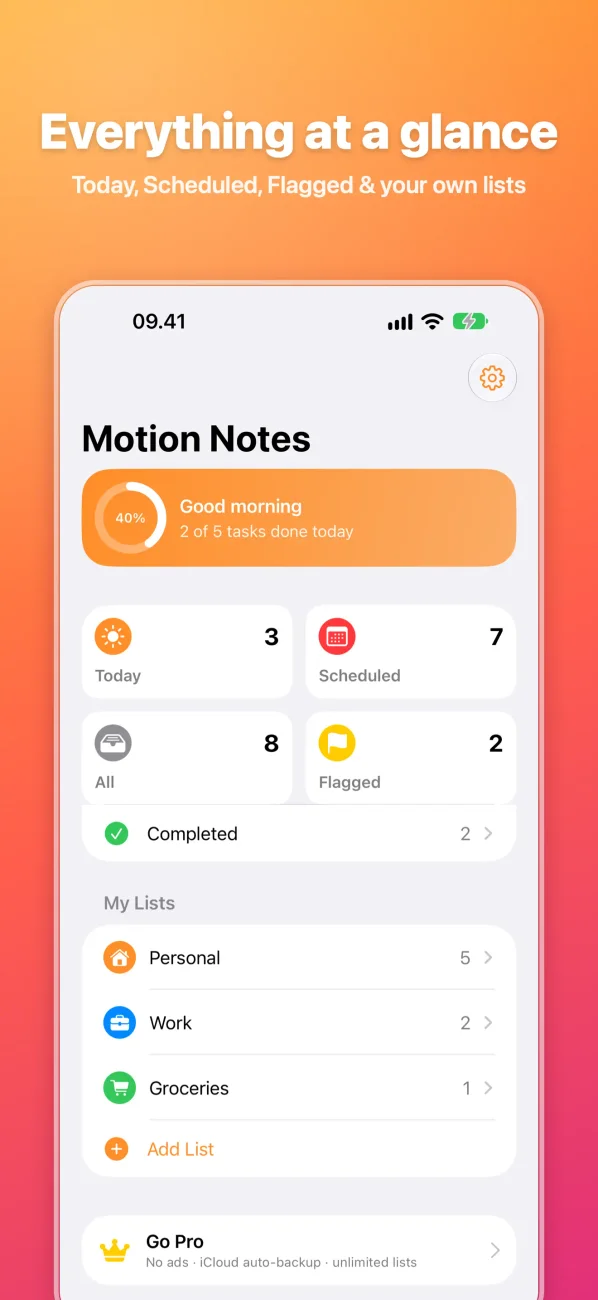
• Today view with a progress ring that shows how much you have done
• Smart lists: Today, Scheduled, All, Flagged and Completed
• Quick-add bar: just type and press return
ORGANIZE EVERYTHING
• Create colorful lists for work, home, groceries, study and more
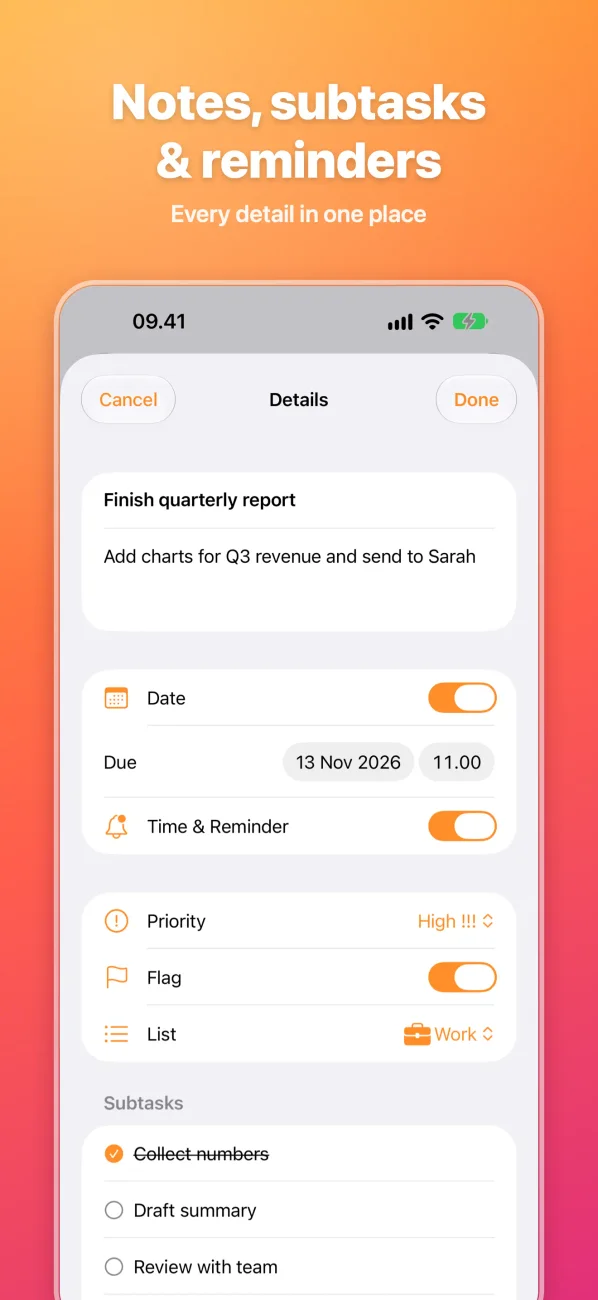
• Notes and subtasks (checklists) inside every task
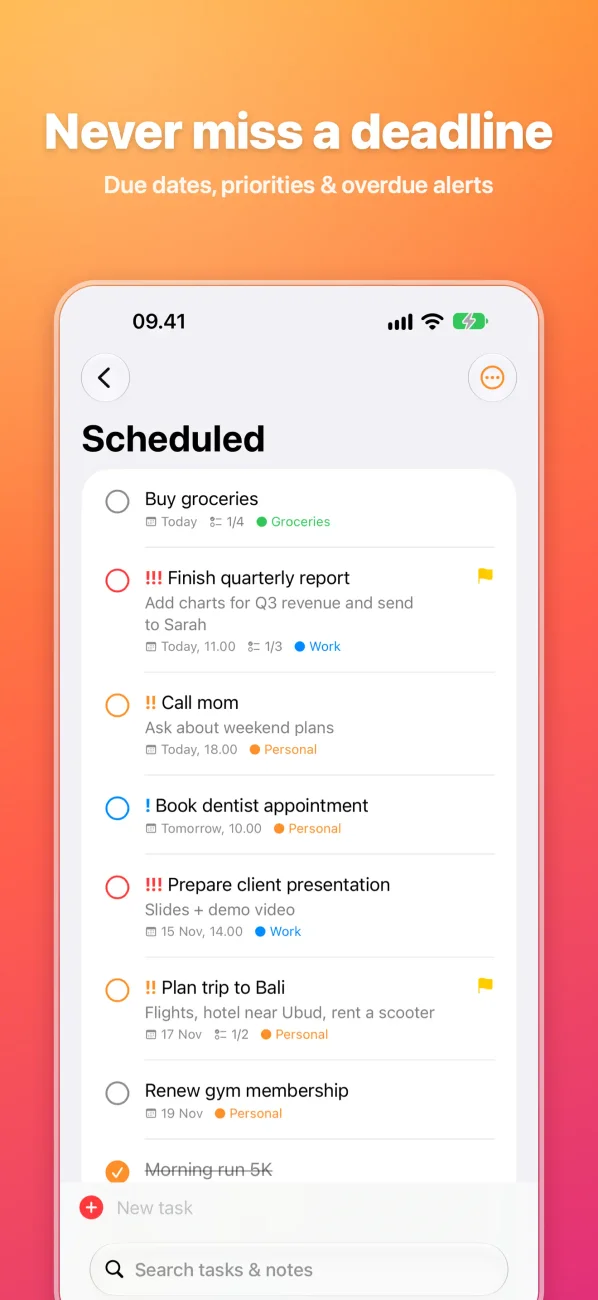
• Priorities (!, !!, !!!) and flags for what matters most
• Powerful search across tasks, notes and subtasks
• Swipe to complete, flag or delete, drag to reorder
NEVER FORGET
• Due dates with overdue highlighting
• Time-based reminders with notifications
• Siri & Shortcuts: "Add a task in Motion Notes"
BUILT FOR EVERY SCREEN
• Optimized for iPhone Duo – cover display and the large inner display
• Sidebar + detail layout on iPad and wide screens
• Light & Dark Mode
MOTION NOTES PRO
Upgrade to Pro and get:
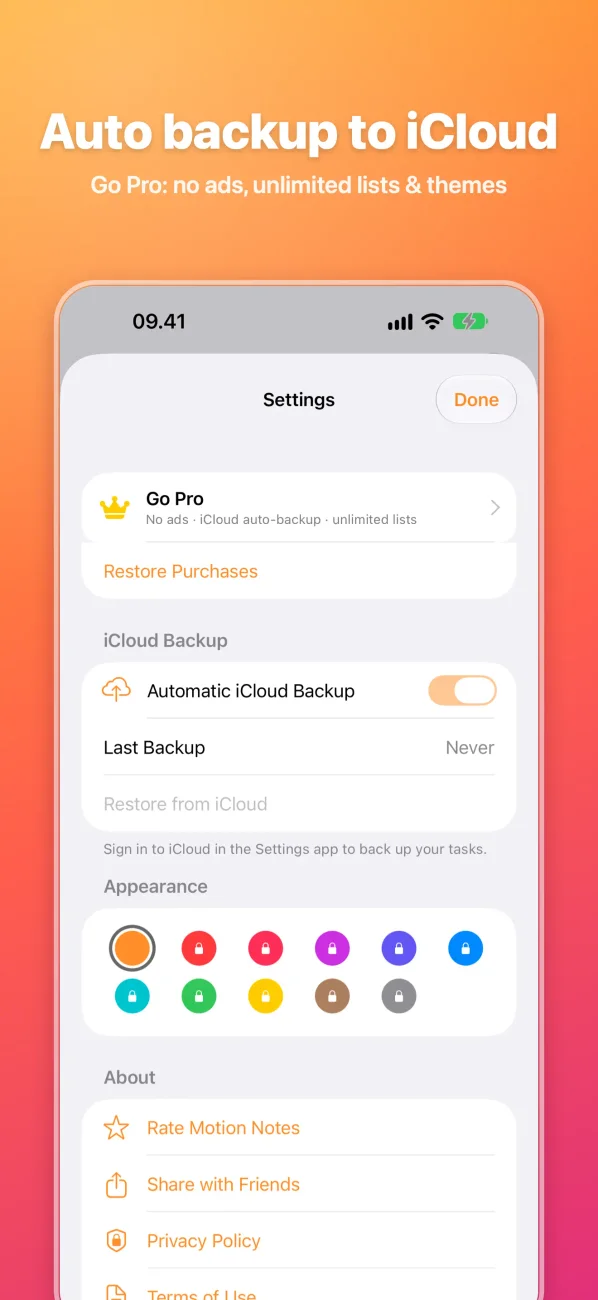
• Automatic iCloud backup – restore your tasks on any device
• No ads
• Unlimited lists
• Custom color themes
Pro is available as a monthly or yearly auto-renewable subscription (the yearly plan includes a free trial for new subscribers). Payment is charged to your Apple Account at confirmation of purchase. The subscription renews automatically unless it is cancelled at least 24 hours before the end of the current period. You can manage or cancel your subscription in your Apple Account settings.
Terms of Use: https://www.apple.com/legal/internet-services/itunes/dev/stdeula/
Privacy Policy: https://diponten.com/2026/11/13/motion-notes-privacy-policy/
What’s new
Version 2.5.0 · Nov 13, 2026
Motion Notes 2.5 is a complete redesign!
• Brand-new look with smart lists: Today, Scheduled, Flagged & Completed
• Notes, subtasks, priorities and due dates for every task
• Time-based reminders so you never miss a deadline
• Create your own colorful lists with icons
• Built for iPhone Duo (cover & inner display), iPhone and iPad
• Siri & Shortcuts: "Add a task in Motion Notes"
• NEW Motion Notes Pro: automatic iCloud backup, no ads, unlimited lists and themes
• Your existing tasks are moved over automatically
App privacy
What Afriwan Ahda declares on the App Store about how this app handles data.
-
Data used to track you
May be used to track you across apps and websites owned by other companies.
- Identifiers
-
Data not linked to you
May be collected but is not linked to your identity.
- Identifiers
Privacy practices may vary, for example with the features you use or your age.
Information
- Seller
- Afriwan Ahda
- Category
- Productivity
- Version
- 2.5.0
- Updated
- Nov 13, 2026
- Released
- Jan 2, 2018
- Size
- 5.6 MB
- Requires
- iOS 17.0 or later
- Age rating
- 4+
- Price
- Free
- In-app purchases
- Yes
- Languages
- English
- Copyright
- © www.diponten.com
You might also like
-
 Retail IntelligenceMicro-learning application
-
 Your New CalendarEasy clear appearance calendar
-
 PaletteCalculatorProductivity
-
 Cyclic TimerProductivity
-
 Reminders : ToDo List & NotesHabit Tracker : Task Manager
-
 Interval Timer & Tabata TimerInterval Timer for workout
-
 Checklist: task listChecklist : to do list
-
 CISEN FusionProductivity
-
 To Do List - Track DailyMake Daily Progress Free
-
 To do list - schedule makerweek plan & goal tracker