MoveBrush - Animated Drawing
Moving Brushes for Everyone
Designed for iPad
Free · In-app purchases
- Age rating4+
- CategoryGraphics & Design
- DeveloperEasyberry LLC
- LanguagesEnglish+ 2 more
- Size26.4 MB
Links to the official App Store page
Download.org hosts no file of MoveBrush - Animated Drawing. The button opens its official App Store page, published by Easyberry LLC. Listing last checked on Nov 13, 2026.
Screenshots


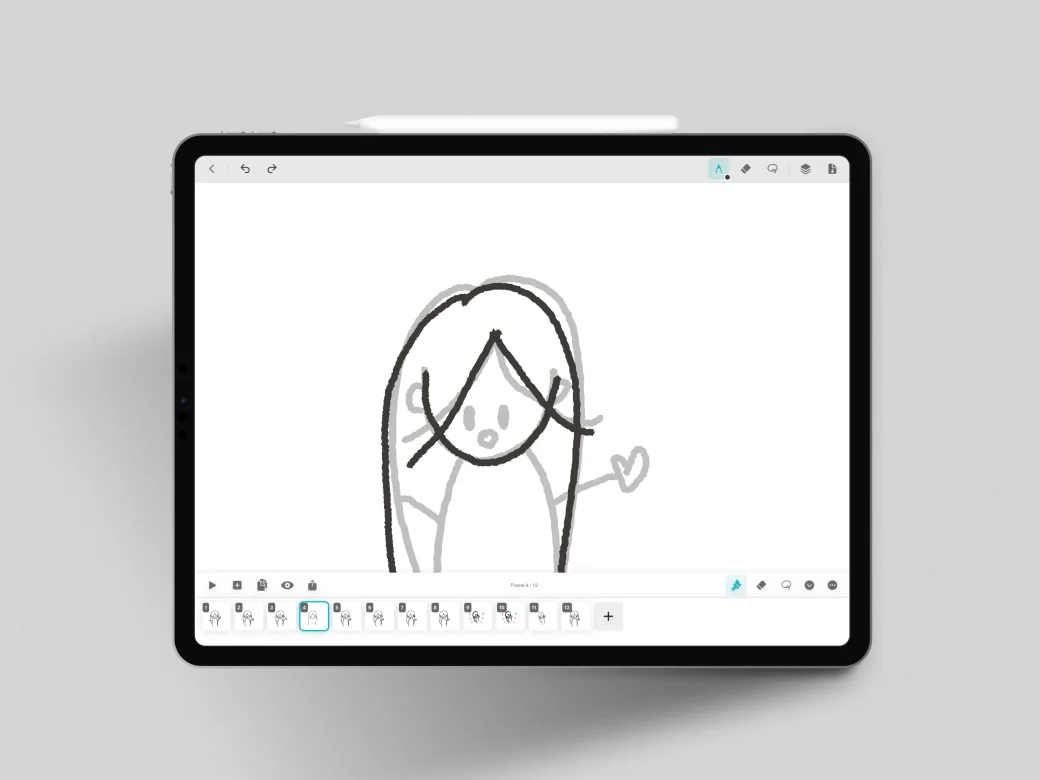

About
Transform your drawings into animated art with MoveBrush, the iPad drawing app where every stroke comes alive. Create animated masterpieces with brushes that wiggle, jitter, glow, and move as you draw, then export as high-quality MP4 videos or GIFs.
WHY ARTISTS LOVE MOVEBRUSH
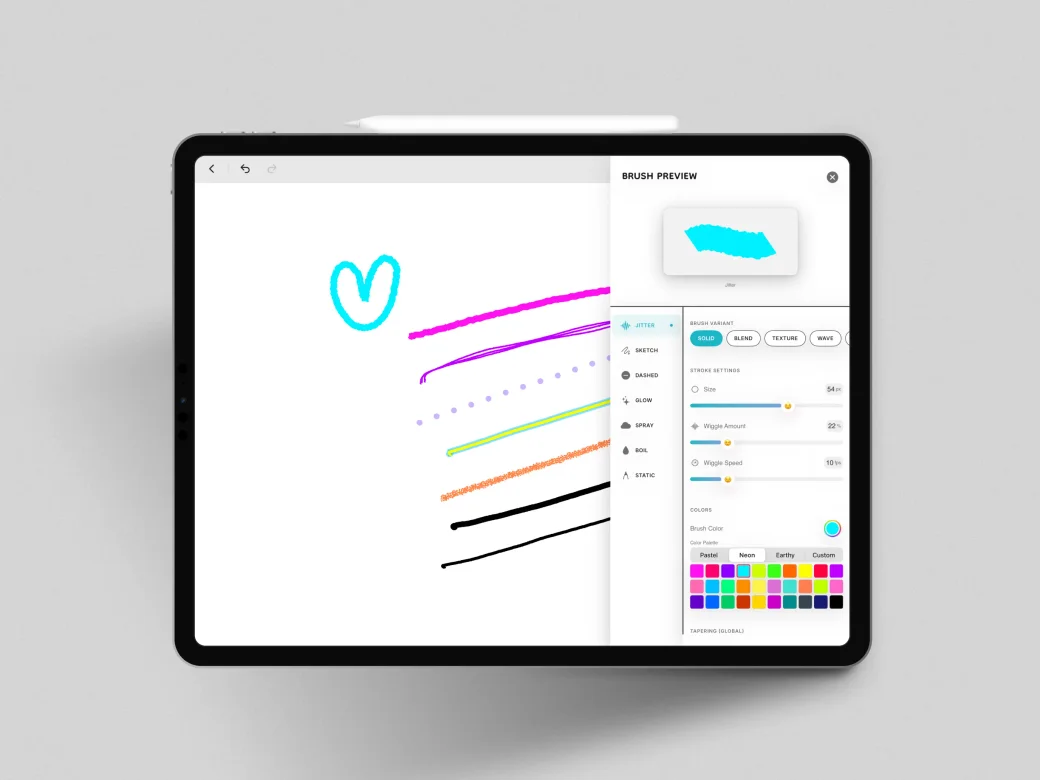
Unlike static drawing apps, MoveBrush features 7 professional animated brush types that bring motion to your art. Whether you're sketching quick doodles or crafting professional animations, MoveBrush turns ordinary iPad art into dynamic motion graphics ready to share on Instagram, TikTok, YouTube, and beyond.
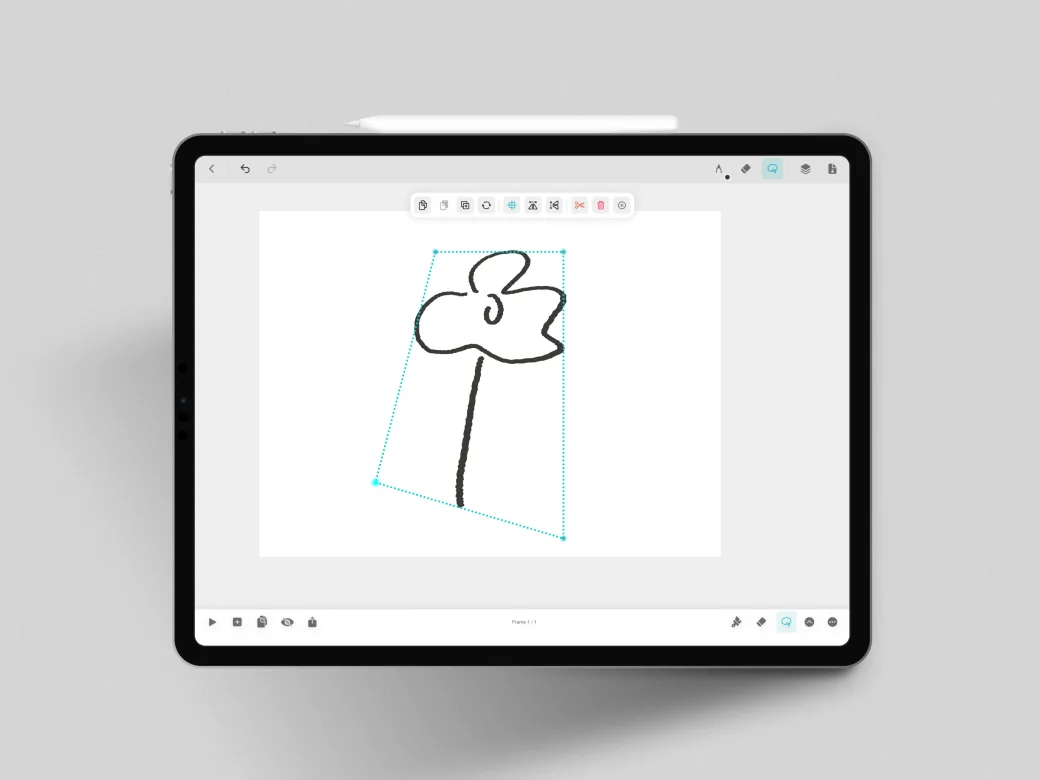
NEW: FRAME-BY-FRAME ANIMATION
Take full control of your animations with a proper animation timeline:
- Draw frame by frame with onion skinning
- Reorder, duplicate, and batch-edit frames in Frame Manager
- Set custom frame hold durations for perfect timing
- Toggle frame visibility while you work
- Real-time playback preview
7 ANIMATED BRUSH TYPES
Each brush has its own unique motion and personality:
- Jitter - organic, hand-drawn trembling effect
- Sketch - classic animator pencil look
- Dashed - animated dash and dot patterns
- Glow - radiant motion trails
- Spray - particle-based texture
- Boil - fluid, classic boil animation
- Static - standard drawing for precision work
EXPORT YOUR ANIMATED ART
- Export MP4 videos up to 60 seconds
- Export GIFs with transparent background support
- Share directly to social media
- Watermark-free exports with Premium
- High-quality rendering with progress indicator
PRO CANVAS FEATURES
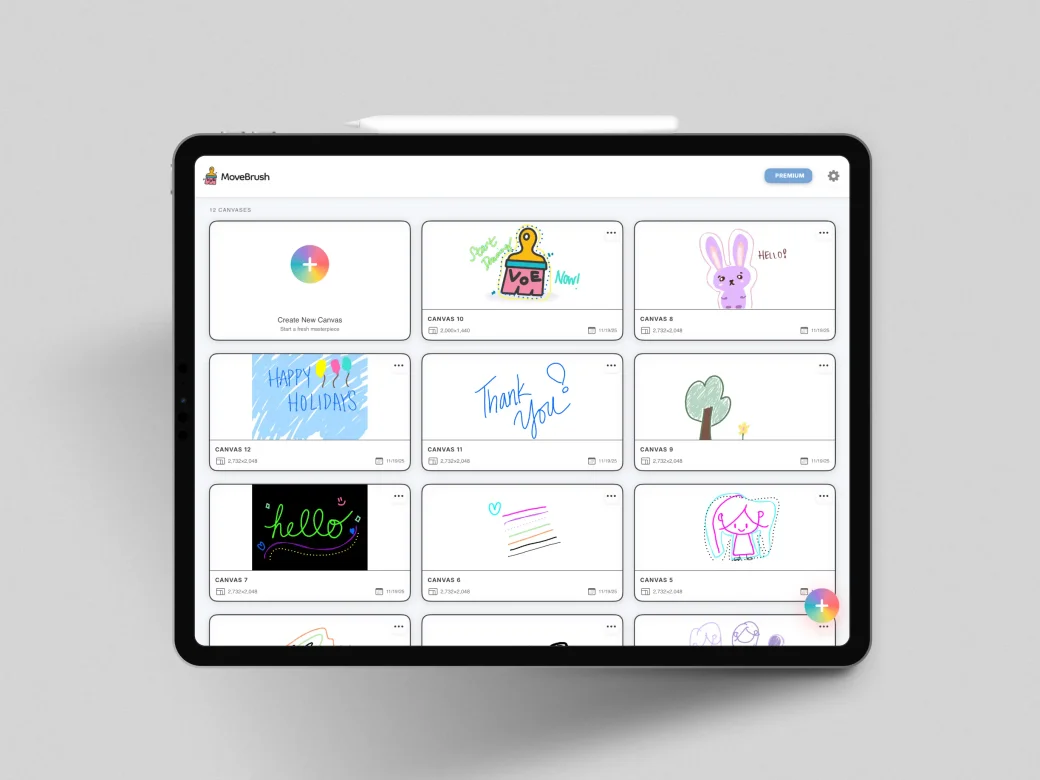
- Multi-layer support with blend modes
- Layer groups - organize layers into collapsible folders
- Layer thumbnails for quick visual reference
- Multi-select layers for batch operations
- Full undo/redo for layer operations
- Infinite canvas options
- iPad-optimized interface
- Apple Pencil pressure sensitivity
- 120Hz ProMotion support for smooth drawing
- Dark mode
ONE-TIME PURCHASE, NO SUBSCRIPTIONS
MoveBrush is yours forever for $9.99 USD. No monthly fees, no recurring charges.
Free Tier Includes:
- 3 animated brushes (preview the other 4)
- Full layer system with groups
- Animation timeline with 10 frames
- 5-second video exports
- Unlimited drawings
Premium Unlock ($9.99 one-time):
- All 7 animated brush types
- Remove watermark
- Export videos up to 60 seconds
- Unlimited animation frames
- Future brush updates included
- Support indie development
PERFECT FOR
- Digital artists exploring animated techniques
- Illustrators adding motion to sketches
- Animators who want frame-by-frame control
- Social media creators making eye-catching content
- Anyone tired of subscription-based drawing apps
- Procreate users wanting built-in animation
- Beginners discovering digital art
HOW TO GET STARTED
1. Download free and try 7 animated brushes
2. Create your first animated drawing
3. Upgrade anytime to unlock all features
4. Share your animated art with the world
MoveBrush is designed exclusively for iPad, optimized for Apple Pencil, and created by artists who believe powerful creative tools shouldn't require monthly payments.
Download now and discover why creators are switching to animated drawing. Your creativity deserves tools that move as fast as your imagination.
What’s new
Version 1.0.6 · Jan 27, 2026
New Fill Tool + Fill Brush for instant coloring, plus smoother performance and improved localization support.
App privacy
What Easyberry LLC declares on the App Store about how this app handles data.
-
Data not collected
The developer does not collect any data from this app.
Privacy practices may vary, for example with the features you use or your age.
Information
- Seller
- Easyberry LLC
- Category
- Graphics & Design
- Version
- 1.0.6
- Updated
- Jan 27, 2026
- Released
- Nov 21, 2025
- Size
- 26.4 MB
- Requires
- iOS 18.2 or later
- Age rating
- 4+
- Price
- Free
- In-app purchases
- Yes
- Languages
- English, Simplified Chinese, Traditional Chinese
- Copyright
- © 2025 Easyberry LLC
You might also like
-
 DotShakeAnimated Drawing & GIF Art
-
 Studio Brushes for ProcreateStamps, Fonts, Paper Patterns
-
 Brushes for Procreate & ToolsPocket Brush, Textures, Fonts
-
 Procreate Brushes · BrushKit6,870+ brushes, weekly updates
-
 AmberPaint - Motion BrushBring Images to Life
-
 Brushes for Procreate+Fonts, Drawing Tools, Palettes
-
 Flowpaper: Drawing & AnimationPainting Sketchbook & Doodle
-
 iLMiNA - Drawing & PaintAd-Free Art & Live Streaming
-
 Tools & Brushes for ProcreateStamps, Textures, Fonts & 3D
-
 Brush it Brushes for ProcreatePremium Brush Sets, Pro Create